Question

Unable to find added photos in Customization Project's Files Tab

  • November 7, 2025
  • 8 replies
  • 71 views

Forum|alt.badge.img

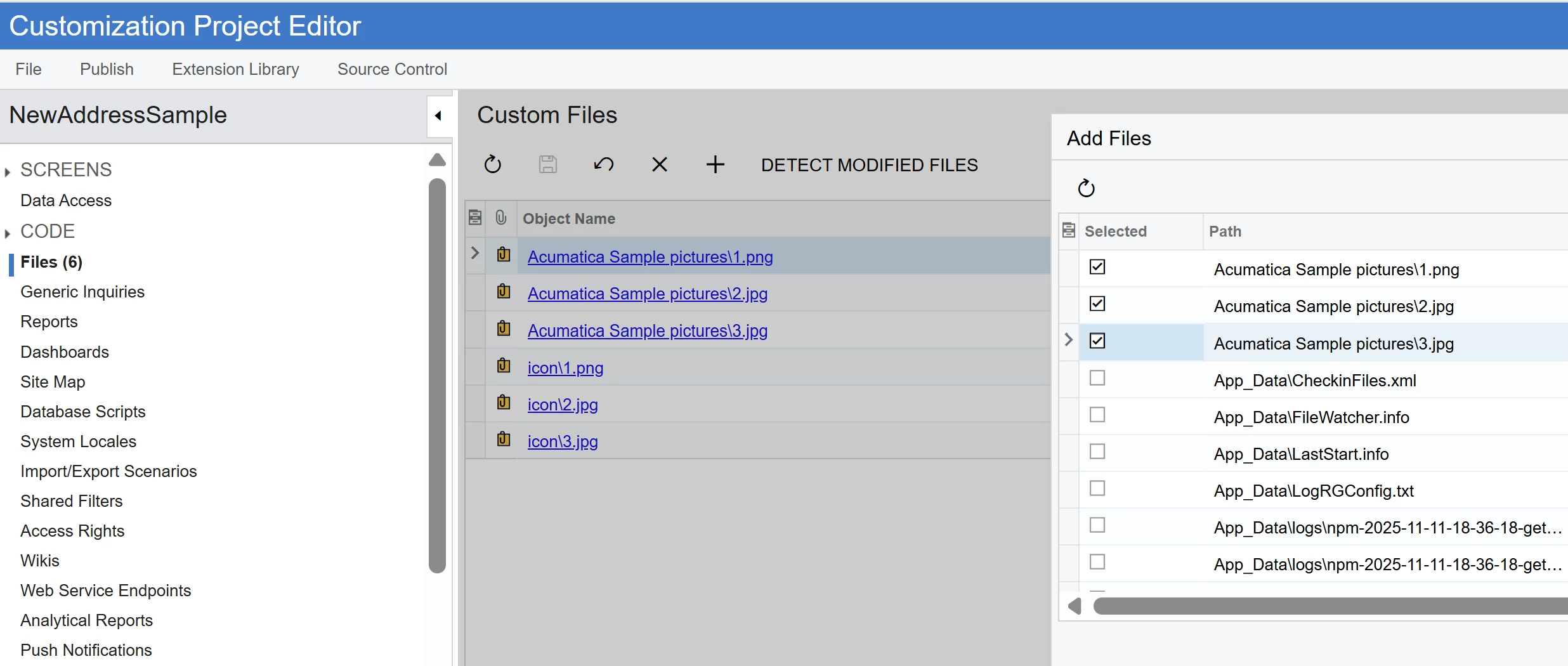
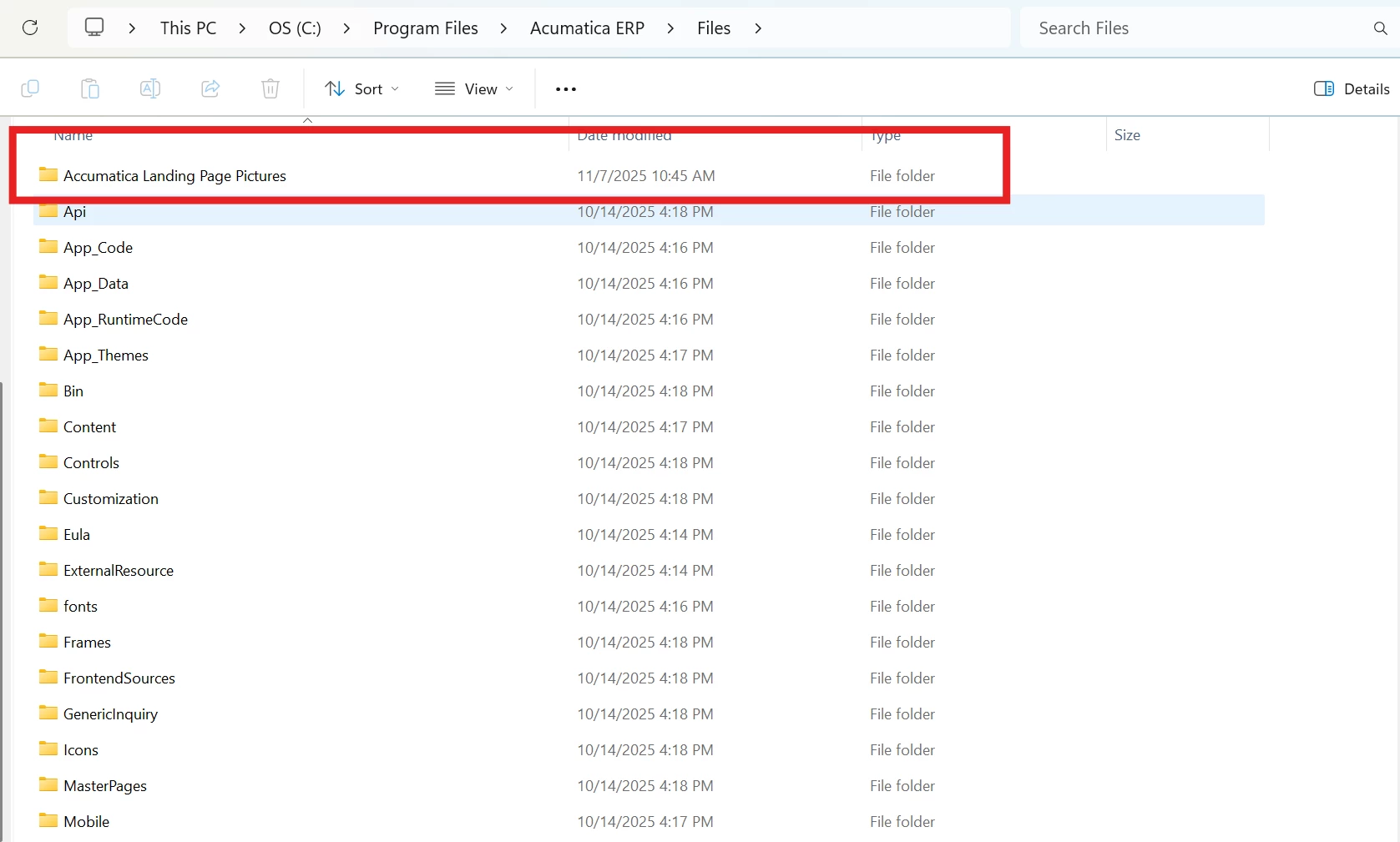
I’m trying to add photos to a files customization project, however I don’t see them on the list of add files to add. I believe my added photos are in the right spot, but I don’t see them. Are they in the right place?
 

8 replies

Vignesh Ponnusamy
Acumatica Moderator
Forum|alt.badge.img+5

Hi ​@kkraus,

If you trying to replace the images in the singin page, you can refer to the instructions from below article,

Good Luck,


Forum|alt.badge.img
  • Author
  • Freshman II
  • November 12, 2025

Hi ​@kkraus,

If you trying to replace the images in the singin page, you can refer to the instructions from below article,

Good Luck,

@Vignesh Ponnusamy, yes, I’ve seen that article. It’s actually those steps I’m trying to perform. However, I can’t get the photos to appear where the guide says they will.


darylbowman
Captain II
Forum|alt.badge.img+15

How are the files named?


Forum|alt.badge.img
  • Author
  • Freshman II
  • November 12, 2025

How are the files named?

They’re just the numbers 1-10. Does that matter?


Forum|alt.badge.img+1

File name can be numbers. It shouldn’t be an issue.


If what format are the images?​ and which version of Acumatica are you using?​​​​​


Forum|alt.badge.img
  • Author
  • Freshman II
  • November 14, 2025

File name can be numbers. It shouldn’t be an issue.


If what format are the images?​ and which version of Acumatica are you using?​​​​​

png, Build 25.101.0153.4


Manikanta Dhulipudi
Captain II
Forum|alt.badge.img+15

Forum|alt.badge.img+2

How are the files named?

They’re just the numbers 1-10. Does that matter?


The image name should be in this format :
login_bg*.*
You can visit this article too:
https://stackoverflow.com/questions/43209817/how-to-replace-images-on-acumatica-login-page