When we are trying to add the customized actions to the mobile application it is not showing in the mobile app.
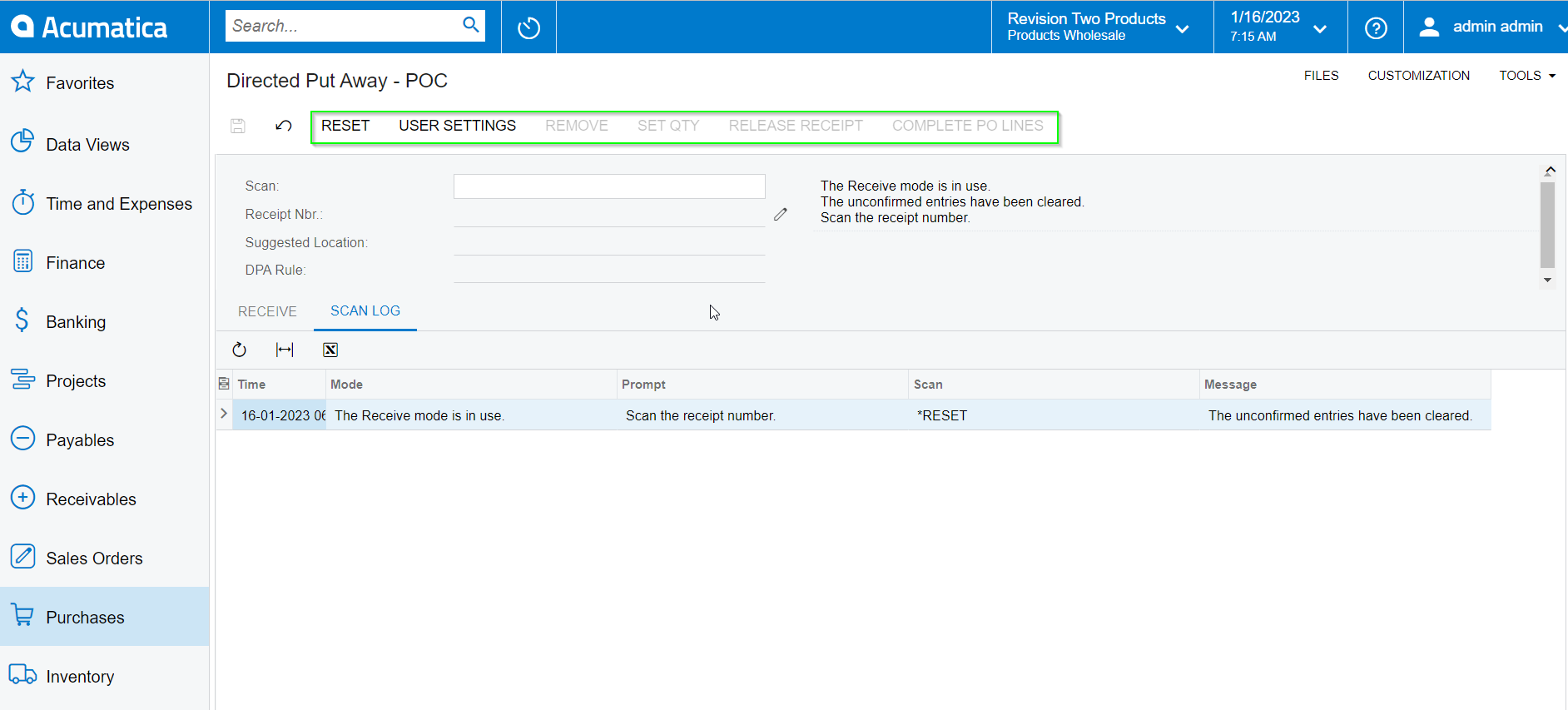
actions in the customized screen:
In the screenshot we can see the actions under the Actions complex type in WSDL Schema
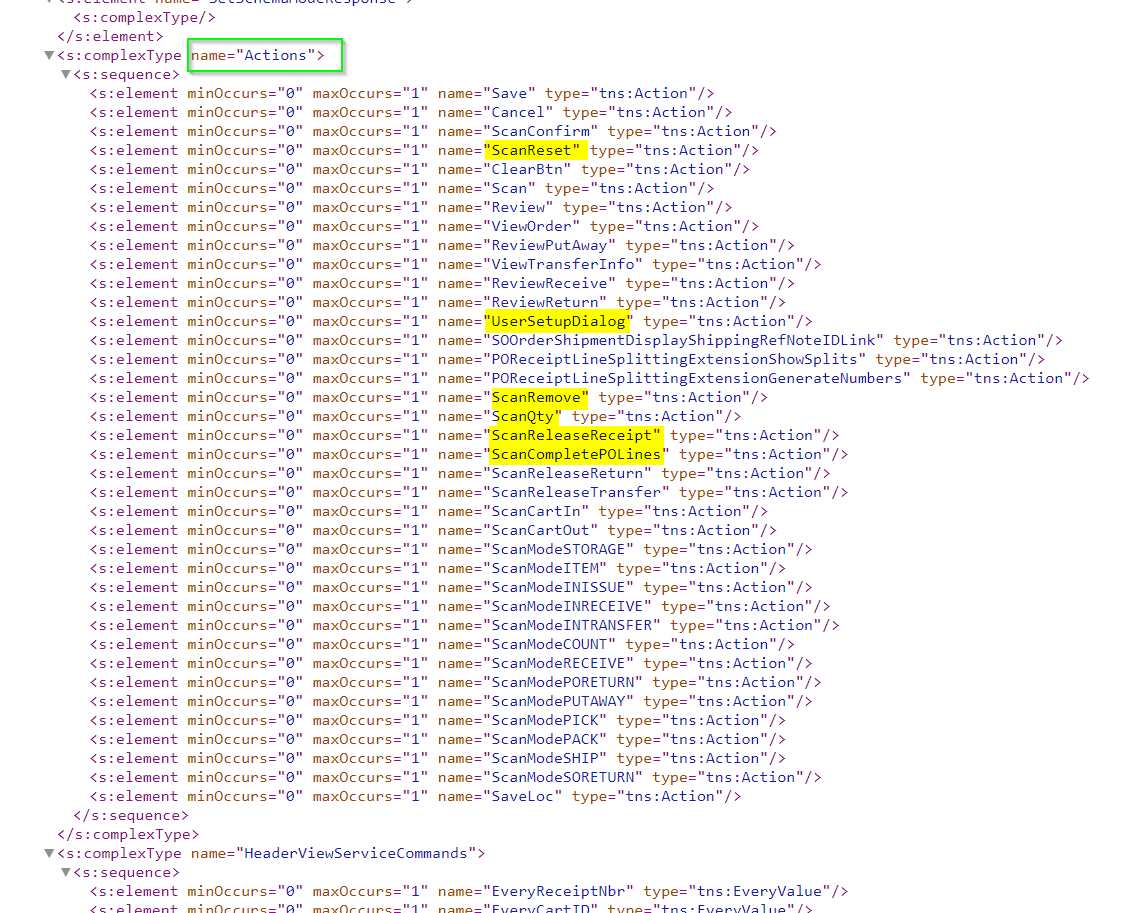
In the code part we have tried with the different action commands still we could not able to see the actions in the mobile applications.
add container "HeaderView"{

     add recordAction "Save" {
     behavior = Save
     }
     add recordAction "Cancel" {
     behavior = Cancel
     }
      add recordAction"ScanReset" {
     behavior = Record
     }
     add recordAction"UserSetupDialog" {
     behavior = Record
     }
     add recordAction"ScanRemove" {
     behavior = Record
     }
     add recordAction"ScanQty" {
     behavior = Record
     }
     add recordAction"ScanReleaseTransfer" {
     behavior = Record
     }

     add layout "HeaderViewHeader" {
      layout = "HeaderSimple"

       add layout "HeaderViewHeaderRow1" {
        layout = "Inline"
       add field "SuggestedLocation"
       }
       add layout "HeaderViewHeaderRow2" {
        layout = "Inline"
       add field "DPARule"
       }
    }

    add field "Scan"
    add field "ReceiptNbr"
    add field "Message"


    add layout "Receive" {
     layout = DataTab
     add containerLink "Receive" {
     control = "ListItem"
     }
   }
    add layout "PutAway" {
     layout = DataTab
     add containerLink "PutAway" {
     control = "ListItem"
     }
   }
    add layout "Transfers" {
     layout = DataTab
     add containerLink "Transfers" {
     control = "ListItem"
     }
   }
    add layout "ScanLog" {
     layout = DataTab
     add containerLink "ScanLog" {
     control = "ListItem"
     }
   }


   }