Solved

The customized field does not show on Users screen (SM201010) Modern UI 2026r1

  • May 13, 2026
  • 7 replies
  • 72 views

Forum|alt.badge.img+6

I have added a custom field "UsrDefaultW" to the Users screen (SM201010) in Classic UI. The field is bound to the “UserList” view and located in the “User Information” container.My problem:
In the official Modern UI source code of SM201010:
- `UserList` is a view instance defined in the screen class (`createSingle(Users)`)
- Only the `Users` class is exported, the `UserList` view is NOT exported
My Ts and html extension files are attached.
They can build, but no field show on screen.
What is the correct way to add custom fields on SM201010 Modern UI?

Best answer by Abhishek Niikam

Hello ​@ray20 

@Naveen Boga Hello Naveen, thank you for your always help. I used the code you gave. Unfortunately ,no luck to show. Does the code work on your side?
I prepared a clean customziation package, which shows in Classic UI , while not showing in Modern.

I Published package that you shared  & You need to do this settings:

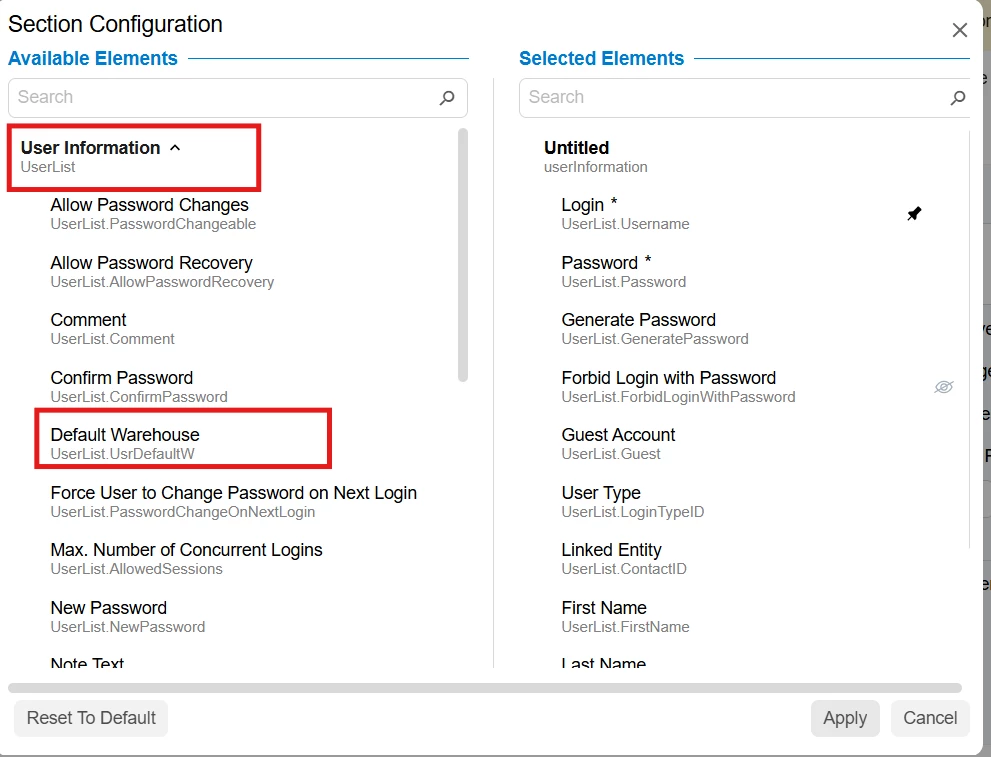
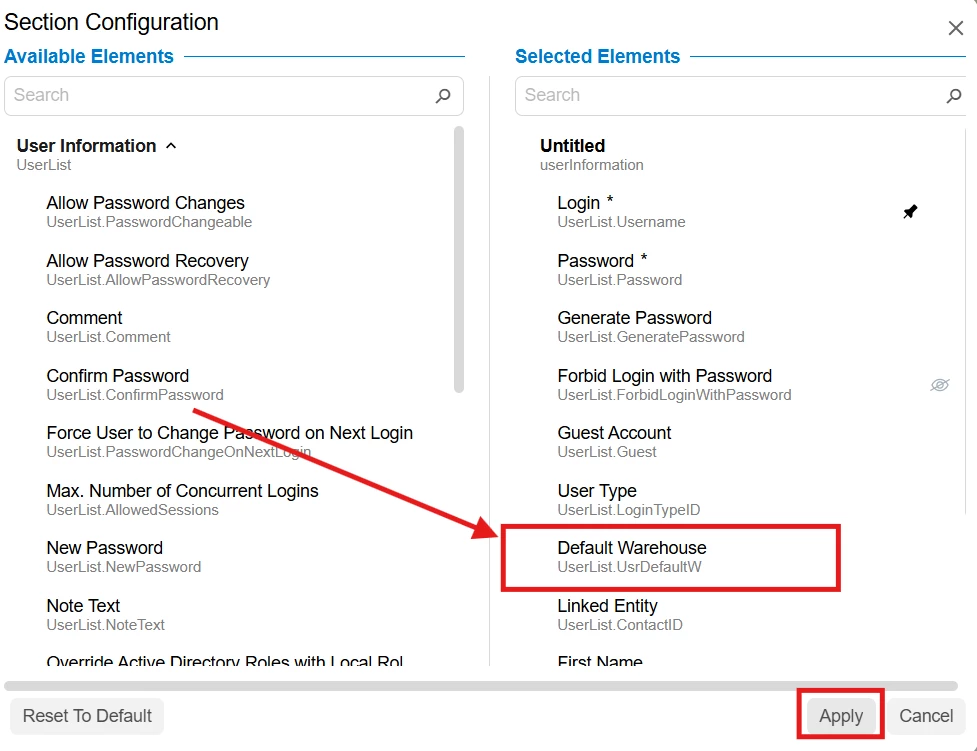
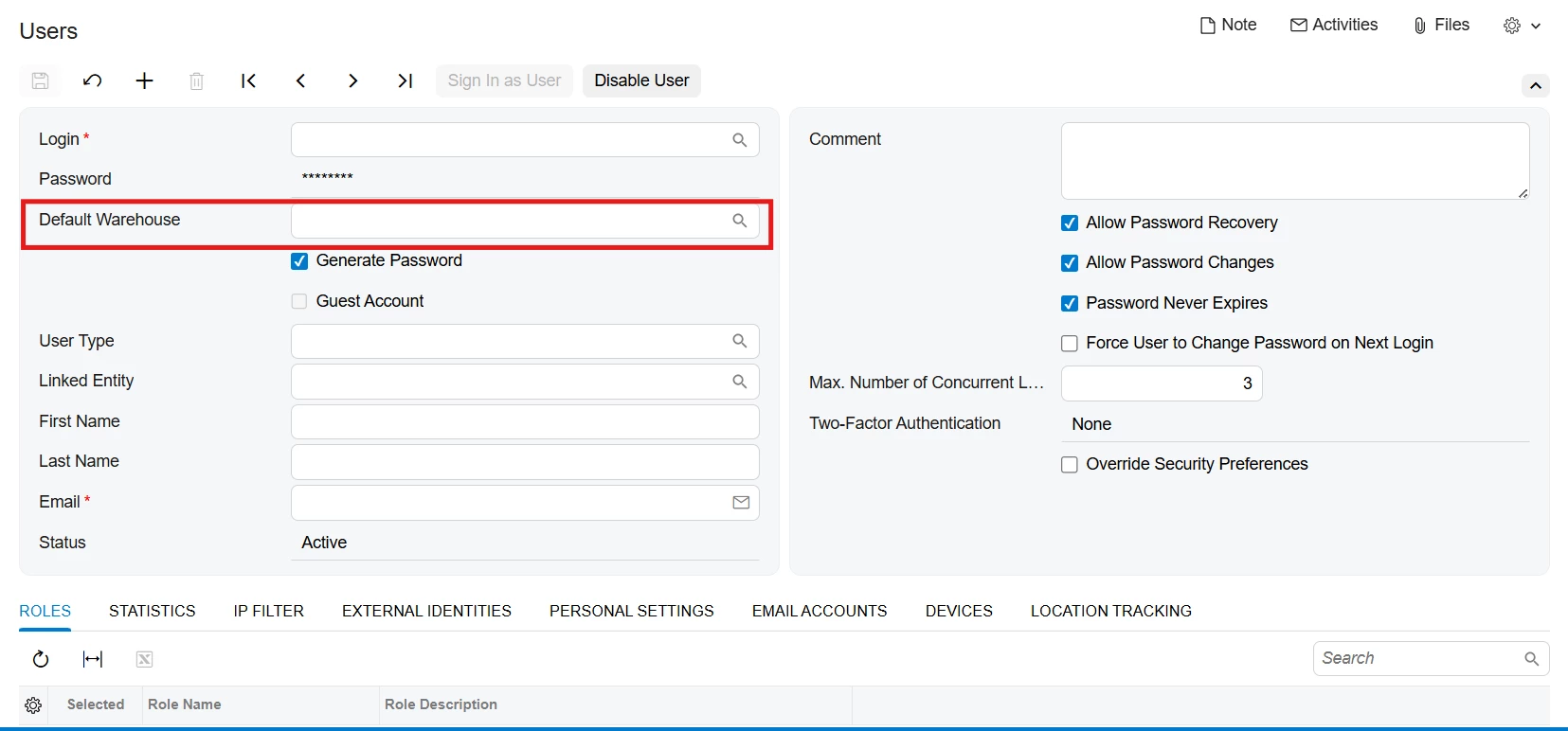
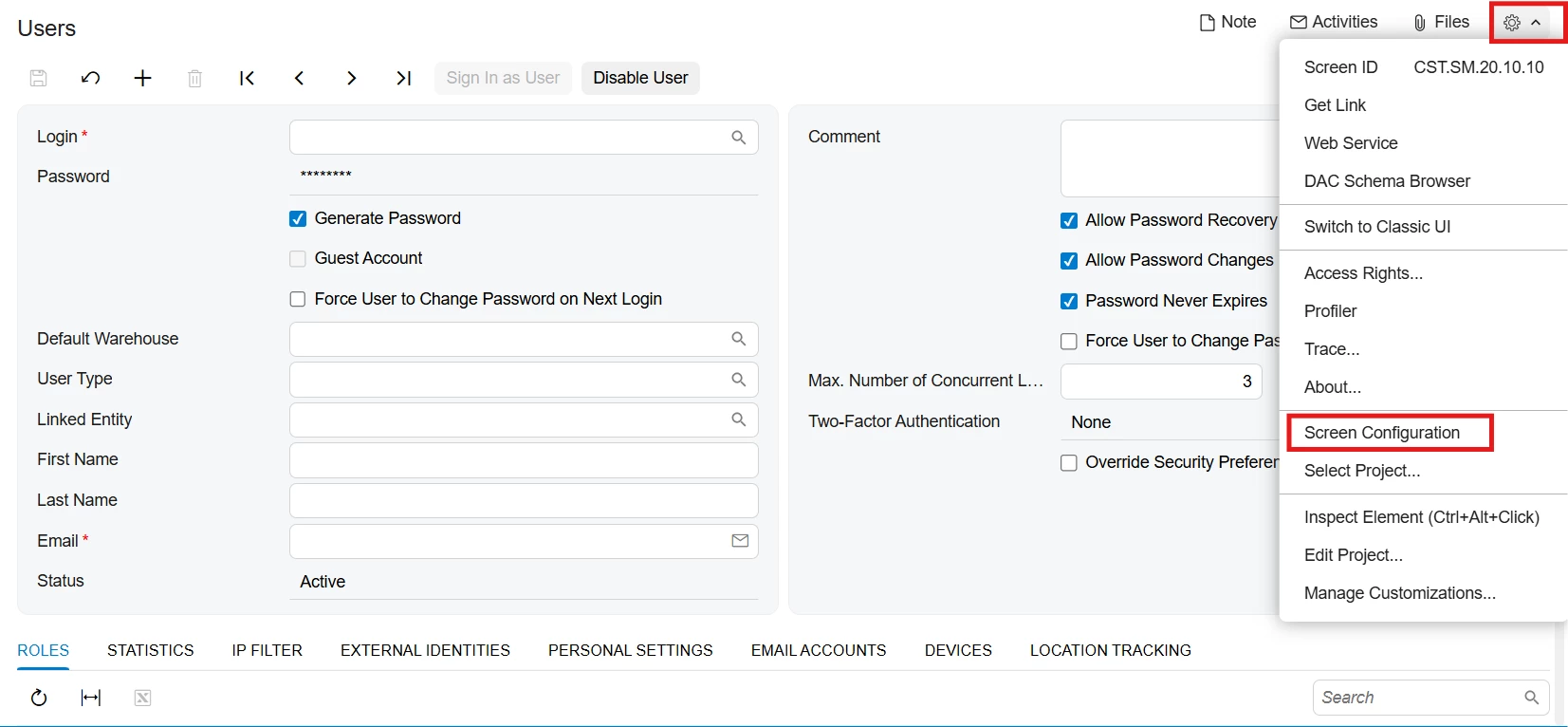
Go to Gear icon → Select Screen Configuration → Then again open Gear icon of 1st column (refer 2nd snap) →  Select & Expand User Information section (refer snap 3) → Drag “Default Warehouse” field (refer snap 4) & Adjust Position (Drag for it) → press Apply → Apply to All 
 

1
2
3


I hope it help!

7 replies

Forum|alt.badge.img+9
  • Captain II
  • May 13, 2026

@ray20 


How did you build? I saw a previous post from you where you mentioned you had to publish the customisation project.


I have encountered issues with publishing the project, then building via npm, if you pick one approach you should stick with it to avoid these issues.


Dependent on if my assumption of you building via npm is correct, could you please update the customisation project with the modified files, then see if that works for you.


Naveen Boga
Captain II
Forum|alt.badge.img+20
  • Captain II
  • May 13, 2026

@ray20 In Modern UI, you should extend the DAC class that is actually exported from views.ts.
For SM201010, the UserList view itself is NOT exported, but the DAC  model class (Users) is exported  and that is the correct target.


.TS File:  You only need to extend the exported Users lass.

Can you please try with the below code?

import { PXFieldState, placeAfterProperty } from "client-controls";
import { Users } from "src/screens/SM/SM201010/views";

export interface UsersExt extends Users {}

export class UsersExt {
@placeAfterProperty("Username")
UsrDefaultW: PXFieldState;
}


.HTML File:
 <template for="Users">
<field name="UsrDefaultW" after="Username"></field>
</template>


If this is not working, please share the customization package, we will look into it and let you know the root cause.


Forum|alt.badge.img+6
  • Author
  • Captain II
  • May 13, 2026

@Naveen Boga Hello Naveen, thank you for your always help. I used the code you gave. Unfortunately ,no luck to show. Does the code work on your side?
I prepared a clean customziation package, which shows in Classic UI , while not showing in Modern.


Naveen Boga
Captain II
Forum|alt.badge.img+20
  • Captain II
  • May 13, 2026

@ray20  Thanks for sharing the package. I will take a look and will get back to you.


Forum|alt.badge.img+3

Hello ​@ray20 

@Naveen Boga Hello Naveen, thank you for your always help. I used the code you gave. Unfortunately ,no luck to show. Does the code work on your side?
I prepared a clean customziation package, which shows in Classic UI , while not showing in Modern.

I Published package that you shared  & You need to do this settings:

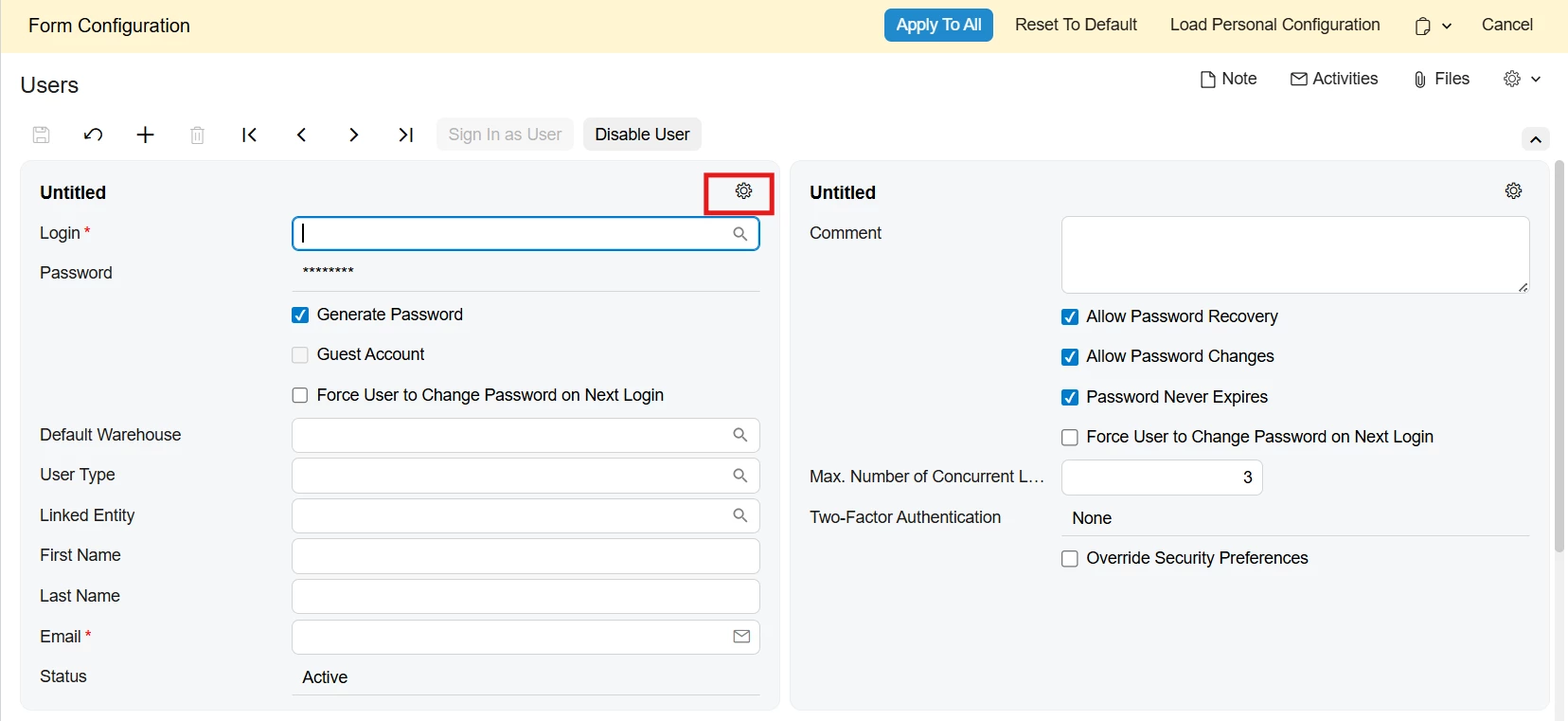
Go to Gear icon → Select Screen Configuration → Then again open Gear icon of 1st column (refer 2nd snap) →  Select & Expand User Information section (refer snap 3) → Drag “Default Warehouse” field (refer snap 4) & Adjust Position (Drag for it) → press Apply → Apply to All 
 

1
2
3


I hope it help!


Naveen Boga
Captain II
Forum|alt.badge.img+20
  • Captain II
  • May 13, 2026

@ray20 Here is the updated package. Please deploy and check.

I checked it in my local and it is working fine.


Forum|alt.badge.img+6
  • Author
  • Captain II
  • May 14, 2026

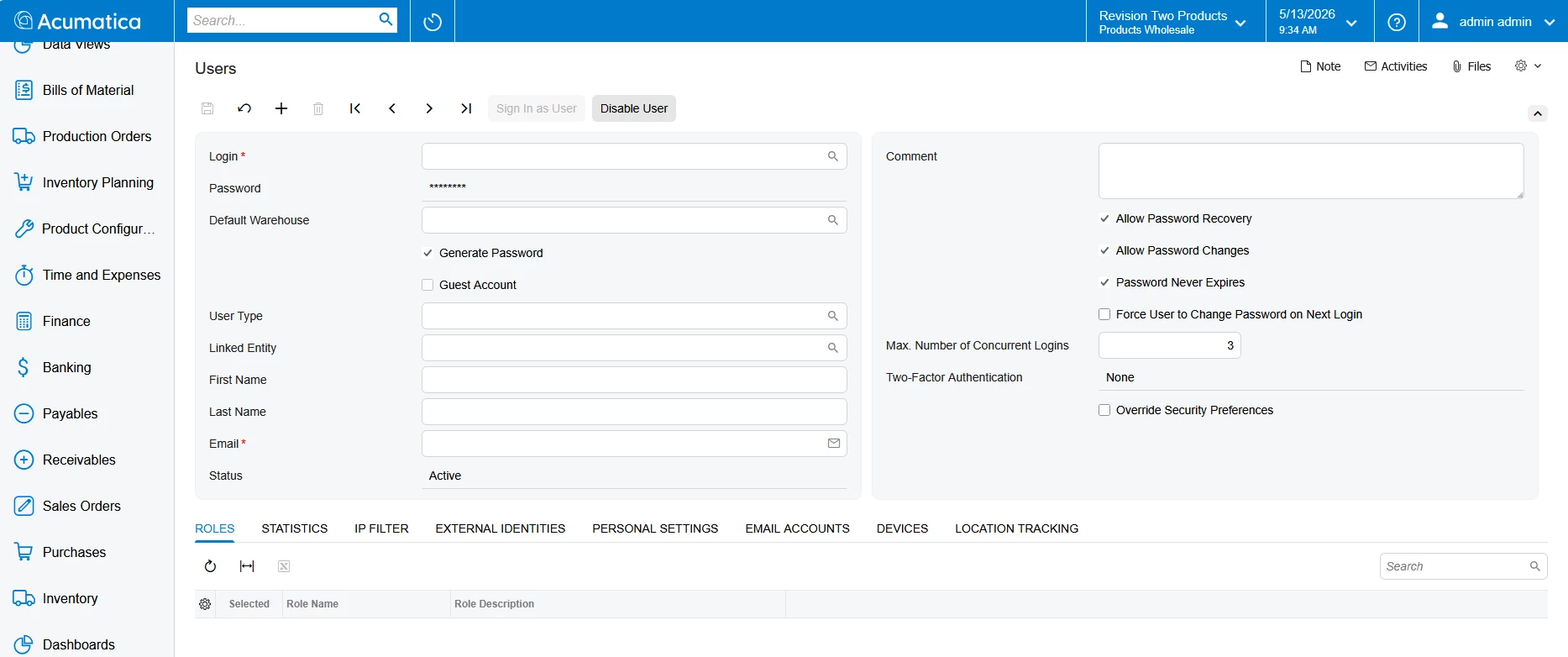
@Naveen Boga Hello,thank you so much. but I deployed the package you shared me, still no luck. Very strangely, does it show directly after you published on your end ?  I need to do the steps Abhishek mentioned to make the field appear.
@Abhishek Niikam  Thank you for your trick, it finally solved the issue. But I have a quick question: On other screens I customized, custom fields appear automatically after adding TS/HTML files and publishing, no manual layout setup needed. But SM201010 requires manually dragging the field in Screen Configuration. Do you know why?

Again, thank you both MVPs for your kind support!