



I have added a custom field "UsrDefaultW" to the Users screen (SM201010) in Classic UI. The field is bound to the “UserList” view and located in the “User Information” container.My problem:
In the official Modern UI source code of SM201010:
- `UserList` is a view instance defined in the screen class (`createSingle(Users)`)
- Only the `Users` class is exported, the `UserList` view is NOT exported
My Ts and html extension files are attached.
They can build, but no field show on screen.
What is the correct way to add custom fields on SM201010 Modern UI?
Solved
The customized field does not show on Users screen (SM201010) Modern UI 2026r1
Best answer by Abhishek Niikam
Hello
I prepared a clean customziation package, which shows in Classic UI , while not showing in Modern.
I Published package that you shared & You need to do this settings:
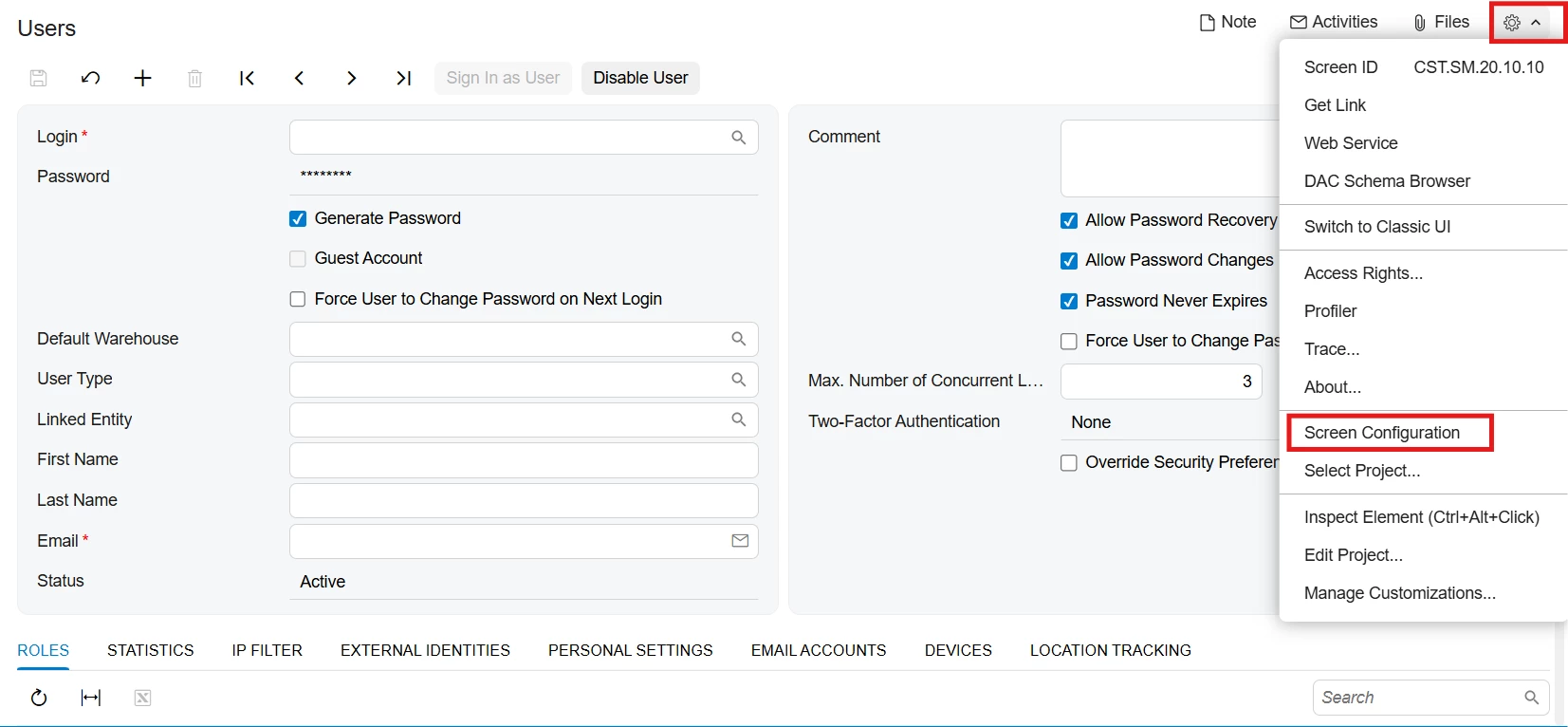
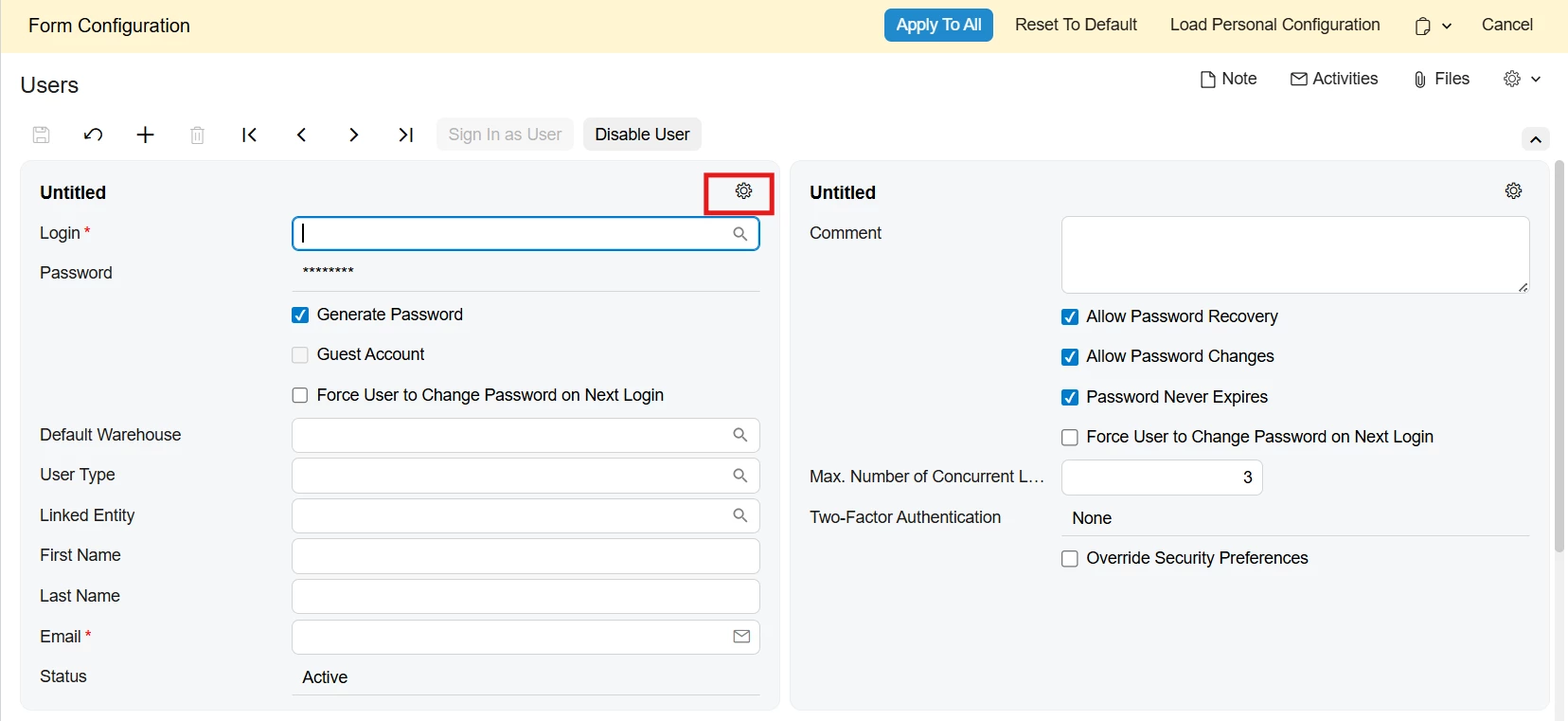
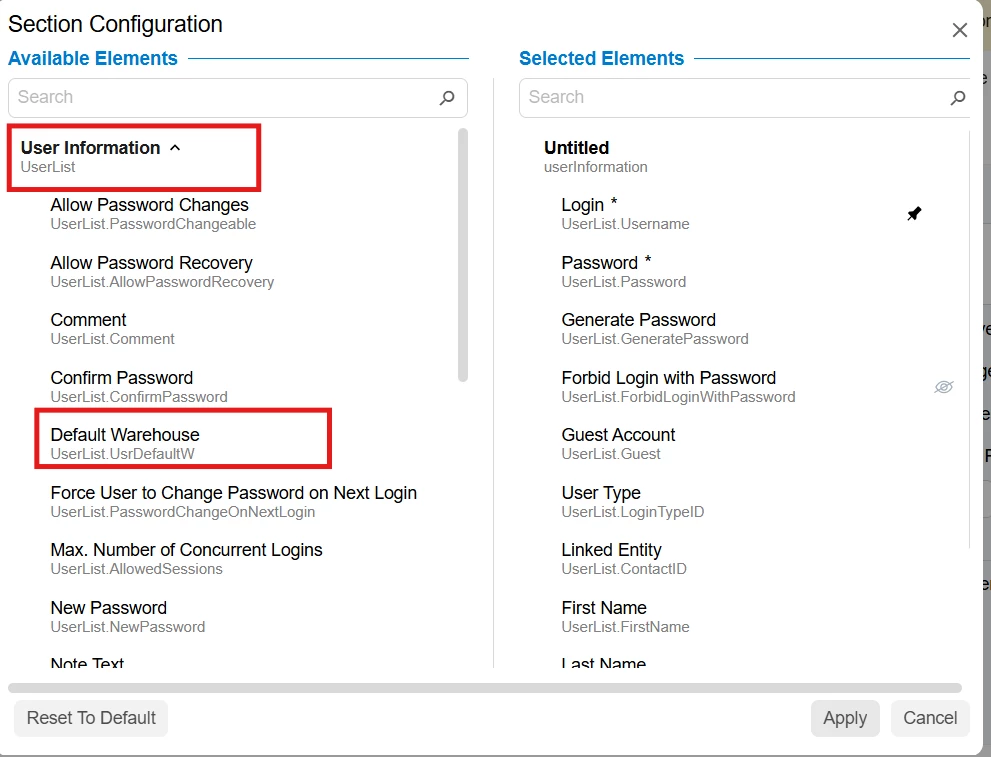
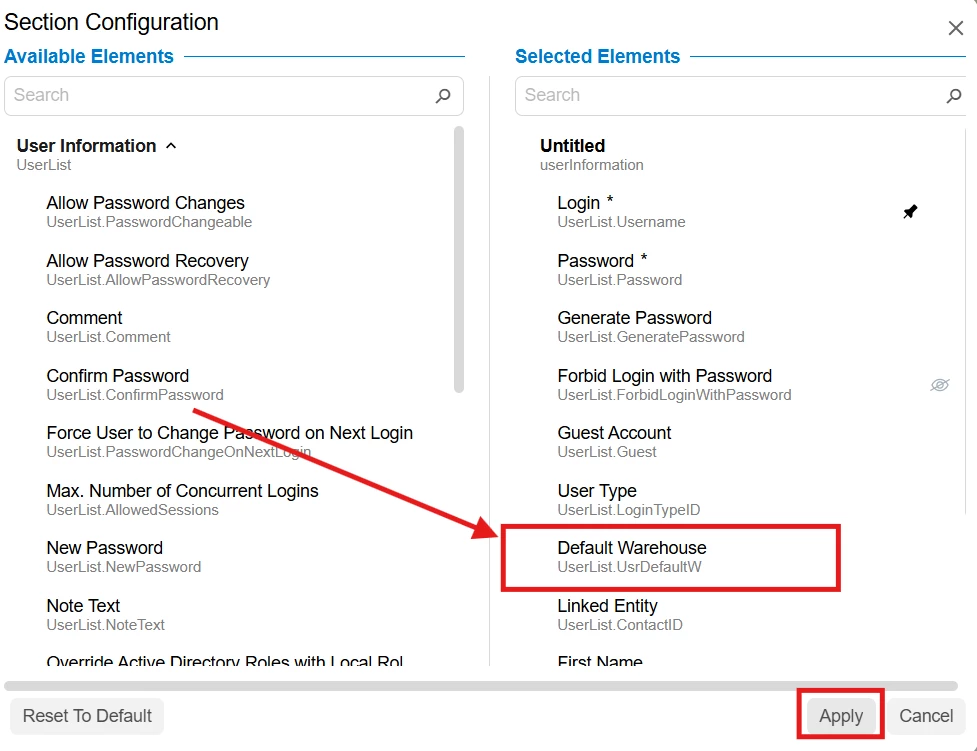
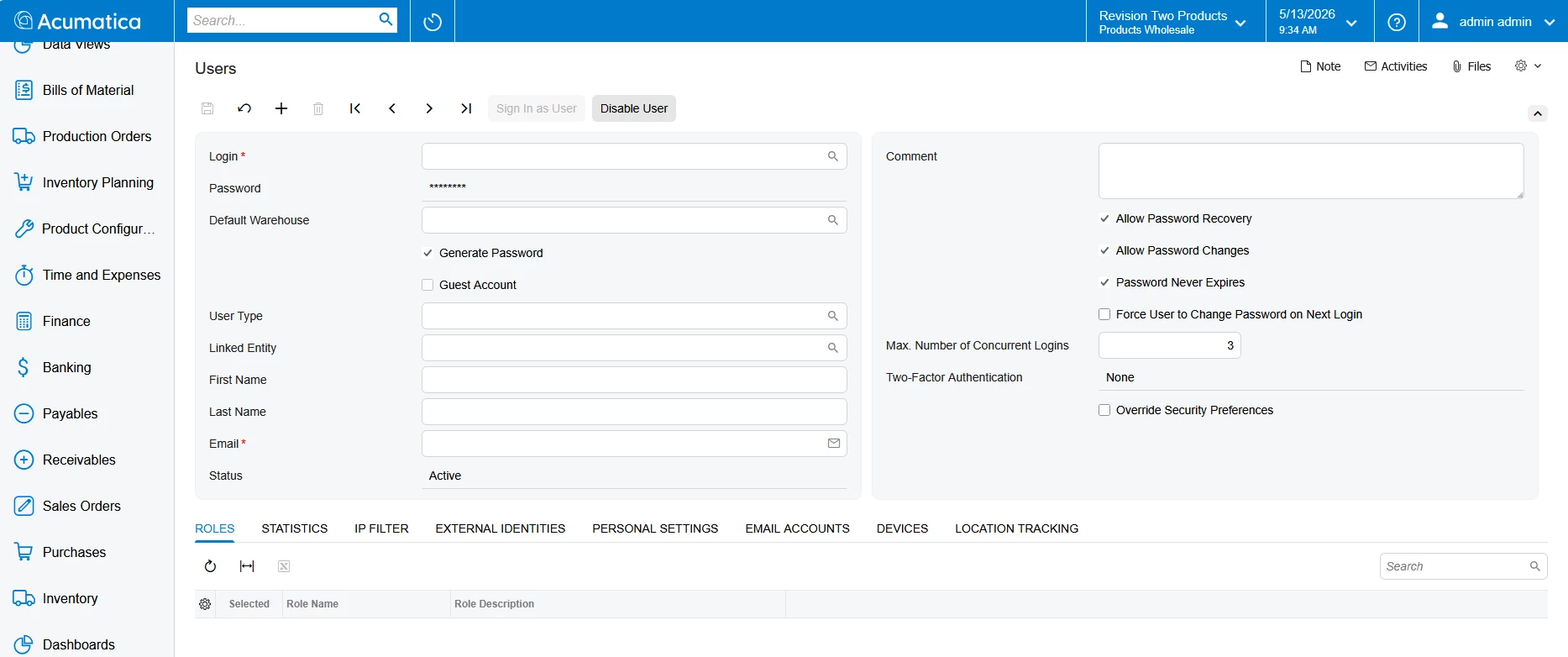
Go to Gear icon → Select Screen Configuration → Then again open Gear icon of 1st column (refer 2nd snap) → Select & Expand User Information section (refer snap 3) → Drag “Default Warehouse” field (refer snap 4) & Adjust Position (Drag for it) → press Apply → Apply to All
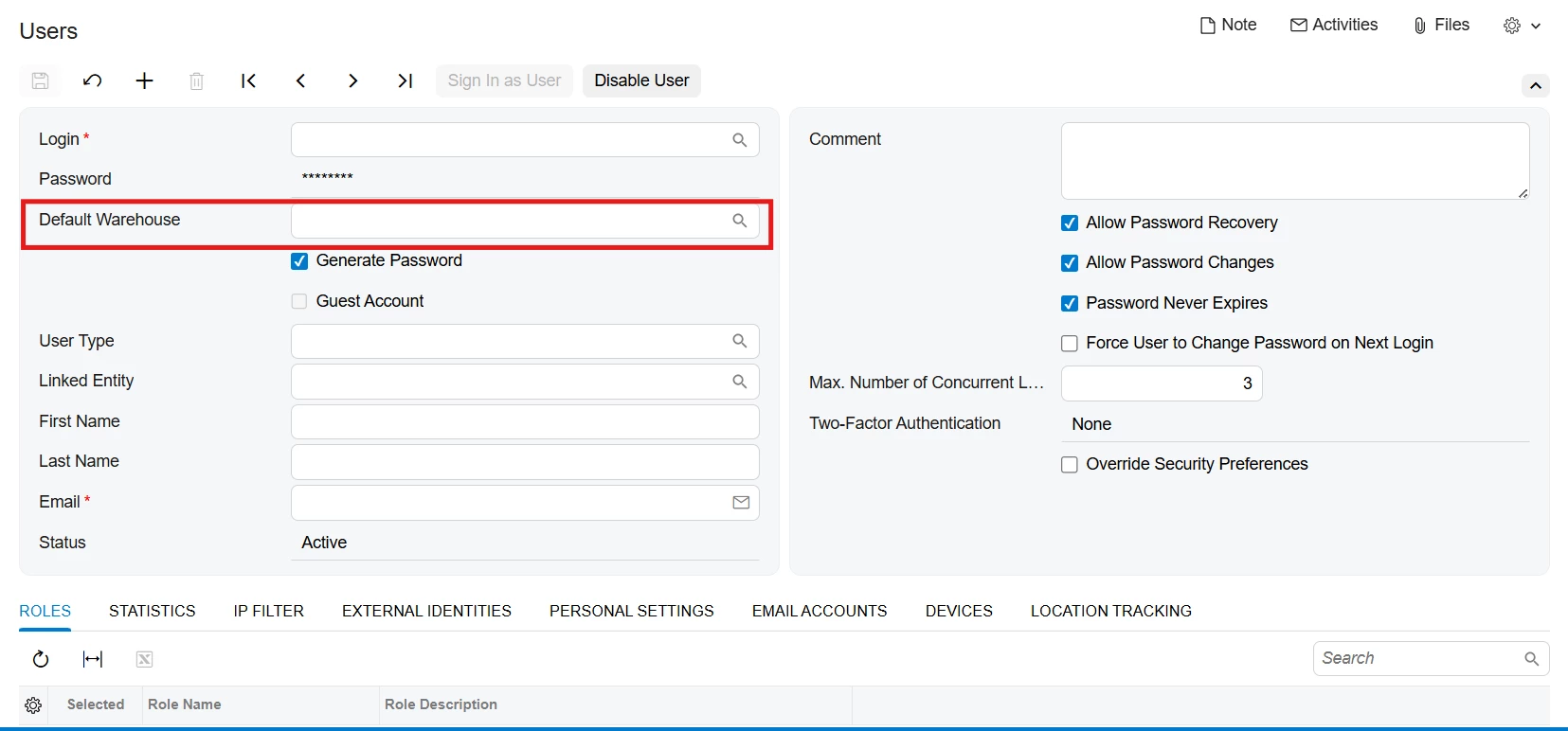
I hope it help!



Enter your E-mail address. We'll send you an e-mail with instructions to reset your password.