Answer

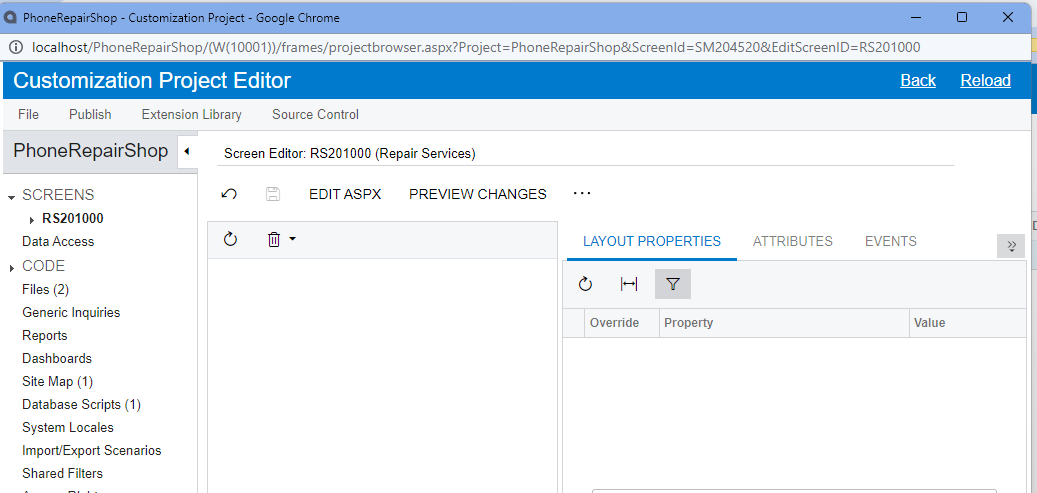
T200 develpment training course: Screen Editor RS201000 does not show the grids

  • July 14, 2023
  • 4 replies
  • 132 views

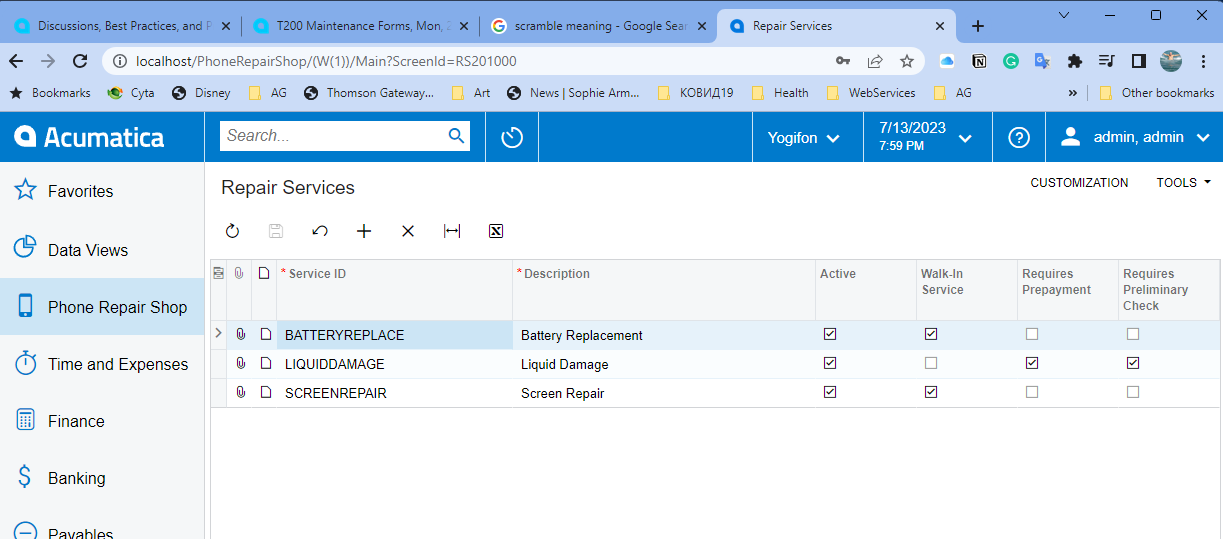
After publishing the project at the end of step 1.4.3 of T200 course I cannot see anymore the grids on Screen Editor RS201000. I can see the screen and add/edit data on this screen when I click  Phone Repair Shop on Acuamtica main pane though. I am doing the course on Acumatica 2023.R1.


Best answer by FelixMilgotin58

Thank you zfebert56 for the reply. No the ASPX tab is also empty. But the solution I found myself is to unpublish All and then Publish the project again. After that the grids are visible.


4 replies

Zoltan Febert
Jr Varsity I
Forum|alt.badge.img+3

Can you see anything when you click on Edit ASPX button?


  • Author
  • Freshman II
  • Answer
  • July 17, 2023

Thank you zfebert56 for the reply. No the ASPX tab is also empty. But the solution I found myself is to unpublish All and then Publish the project again. After that the grids are visible.


Chris Hackett
Community Manager
Forum|alt.badge.img
  • Acumatica Community Manager
  • July 17, 2023

Thank you for sharing your solution with the community @FelixMilgotin58!


  • Freshman II
  • October 7, 2023

Thank you zfebert56 for the reply. No the ASPX tab is also empty. But the solution I found myself is to unpublish All and then Publish the project again. After that the grids are visible.


Thank you @FelixMilgotin58. Your solution fixed my problem.