

Answer

Side Panel in "Project screen" (PM301000) disappears after published to another instance in Acumatica

  • June 23, 2023
  • 4 replies
  • 196 views

Forum|alt.badge.img

Hi Team,

I have created few side panels in Project screen using my local instance through customization Project “action” properties. But when I publish the same package to server instance, the side panels disappear. May I know how I can rectify this issue.


Local Instance:
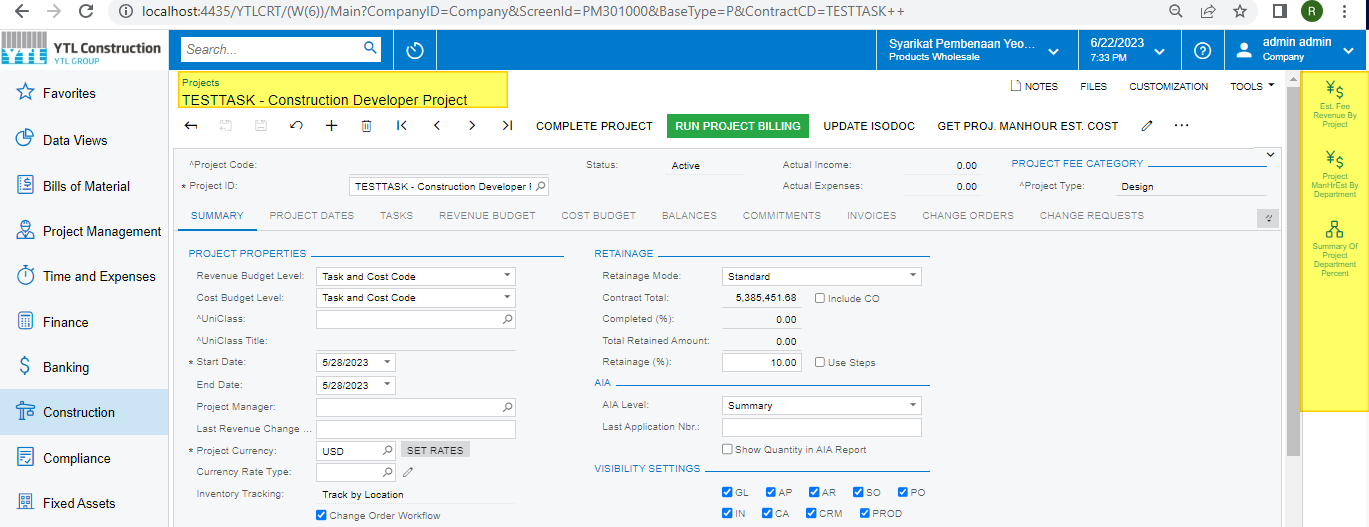
 

Server Instance:
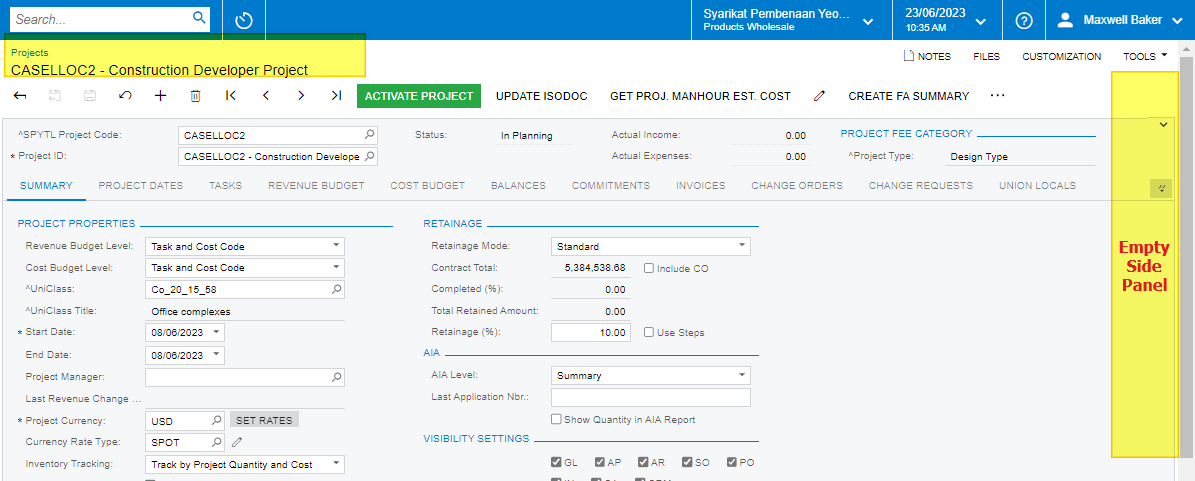
 

Regards,

Ramya Krishna

Best answer by dcomerford

Check there is no other customisation package that is also adding an action to this screen. Only one package can add an Action to a screen so if you have actions for the same screen in two packages then only the highest priorities will be there

4 replies

dcomerford
Captain II
Forum|alt.badge.img+15
  • Captain II
  • Answer
  • June 23, 2023

Check there is no other customisation package that is also adding an action to this screen. Only one package can add an Action to a screen so if you have actions for the same screen in two packages then only the highest priorities will be there


Forum|alt.badge.img
  • Author
  • Jr Varsity III
  • June 23, 2023

@dcomerford,

Thanks it's working now.

Regards,

Ramya Krishna


RohitRattan88
Acumatica Moderator
Forum|alt.badge.img+4
  • Acumatica Moderator
  • June 23, 2023

@ramya15  if @dcomerford ‘s suggestion helped you resolve the issue, please mark it as an answer for future visitors. Thanks


Manikanta Dhulipudi
Captain II
Forum|alt.badge.img+15

Check there is no other customisation package that is also adding an action to this screen. Only one package can add an Action to a screen so if you have actions for the same screen in two packages then only the highest priorities will be there

In addition to that, The highest level defined in the customization package may work the higher level customization.

Thanks



