Answer

Show last record initially in newly created screen on Mobile Application

  • October 23, 2023
  • 6 replies
  • 56 views

Forum|alt.badge.img+1

Hi all,

Previously I have asked a similar question on this. 

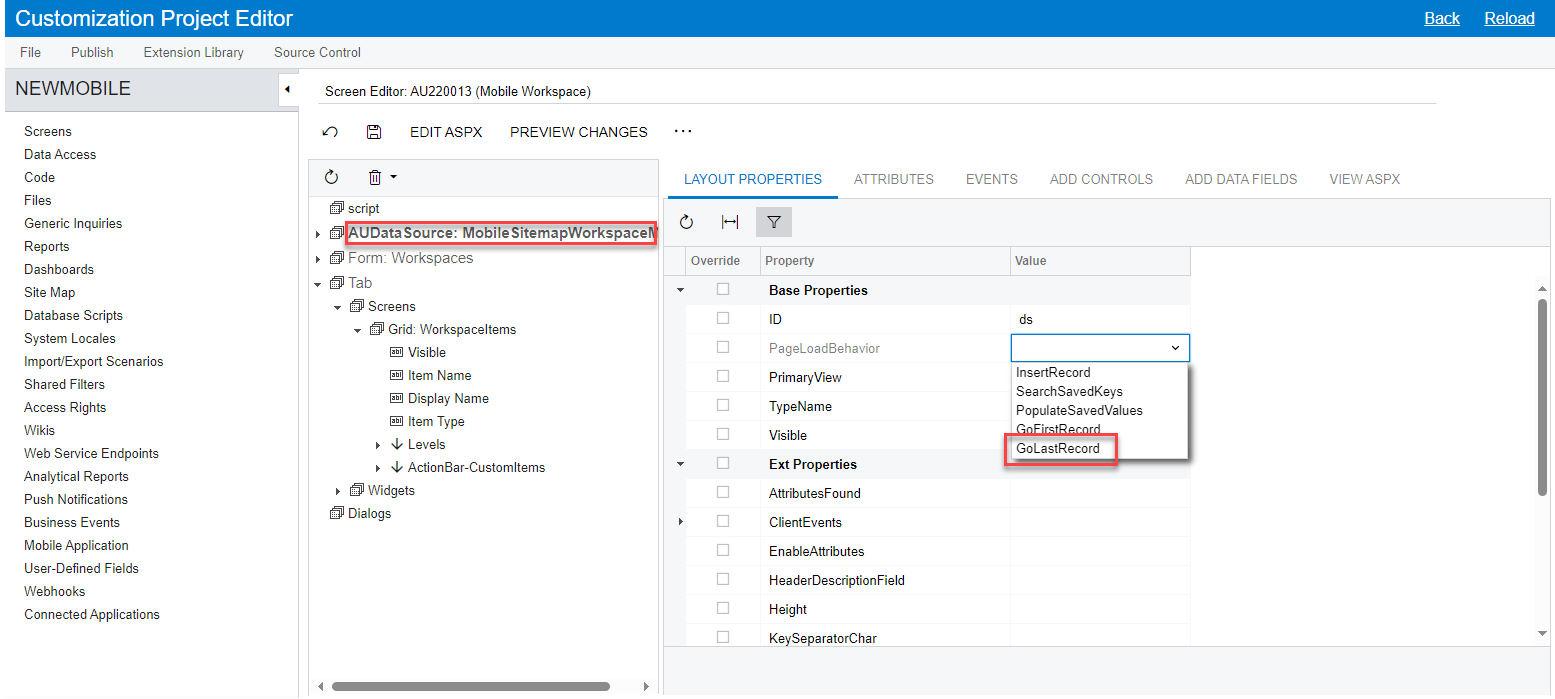
In DataSource of the page in Customization Project Editor, setting the PageLoadBehavior to ‘GoLastRecord’ solved this issue only when using Web Application.

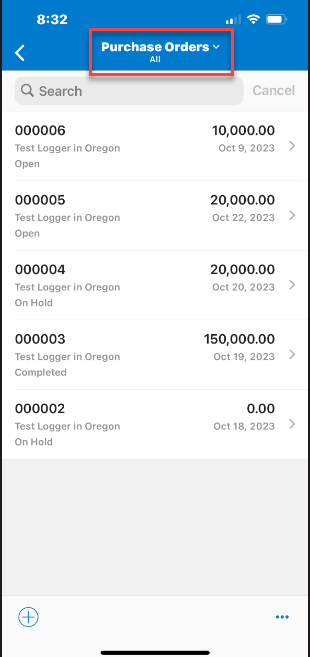
But when we use mobile application it is still showing the list of records instead of last record.

Is there any way to add this behavior to Mobile application as well?


Thanks

Best answer by Kandy Beatty

@kandybeatty49 Yes I tried that. It does not works for mobile application. Anyway thanks for the response!

The mobile app is limited. I think you could create an idea for Acumatica to possibly have that as a feature. 

6 replies

Kandy Beatty
Captain II
Forum|alt.badge.img+17
  • Captain II
  • October 23, 2023

HI @charithalakshan49 

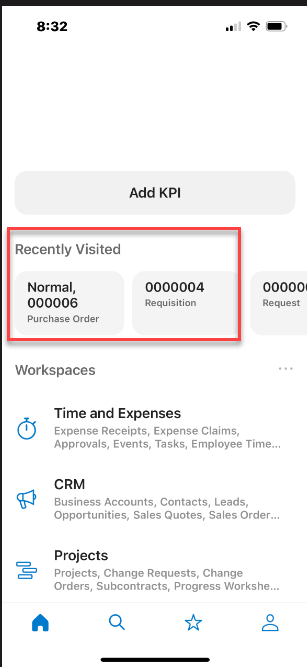
On the mobile app you can see Recently Visited

Or instead of the list of Purchase Orders (for example), you only want to see the last PO?


Forum|alt.badge.img+1

@kandybeatty49  Yes, I want to see the last PO when navigating to the Purchase Orders Screen instead of a list.


Kandy Beatty
Captain II
Forum|alt.badge.img+17
  • Captain II
  • October 23, 2023

HI @charithalakshan49 

Did you try going to the DataSOurce and Page Load behavior> GoLastRecord

The mobile application is a bit more limited though and this may not work. 


Forum|alt.badge.img+1

@kandybeatty49 Yes I tried that. It does not works for mobile application. Anyway thanks for the response!


Kandy Beatty
Captain II
Forum|alt.badge.img+17
  • Captain II
  • Answer
  • October 23, 2023

@kandybeatty49 Yes I tried that. It does not works for mobile application. Anyway thanks for the response!

The mobile app is limited. I think you could create an idea for Acumatica to possibly have that as a feature. 


Forum|alt.badge.img+1

I added that as an Product Idea. Please refer the link.