Answer

show dropdown in service contract attribute

  • February 2, 2023
  • 4 replies
  • 92 views

Forum|alt.badge.img

Hi All,

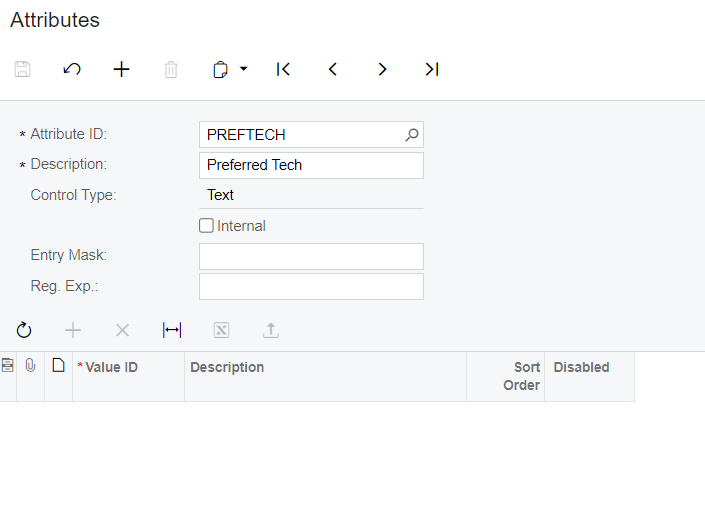
How to display all the list of preferred tech from attribute screen(CS205000) to service contract screen(FS305700).

if i add the list for preferred tech here in attribute screen,
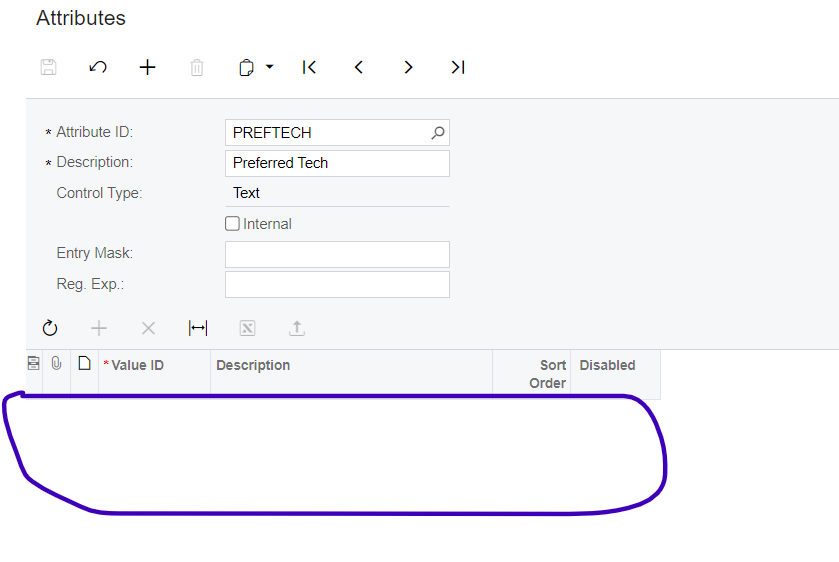
 

that needs to be displayed as drop down in below attributes tab of service contracts screen,


kindly pour your ideas.

Best answer by Anacarina Calvo

@sujithra the attribute’s Control Type field will be disable if it is assigned to any document.

The sets of attributes for specific classes is defined on the following forms: 

  • Lead Classes (CR207000)
  • Contact Classes (CR205000)
  • Opportunity Classes (CR209000)
  • Case Classes (CR206000)
  • Business Account Classes (CR208000)
  • Campaign Classes (CR202500)
  • Project Attributes (PM202000)
  • Item Classes (IN201000)
  • Employee Classes (EP202000)
  • Vendor Classes (AP201000)
  • Customer Classes (AR201000)
  • Contract Templates (CT202000)
  • Service Order Type (FS202300)

Also, if the attribute is applied to a document you will need to delete the attribute from the document before deleting the attribute from the class. 

4 replies

Naveen Boga
Captain II
Forum|alt.badge.img+19
  • Captain II
  • February 2, 2023

Hi @sujithra  You have choosen the Control Type as “TEXT” for the Attribute “PREFETCH”, hence you are not getting the dropdown.

Please change it to Combo, then you will see the Dropdown.


Forum|alt.badge.img
  • Author
  • Freshman II
  • February 3, 2023

Thanks @Naveen Boga, but couldn't able to change the control type to drop down since it is disabled.


Naveen Boga
Captain II
Forum|alt.badge.img+19
  • Captain II
  • February 3, 2023

@sujithra 

You cannot change it, if this Attribute mapped to the Customer Class level or Item Class Level.

If this is a new attribute and not assigned at customer/Item level, you can simply un-map from the Customer Class/Item Class level.

Once you un-map, then Control Type field will become editable field and then you can change it.


Anacarina Calvo
Pro I
Forum|alt.badge.img+4

@sujithra the attribute’s Control Type field will be disable if it is assigned to any document.

The sets of attributes for specific classes is defined on the following forms: 

  • Lead Classes (CR207000)
  • Contact Classes (CR205000)
  • Opportunity Classes (CR209000)
  • Case Classes (CR206000)
  • Business Account Classes (CR208000)
  • Campaign Classes (CR202500)
  • Project Attributes (PM202000)
  • Item Classes (IN201000)
  • Employee Classes (EP202000)
  • Vendor Classes (AP201000)
  • Customer Classes (AR201000)
  • Contract Templates (CT202000)
  • Service Order Type (FS202300)

Also, if the attribute is applied to a document you will need to delete the attribute from the document before deleting the attribute from the class.