

Answer

Setup form is not visible when uploading to UAT instance

  • March 24, 2023
  • 4 replies
  • 82 views

Forum|alt.badge.img

Hi,

I created a new setup form for my custom screen in the same customization project. After publishing, it’s working fine in my local instance. Now I want to add this into the UAT instance and publish my customization project, But after importing and publishing the project package, setup form is not visible in the project editor, only the custom screen which is Proforma Invoice can be seen.

what is the reason for this and can someone help me to resolve this?

Thank you.
Best answer by Naveen Boga

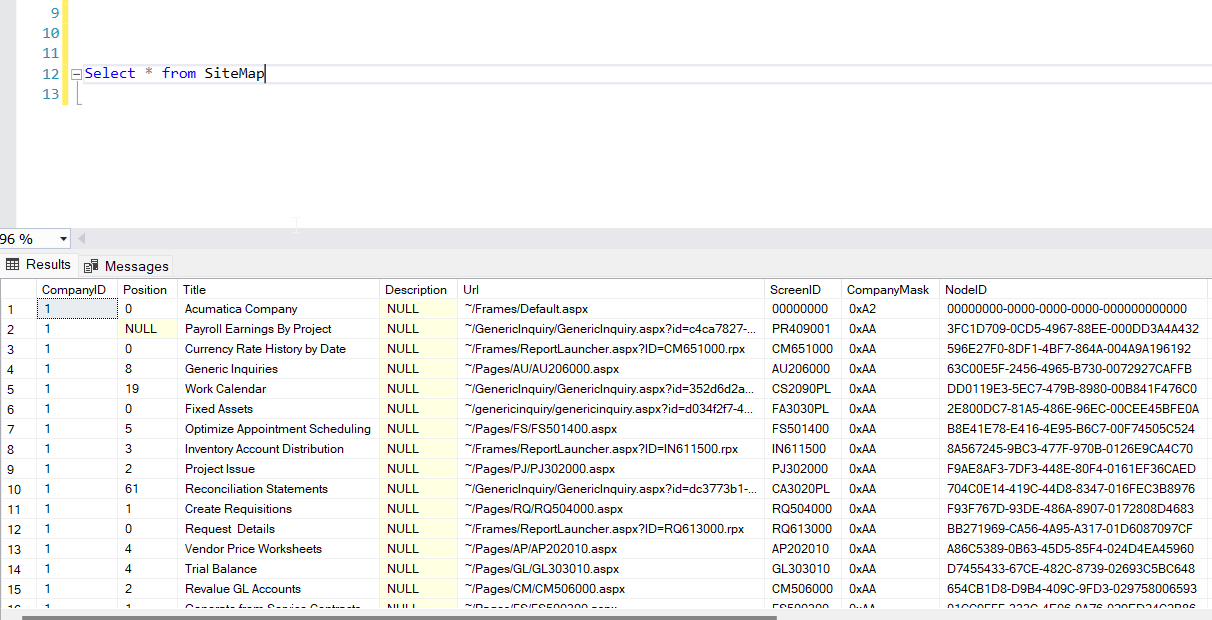
Hi @oshadarodrigo64  Delete the sitemap details from the Sitemap table by publishing the database script.

Once you clear these data, Setup form will populated. Please check.


4 replies

Forum|alt.badge.img

Hi, to add more…...

before create this new setup form with a new screen ID,  I created another one in the same customization project but  I removed it because it didn’t work properly. And also I removed site map node before create this new one. But however I just checked the xml of the project and realized in the <Sitemap> the old screen id and url to the aspx is still there. I think this will be the case. What should I do then,? Can someone please to help on this?


Naveen Boga
Captain II
Forum|alt.badge.img+19
  • Captain II
  • Answer
  • March 24, 2023

Hi @oshadarodrigo64  Delete the sitemap details from the Sitemap table by publishing the database script.

Once you clear these data, Setup form will populated. Please check.


Forum|alt.badge.img

@Naveen Boga 

Thank you for the solution, Actually I checked again the site map of the customization project, mistakenly I have added the site map node of the old screen, so I added the new one and published and then published in the uat and now it is working fine. Thank you again.


Naveen Boga
Captain II
Forum|alt.badge.img+19
  • Captain II
  • March 26, 2023

@oshadarodrigo64  Awesome :) Thanks for sharing the update!!

