Question

Scan and Transfer Screen - Mobile App

  • April 2, 2026
  • 3 replies
  • 28 views

Forum|alt.badge.img

Hi Everyone,

We have customized the mobile app for the Scan and Transfer screen. Currently, the Save action is displayed; however, our requirement is to show the Release action instead, once all the steps are completed.

Could you please guide us on how to achieve this?


3 replies

Forum|alt.badge.img+2
  • Jr Varsity I
  • April 2, 2026

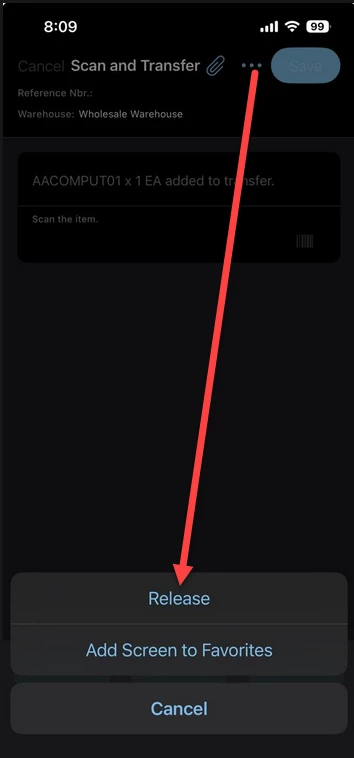
@nsmith51 I just tested this with demo data, and out of the box you should already be able to access the release button under the 3 dots after you save. Can you test this and verify?


Dipak Nilkanth
Pro III
Forum|alt.badge.img+14

Hi ​@nsmith51, Yes, ​@Josiah Lisle is right

As I have checked in the mobile application code, the Release action is already available for that screen. You don’t need to do anything additional for this.

You just need to scan/select the appropriate transfer record that can be released.
 

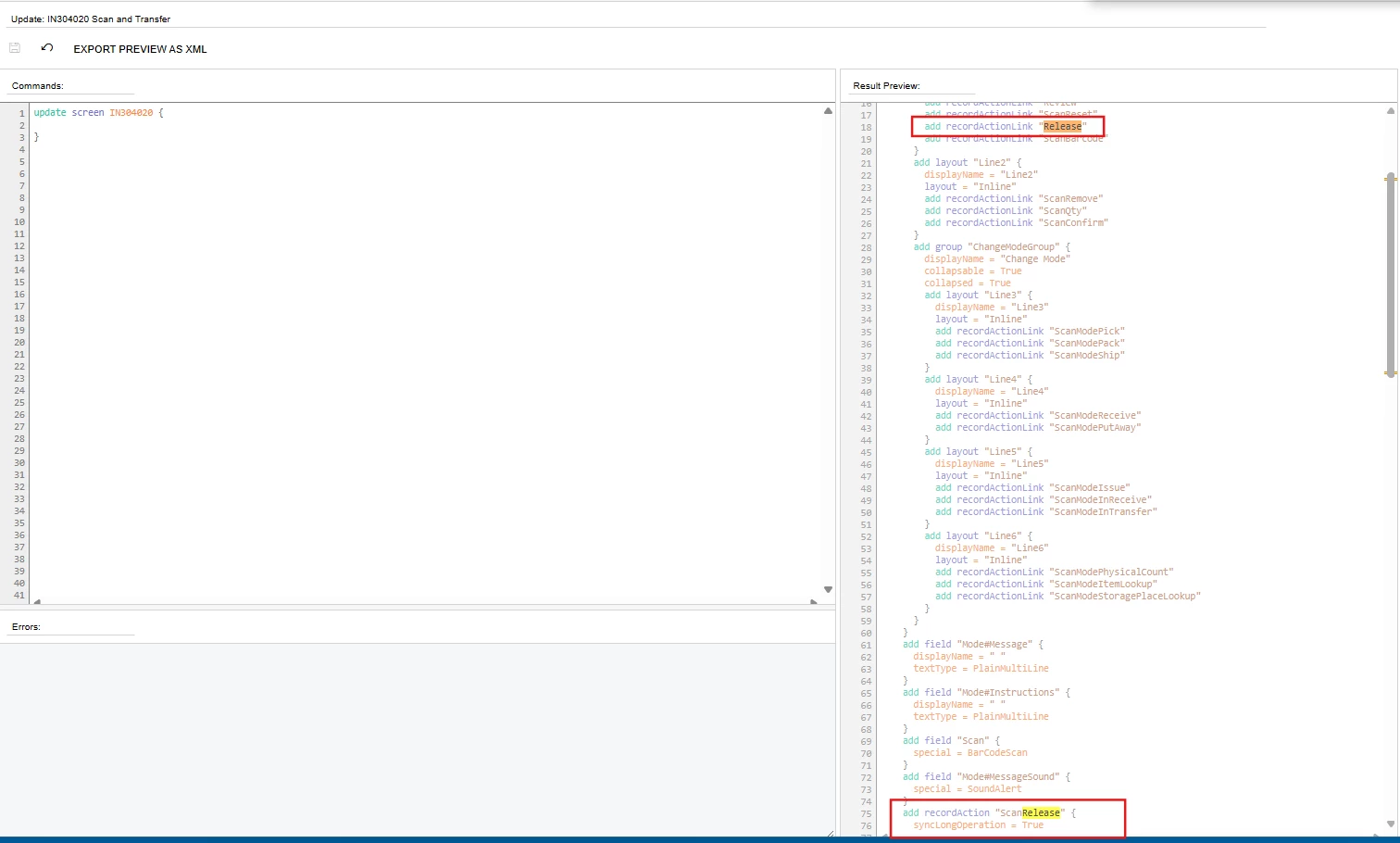
Release Action for Scan And Transfer (IN304020) screen

Hope, it helps!


KrunalDoshi
Varsity III
Forum|alt.badge.img
  • Varsity III
  • April 2, 2026

Hi ​@nsmith51,

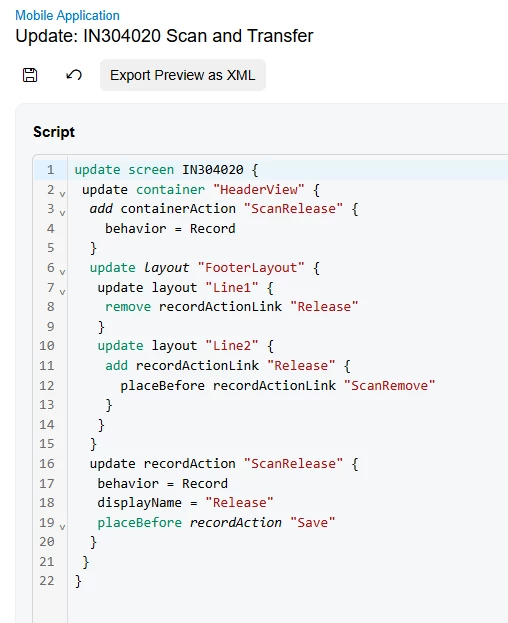
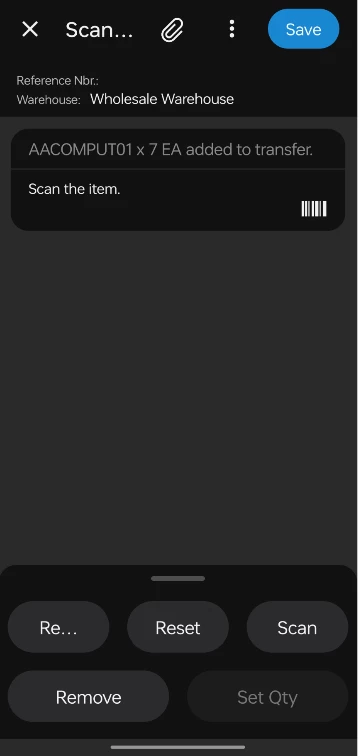
I have tried few things to put the Release button at top toolbar instead of Save by default. But it looks like you will have go with system default as it is available under three dots. Below customization I have tried for Release button for Scan and Transfer screen (IN304020), just for your reference. Hope this helps.