Question

Next button does not load record data in Modern UI, but Previous works correctly

  • April 16, 2026
  • 4 replies
  • 52 views

Forum|alt.badge.img

I am facing an issue in Acumatica Modern UI on a specific screen.

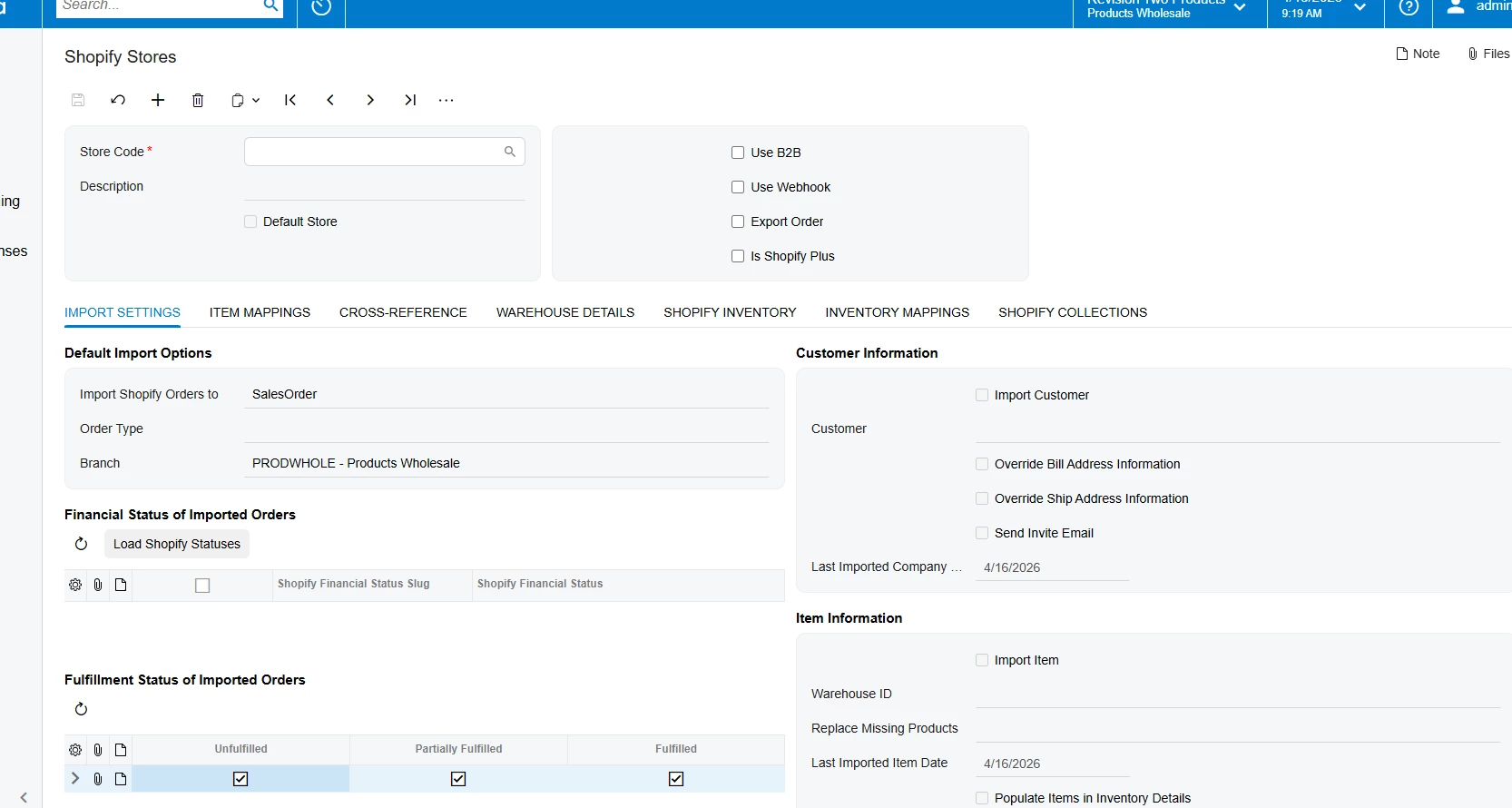
When I navigate using the Next button, the system moves to the next record, but the data is not displayed (screen appears empty or does not refresh properly). However, when I use the Previous button, the data loads correctly for the same record.

This issue occurs only in Modern UI. In Classic UI, both Next and Previous buttons work as expected and the record data is displayed correctly. How can I resolve this issue?

4 replies

Forum|alt.badge.img+2
  • Pro III
  • April 16, 2026

@Meri36 

Is this a standard screen or a customized one? Also, are you using any view delegates or custom logic for the affected data view?


Manikanta Dhulipudi
Captain II
Forum|alt.badge.img+16

@Meri36 Sound like a bug please open a case with Acumatica, Also can you confirm the version?


Forum|alt.badge.img
  • Author
  • Freshman II
  • April 16, 2026

Hi ​@SaiKrishnaV 
 This is a customized screen, there are no delegates and there is custom logic.


Forum|alt.badge.img+2
  • Pro III
  • April 17, 2026

@Meri36 

How was this screen converted to Modern UI?

In Modern UI, Next/Previous navigation is handled by Acumatica by default, and we usually don’t need to add any custom logic for it.

If any custom code was added during the conversion (graph/ASPX/client-side), it might be affecting the data loading.

If no custom handling was done and the issue still occurs, as ​@Manikanta Dhulipudi suggested we may need to check this with Acumatica support.