

Solved

Need help identifying the source of Add Items popup implementation in Appointment Entry (FS300200)

  • July 13, 2026
  • 2 replies
  • 46 views

Forum|alt.badge.img+2

I am trying to customize the Item Class selector in the Appointment screen (FS300200) → Details tab → Add Items popup. My requirement is to filter the list of Item Classes based on custom business logic.
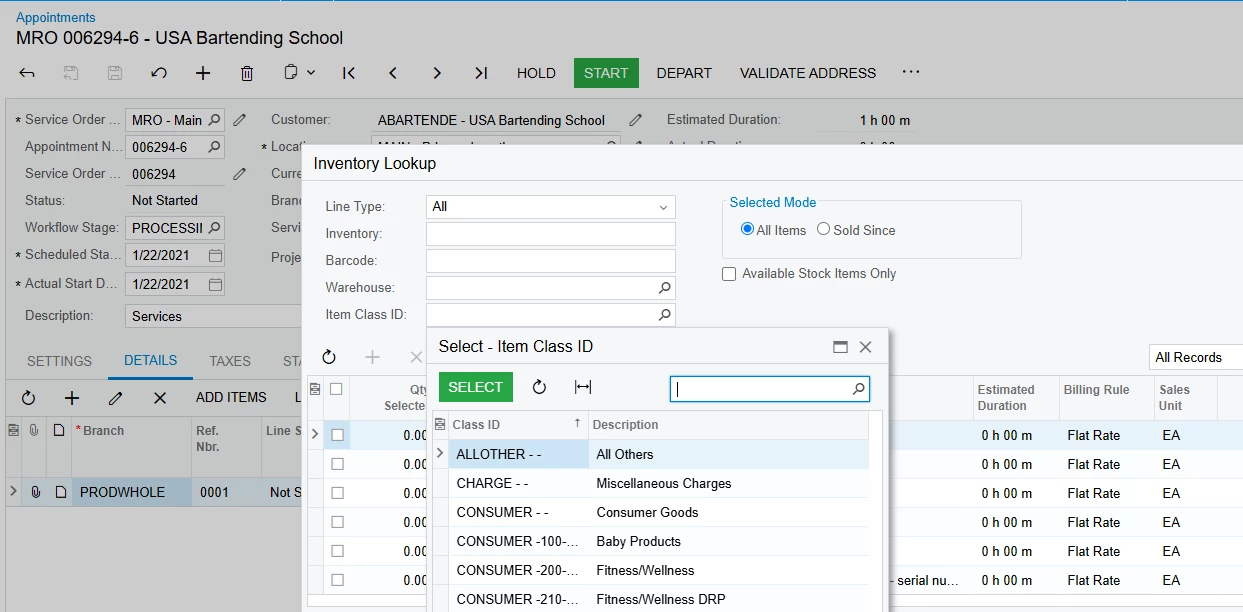
 

Initially, I tried to achieve this using a CacheAttached event by creating an extension for AppointmentEntry and modifying the FSSiteStatusFilter.ItemClass selector attribute. However, my customization is not taking effect.

While debugging, I noticed that the FSSiteStatusFilter cache is available under the AppointmentEntry graph instance. However, when I open the AppointmentEntry graph code in Visual Studio, I cannot find the related view or filter implementation there.

Based on this, I assume that this functionality is coming from a separate AppointmentEntry graph extension.

I started investigating the implementation:

  • The Add Items button triggers the showItem callback command.

  • I found this command in the Field Service library under:

AddItemLookupBaseExt<TGraph, TDocument, TItemInfo, TItemFilter>

However, this is an abstract graph extension, and I cannot find the concrete implementation that is used by AppointmentEntry.

I would appreciate guidance on how to identify the exact graph extension responsible for this popup and the recommended way to customize the selector.

I have already tried:

  • dnSpy/decompilation of PX.Objects.FS.dll

  • Visual Studio debugging and call stack inspection

  • Acumatica inspection tools

  • Inspecting graph views and caches at runtime

Question:
What are the recommended techniques to trace a popup implementation like this and find the actual graph extension/view owner in Acumatica?

Any suggestions or debugging approaches would be greatly appreciated.
Best answer by Abhishek Niikam

Hi ​@PDharmasena10 

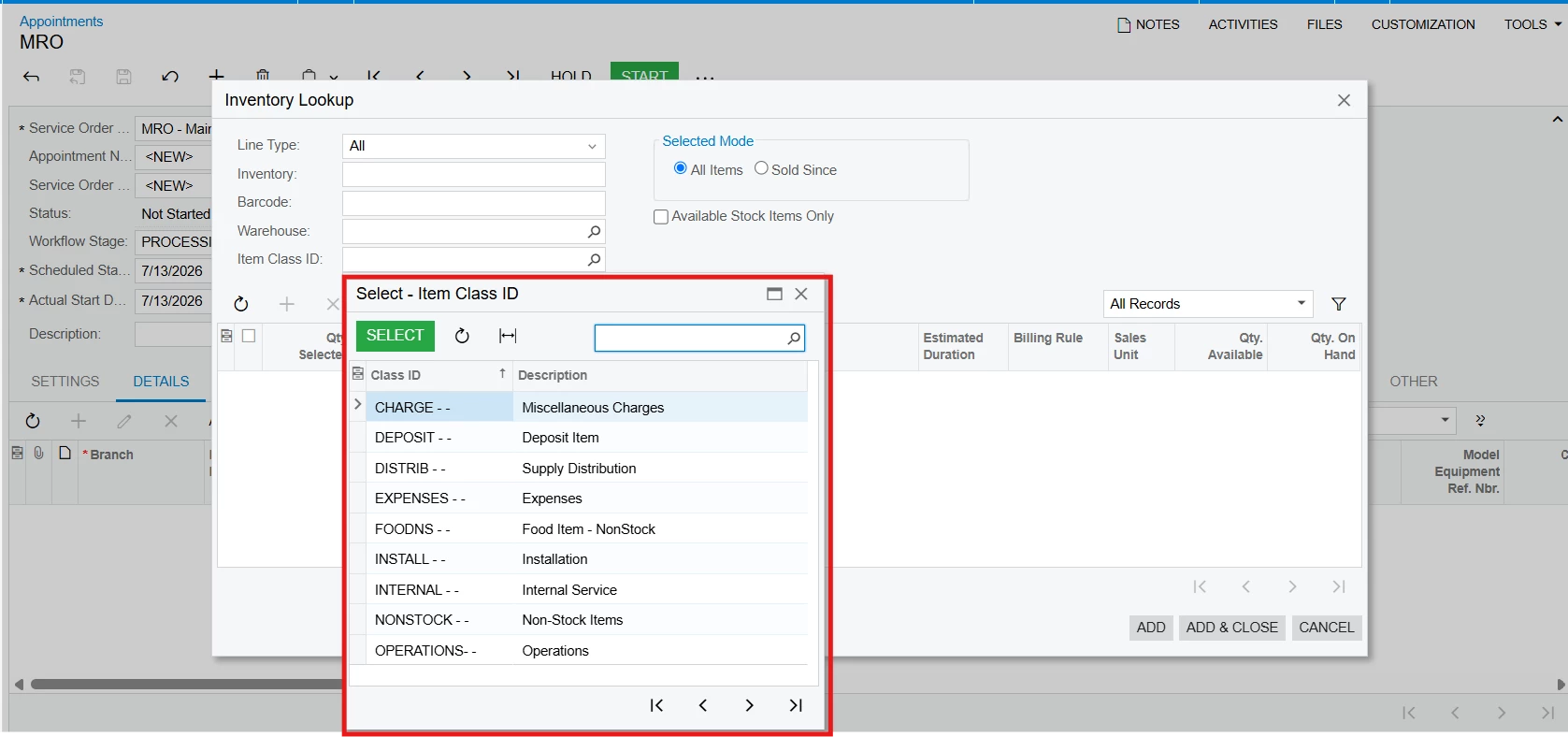
I was able to achieve this by extending the FSSiteStatusFilter cache instead of customizing the graph extension.

I removed the base PXDimensionSelectorAttribute from the ItemClass field and added my own PXDimensionSelector with the required BQL filter.

public class FSSiteStatusFilter_Extension : PXCacheExtension<FSSiteStatusFilter>
{
public static bool IsActive() => true;

#region ItemClass
[PXRemoveBaseAttribute(typeof(PXDimensionSelectorAttribute))]
[PXDimensionSelector(
INItemClass.Dimension,
typeof(Search<INItemClass.itemClassID,
Where<INItemClass.stkItem, Equal<False>>>),
typeof(INItemClass.itemClassCD),
DescriptionField = typeof(INItemClass.descr))]
[PXMergeAttributes(Method = MergeMethod.Append)]
public string ItemClass { get; set; }
#endregion
}

This successfully overrides the default selector and filters the Item Class values as required.


Also, you can use valid fields such as stkItem, itemType, parentItemClassID, or your custom fields instead.

And for you can also chaeck   PX.Objects.dll for Inventory Site Status Extension & Abstract Add Item Base Extension  

I hope it help!

2 replies

Forum|alt.badge.img+5

Hi ​@PDharmasena10 

I was able to achieve this by extending the FSSiteStatusFilter cache instead of customizing the graph extension.

I removed the base PXDimensionSelectorAttribute from the ItemClass field and added my own PXDimensionSelector with the required BQL filter.

public class FSSiteStatusFilter_Extension : PXCacheExtension<FSSiteStatusFilter>
{
public static bool IsActive() => true;

#region ItemClass
[PXRemoveBaseAttribute(typeof(PXDimensionSelectorAttribute))]
[PXDimensionSelector(
INItemClass.Dimension,
typeof(Search<INItemClass.itemClassID,
Where<INItemClass.stkItem, Equal<False>>>),
typeof(INItemClass.itemClassCD),
DescriptionField = typeof(INItemClass.descr))]
[PXMergeAttributes(Method = MergeMethod.Append)]
public string ItemClass { get; set; }
#endregion
}

This successfully overrides the default selector and filters the Item Class values as required.


Also, you can use valid fields such as stkItem, itemType, parentItemClassID, or your custom fields instead.

And for you can also chaeck   PX.Objects.dll for Inventory Site Status Extension & Abstract Add Item Base Extension  

I hope it help!


Forum|alt.badge.img+8
  • Captain II
  • July 13, 2026

Have a look at this post:

I ended up having to make a copy of my own projection because I needed to adjust the ‘where clause’ of the built in logic.
