Question

Modern UI Migration 2026R1: Display SOShipment DAC Field in SOShipLineSplit Header Panel

  • May 19, 2026
  • 4 replies
  • 37 views

Forum|alt.badge.img+6

I made customizations to the Shipment and SOShipLineSplit screens in Classic UI. Thanks to this post

https://community.acumatica.com/develop-customizations-288/modern-ui-adding-custom-fields-to-line-splitting-grid-so302000-using-shared-templates-34079?tid=34079&fid=288

I can now customize the line grid of the ShipmentLineSplit. But how can I customize the header section of the SOShipLineSplit panel? My requirement is to display the total quantity of the current split lines in a dedicated field.
I successfully implemented this in Classic UI before, but I don't know how to migrate it to the new Modern UI — specifically, how to display my existing field on the new Modern UI page. The issue I'm facing is that in my old customization project, the Usrshippedqty field is defined in the SOShipment DAC. How can I display this field on the SOShipLineSplit panel in the new Modern UI?
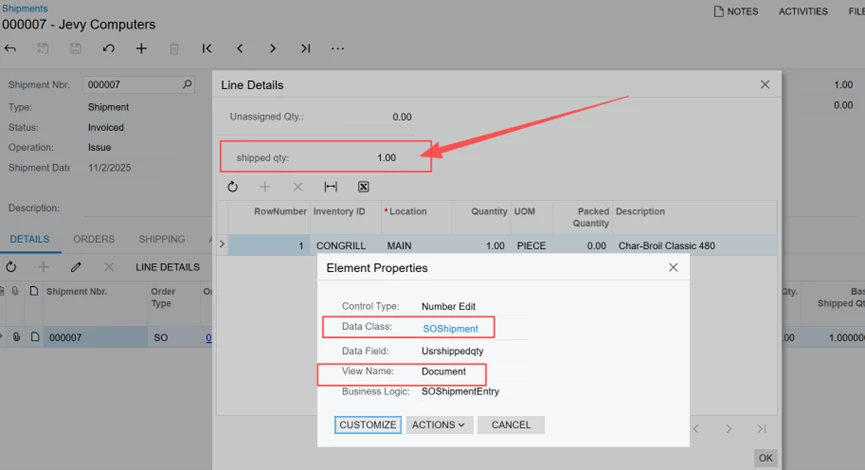
 

My customization projects are attached. 1 is with modern file, the other is without modern file
By the way, the Modern UI npm build completes successfully, but publishing throws an error. However, this is a separate issue that I am seeking help for in another post. Please guide me on how to add this field here.

4 replies

Forum|alt.badge.img+9
  • Captain II
  • May 22, 2026

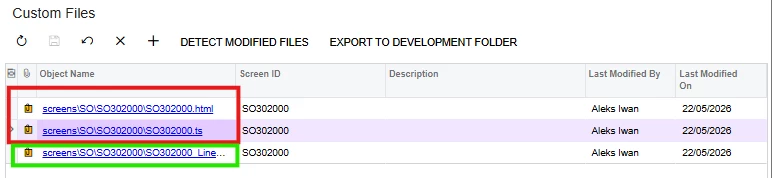
I think your issue stems from having your extension files named the same as the root files, and the system cannot differentiate between the two. Unlike C# where the same file/class name can be fine in a different namespace/project, I believe TS heavily relies on the file/class name for the mix-ins (extensions) so 2 files with the same name will most likely cause issues when publishing and could be the reason why your fields are not showing.


The mix-in files should also be alphabetically after the customisation that they rely on.


Can you please try renaming your files something like: SO302000_LineSplitting_YourCompany.ts

SO302000_LineSplitting_YourCompany.ts

Green is fine, red needs a name change:


Forum|alt.badge.img+6
  • Author
  • Captain II
  • May 22, 2026

@aiwan Yes,the publish failure issue is due to the file name. This is already fixed. But still, I can not make the field appear on modern UI.


Forum|alt.badge.img+9
  • Captain II
  • May 22, 2026

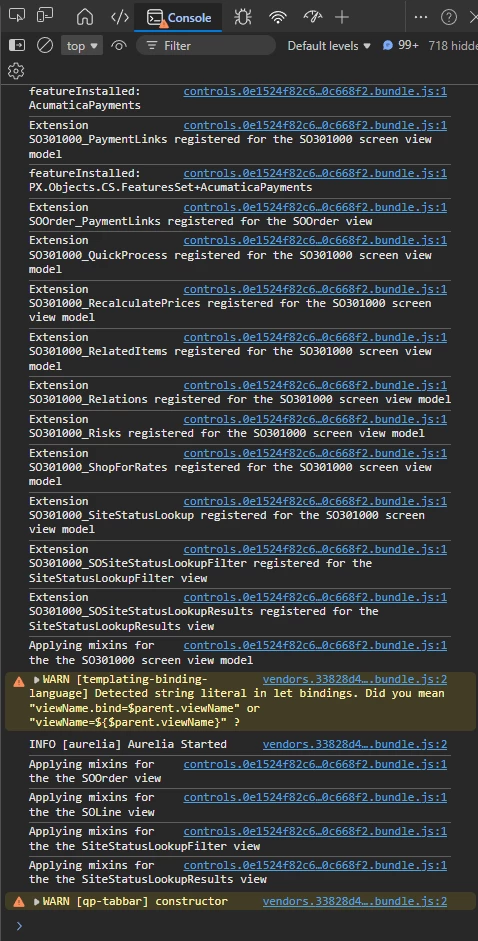
When you run the screen, can you run F12 and see whether the mix-in is applied? 


RohitRattan88
Acumatica Moderator
Forum|alt.badge.img+4
  • Acumatica Moderator
  • May 22, 2026