Question

Modern UI: How to display a total qty field on SOShipLineSplit popup header (non-database field)

  • May 19, 2026
  • 9 replies
  • 81 views

Forum|alt.badge.img+6

I have a requirement for the SO302000 (Shipment) screen. In Classic UI, I added a read-only display field at the top of the SOShipLineSplit (Line Details) popup to show the total quantity of all split lines.
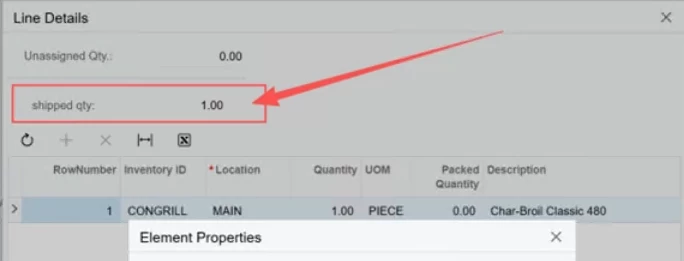
This field does NOT need to be stored in the database — it's just a simple display label for user reference.
I have issues when migrating it from classic UI, but there is no need to migrate, if I can develop it directly in Modern UI.

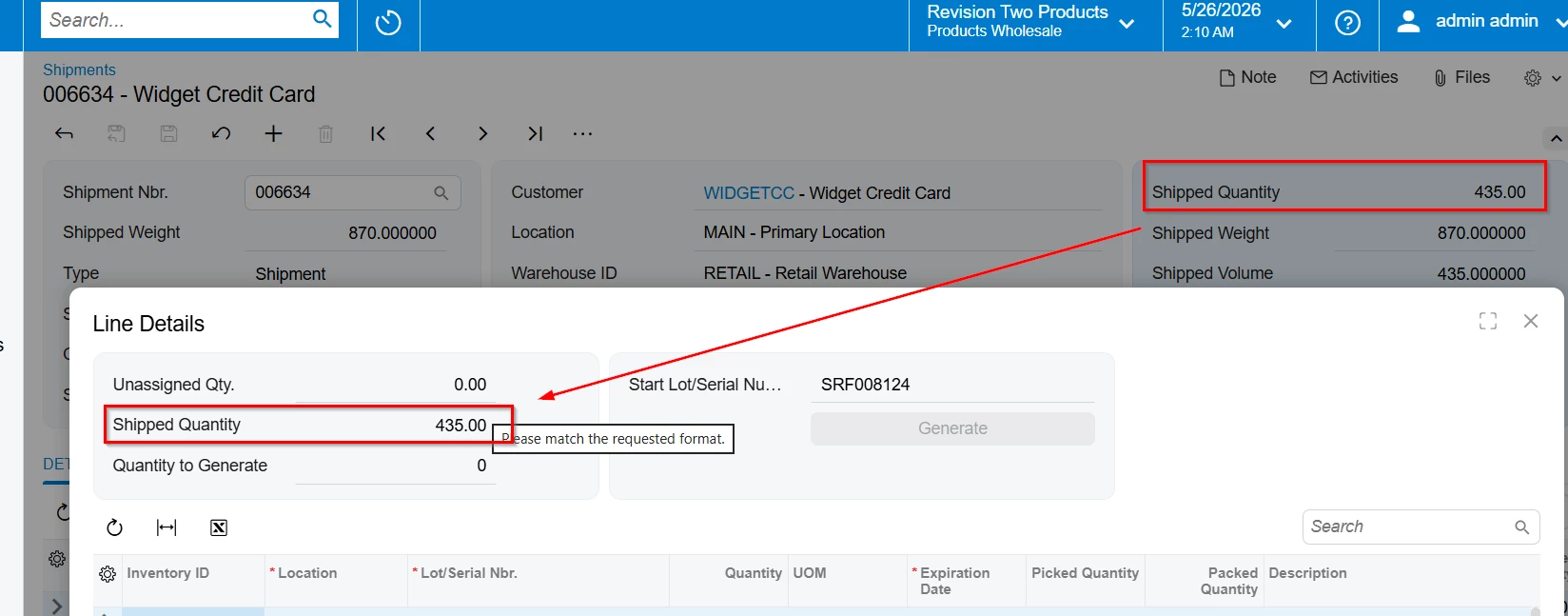
How can I implement this in Modern UI? I just need to show a calculated total qty field on the popup header.

9 replies

Forum|alt.badge.img+3

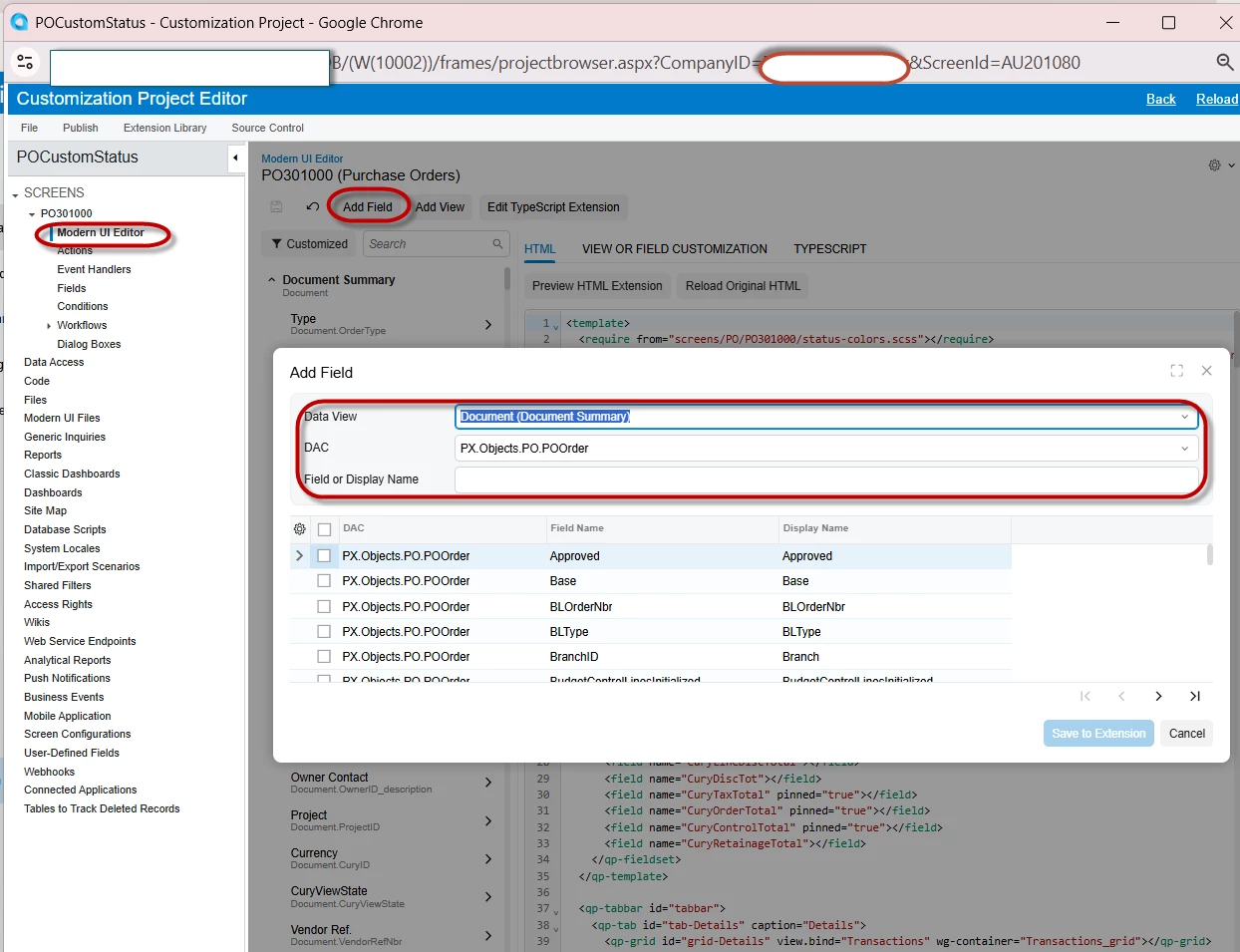
@ray20 Try to add that field to the Modern UI as I mentioned highlighted above. After you added that to Modern UI, please publish that package.


RohitRattan88
Acumatica Moderator
Forum|alt.badge.img+4
  • Acumatica Moderator
  • May 20, 2026

@ray20, as ​@ranjithduraisamy72 suggested, you could use low/no-code method with Modern UI Editor:

Modern UI Editor: To Add a Field

Or try UI development guide to create typescript and html manually:

UI Customization Development: To Add Elements to an Acumatica ERP Form


Forum|alt.badge.img+6
  • Author
  • Captain II
  • May 20, 2026

@RohitRattan88 ​@ranjithduraisamy72   Thank you both for help.
Actually, I have played around with Modern UI for a while and have successfully implemented several screens. I can make fields show on shipmentscreen. However, this particular screen is really tricky for me – the main difficulty is working with the popup panel, and my custom code isn't working correctly.

Could you please provide me with more detailed guidance?

Also, I have a critical issue with publishing: the customization project with Modern UI files cannot be published directly (it throws errors). I have to first publish the Classic version, then compile the SO302000 screen separately using npm.

Any help would be appreciated!

Modern UI Migration 2026R1: Display SOShipment DAC Field in SOShipLineSplit Header Panel | Community


RohitRattan88
Acumatica Moderator
Forum|alt.badge.img+4
  • Acumatica Moderator
  • May 20, 2026

@ray20 

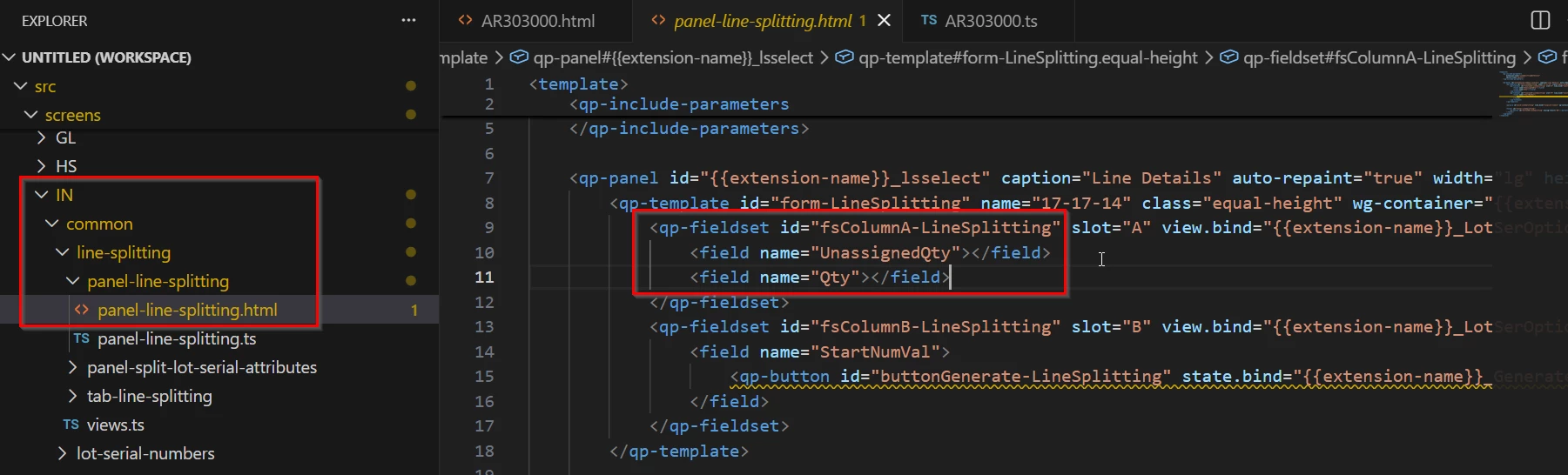
Popup html definition is defined in IN common screens:


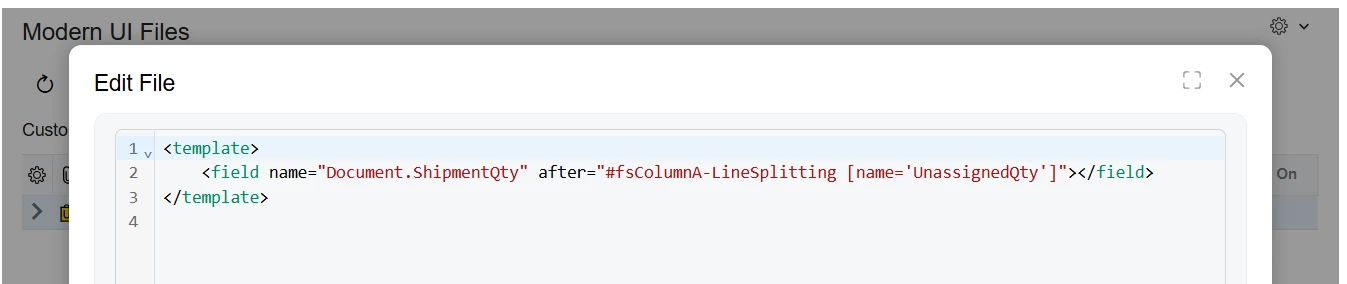
In your customization project, I would write my html something like following:

<template>
<field after="#fsColumnA-LineSplitting [name='UnassignedQty']" name="CUSTOMFIELDNAME"></field>
</template>

Try and see if this helps


Forum|alt.badge.img+6
  • Author
  • Captain II
  • May 25, 2026

@RohitRattan88  Sorry to forget replying. I tried the code before
<template>
  <field after="#fsColumnA-LineSplitting [name='UnassignedQty']" name="UsrShippedqty"></field>
</template>

It did not work, maybe the the usrshippedqty does not belong to the view which the linesplitting form is binding.


Forum|alt.badge.img+3

@ray20 

I reviewed the shared files and observed that the Modern UI extension .html and .ts files are currently placed under:

screens/SO/SO302000

Could you please confirm if this path is correct?
Usually Modern UI extensions are placed under a path similar to:

src/development/Screens/SO/SO302000/extensions/


RohitRattan88
Acumatica Moderator
Forum|alt.badge.img+4
  • Acumatica Moderator
  • May 25, 2026

@ray20 

I am pretty sure path issue has been addressed in a different thread.

It did not work, maybe the the usrshippedqty does not belong to the view which the linesplitting form is binding.

in order to reference a field from different view on fieldset, use ViewName.NameName in your html as:

<template>
<field after="#fsColumnA-LineSplitting [name='UnassignedQty']" name="SOShipmentHeader.Usrshippedqty"></field>
</template>

Try and see if this helps.


Forum|alt.badge.img+6
  • Author
  • Captain II
  • May 25, 2026

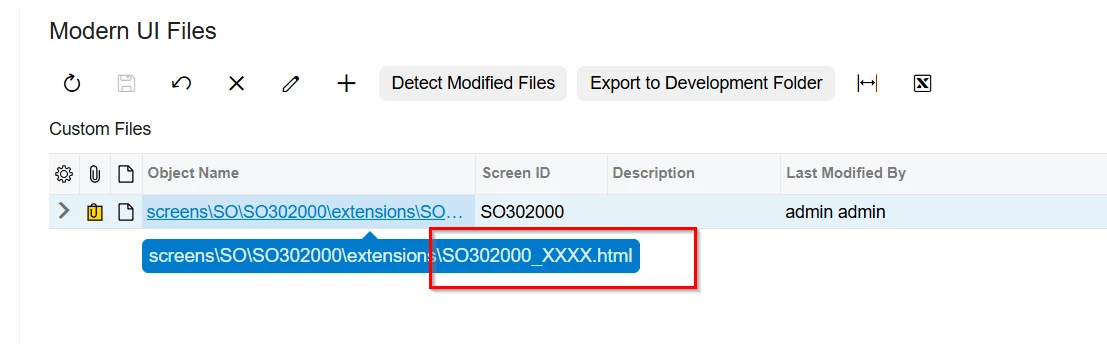
@SaiKrishnaV  Thank you for pointing this out, the files are added to customization package form   \FrontendSources\screen\src\development\screens\SO\SO302000.   In 2026r1, this is not a  problem, other fields are displayed correctly.  Note: my previous uploaded package having name issue, I should name the files with suffix, like SO302000_cust.ts,

@RohitRattan88  Thank you ,I also tried 
<field after="#fsColumnA-LineSplitting [name='UnassignedQty']" name="SOShipmentHeader.Usrshippedqty"></field>
still , not displayed on screen.


RohitRattan88
Acumatica Moderator
Forum|alt.badge.img+4
  • Acumatica Moderator
  • May 26, 2026

@ray20 

When I tested locally, I kept getting field reference error, turns out my extension name should have been after LineSplit extension as described in:

How can I replace a field from an 'included' fieldset in Modern UI? | Community

once I changed my extension name, I was able to add a header field to the popup:


Hope it helps.