Question

Mobile App - Adding Actions

  • May 22, 2025
  • 2 replies
  • 80 views

Forum|alt.badge.img

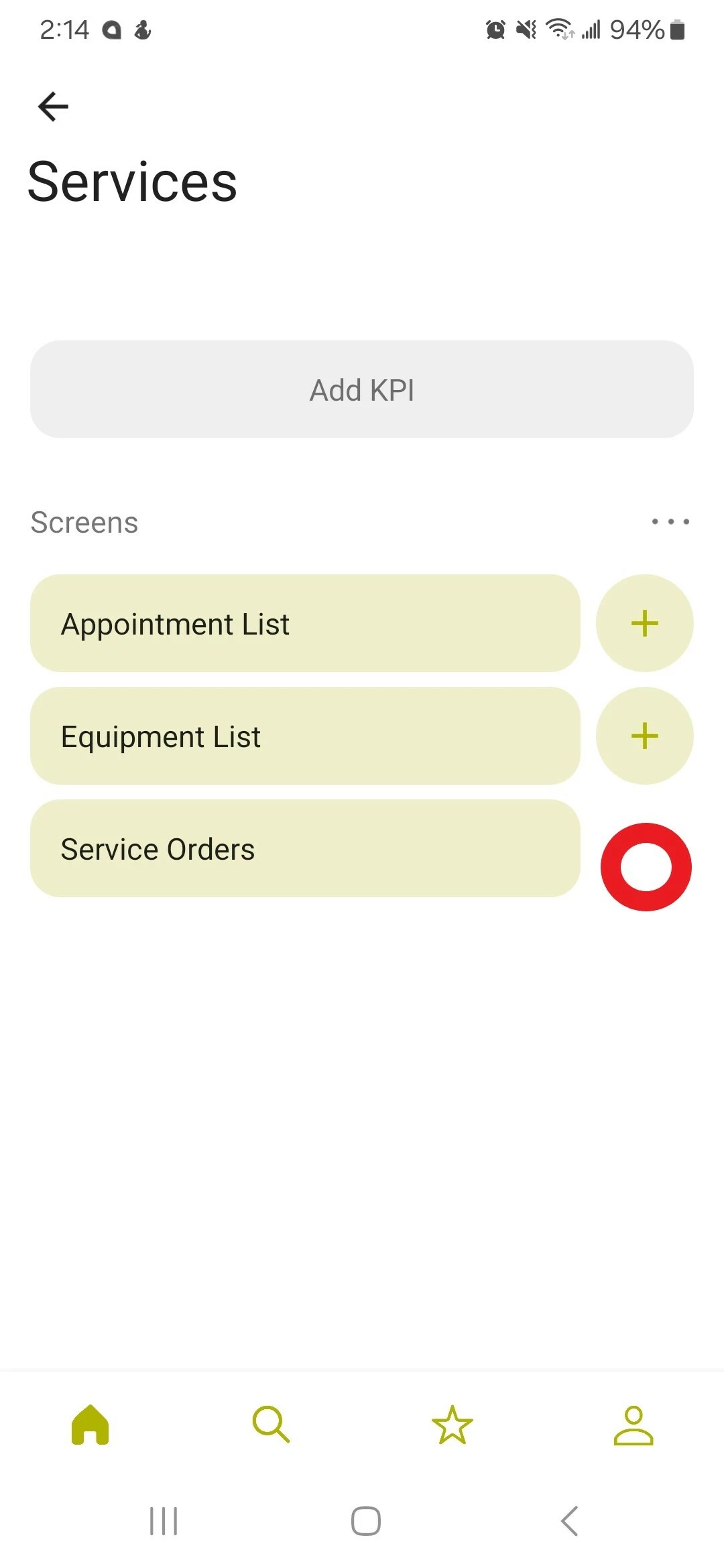
How do I add a + button where the red circle is?


2 replies

DipakNilkanth
Pro III
Forum|alt.badge.img+13

Hi ​@kgawryluk80,

To enable the + (Add) symbol in the mobile app for Service Orders, you need to add the Service Order Transactions screen to the mobile workspace.

You can follow the same steps as shown in the link below for adding the Shipments screen. Apply the same process for the Service Orders screen:

Hope, it helps!


dcomerford
Captain II
Forum|alt.badge.img+15
  • Captain II
  • May 23, 2025

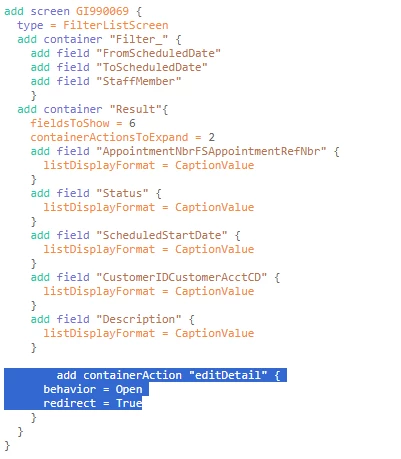
@kgawryluk80 You will need to add the following to the mobile script for this screen. See Example below where I have a new GI for the Appointment list on he mobile app.

The mobile app does not have the Service Order screen in it so you will need to Add that screen also otherwise the action wont work and see post below as there is a lot of work in doing this