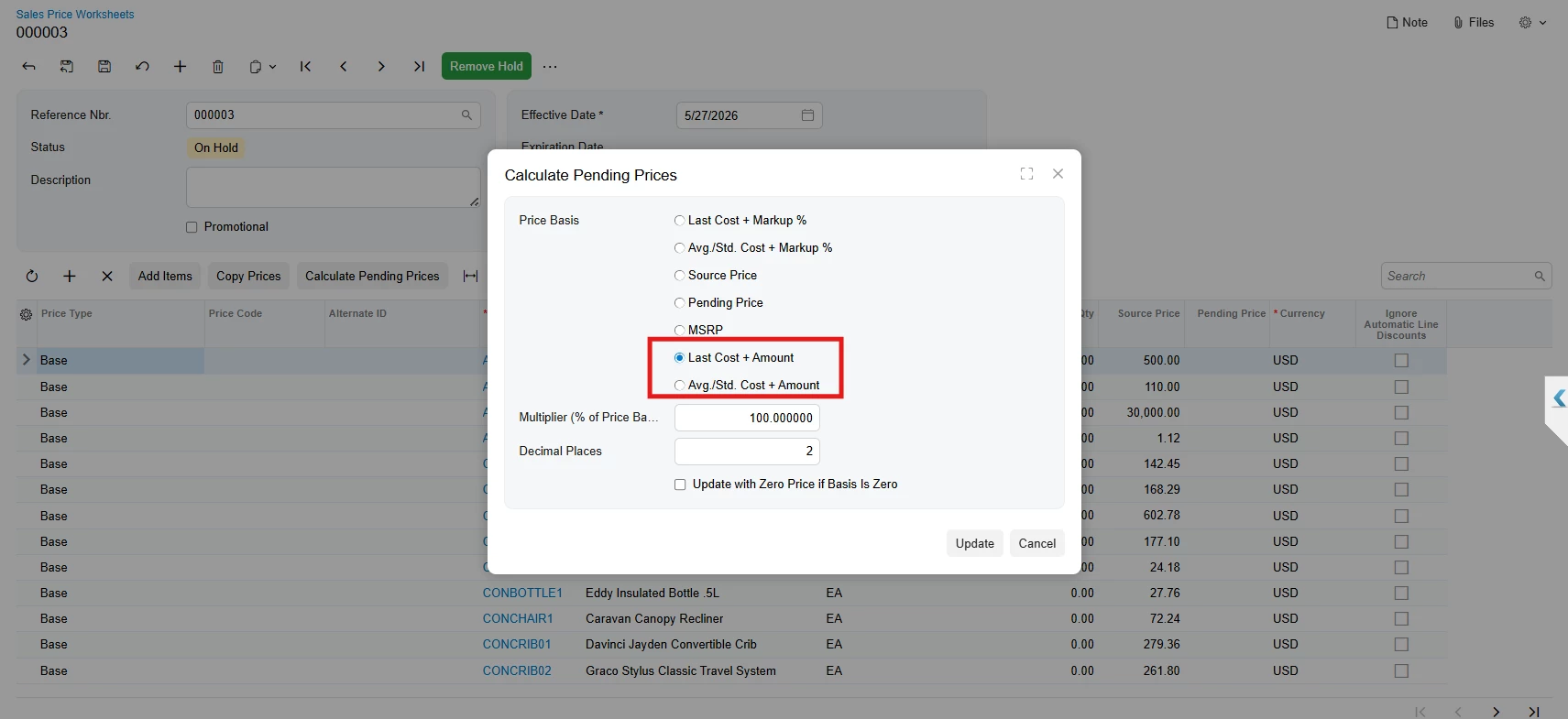
Solved

Migrate Classic UI dialog radio button extension to Modern UI (AR202000 Calculate Pending Prices)

  • May 27, 2026
  • 1 reply
  • 33 views

Forum|alt.badge.img+6

I'm migrating my Acumatica customizations from Classic UI to Modern UI and stuck on one critical part: extending the radio button list in the "Calculate Pending Prices" dialog of the Sales Price Worksheets screen (AR202000).
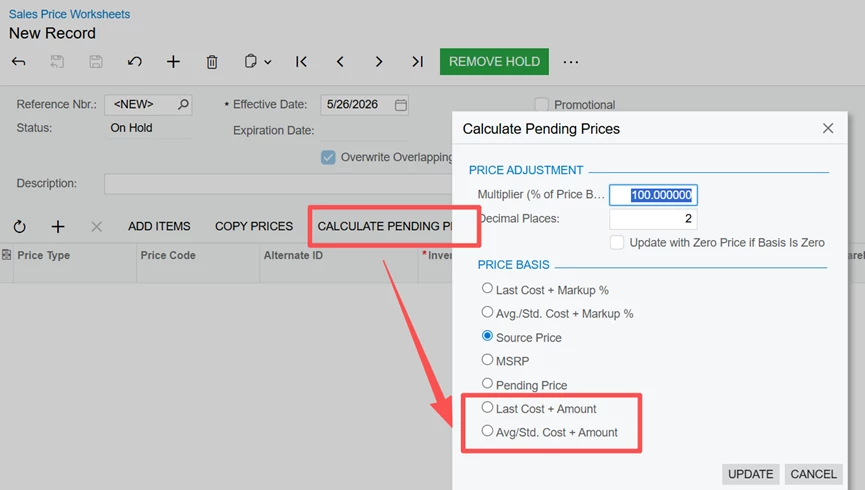
 

In Classic UI, I added 2 custom radio options (Last Cost + Amount / Avg./Std. Cost + Amount) to the "Price Basis" list in the "Calculate Pending Prices" dialog, and it works fine.
After switching to Modern UI, the new options don't show up in the dialog.
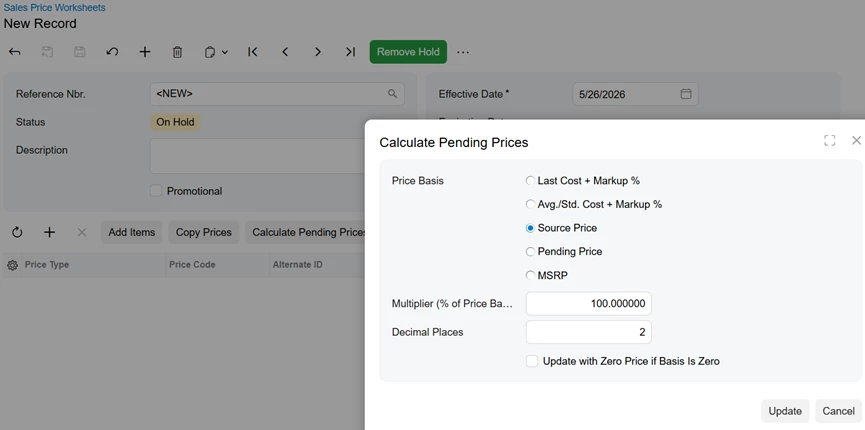
 

How can I make my custom radio options appear in the Modern UI dialog?
Thanks!
 

Best answer by Abhishek Niikam

Hello ​@ray20 Follow these articles to add radio button in MUI - Post1 & Post2.
You have to add these 2 fields in .ts & .html file.  

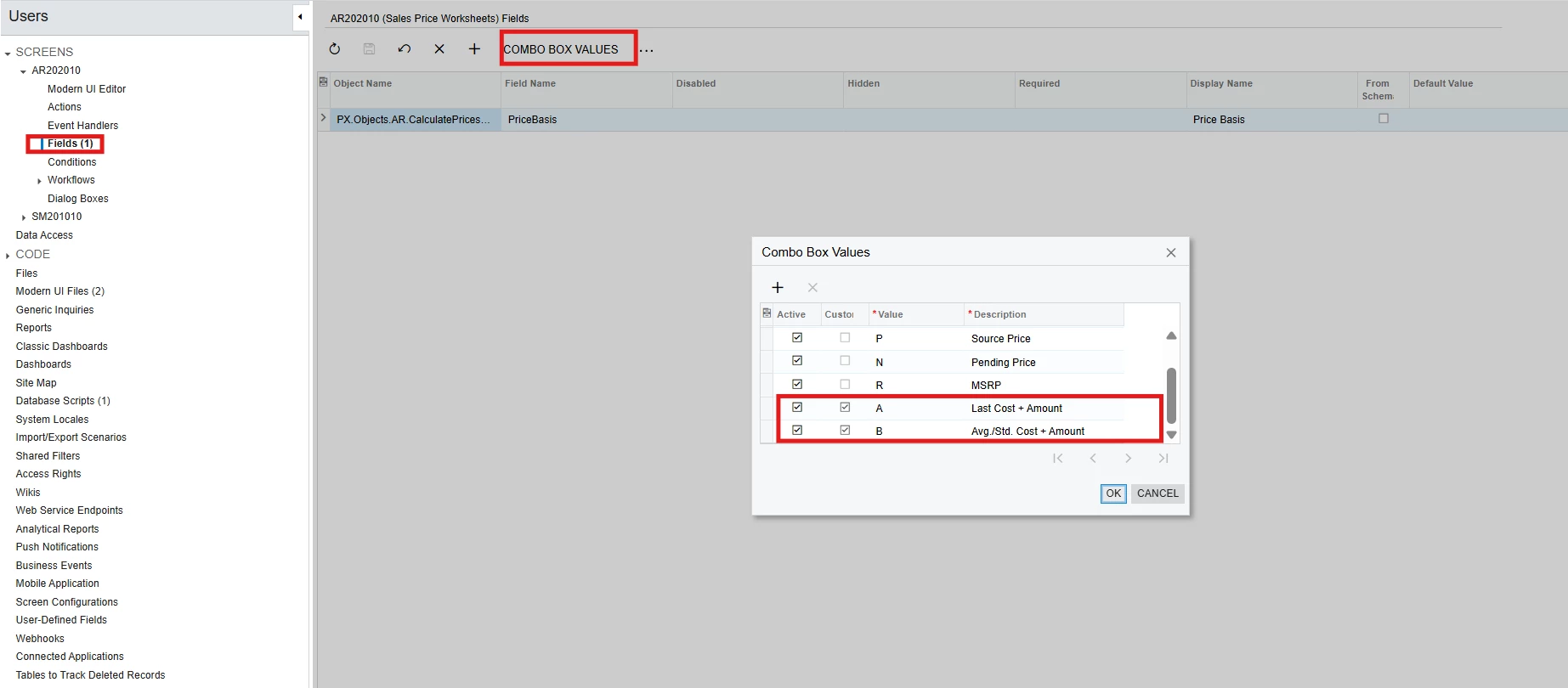
Or you can add this Radio Buttons in Base field (PriceBasis) from Field section. It directly add buttons in MUI too.


1 reply

Forum|alt.badge.img+3

Hello ​@ray20 Follow these articles to add radio button in MUI - Post1 & Post2.
You have to add these 2 fields in .ts & .html file.  

Or you can add this Radio Buttons in Base field (PriceBasis) from Field section. It directly add buttons in MUI too.