Answer

Manually enter Allocation Amounts for Landed Cost

  • September 15, 2022
  • 5 replies
  • 248 views

Connor Morse
Jr Varsity III
Forum|alt.badge.img+1

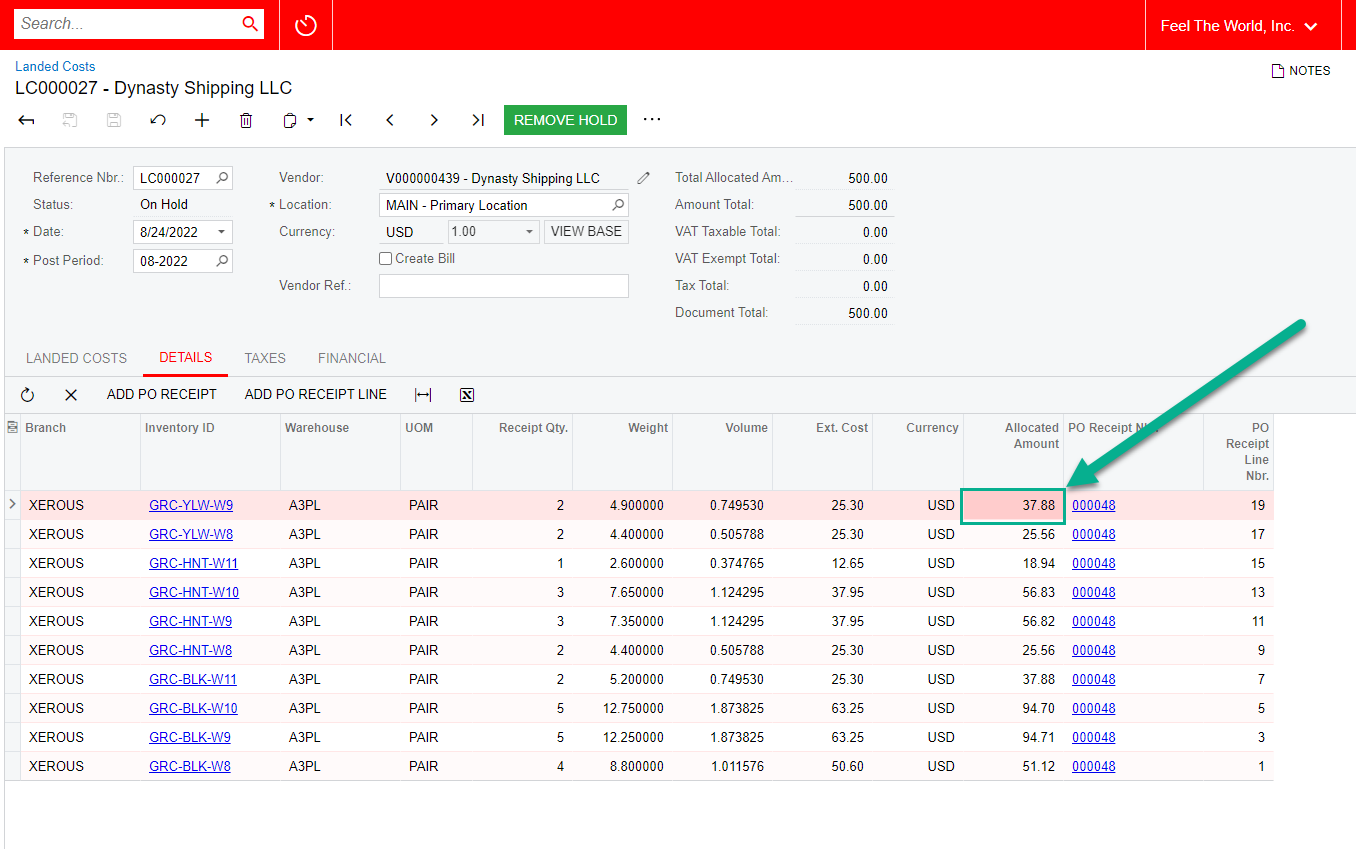
We are looking to manually enter (ideally import/upload) allocation amounts for a Landed Cost entry. Does anyone know if this is possible?

We have been unable to identify a method to enable the field through a Customization Project, or utilize an import scenario to bring in the externally calculated allocation amounts. 
 

Best answer by Kandy Beatty

Hi @cmorse26 

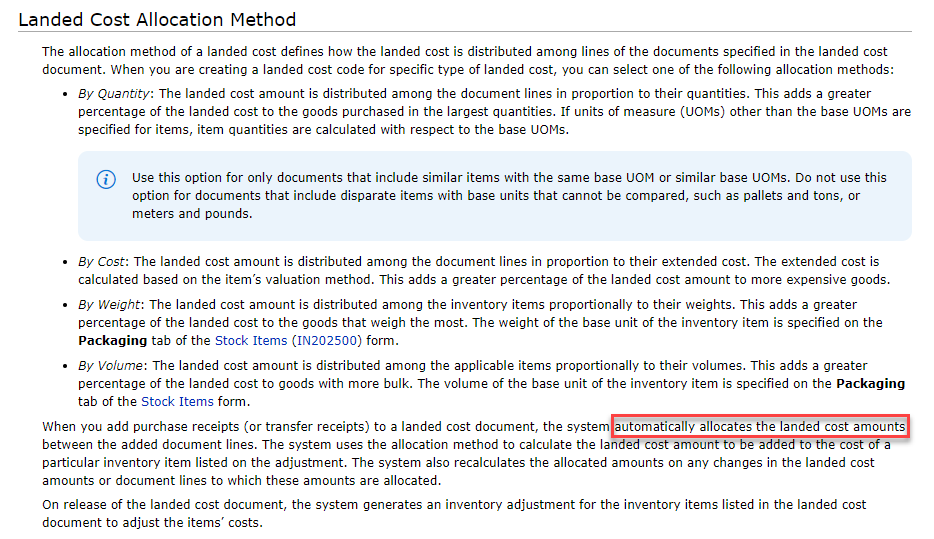
What is your Landed Cost Allocation Method? I don’t know if a customization will allow that field to be opened to manually update. 

The system will automatically allocate based on that. 


5 replies

Kandy Beatty
Captain II
Forum|alt.badge.img+17
  • Captain II
  • Answer
  • September 15, 2022

Hi @cmorse26 

What is your Landed Cost Allocation Method? I don’t know if a customization will allow that field to be opened to manually update. 

The system will automatically allocate based on that. 


Kandy Beatty
Captain II
Forum|alt.badge.img+17
  • Captain II
  • September 15, 2022

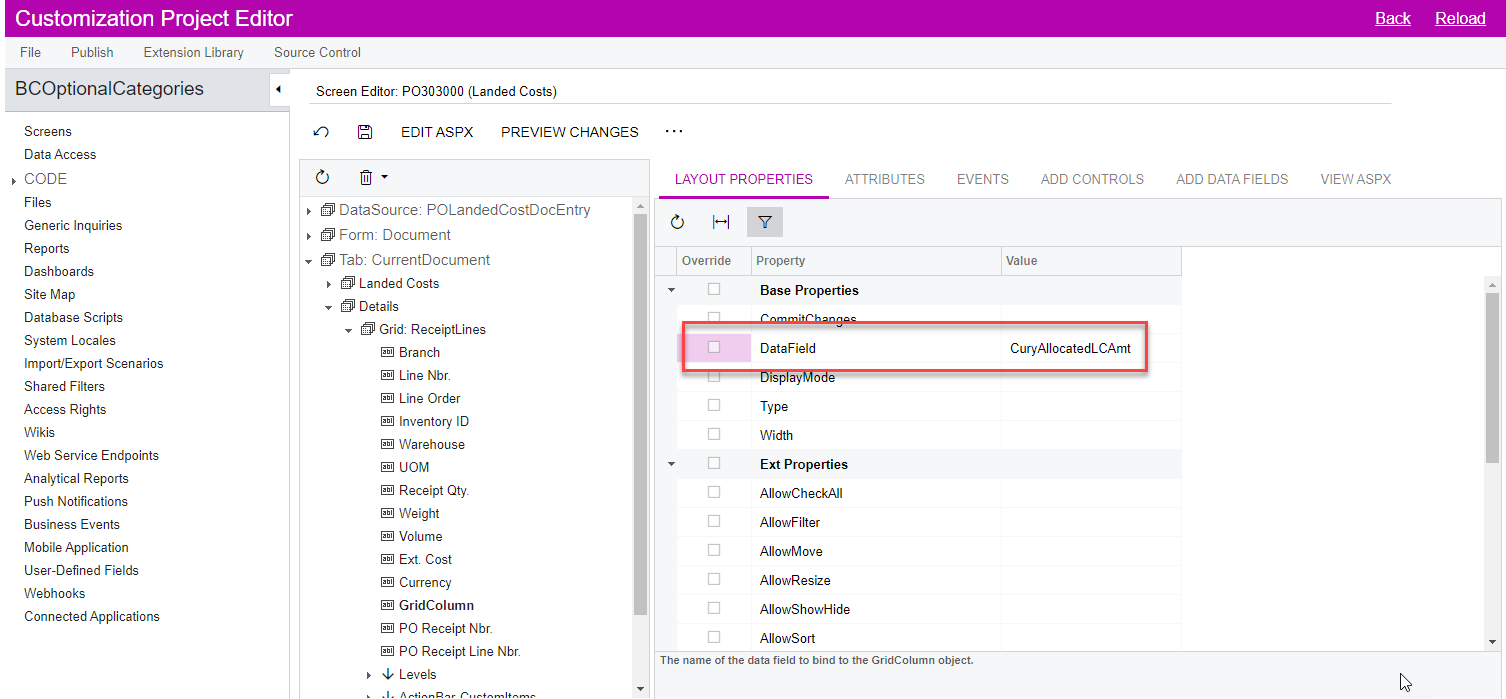
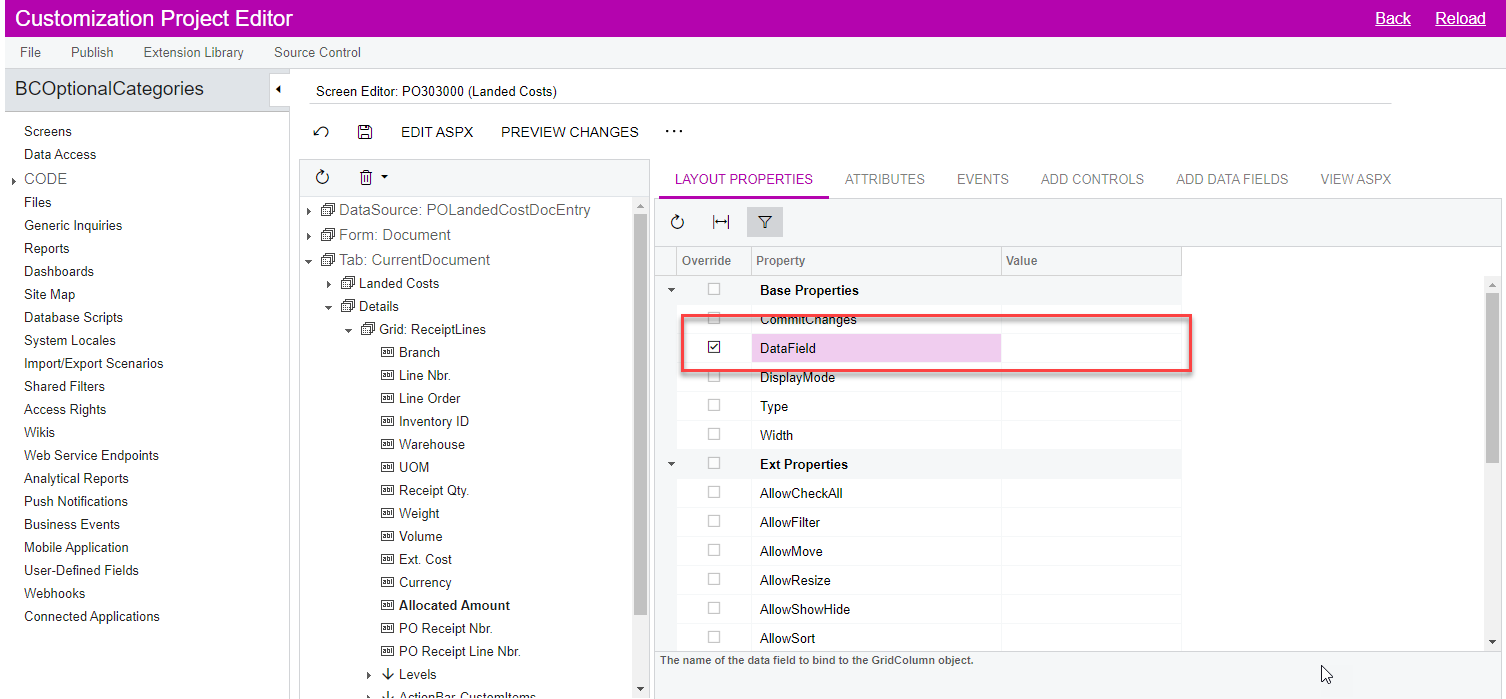
Have you tried to Override the Data Field? Clear the Value. 


Connor Morse
Jr Varsity III
Forum|alt.badge.img+1
  • Author
  • Jr Varsity III
  • September 19, 2022

@kbeatty21  - Thanks for the response.

You are correct in that it will only automatically allocate the amounts for each allocation method (except for “None”, in which it will automatically assign 0.00)


After discussing with Acumatica…

  1. An import scenario will not work since it is a calculated field by the framework. 
  2. An override of the field throw off the Total Allocated Amount calculation and the screen will not function properly. 
  3. There is potential, via customization project, to manipulate the Allocated Amount at the line level and the Total Allocated Amount calculation together.

We are going to further explore a customization that utilizes a newly assigned “Custom” Allocation Method Type on the Landed Cost Code and opens up the ability to manually upload and/or assign the allocation amounts at the Details line level.


Thanks for your attention. 


Forum|alt.badge.img
  • Jr Varsity III
  • October 11, 2022

@cmorse26  Hi you have solution to how to assign “Custom” Allocation Method Type on the Landed Cost Code and opens up the ability to manually upload and/or assign the allocation amounts at the Landed cost screen Landed cost Tab  line level. Can share with me


After discussing with Acumatica…

  1. An import scenario will not work since it is a calculated field by the framework. 
  2. An override of the field throw off the Total Allocated Amount calculation and the screen will not function properly. 
  3. There is potential, via customization project, to manipulate the Allocated Amount at the line level and the Total Allocated Amount calculation together.

We are going to further explore a customization that utilizes a newly assigned “Custom” Allocation Method Type on the Landed Cost Code and opens up the ability to manually upload and/or assign the allocation amounts at the Details line level.


Thanks for your attention. 


Forum|alt.badge.img
  • Jr Varsity III
  • October 11, 2022

@cmorse26  Hi you have solution to how to assign “Custom” Allocation Method Type on the Landed Cost Code and opens up the ability to manually upload and/or assign the allocation amounts at the Landed cost screen Landed cost Tab  line level. Can share with me