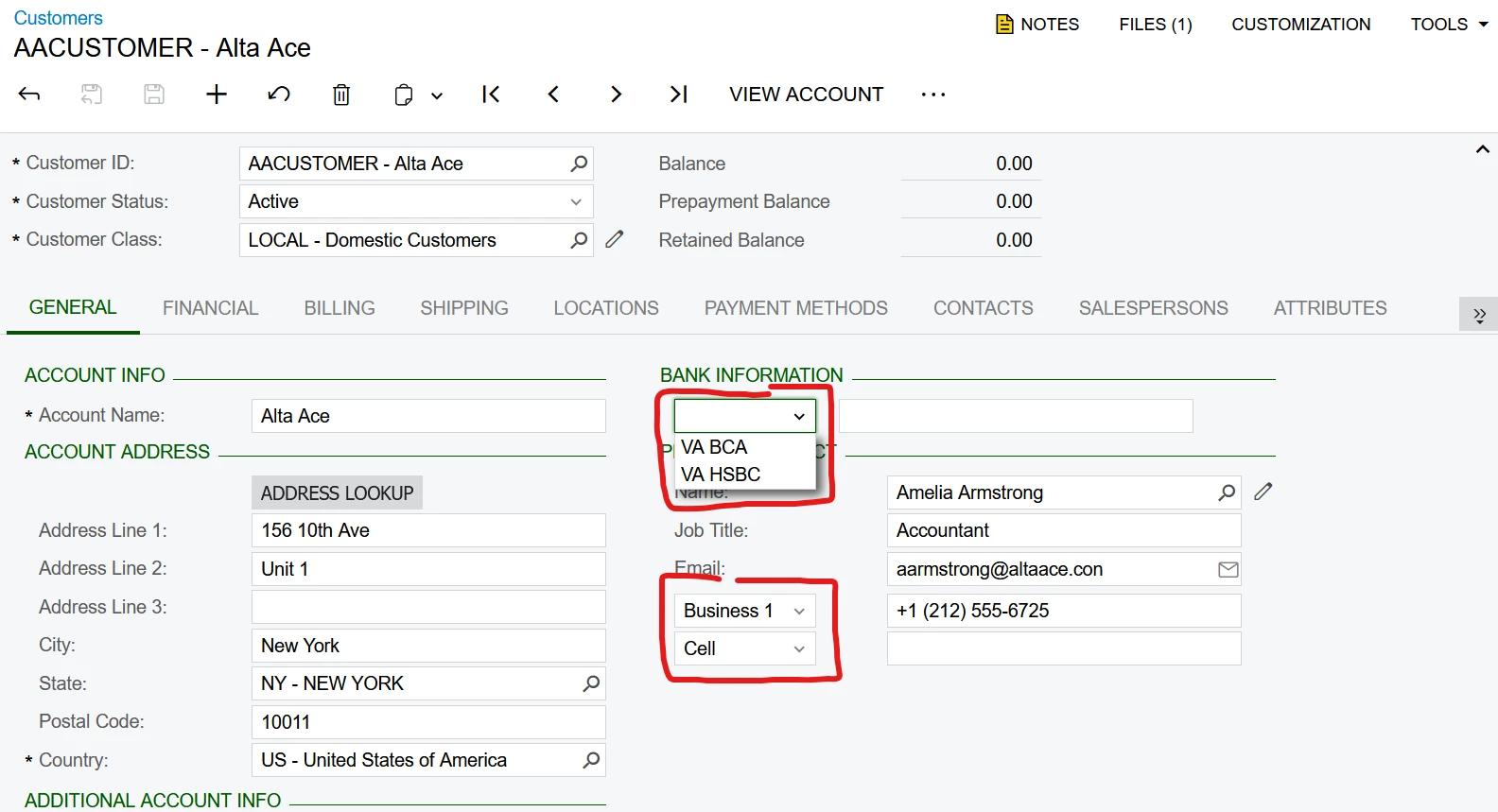
Hello everyone, I want to make a dropdown label like phone type in contact, but the default value doesn't appear, even though I've used PXDefault, and previously I had created a dropdown field with default values and there was no problem.
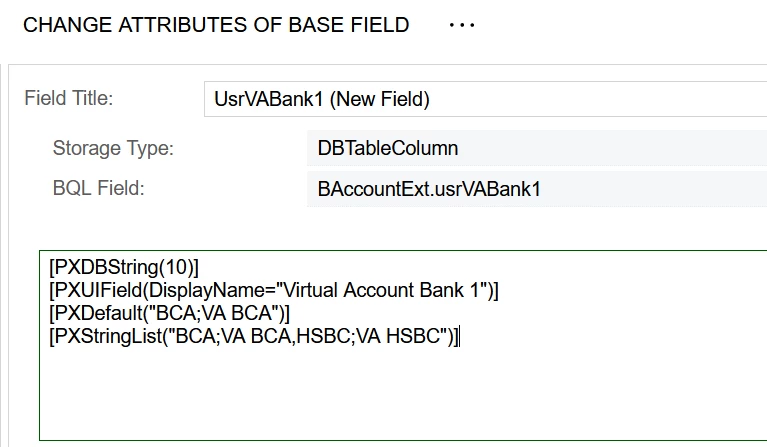
[PXDBString(10)]
[PXUIField(DisplayName="Virtual Account Bank 1")]
[PXDefault("BCA;VA BCA")]
[PXStringList("BCA;VA BCA,HSBC;VA HSBC")]
Best answer by Abhishek Niikam
Hi @Abhishek Niikam , I have added the code PersistingCheck = PXPersistingCheck.Nothing but it doesn't work
If you want more control on it then use event (if you don’t want to modify DB):
Hi @aleksandrsechin , thanks, The default value appears when creating a new form, but does not appear when editing the form. How can I make it appear?
@mujib , the PXDefault attribute sets a value only when a new record is created. If you open a record that was saved before the new field and its defaulting logic were added, the PXDefault attribute will not run.
Therefore, to set a default value for your new field on existing records, you will most likely need to do it via a database script, for example:
UPDATE BAccount set UsrVABank1 = 'BCA' where UsrVABank1 IS NULL;
As a result, all old records will have the default value.
I just wanted to point out a couple of things that might be helpful:
1. The length of the combo box field should match the length of the underlying values (not the labels, and not the combination of value + label). In your example, the values are “BCA” and “HSBC”, so their lengths are 3 and 4, with 4 being the maximum. Ideally, all values should have the same length (for example, 4), and you should also set the IsFixed = true property for combo box fields. As a result, your PXDBString attribute should look like this:
[PXDBString(4, IsFixed = true)]
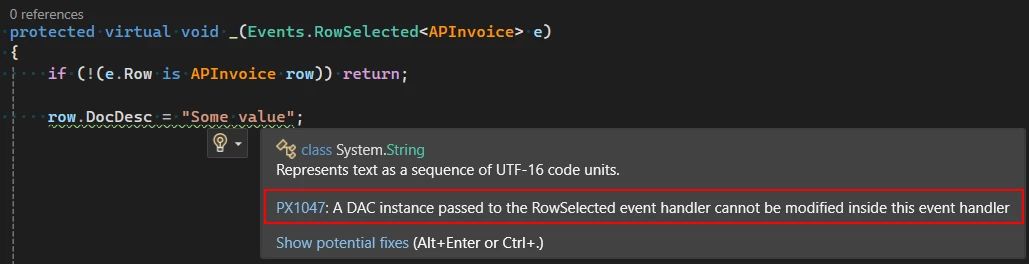
2. It’s generally not considered a good practice to modify a DAC instance in the RowSelected event. Acuminator even shows a warning about this.