


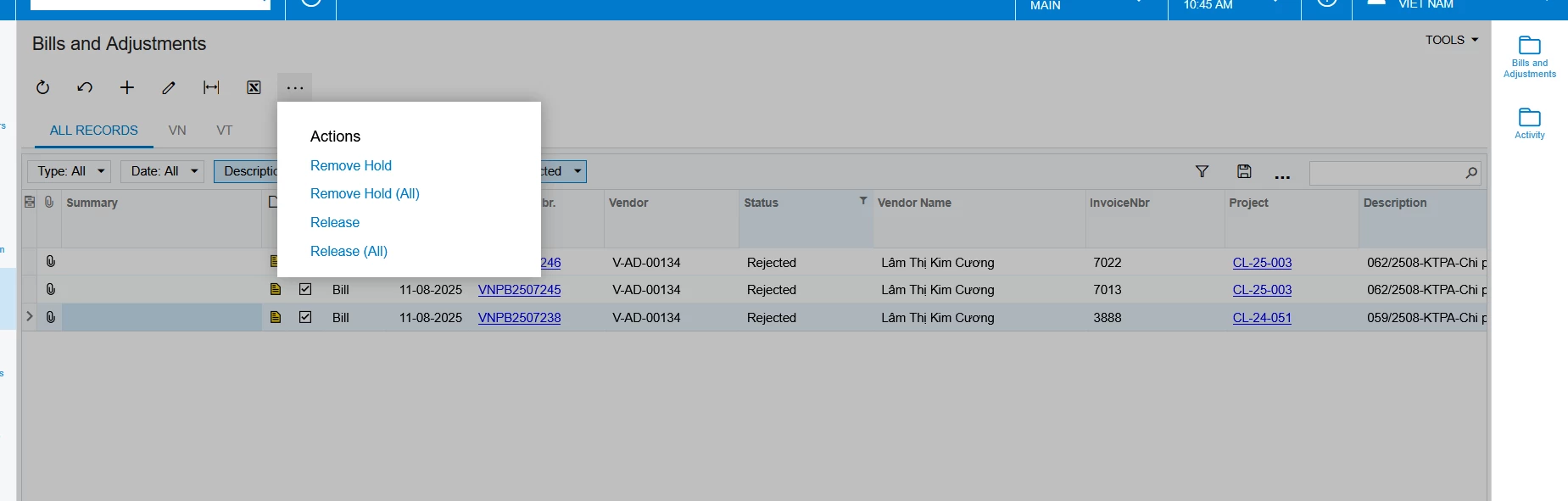
Hi, I’m new to acumatica. I want to know if I can add a ‘Hold’ action to this in Bills and Adjustments? If yes, how can I do that? Thank you
Hi, I’m new to acumatica. I want to know if I can add a ‘Hold’ action to this in Bills and Adjustments? If yes, how can I do that? Thank you
Best answer by craig2
Hi
You absolutely can add “Hold” there. This is what we would call a Mass Action, which can be added to any GI. Just note that it will only work when the Action is actually available in the document. If you are using the default workflow for Bills and Adjustments, Hold will only work for documents in Balanced status.
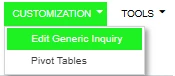
First, get to the Generic Inquiry screen:
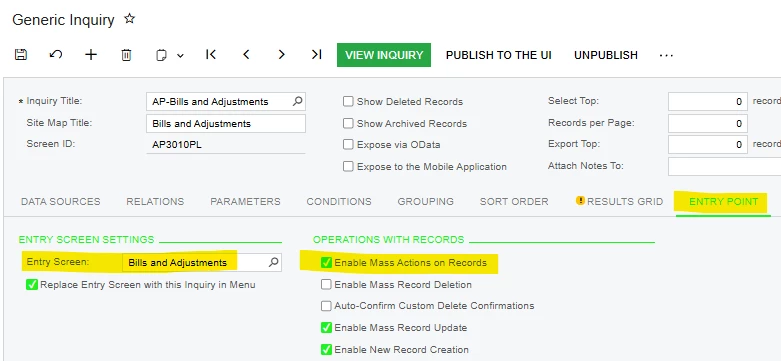
Navigate to the Entry Point tab, and ensure Bills and Adjustments is set as the Entry Screen, and tick Enable Mass Actions on Records. Based on the actions already available to you, this is probably already set up:
Then navigate to the Mass Actions tab. Here, you can select the Actions available on the selected Entry Screen, which includes Hold. You probably already have Remove Hold and Release in there already:

Save, and you should be good to go! Best of luck.
No account yet? Create an account
Enter your E-mail address. We'll send you an e-mail with instructions to reset your password.


