Answer

Import Scenarios: Can't Import Attribute Custom

  • February 14, 2025
  • 2 replies
  • 75 views

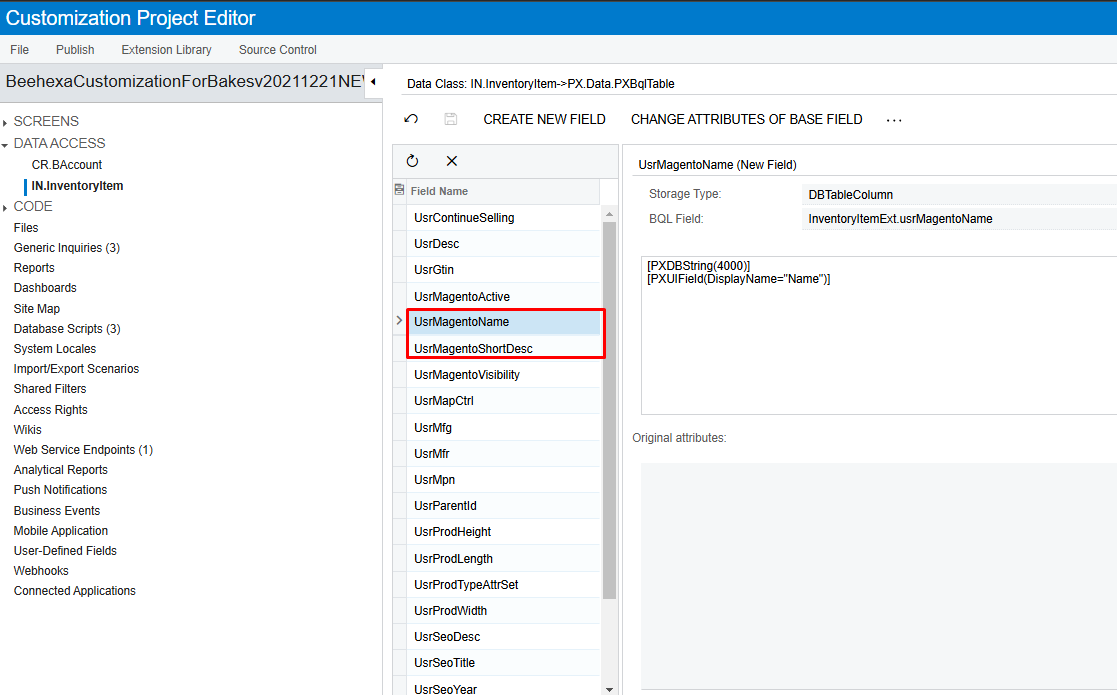
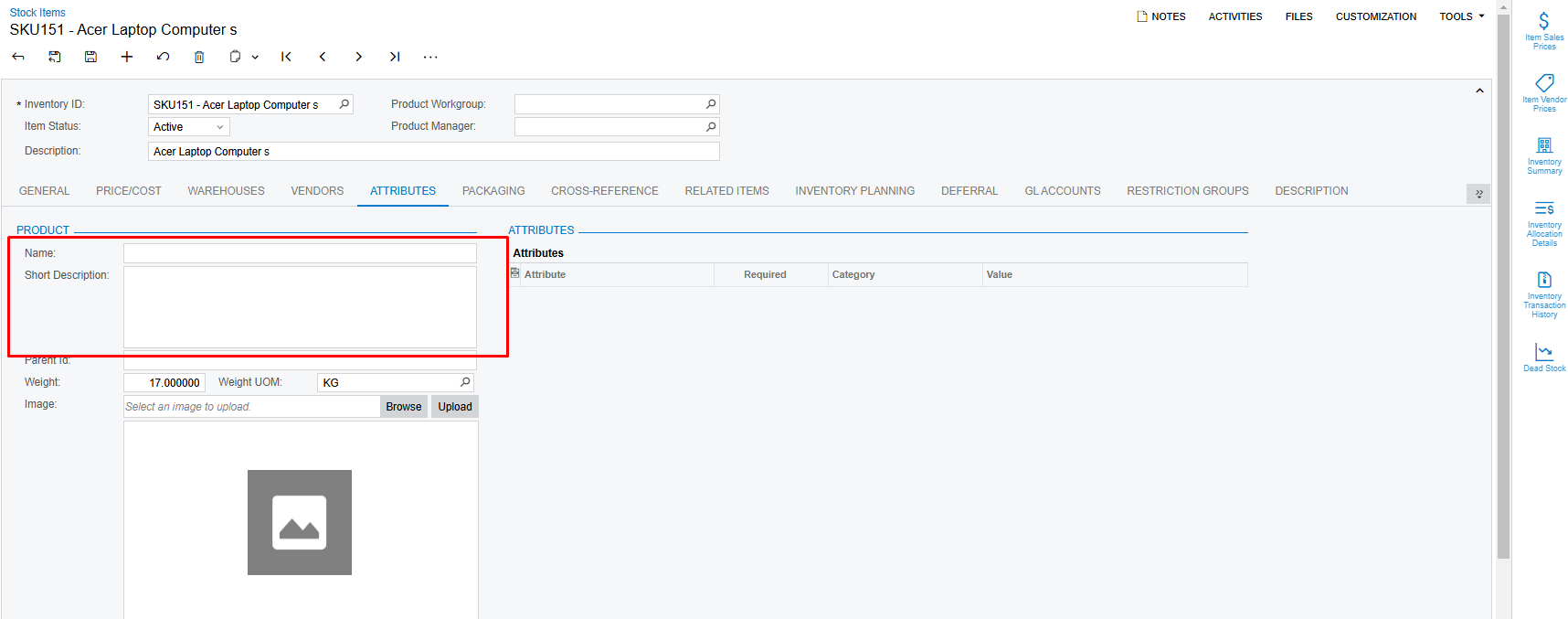
 I have 2 Field Attribute Custom: Name and Short Description (using customization Project).


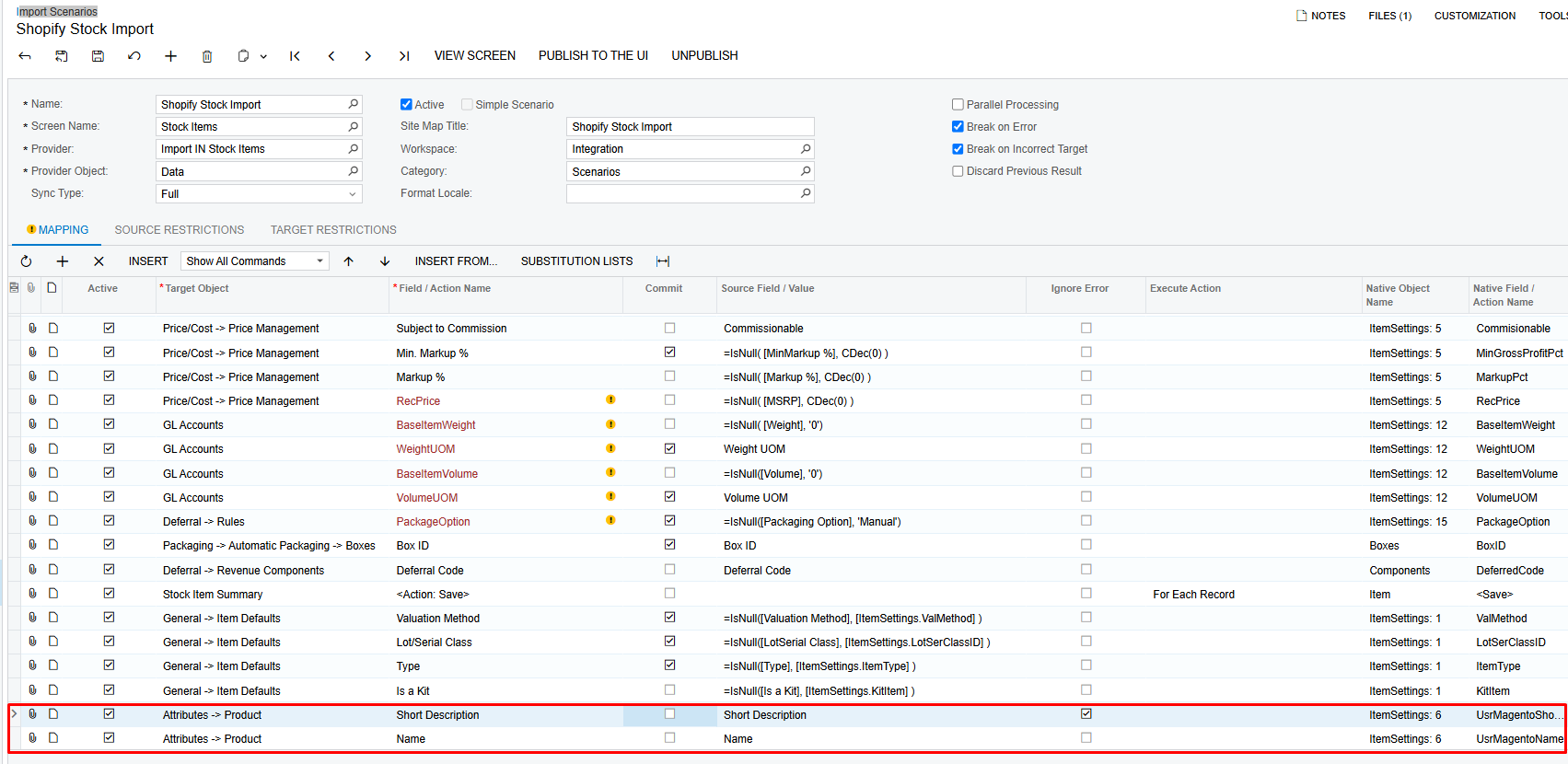
On the Import Scenarios page, I added the mapping to 2 Fields Name and Short Description

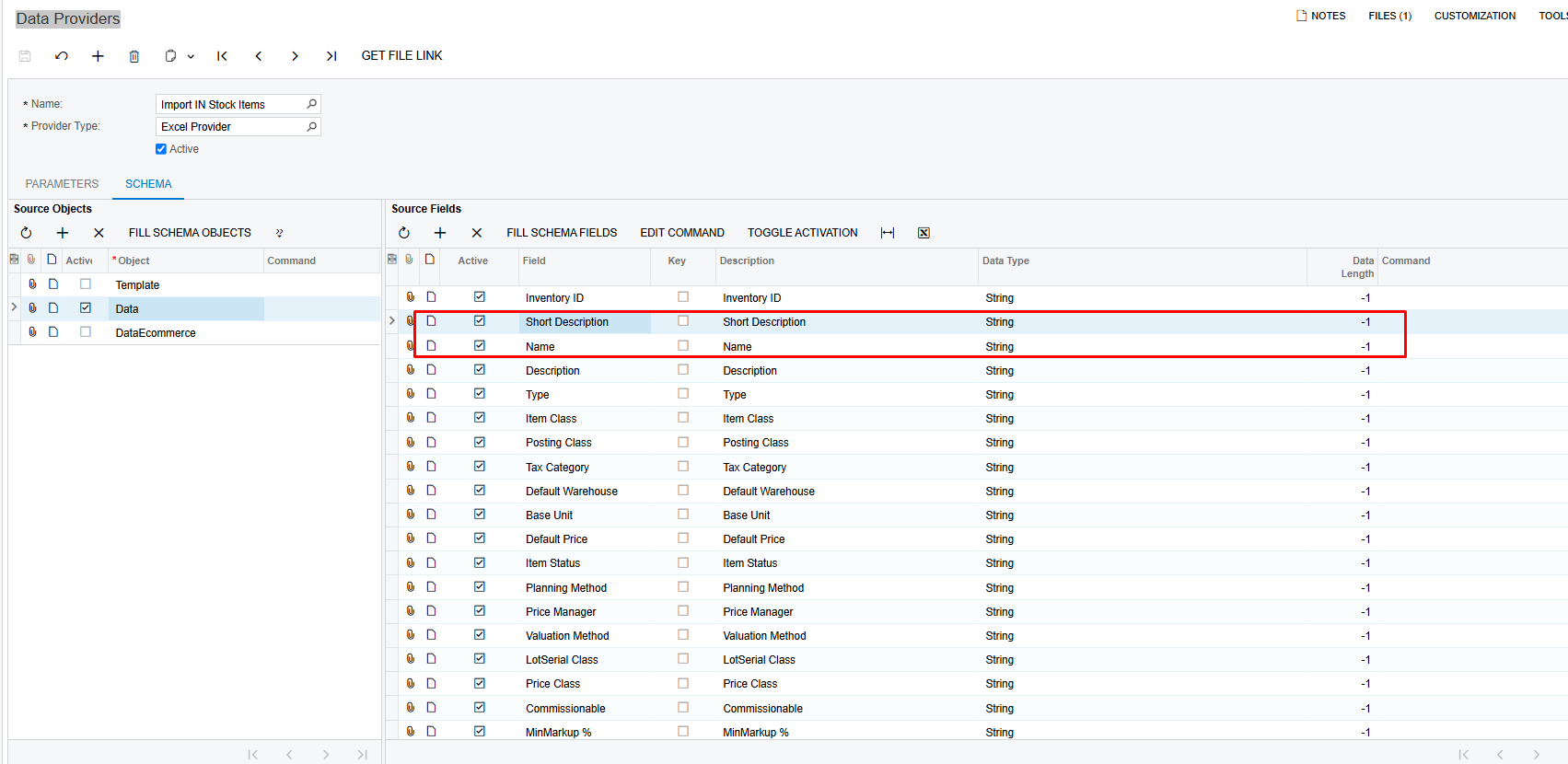
At Data providers I also added 2 fields

However, I use Import by Scenario to import my items into stock items.
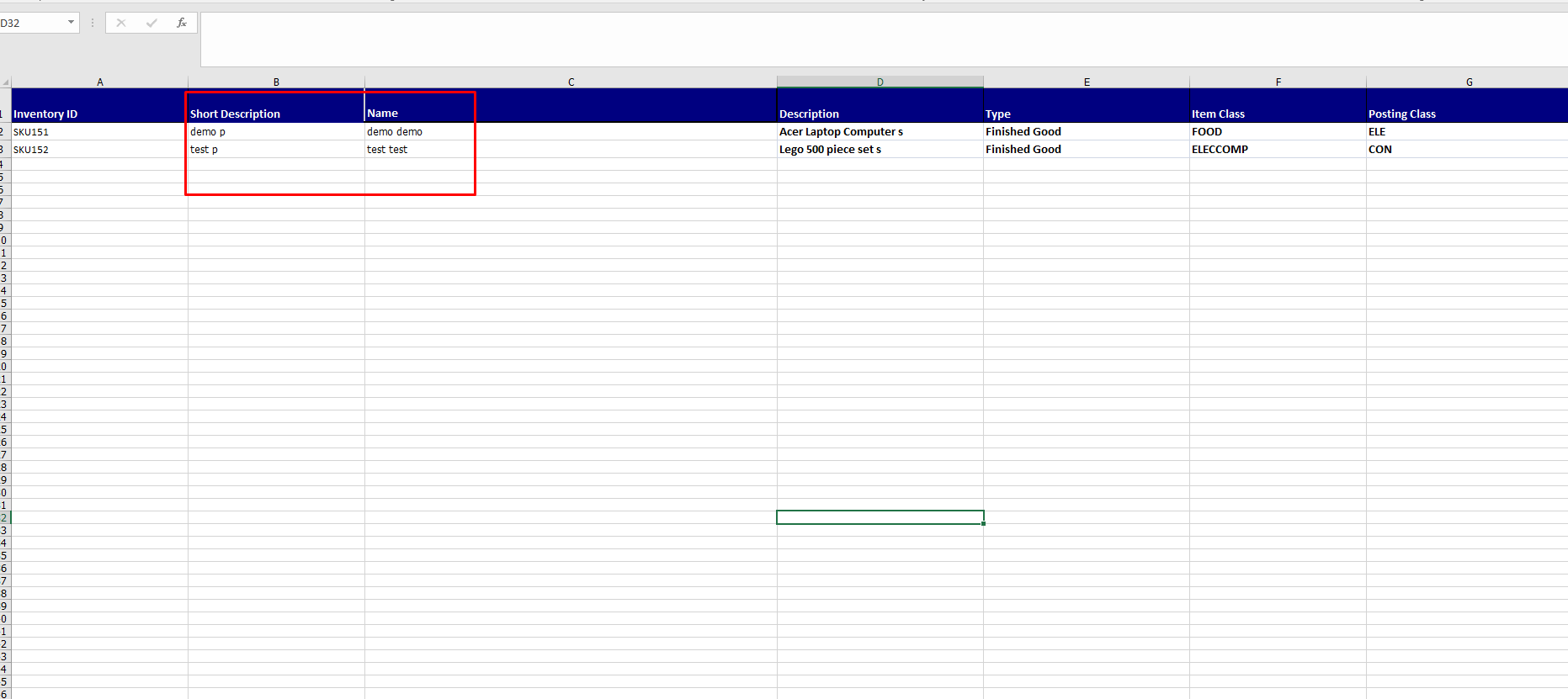
Then the Import items successfully but the two Field Attribute Custom are Name and Short Description it is null.
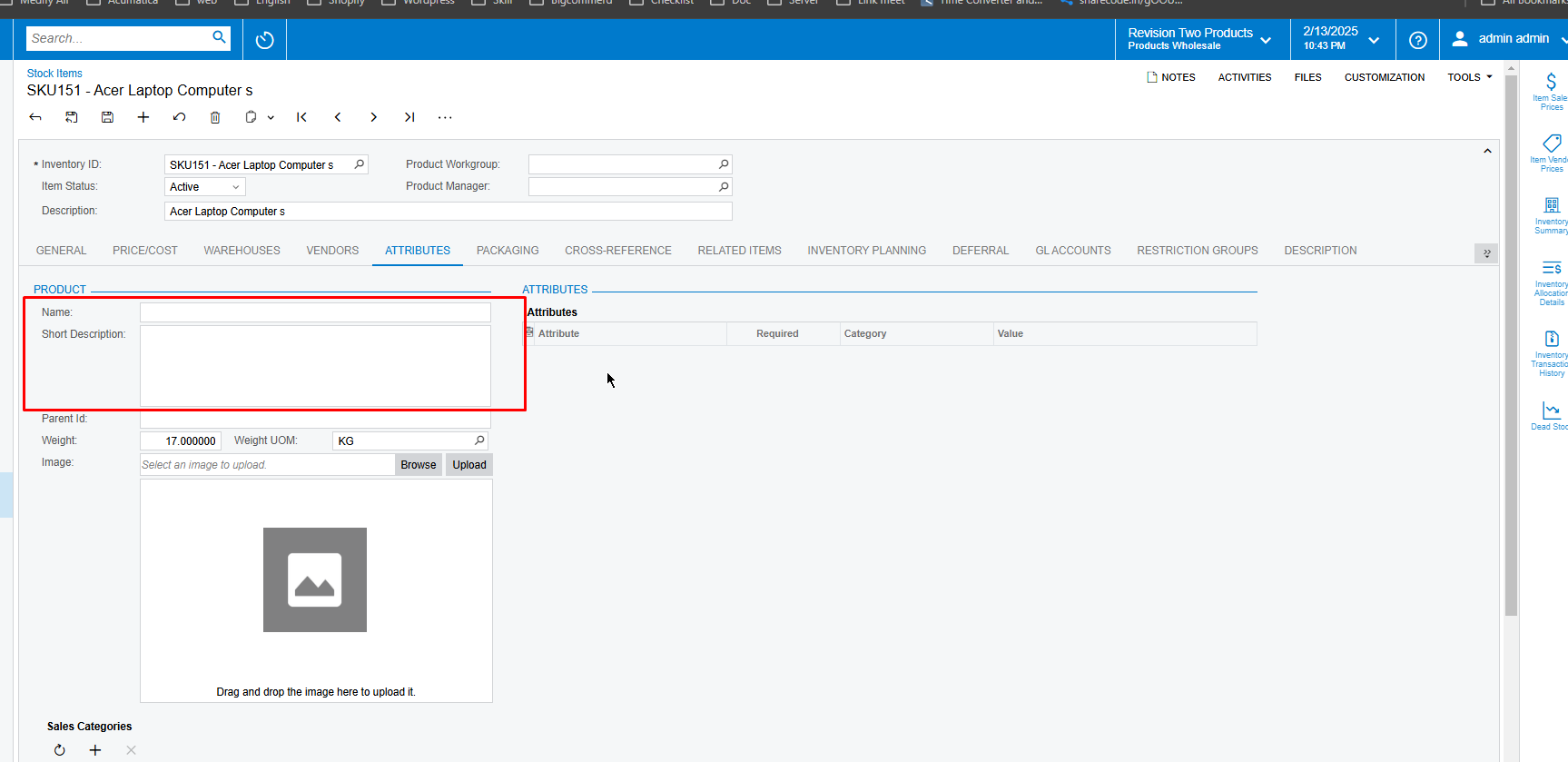
 

I don't know if I was wrong or where the config was missing? But my Attribute Custom Fields cannot set Value?

Best answer by Manikanta Dhulipudi

@PhatPham the mapping seems to be corrected, can you confirm by using only 2 fields in different import scenario for existing products whether it is working or not,

if does not work then something issue with the customization designed.

2 replies

Manikanta Dhulipudi
Captain II
Forum|alt.badge.img+15

@PhatPham the mapping seems to be corrected, can you confirm by using only 2 fields in different import scenario for existing products whether it is working or not,

if does not work then something issue with the customization designed.


dcomerford
Captain II
Forum|alt.badge.img+15
  • Captain II
  • February 14, 2025

@PhatPham I notice on your import scenario the Action >Save record is in the middle. Can you move this to the last line of the import scenario as i suspect you are not saving the record after updating these fields