Question

I'm working with Acumatica Moder UI 2025R2

  • February 20, 2026
  • 10 replies
  • 230 views

Forum|alt.badge.img

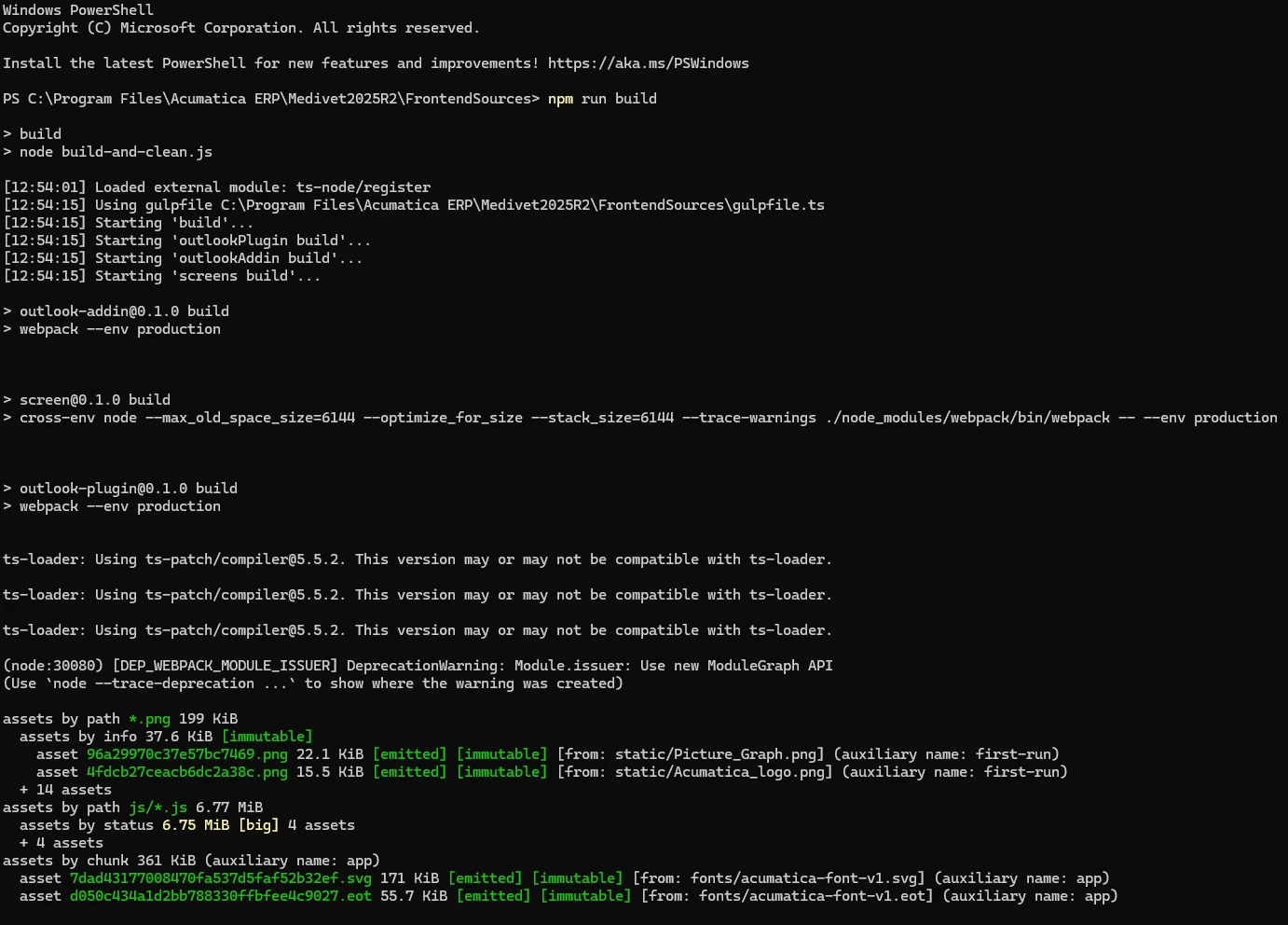
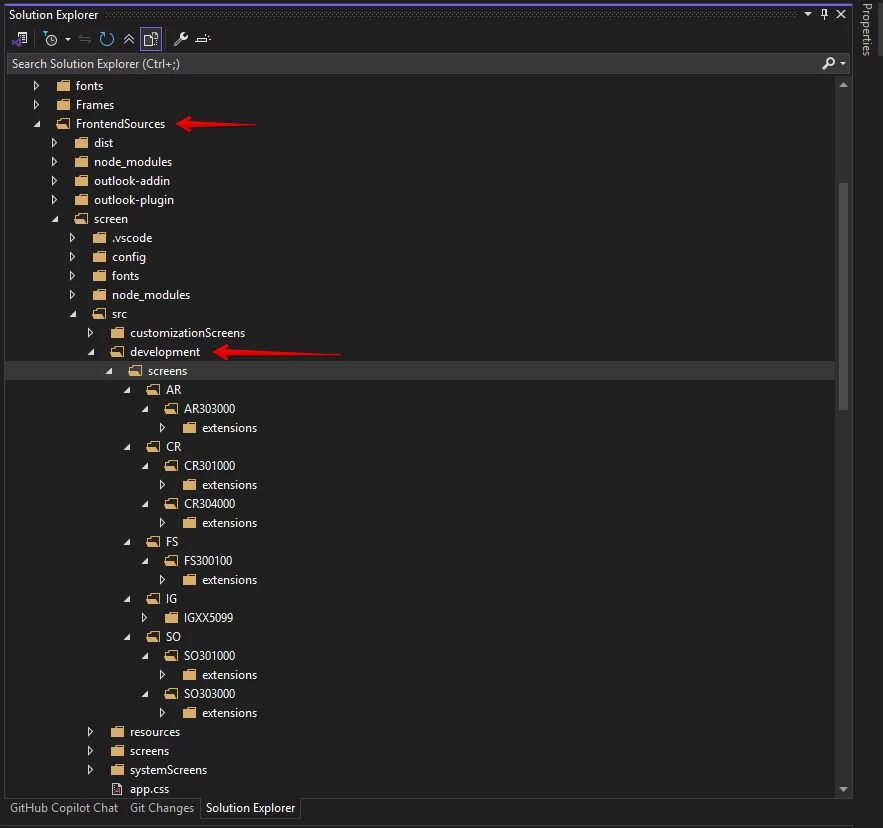
I want to raise the question here. Can we run npm build in local development in folder FrontendSources and add build file to production? Like this 
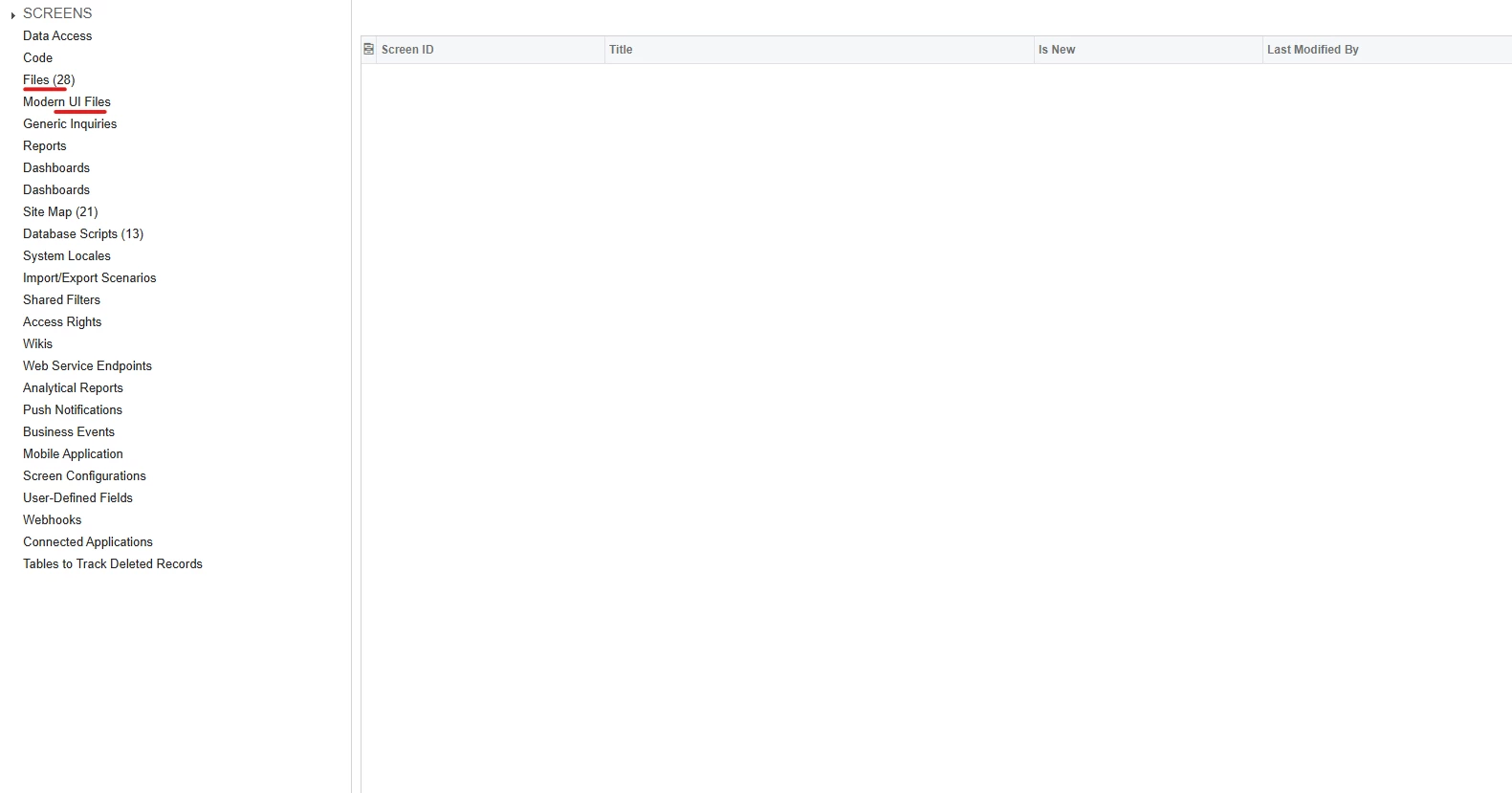
How can we include the build file to my customization ui file. Because when I browse from file or moder ui file I cannot see it. But in file I can see development file in screen folders. Please guide me.
 

10 replies

arpine08
Jr Varsity I
Forum|alt.badge.img+1
  • Jr Varsity I
  • February 20, 2026

Hi @vannakheng

Here is the physical file location for local development in folder FrontendSources:


To build the sources during the UI development, you run the following command in the FrontendSources folder:

npm run build-dev


Examples for specific screens-> 

Standard Acumatica screen: SO301000 and custom screen: IGXX5099:

FrontendSources\screen folder:

npm run build-dev --- --env customFolder=development screenIds=SO301000
npm run build-dev --- --env customFolder=development screenIds=IGXX5099


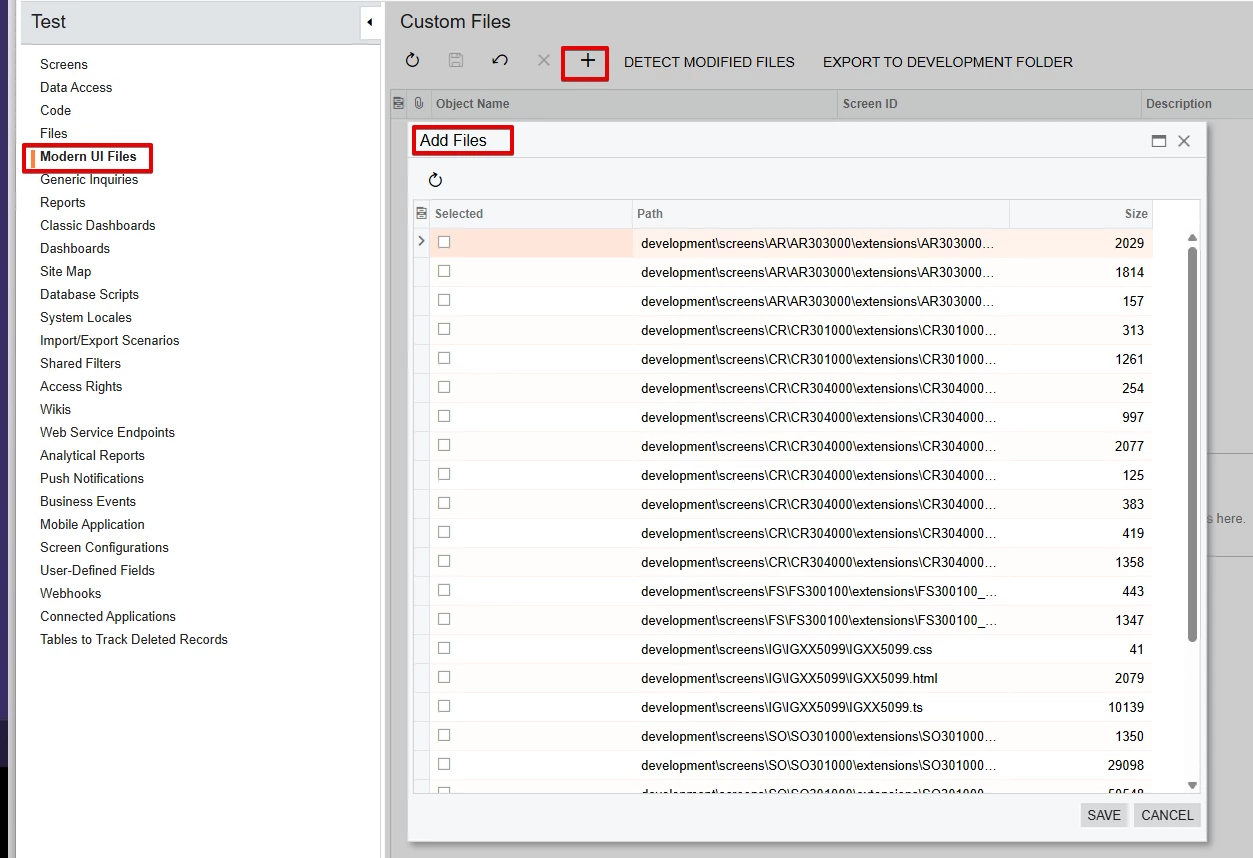
Modern UI Files section:


VardanV
Varsity I
Forum|alt.badge.img+1
  • Varsity I
  • February 20, 2026

Hi ​@vannakheng 

You use the development folder—located in the FrontendSources\screen\src\ folder of your instance—to create new forms or to customize existing forms for the Modern UI. If the development folder is not found, you need to create it manually.

For details, see Including Files in the Customization Project


Forum|alt.badge.img
  • Author
  • Freshman II
  • February 21, 2026

Hi @vannakheng

Here is the physical file location for local development in folder FrontendSources:


To build the sources during the UI development, you run the following command in the FrontendSources folder:

npm run build-dev


Examples for specific screens-> 

Standard Acumatica screen: SO301000 and custom screen: IGXX5099:

FrontendSources\screen folder:

npm run build-dev --- --env customFolder=development screenIds=SO301000
npm run build-dev --- --env customFolder=development screenIds=IGXX5099


Modern UI Files section:


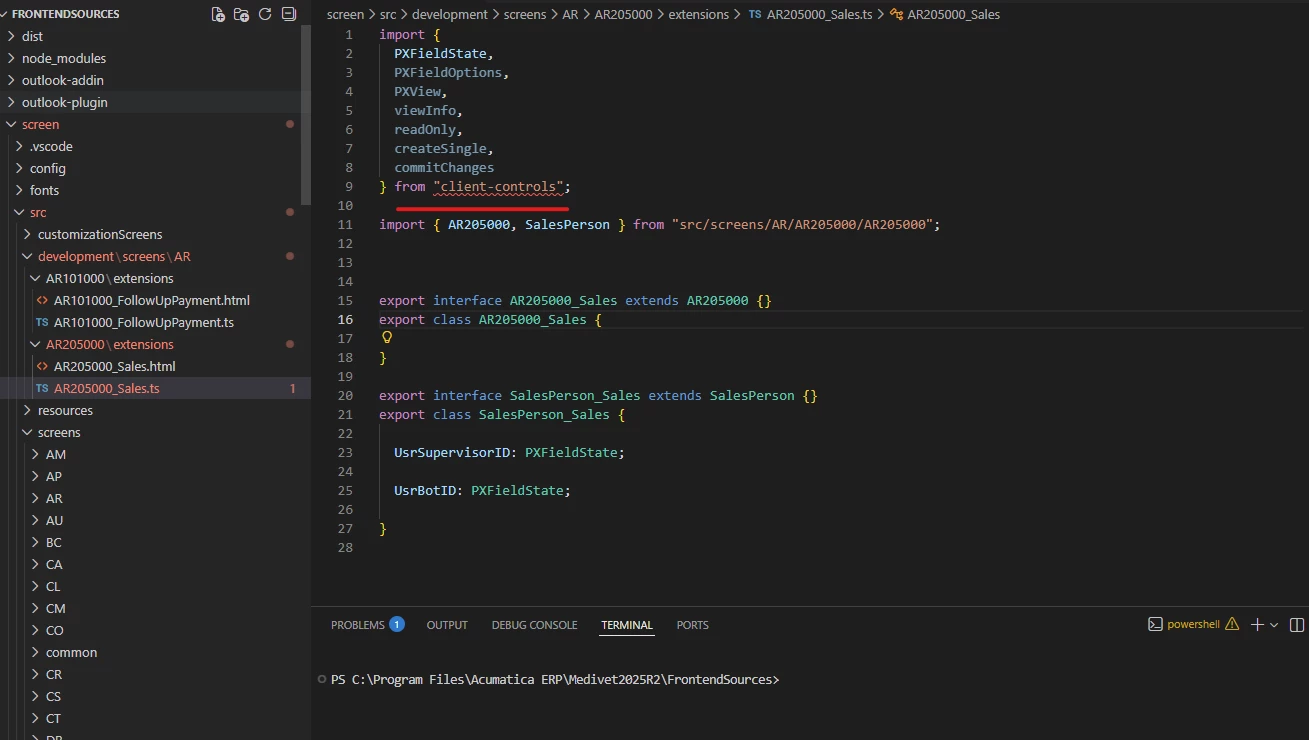
Do you know why client-control missing modules error ?


Forum|alt.badge.img
  • Author
  • Freshman II
  • February 21, 2026

Hi @vannakheng

Here is the physical file location for local development in folder FrontendSources:


To build the sources during the UI development, you run the following command in the FrontendSources folder:

npm run build-dev


Examples for specific screens-> 

Standard Acumatica screen: SO301000 and custom screen: IGXX5099:

FrontendSources\screen folder:

npm run build-dev --- --env customFolder=development screenIds=SO301000
npm run build-dev --- --env customFolder=development screenIds=IGXX5099


Modern UI Files section:


Do you know why client-control missing modules error ?


I got it by run: npm run getmodules


Forum|alt.badge.img
  • Author
  • Freshman II
  • February 21, 2026

Hi @vannakheng

Here is the physical file location for local development in folder FrontendSources:


To build the sources during the UI development, you run the following command in the FrontendSources folder:

npm run build-dev


Examples for specific screens-> 

Standard Acumatica screen: SO301000 and custom screen: IGXX5099:

FrontendSources\screen folder:

npm run build-dev --- --env customFolder=development screenIds=SO301000
npm run build-dev --- --env customFolder=development screenIds=IGXX5099


Modern UI Files section:


thanks, lets me try

Is it working with all tenant ?


arpine08
Jr Varsity I
Forum|alt.badge.img+1
  • Jr Varsity I
  • February 21, 2026

Hi @vannakheng

When publishing a package with Modern UI files, Acumatica automatically places them in the following path by tenantName:

FrontendSources\screen\src\customizationScreens\{tenantName}\screens\{Module}\{ScreenID}


Forum|alt.badge.img
  • Jr Varsity II
  • February 21, 2026

Please refer to the link above. It contains all the necessary details and steps specifically for the Modern UI implementation.
https://help.acumatica.com/(W(1))/Help?ScreenId=ShowWiki&pageid=c3fd1c12-e944-4f4b-bdfa-75b55a45f003


  • Freshman II
  • February 25, 2026

Hi @vannakheng

Here is the physical file location for local development in folder FrontendSources:


To build the sources during the UI development, you run the following command in the FrontendSources folder:

npm run build-dev


Examples for specific screens-> 

Standard Acumatica screen: SO301000 and custom screen: IGXX5099:

FrontendSources\screen folder:

npm run build-dev --- --env customFolder=development screenIds=SO301000
npm run build-dev --- --env customFolder=development screenIds=IGXX5099


Modern UI Files section:


Do you know why client-control missing modules error ?


I got it by run: npm run getmodules


@vannakheng 
I experienced the same issue(client-controls) previously and was able to resolve it.
The problem was caused by a Node.js version compatibility mismatch. Please verify your current Node.js version and ensure it matches the required version for the project.

  • Development Environment Setup: To customize or build new screens for the Modern UI, developers must install the correct version of Node.js from the official Node.js website and run specific npm commands. The process typically involves:
    • Installing the recommended Node.js version (22.x.x for 25R2).
    • Navigating to the FrontendSources folder in the Acumatica instance's directory via the command line.
    • Running npm run getmodules to install necessary packages.
    • Running npm run build or npm run build-dev to compile the frontend assets.

      For your reference, below is the Node.js version I’m using with 25R2 (Build 25.200.0248+).
      The issue(client-controls) I previously faced was due to a Node.js version compatibility mismatch. Please verify that your Node.js version matches the recommended version for this build.


Forum|alt.badge.img
  • Author
  • Freshman II
  • March 4, 2026

Hi @vannakheng

Here is the physical file location for local development in folder FrontendSources:


To build the sources during the UI development, you run the following command in the FrontendSources folder:

npm run build-dev


Examples for specific screens-> 

Standard Acumatica screen: SO301000 and custom screen: IGXX5099:

FrontendSources\screen folder:

npm run build-dev --- --env customFolder=development screenIds=SO301000
npm run build-dev --- --env customFolder=development screenIds=IGXX5099


Modern UI Files section:


Do you know why client-control missing modules error ?


I got it by run: npm run getmodules


@vannakheng 
I experienced the same issue(client-controls) previously and was able to resolve it.
The problem was caused by a Node.js version compatibility mismatch. Please verify your current Node.js version and ensure it matches the required version for the project.

  • Development Environment Setup: To customize or build new screens for the Modern UI, developers must install the correct version of Node.js from the official Node.js website and run specific npm commands. The process typically involves:
    • Installing the recommended Node.js version (22.x.x for 25R2).
    • Navigating to the FrontendSources folder in the Acumatica instance's directory via the command line.
    • Running npm run getmodules to install necessary packages.
    • Running npm run build or npm run build-dev to compile the frontend assets.

      For your reference, below is the Node.js version I’m using with 25R2 (Build 25.200.0248+).
      The issue(client-controls) I previously faced was due to a Node.js version compatibility mismatch. Please verify that your Node.js version matches the recommended version for this build.


Now I can make working, but I have another question. When I create extension in development/screens folder and npm run build-dev, it’s not updated the ui until publish in customization ui. If I created extension in screens folder and npm run build-dev or npm run build, it worked without publish from customization ui. Can you explain me more about this, because I don’t know clearly about the modern ui development flow. Please advise me. 


Hi @vannakheng

Here is the physical file location for local development in folder FrontendSources:


To build the sources during the UI development, you run the following command in the FrontendSources folder:

npm run build-dev


Examples for specific screens-> 

Standard Acumatica screen: SO301000 and custom screen: IGXX5099:

FrontendSources\screen folder:

npm run build-dev --- --env customFolder=development screenIds=SO301000
npm run build-dev --- --env customFolder=development screenIds=IGXX5099


Modern UI Files section:


Do you know why client-control missing modules error ?


I got it by run: npm run getmodules


@vannakheng 
I experienced the same issue(client-controls) previously and was able to resolve it.
The problem was caused by a Node.js version compatibility mismatch. Please verify your current Node.js version and ensure it matches the required version for the project.

  • Development Environment Setup: To customize or build new screens for the Modern UI, developers must install the correct version of Node.js from the official Node.js website and run specific npm commands. The process typically involves:
    • Installing the recommended Node.js version (22.x.x for 25R2).
    • Navigating to the FrontendSources folder in the Acumatica instance's directory via the command line.
    • Running npm run getmodules to install necessary packages.
    • Running npm run build or npm run build-dev to compile the frontend assets.

      For your reference, below is the Node.js version I’m using with 25R2 (Build 25.200.0248+).
      The issue(client-controls) I previously faced was due to a Node.js version compatibility mismatch. Please verify that your Node.js version matches the recommended version for this build.


Now I can make working, but I have another question. When I create extension in development/screens folder and npm run build-dev, it’s not updated the ui until publish in customization ui. If I created extension in screens folder and npm run build-dev or npm run build, it worked without publish from customization ui. Can you explain me more about this, because I don’t know clearly about the modern ui development flow. Please advise me. 

@vannakheng

Yes, you’re on the right track. Creating the extension in the Screens folder it is absolutely fine and it will work as expected. 

Once you’ve completed testing and confirmed everything is functioning properly, please move(but not copy) the files to the appropriate development folder. After that, add those files to the development package so you can proceed with publishing.

Use below command for a screen to build instead of npm run build-dev(It will build all)
 npm run build-dev '--' --env screenIds=IN202500