Answer

How to Reset "Selected Checkbox field" in acumatica panel

  • December 28, 2021
  • 5 replies
  • 340 views

Forum|alt.badge.img

Hi All,

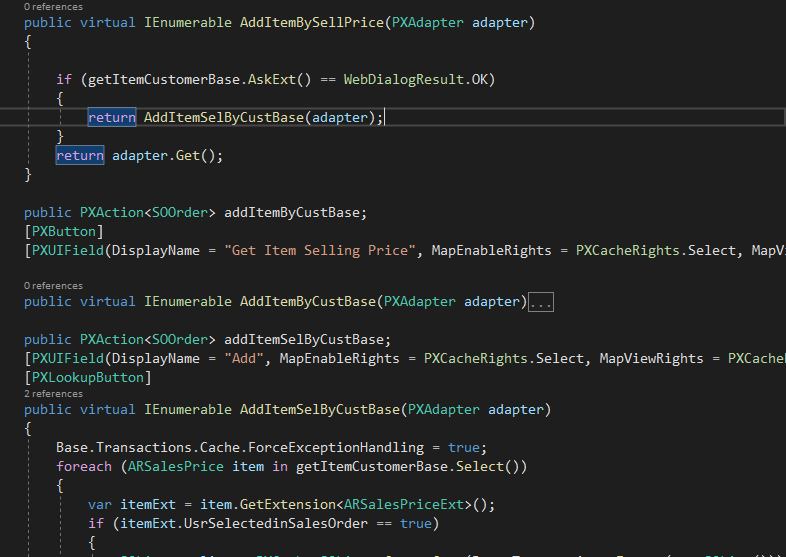
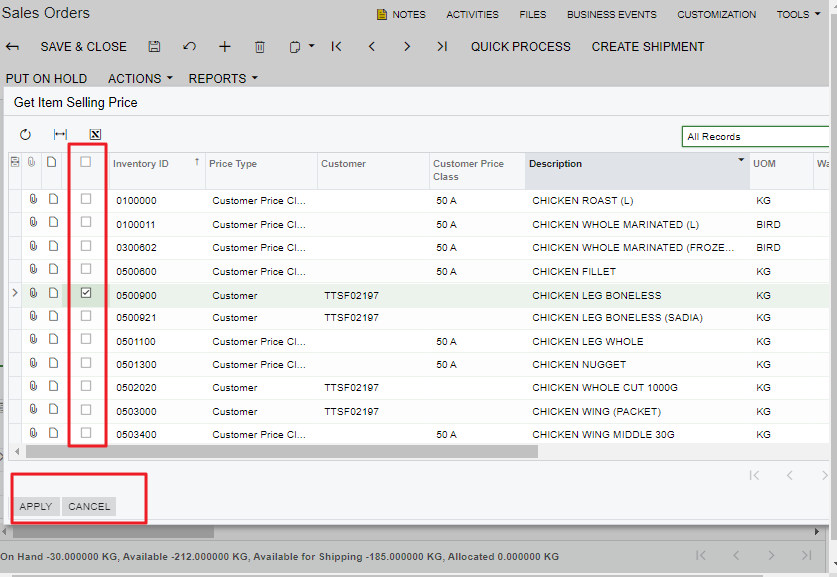
I have created a customized panel in “Sales Order” screen and this panel all user to add items to the SOLine.

After I click on “Apply” or “Cancel” button the selected check box should be cleared. How can i achieve this. 

I used PXBool for selected field it is not working. Is this field is controlled buttons?

Please help me on this


Regards,

Ramya

Best answer by Naveen Boga

Hi @ramya15  You can also below code after clearing the cache. The below code will refresh your View.

Graph.ViewName.View.RequestRefresh();


Hope this helps!

5 replies

vivekm
Varsity II
Forum|alt.badge.img
  • Varsity II
  • December 28, 2021

Hi @ramya15 

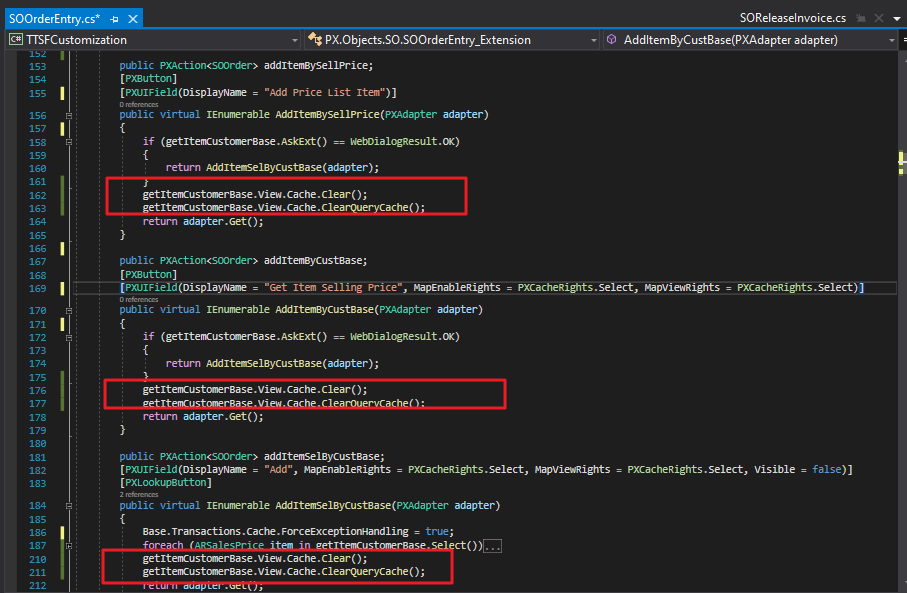
Can you try with View.Cache.Clear(); in Apply and Cancel button action after your logic execution. 


Forum|alt.badge.img
  • Author
  • Jr Varsity III
  • December 29, 2021

Hi @vivekm ,

Thanks for your response. 

I tried to execute the code as mentioned below. But it reset the “selected field checkbox”, once i refresh the entire screen. It doesn’t reset after i close and open the Panel.

Please check on this.


Regards,

Ramya


Naveen Boga
Captain II
Forum|alt.badge.img+19
  • Captain II
  • Answer
  • December 29, 2021

Hi @ramya15  You can also below code after clearing the cache. The below code will refresh your View.

Graph.ViewName.View.RequestRefresh();


Hope this helps!


Forum|alt.badge.img
  • Author
  • Jr Varsity III
  • December 30, 2021

Thanks @Naveen B

Graph.ViewName.View.RequestRefresh();  is working.


Naveen Boga
Captain II
Forum|alt.badge.img+19
  • Captain II
  • December 30, 2021

@ramya15 Awesome. Thanks for the confirmation :)