Question

How to enable the Owner field on the Event screen (CR306030) so that it can be selected ?

  • January 23, 2024
  • 13 replies
  • 274 views
  • Translate All

nhatnghetinh
Captain II
Forum|alt.badge.img+14

Dear ALL,

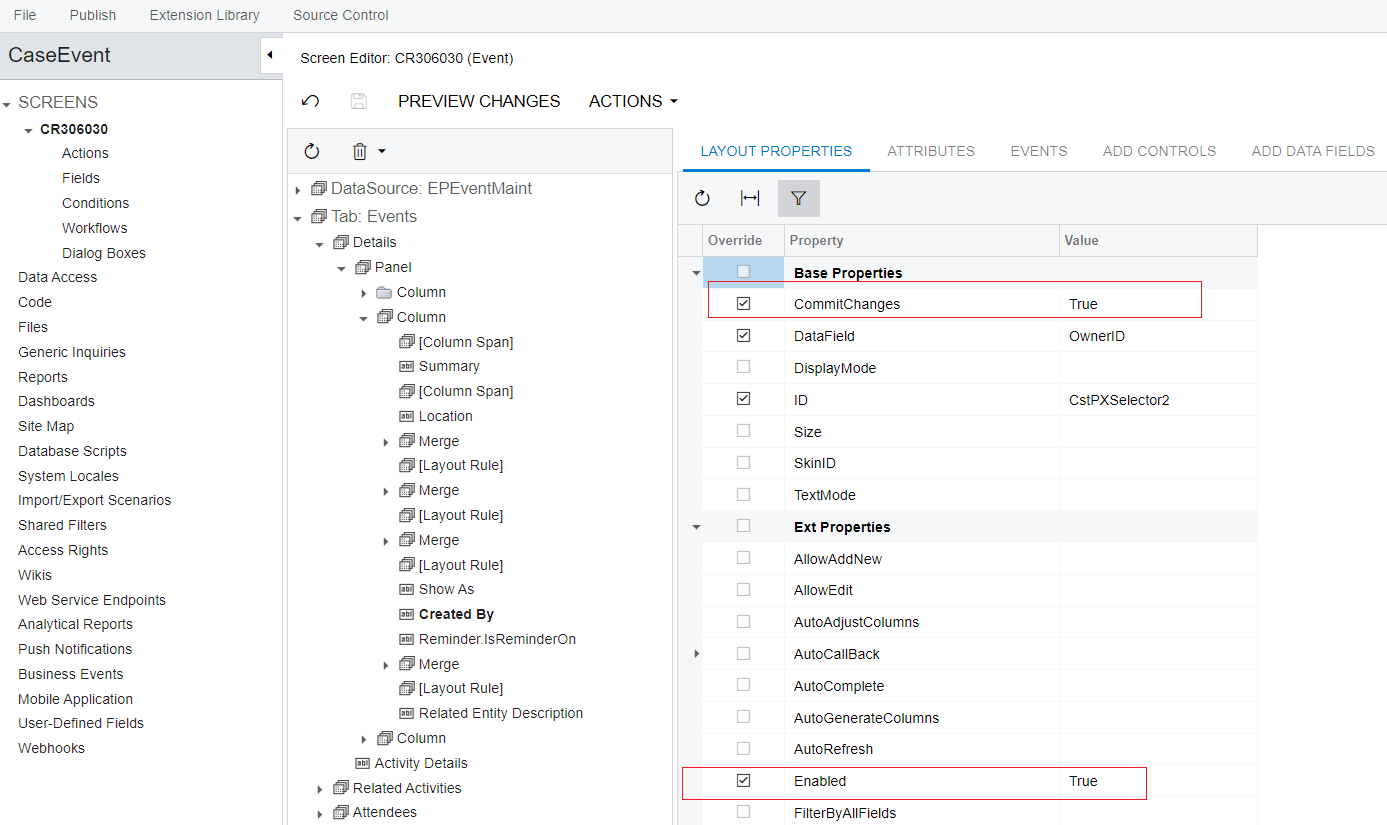
The Event screen (CR306030) was missing an Owner, so I added it by performing Create Controls with the OwnerID field (Display name: Created By).
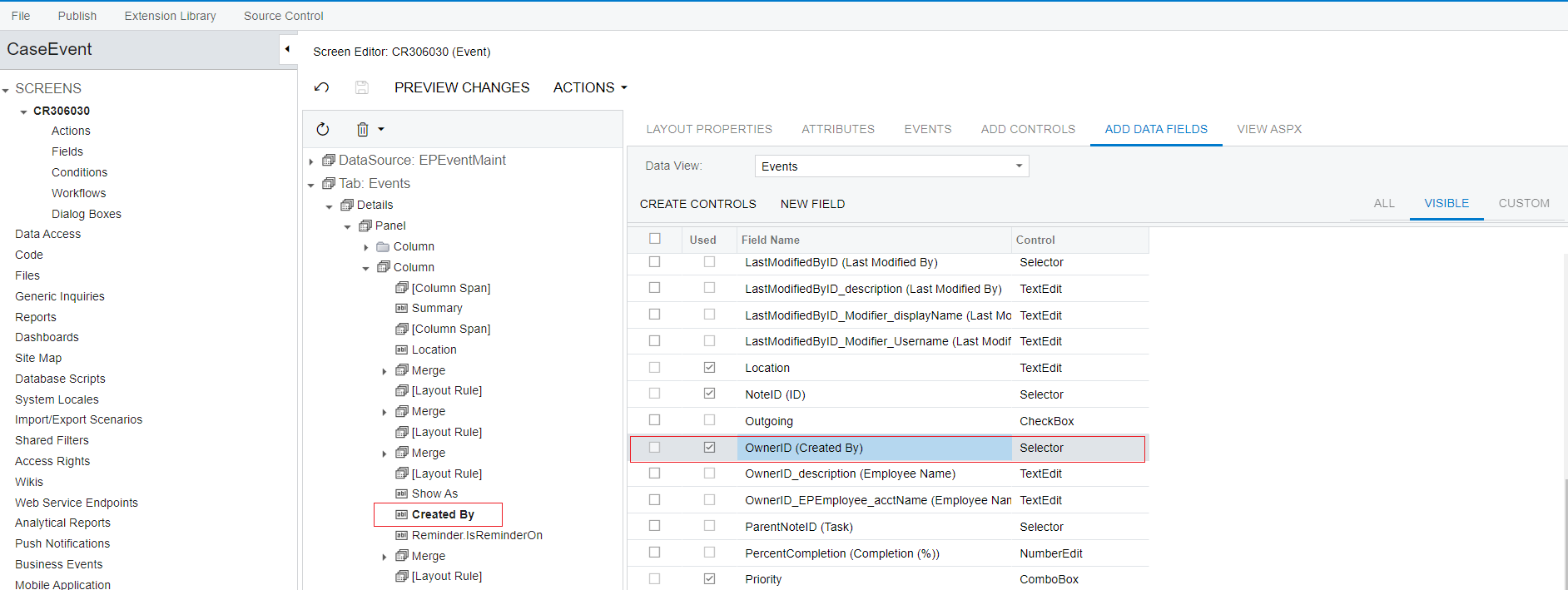


I have also done:

  • CommitChanges = true
  • Enabled = true 


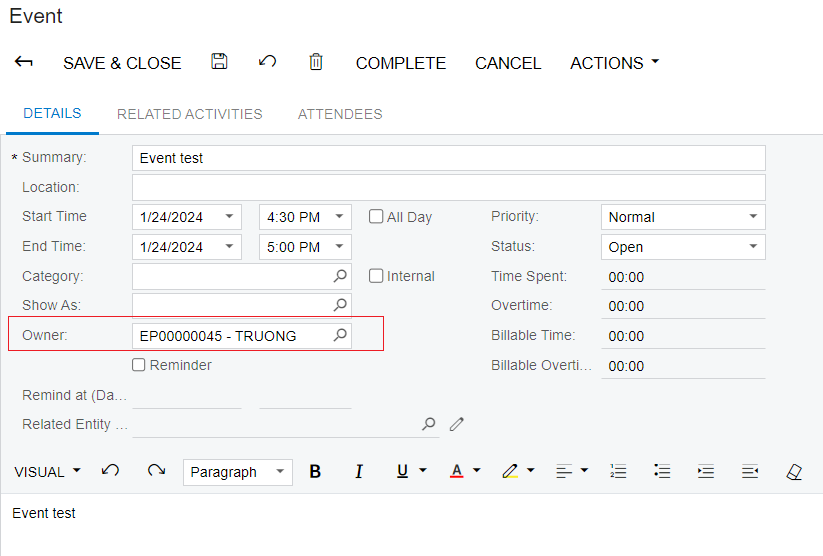
But the result of Customization is that the Owner field is still not enabled so it cannot be selected.
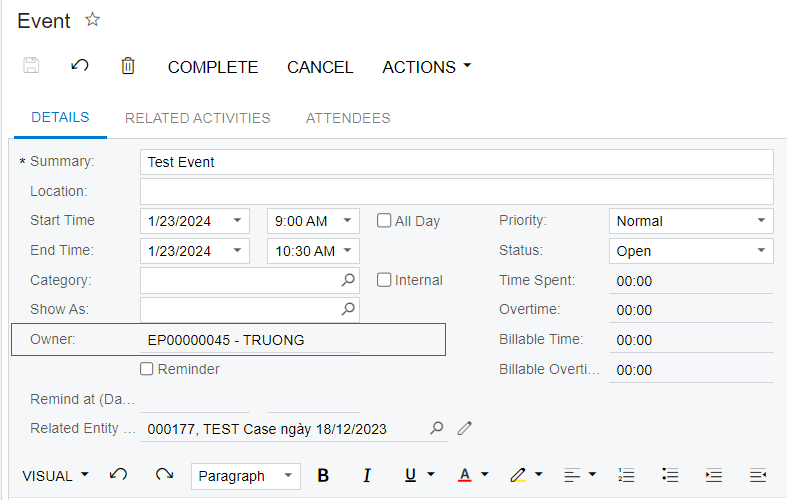
 

Please guide me how to handle it !


Best Regards,

NNT

 

13 replies

dcomerford
Captain II
Forum|alt.badge.img+16

Hi what version are you trying to do this on as OwnerID is available on the screen on 23R2?

Translate

nhatnghetinh
Captain II
Forum|alt.badge.img+14

Hi @dcomerford,

Version 2020 R1


Best Regards,

NNT

Translate

dcomerford
Captain II
Forum|alt.badge.img+16

@nhatnghetinh Yes i can see same issue on that version has to be something in the code blocking the Selector. Can you suggest they upgrade :-)

Translate

nhatnghetinh
Captain II
Forum|alt.badge.img+14

Hi ALL,

I have tried creating Events.RowSelected as below:


//////////////////

namespace PX.Objects.EP
{
  public class EPEventMaint_Extension : PXGraphExtension<EPEventMaint>
  {
    #region Event Handlers
 
    protected virtual void _(Events.RowSelected<CRActivity> e)
    {

         CRActivity row = e.Row as CRActivity;
            if (row != null && Base.Events.Current != null)
            {
                
              Base.Events.Cache.AllowUpdate = true;
              PXUIFieldAttribute.SetEnabled<CRActivity.ownerID>(e.Cache, row, true);
            }  
    }

    #endregion
  }
}

///////////////


The result of Customization is that the Owner field is enabled.


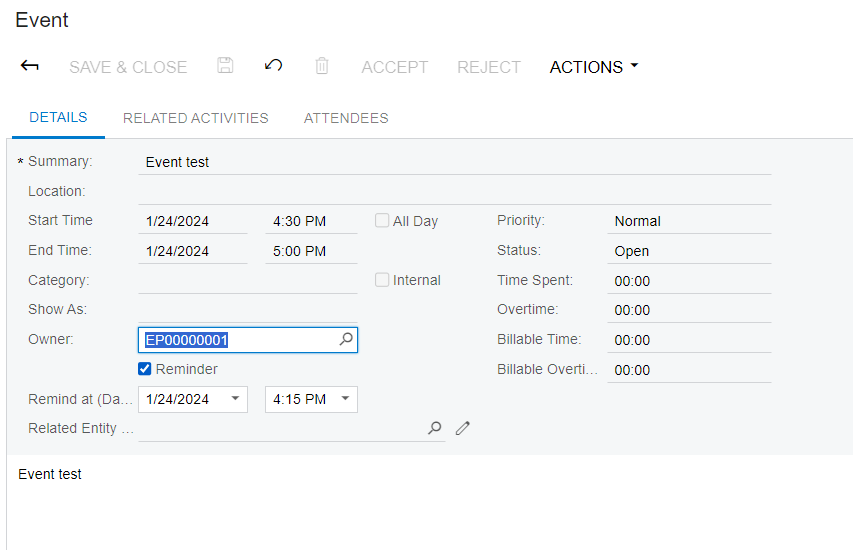
However, after selecting a different Owner from the default, the Event screen is closed and the data is not saved.


Please help me how to resolve the error !


Note: Acumatica Version 2020R1


Best Regards,

NNT


Translate

Chris Hackett
Community Manager
Forum|alt.badge.img
  • Acumatica Community Manager
  • March 19, 2024

Hi @nhatnghetinh were you able to find a solution? Thank you!

Translate

nhatnghetinh
Captain II
Forum|alt.badge.img+14

Hi @ Chris Hackett

I haven't found a solution yet, it's still pending.


Best Regards,

NNT

Translate

Atiq
Jr Varsity III
Forum|alt.badge.img
  • Jr Varsity III
  • March 22, 2024

Hi @nhatnghetinh , @dcomerford,

                              The Problem is because you have written the wrong selector DAC code for Owner Feild. 

Can you write this Piece of code in ‘Owner Id’ DAC and Check Wether it works


[PXChildUpdatable(AutoRefresh = true)] [Owner(typeof(workgroupID))] [PXDefault(typeof(Coalesce< Search<EPCompanyTreeMember.contactID, Where<EPCompanyTreeMember.workGroupID, Equal<Current<workgroupID>>, And<EPCompanyTreeMember.contactID, Equal<Current<AccessInfo.contactID>>>>>, Search<Contact.contactID, Where<Contact.contactID, Equal<Current<AccessInfo.contactID>>, And<Current<workgroupID>, IsNull>>>>), PersistingCheck = PXPersistingCheck.Nothing)] [PXFormula(typeof(Default<workgroupID>))] 

Translate

nhatnghetinh
Captain II
Forum|alt.badge.img+14

Hi @Atiq,

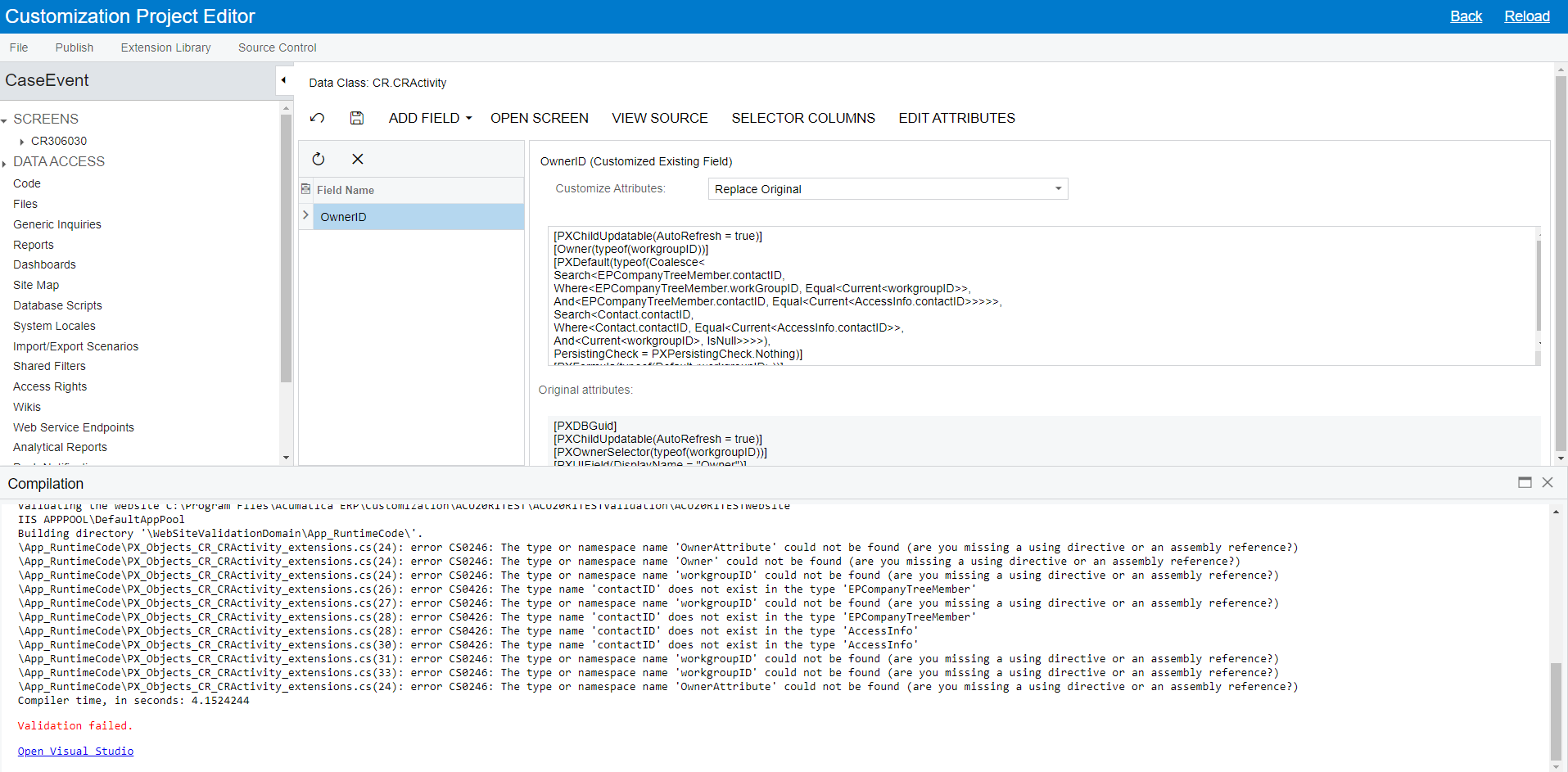
After publishing, the error is reported as below.


Note: Acumatica Version 2020.R1

Best Regards,

NNT

Translate

Atiq
Jr Varsity III
Forum|alt.badge.img
  • Jr Varsity III
  • March 23, 2024

Hi @nhatnghetinh ,

        You Should Create a Visual studio Extension, and run the code in it, may be you need to add some references in it

Translate

Atiq
Jr Varsity III
Forum|alt.badge.img
  • Jr Varsity III
  • March 24, 2024

hi @nhatnghetinh ,

is this issue fixed?

Translate

nhatnghetinh
Captain II
Forum|alt.badge.img+14

Hi @Atiq ,

It is still pending. Can it run on Customization Project Editor without Visual studio ?


Best Regards,

NNT

Translate

Atiq
Jr Varsity III
Forum|alt.badge.img
  • Jr Varsity III
  • March 26, 2024

Hi @nhatnghetinh ,

                                  i Highly recommend, to go through all the T - series cources before you start working on customizations 

Translate

nhatnghetinh
Captain II
Forum|alt.badge.img+14

Hi @Atiq ,

I see that the code in ‘OwnerID DAC attributes’ you sent is for higher Acumatica versions (from 2022.R2). I also tried ‘OwnerID DAC attributes’ of higher Acumatica versions running on our Acumatica version (2020.R1) before but without success.
I'm not sure if it's possible to use ‘OwnerID DAC attributes’ of higher Acumatica versions for our Acumatica version (2020.R1)? If so, specifically how to do it?

Best Regards,

NNT

Translate