Question

How to enable addition od UDF for Non Stock in Modern UI

  • Nov 25, 2026 5:45 AM UTC
  • 6 replies
  • 27 views
  • Translate All

Forum|alt.badge.img

Hello all,

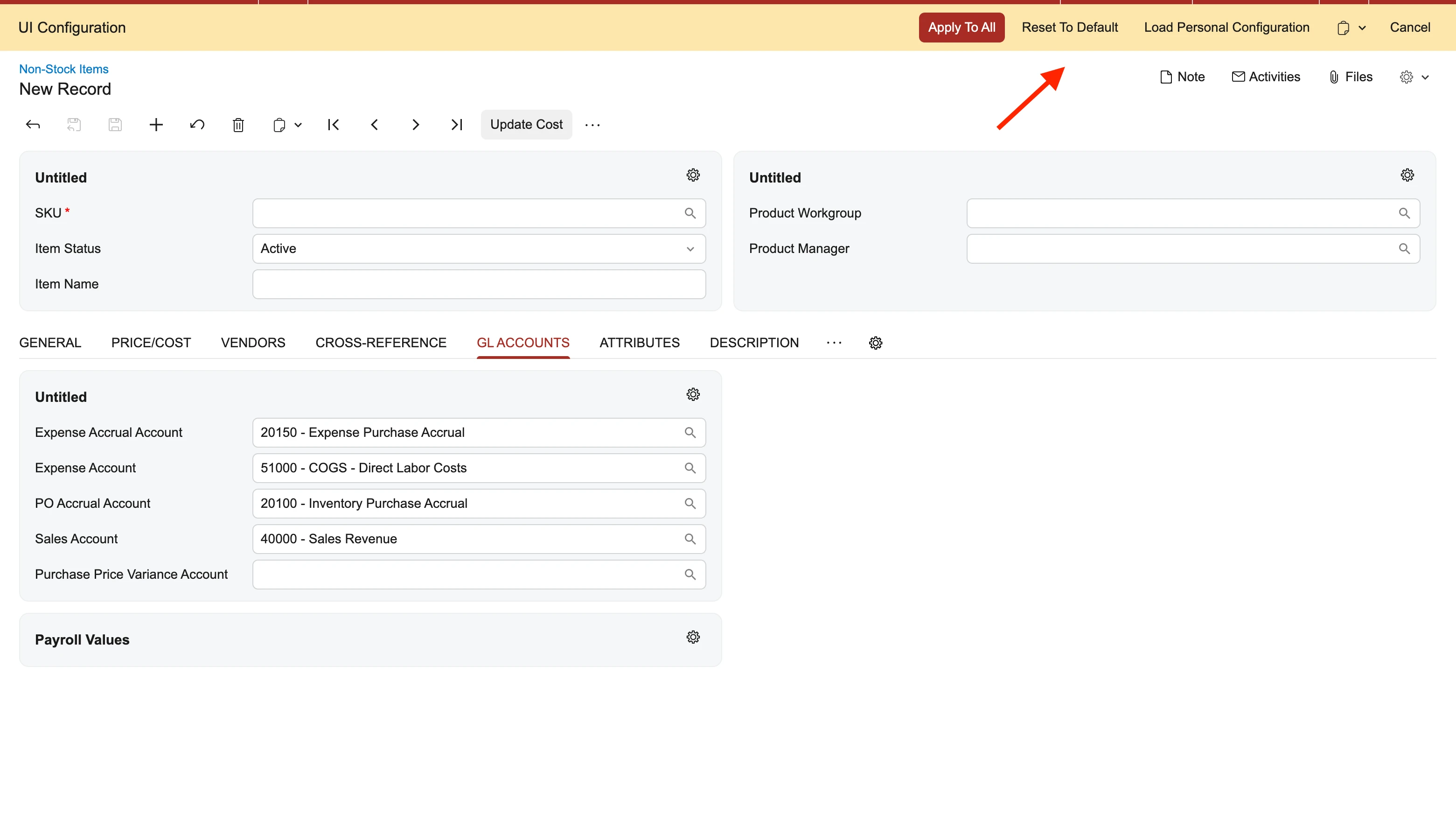
I have been trying to add a UDF in Non Stock Items screen, and I saw we were able to activate it in Classic UI. How to do the same in Modern UI?? Struggling on this part.

6 replies

Naveen Boga
Captain II
Forum|alt.badge.img+20
  • Captain II
  • Nov 25, 2026 5:54 AM UTC

​@Harry Can you please review below link and hope this helps.


Translate

Forum|alt.badge.img
  • Author
  • Semi-Pro III
  • Nov 25, 2026 6:04 AM UTC

​@Harry Can you please review below link and hope this helps.


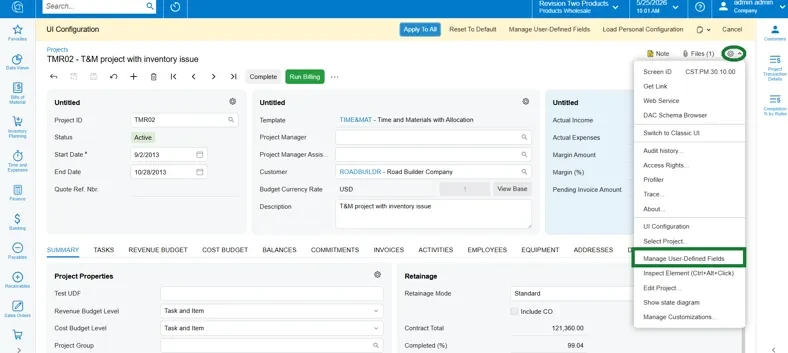
Hi ​@Naveen Boga , thanks for your prompt response. However I’m looking to enable “Managing UDF” option in Non Stock Items screen in 26R2. We dont have it currently:


Translate

Forum|alt.badge.img+5

​@Harry 
The option you’re looking for is now available in the Screen Configurator. You can check it there.(as thread suggested)


Translate

Forum|alt.badge.img
  • Author
  • Semi-Pro III
  • Nov 25, 2026 8:13 AM UTC

​@Harry 
The option you’re looking for is now available in the Screen Configurator. You can check it there.(as thread suggested)


Hello ​@Abhishek Niikam ,
I know that we have the option of “Manage UDF” in some screen, what I’m trying to say is the Non Stock items screen doesnt have that option. Even in the screenshot you’ve shared, can see in the yellow band there is an option “ Manage User-Defined Fields” that option isnt there on Non Stock Items screen and I am looking to enable/Activate it.

Translate

KrunalDoshi
Pro II
Forum|alt.badge.img+9
  • Pro II
  • Nov 25, 2026 10:24 AM UTC

Hi ​@Harry,

This is by design. User-Defined Fields (UDFs) are not available on all Acumatica screens.

Stock and Non-Stock Items are item entities that already support the Attributes functionality through Item Classes. Acumatica has historically handled these screens differently from screens such as Customers, Vendors, and AR Invoices, where the Manage User-Defined Fields option is available.

In Modern UI, UDFs are intended to be placed within screen field groups using Screen Configuration. However, the ability to manage and associate UDFs with the underlying screen is still required first.

Acumatica disables the "Manage User-Defined Fields" option on Stock Items (IN202500) and Non-Stock Items (IN202000) because these screens already support native Attributes managed through Item Classes.

So, unfortunately, you cannot activate UDFs on these screens in the same way as you would on screens that support Manage User-Defined Fields.

You can refer to below article which support User Defined Fields in Acumatica 26R1.

https://beacon.acumatica.com/r/System-Administration-Guide/Managing-Attributes-and-User-Defined-Fields/User-Defined-Fields#user-defined-fields


Translate

Dipak Nilkanth
Pro III
Forum|alt.badge.img+14

Hi ​@Harry,
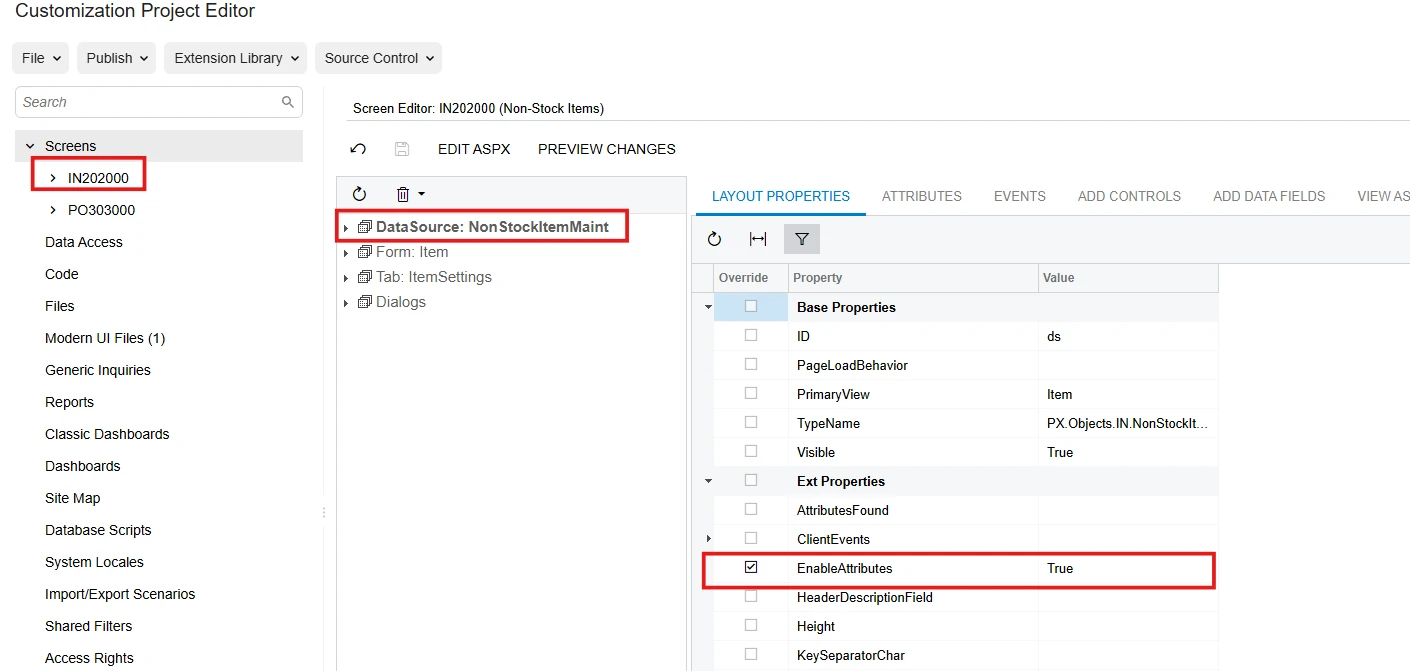
Some screens in Acumatica don't have the built-in Manage User-Defined Fields option. To make this functionality available, you need to customize the screen by setting the EnableAttributes property to True and publish the customization.
 

Here are the steps to enable it:

  1. Open the screen in the Classic UI and add the required attributes.

  2. Tools→ Switch to Modern UI.

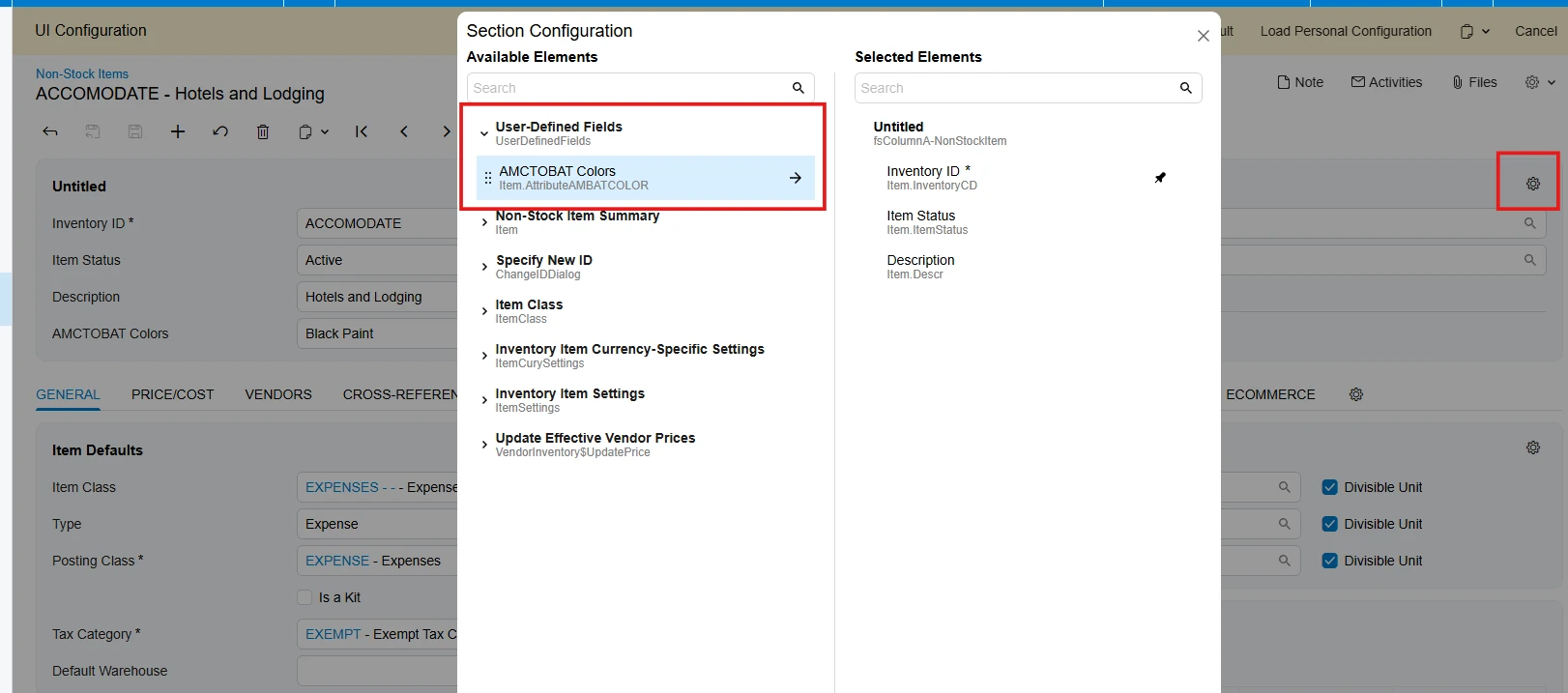
  3.  go to UI Configuration, and click the Settings (gear) icon.

  4. Select Attributes and add the attributes you need.


    Hope, it helps!

Translate