Answer

How to Enable a scrolling option to a Grid inside the SplitContainer?

  • January 27, 2022
  • 6 replies
  • 606 views

Forum|alt.badge.img+1

Hi All

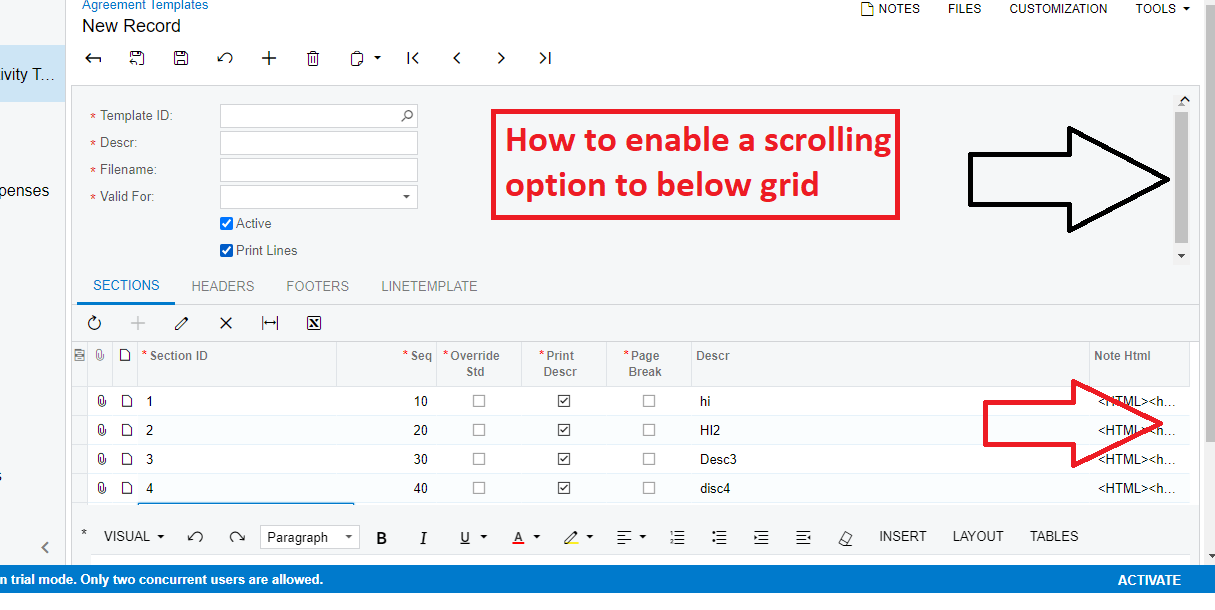
I am unable to get the scrolling option to the Grid which is inside Splitcontaner

Thanks in advance

Shahidavali
 

Best answer by Naveen Boga

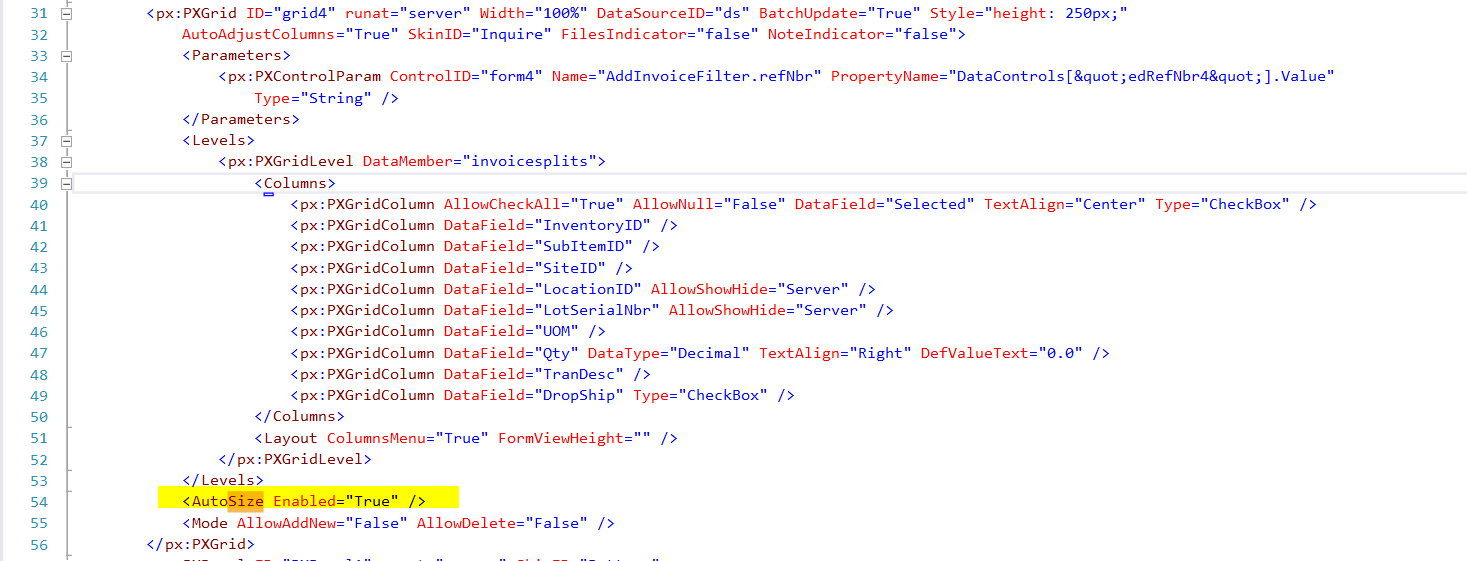
Hi @ShahidaValiSyed04   Have you also applied <AutoSize Enabled= true> after the </Levels> tag.

6 replies

Naveen Boga
Captain II
Forum|alt.badge.img+19
  • Captain II
  • January 27, 2022

Hi @ShahidaValiSyed04  How many total records you have in the grid?


Forum|alt.badge.img+1

Hi @Naveen B ,

We can add dynamically N number of records, For 5-6 records it is overlapping with form view ( HTML Editor ) as show in the above screen shot.

Thanks

shahidavali


Naveen Boga
Captain II
Forum|alt.badge.img+19
  • Captain II
  • January 27, 2022

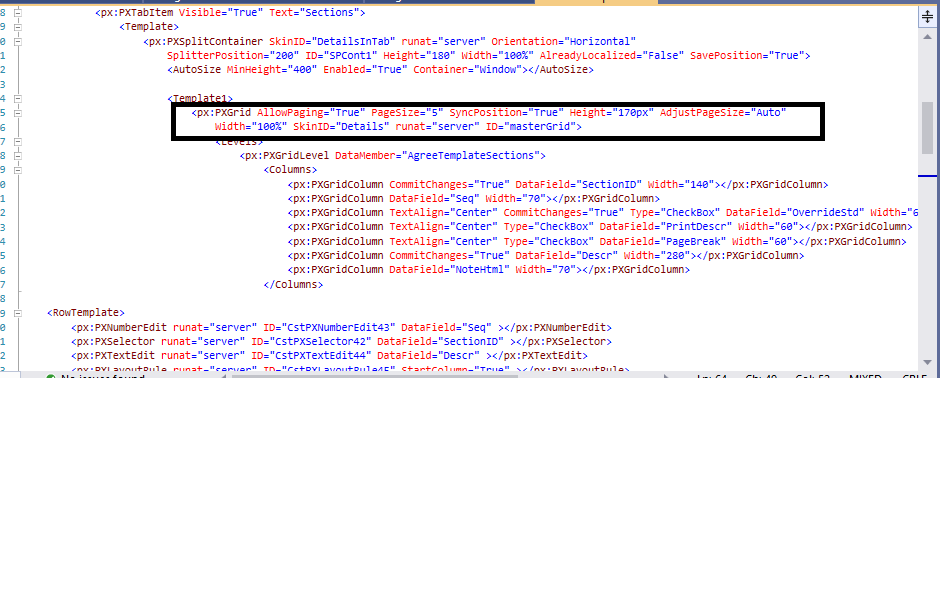
@ShahidaValiSyed04  Have you provided the below attributes at the .aspx page like you split container grid? 

  • AllowPaging = true
  • Page Szie =5
  • <AutoSize Enabled=”True” ?>


Forum|alt.badge.img+1

Hi @Naveen B 

Hi Naveen I tried what you have mentioned above. Still I am not getting checkout my screen shot

Thanks


Naveen Boga
Captain II
Forum|alt.badge.img+19
  • Captain II
  • Answer
  • January 27, 2022

Hi @ShahidaValiSyed04   Have you also applied <AutoSize Enabled= true> after the </Levels> tag.


Forum|alt.badge.img+1

Hi @ShahidaValiSyed04   Have you also applied <AutoSize Enabled= true> after the </Levels> tag.

yes naveen I did

thanks