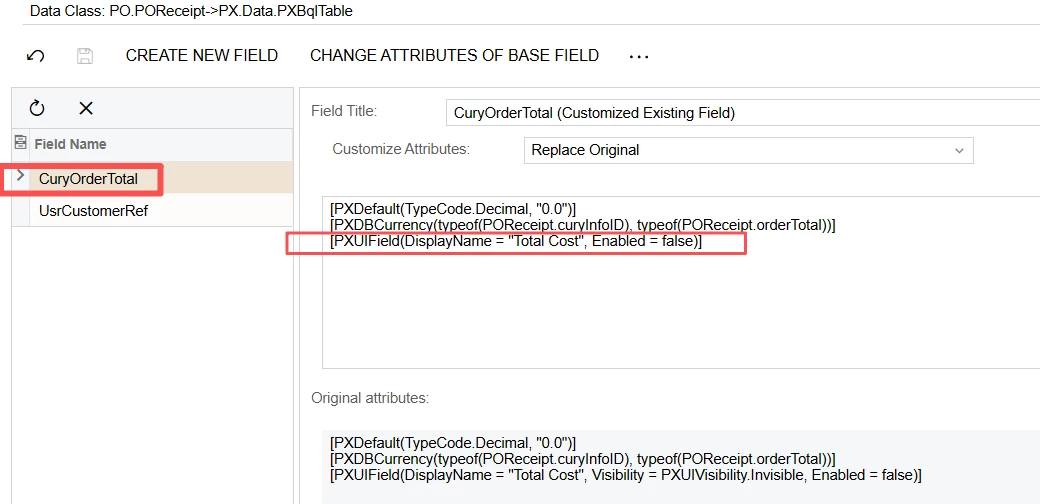
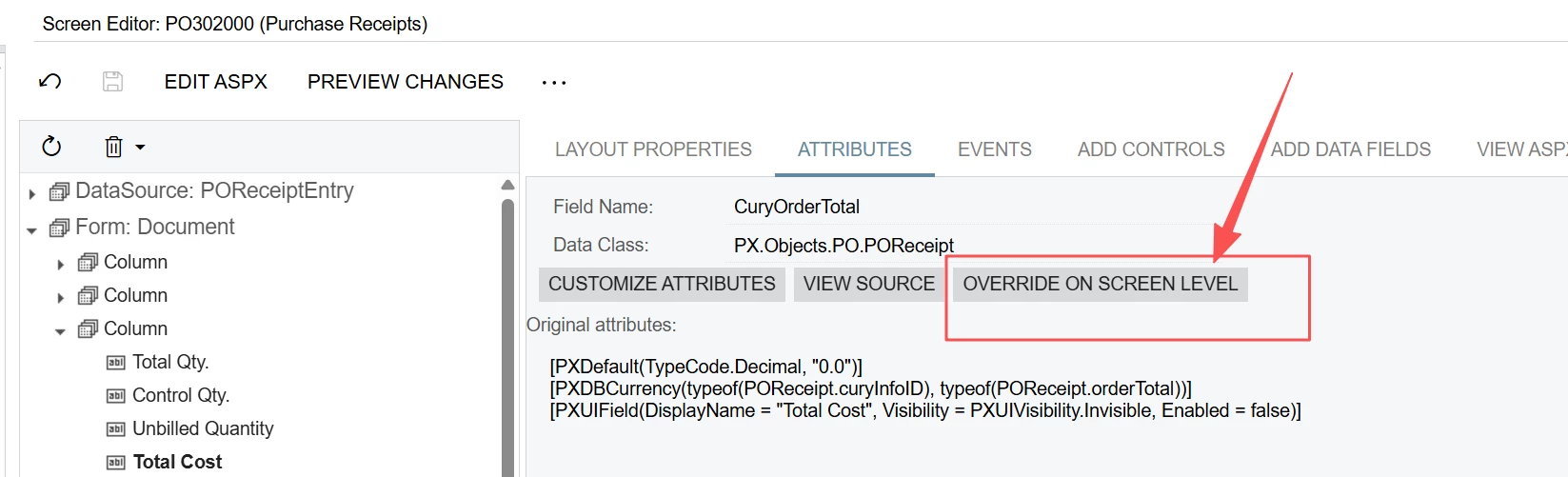
We have recently upgraded from Acumatica 2024R2 to 2025R2, and we are still using the Classic UI (not Modern UI). In our previous 2024R2 environment, we were able to display the Total Cost field on the PO Receipts (PO302000) form, which showed the total monetary value of the received items.
However, after upgrading to 2025R2, the Total Cost field is no longer visible on the PO Receipt page, What is the recommended way to re-add the Total Cost field to the PO Receipts (PO302000) form
Best answer by ray20
@Naveen Boga
Hi Naveen, long time no see.I don’t usually check the community these days. Only during the annual Acumatica upgrade do I need to come here and consult experts like you to resolve unexpected issues.Thank you so much for your prompt reply.
I accidentally clicked the override on screen option, which automatically added some extra using statements.These newly generated using codes conflicted with the existing ones from the old version.I’ve deleted the redundant lines, and everything works fine now.
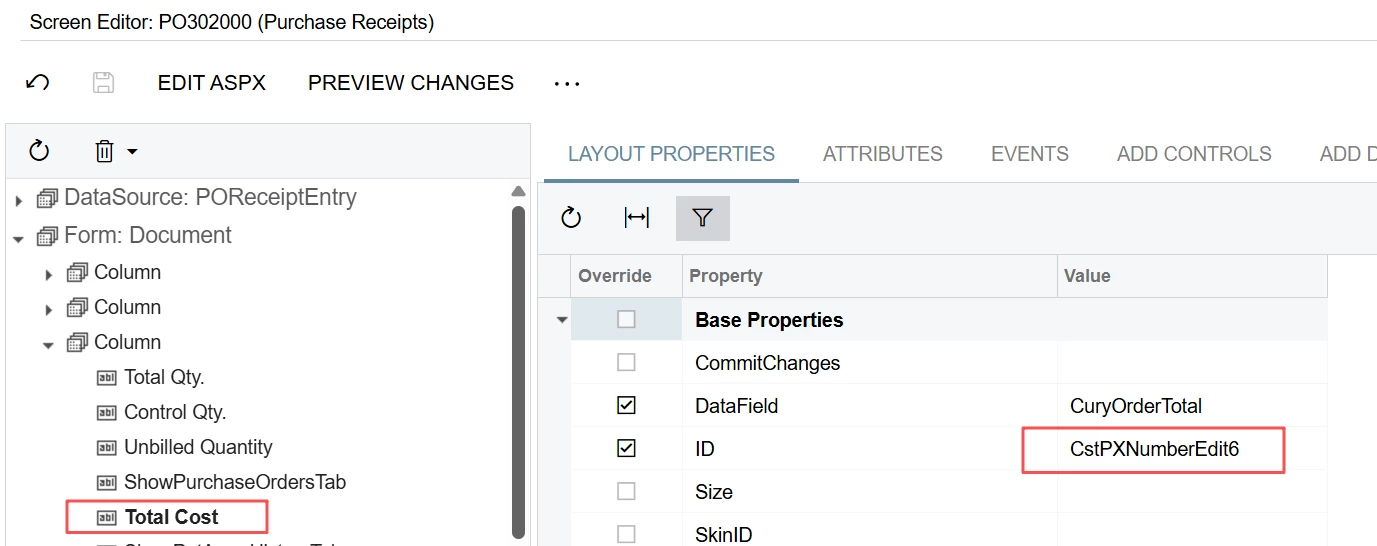
The reason total cost not showing is due to the NEW id “CstPXNumberEdit6”.
looks like the issue is brought out by the id is renamed. Previously, it is called “edCuryOrderTotal”. Now, when I remove it and add back again, the id shows as “CstPXNumberEdit6”. And, this time, it shows on screen when preview.
But when I try to publish it, it show error below:
[2026-04-27 16:44:58.141] \App_RuntimeCode\POReceiptEntry.cs(51): error CS0104: 'PXDBCurrency' is an ambiguous reference between 'PX.Objects.CM.PXDBCurrencyAttribute' and 'PX.Objects.CM.Extensions.PXDBCurrencyAttribute'
[2026-04-27 16:44:58.170] Compiler time, in seconds: 105.7834349stange, can anyone help?
@ray20 Can you please keep only this namespace in the DAC and verify?
// REMOVE one of these — keep only the correct one using PX.Objects.CM; // ← older namespace using PX.Objects.CM.Extensions; // ← newer (preferred for recent versions)
// KEEP only this and verify once using PX.Objects.CM.Extensions;
Here is the sample example for your reference. @ray20
using System; using PX.Data; using PX.Objects.AP; // Use Extensions namespace - remove plain CM if not needed elsewhere using PX.Objects.CM.Extensions;
namespace YourCustomization { public class YourDACExtension : PXCacheExtension<APRegister> { #region CuryCustomAmt public abstract class curyCustomAmt : PX.Data.BQL.BqlDecimal.Field<curyCustomAmt> { }
Hi Naveen, long time no see.I don’t usually check the community these days. Only during the annual Acumatica upgrade do I need to come here and consult experts like you to resolve unexpected issues.Thank you so much for your prompt reply.
I accidentally clicked the override on screen option, which automatically added some extra using statements.These newly generated using codes conflicted with the existing ones from the old version.I’ve deleted the redundant lines, and everything works fine now.
The reason total cost not showing is due to the NEW id “CstPXNumberEdit6”.
@ray20 Great to hear from you, hope you’ve been doing well!
That makes sense—those auto-generated using statements can definitely cause conflicts after an override, especially when upgrading from older versions. Glad you were able to spot it quickly and get everything working again.
Feel free to reach out anytime if you run into anything else during the upgrade. Happy to help!