Solved

How to create a selector with 2 tabs

  • July 24, 2021
  • 6 replies
  • 291 views

Hi, can someone please help me how to create a selector with 2 (All records, project codes) tabs like this
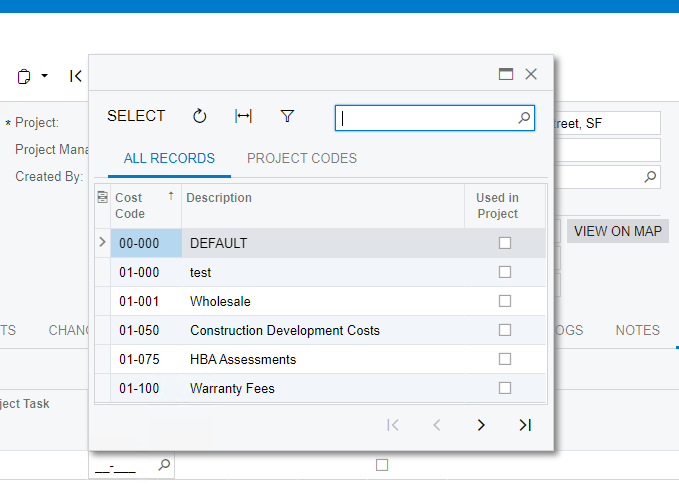
 

This screen is in the Daily Field Report y the tab Equipment in the coumn cost code


I was looking on the internet but I did not find an example.


Additional.

  • My project is a customization.
  • The Screen id of reference is: PJ304000

Thank you very much I will appreciate any help

Best answer by Naveen Boga

@eddiedaco  I don’t think that is possible to pass the dynamic values from screen to Filter Settings.

6 replies

Gabriel Michaud
Captain II
Forum|alt.badge.img+12

Hi @eddiedaco,


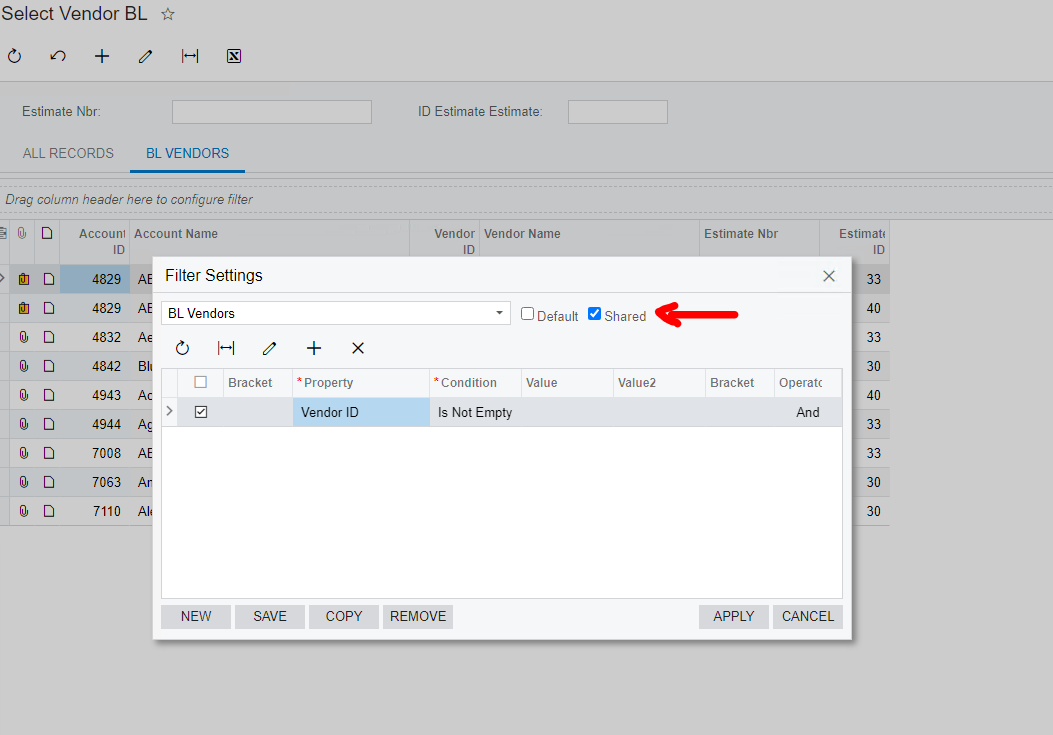
The predefined filters are created in the database and not from code; you have to create the filter from the selector, mark it as shared and save it to the database.

Is this for one tenant or you are trying to deploy this at scale to many instances as part of a product you are building?


  • Author
  • Varsity I
  • July 24, 2021

@Gabriel Michaud  , thank you for your prompt response. 
1.- Can I add a Generic inquiry to a selector?
2.- Where should I create this filters in the DAC selector or in the GI if the first answer is yes.


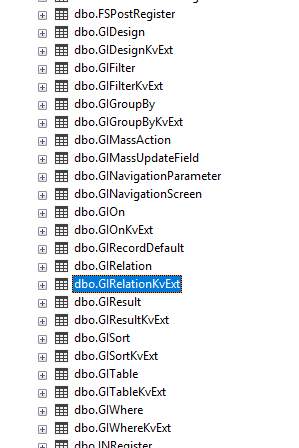
This is what I have done so far, but i do not know how to add it to a selector.  Thank you.


Naveen Boga
Captain II
Forum|alt.badge.img+20
  • Captain II
  • July 25, 2021

@eddiedaco I don’t think we can a GI to the Selector field..

In the Selector field, we can create a other tabs by applying the filters/conditions on top of 1st tab results.

Can you please let us know your business requirement to add the GI to selector field?


  • Author
  • Varsity I
  • July 25, 2021

Hi @Naveen B  a lot of thanks for your answer.

i did the following:

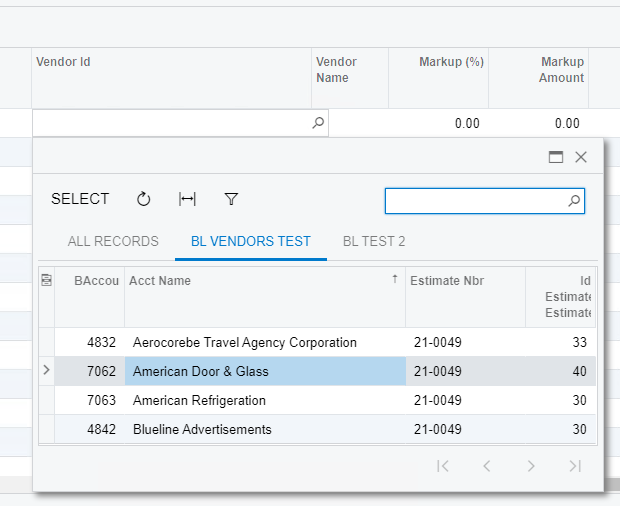
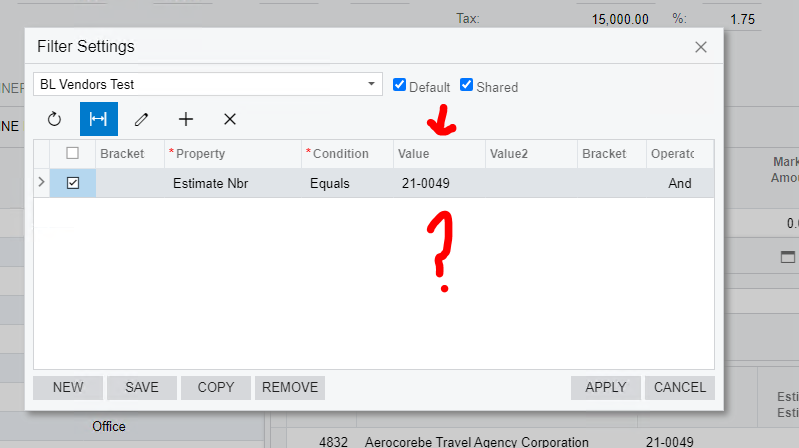
1.- add a filter tab to my selector as you can see in this picture, 


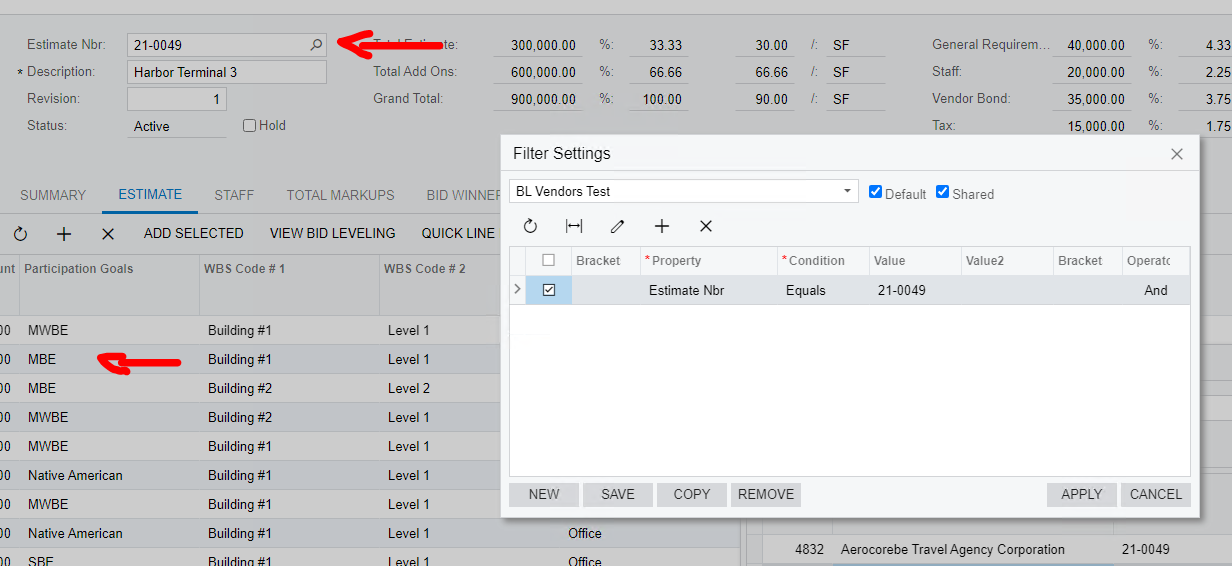
The tab works fine. The problem I have now is that in the tab "BL VENDORS TEST” I need it to take the values ​​of: EstimateNbr and in my grid the ParticiparionGoals (selected row) (see below)


I don't know how to put "dynamically" the value of the estimator and the ParticipationGoals (selected) in this section of FilterSettings. Can you help me please? any advice?


Thanks!


Naveen Boga
Captain II
Forum|alt.badge.img+20
  • Captain II
  • Answer
  • July 26, 2021

@eddiedaco  I don’t think that is possible to pass the dynamic values from screen to Filter Settings.


  • Freshman I
  • July 31, 2026

Hey ​@eddiedaco --

I am working on something similar 5 years later, and I believe ​@Naveen Boga is correct. With that said, I was able to create similar functionality using another method. Just in case someone else out there is looking.

Since the UI-configured filters can screen for NULL, if we create the selector with joins to give columns non-null values for the rows we want to display, we can essentially create this dynamic logic.

I do not know of a way to write these filter specifications into the customization project (maybe use a customization plugin?), but that is probably not necessary unless this is a feature you are looking to distribute across many tenants or instances.

The BQL can get a little complicated depending on the situation, but it’s an ERP, so there will always be large SQL queries to write...In my case, I am working from an SOLine record, but there is not a direct reference to the record I am searching for. The CrossJoin<> allows me to input values from the current record even though that direct reference does not exist. In the case you mentioned above, the joins may be simpler.


*edited to add*: SalesCategoryFullPath and CustomerModel are custom objects in our system. Just to avoid some confusion.

        [PXSelector(
typeof(
SelectFrom<INCategory>
.InnerJoin<SalesCategoryFullPath>
.On<INCategory.categoryID.IsEqual<SalesCategoryFullPath.categoryID>>
.CrossJoin<SOLine>
.LeftJoin<CustomerModel>
.On<SOLine.customerID.IsEqual<CustomerModel.customerID>
.And<INCategory.categoryID.IsEqual<CustomerModel.salesCategoryID>>>
.LeftJoin<INItemCategory>
.On<SOLine.inventoryID.IsEqual<INItemCategory.inventoryID>
.And<INCategory.categoryID.IsEqual<INItemCategory.categoryID>>>
.Where<
INCategoryModelExt.usrIsModel.IsEqual<True>
.And<SOLine.orderType.IsEqual<SOLine.orderType.FromCurrent>>
.And<SOLine.orderNbr.IsEqual<SOLine.orderNbr.FromCurrent>>
.And<SOLine.lineNbr.IsEqual<SOLine.lineNbr.FromCurrent>>
>
.SearchFor<INCategory.categoryID>),
typeof(SalesCategoryFullPath.fullPath),
typeof(CustomerModel.customerModelID),
typeof(INItemCategory.categoryID),
SubstituteKey = typeof(INCategory.description),
Filterable = true
)]