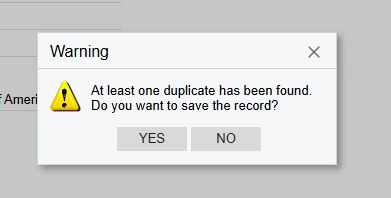
I am creating a copy of a Contact record in a processing screen. I instantiate a ContactMaint graph to do this.
After I create the graph
- var contactGraph = PXGraph.CreateInstance<ContactMaint>();
- contactGraph.Contact.Current = new Contact();
- Set the values in the fields. For example, contactGraph.Contact.Current.BAccountID = bAccountTo.BAccountID;
- If I put in an email address that is already in a contact for the respective BAccountID and contactGraph.Actions.PressSave();, an error with this value "At least one duplicate has been found. Do you want to save the record?";
If the email address in my new contact is not already in the DB for the current BAccountID, it saves just fine. But if it is a duplicate (which I want to be able to do), there is an exception thrown that would ordinarily be easy to say yes to if you were doing this in the UI.
However, since this graph is created in the Processing screen, I cannot programmatically say “yes” to create a duplicate. Once the Save is pressed, there is no dialogue to action against. It simply throws an error.
I cannot find a way to trap this dialogue and say Yes.
Maybe it is not possible. I can think of a workaround where I create a “dummy” email address for the contact, save it, then use a PXDatabase.Update to “fix” the email address.
Any ideas?