Answer

How to change the labels on grid buttons

  • February 4, 2025
  • 1 reply
  • 43 views

Joe Schmucker
Captain II
Forum|alt.badge.img+3

I see how to change labels on actions at this topic:

However, buttons in the grids don’t show on the Actions menu.

I am trying to abbreviate some buttons on the SO Grid because the Biz-Tech buttons get pushed to the right and don’t display without clicking the down arrow on the grid menu.

  I tried changing the text in the project editor, but the change does not “stick”.
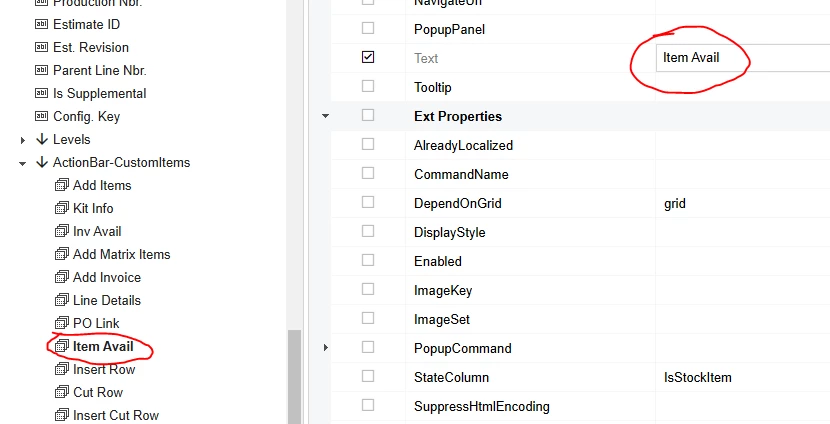
Do I have to override the action in VS and change the label there? 
 

Best answer by nhatnghetinh

Hi ​@Joe Schmucker 

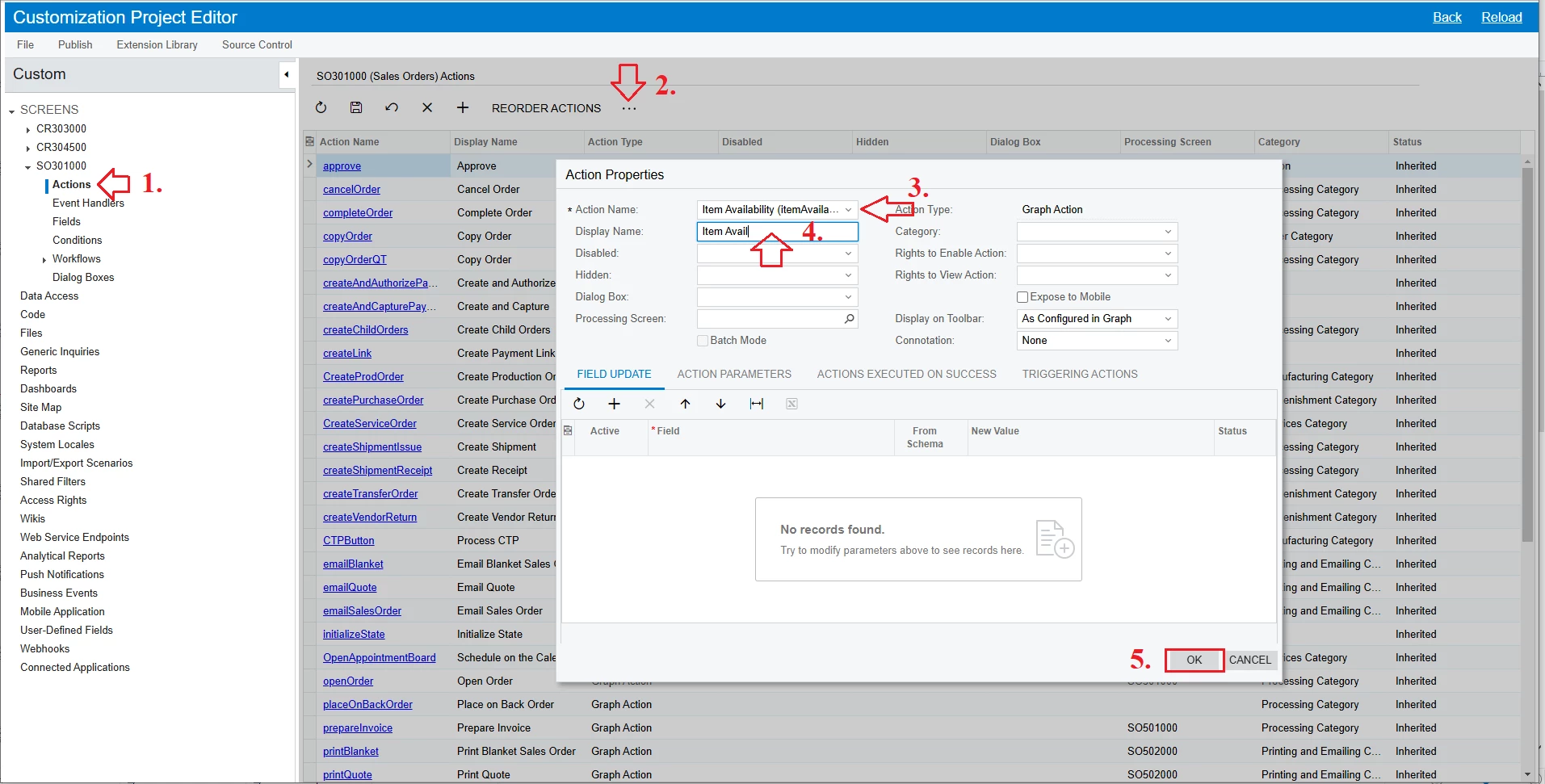
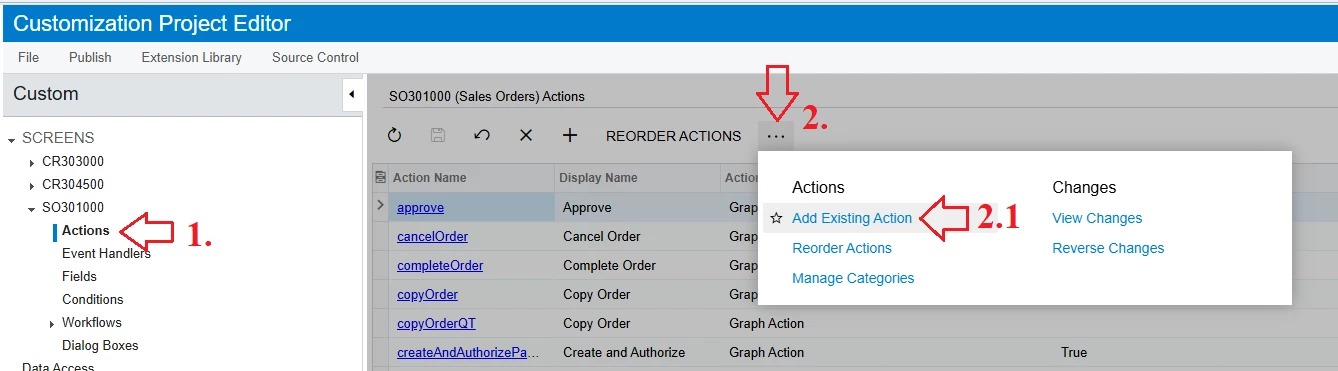
At the Customization Project screen > SO301000 > Click Action > and perform the steps as shown in the screenshot below.

  1.  Display Name: Change the display name as you wish


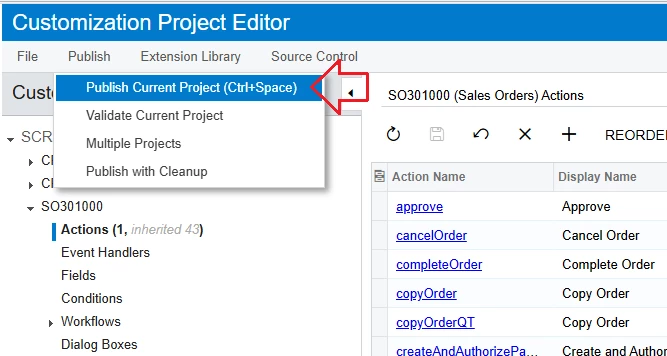
Click “Publish Current Project”


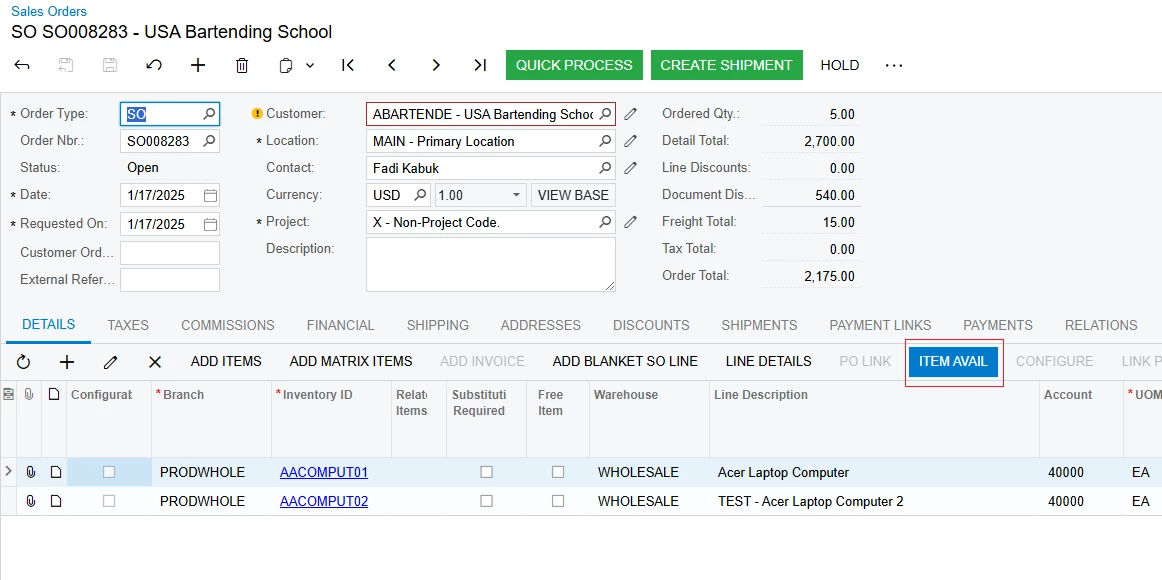
The result is as follows


Best Regards,

NNT

1 reply

nhatnghetinh
Captain II
Forum|alt.badge.img+11
  • Captain II
  • Answer
  • February 5, 2025

Hi ​@Joe Schmucker 

At the Customization Project screen > SO301000 > Click Action > and perform the steps as shown in the screenshot below.

  1.  Display Name: Change the display name as you wish


Click “Publish Current Project”


The result is as follows


Best Regards,

NNT