Question

How to change label text color in Modern UI?

  • March 9, 2026
  • 2 replies
  • 73 views

Hello Acumatica team

I am displaying a note/label message at the top of a screen in the Classic UI, where the message appears with a specific text color. However, in the Modern UI, I am unable to apply the same color formatting to the label message.

Could you please advise where this can be handled in the Modern UI, or share the recommended approach/logic to implement colored text for the label message?
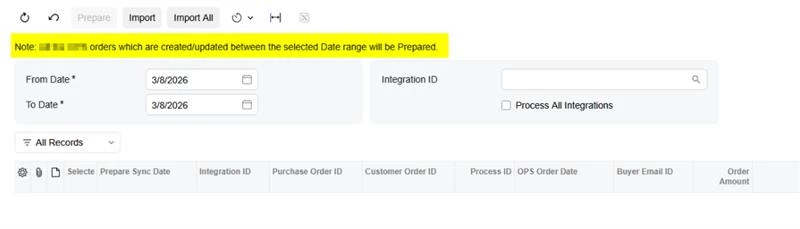
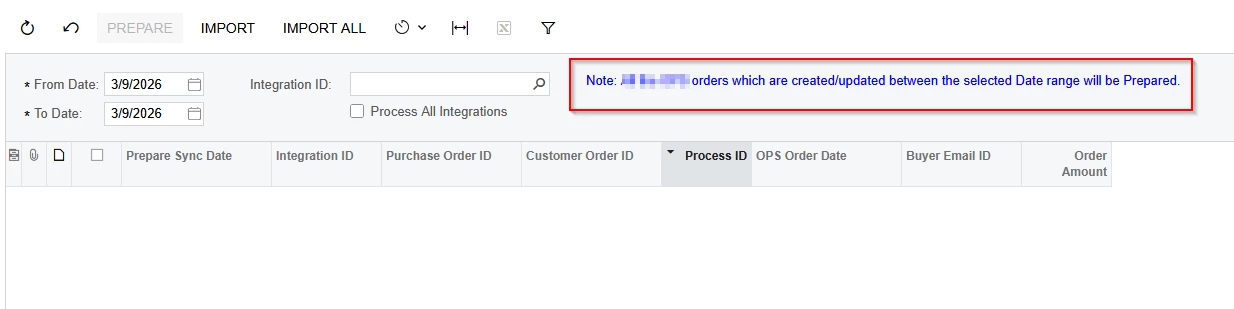
Any guidance would be helpful.

Thank you.
2 replies

arpine08
Jr Varsity I
Forum|alt.badge.img+1
  • Jr Varsity I
  • March 9, 2026

Hi mboddepalli10,

You can use the following example to implement text field coloring in the Modern UI:

HTML:

<template>
<style>
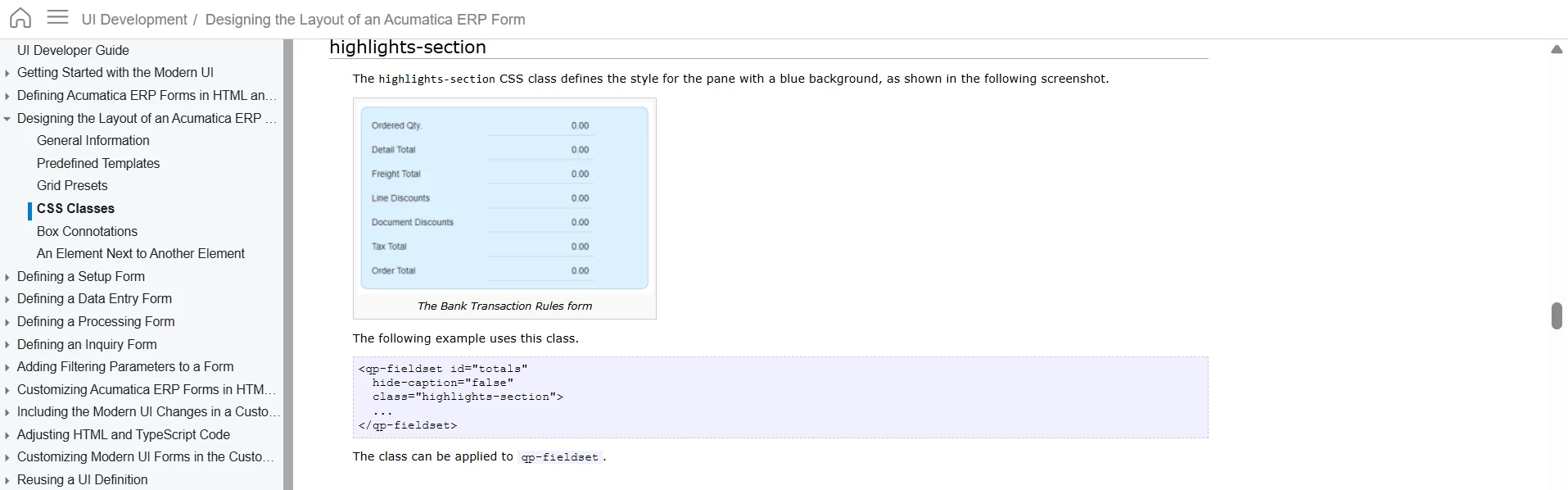
.myclass input {
background-color: yellow !important;
color: blue !important;
font-weight: bold;
}
</style>
.........................

<field name="DACFieldName" class="myclass"></field>

...........................
</template>

Result:


Another example -> Changing field colors on standard screens: Example for Opportunities: CR304000 → Description (Subject) field.

HTML:

<template>
<style>
.lemonChiffon textarea {
background-color: #fffacd !important;
}
</style>
<field modify="#phF_form_PXLayoutRule8 [name='Subject']" class="lemonChiffon"></field>
</template>

Result:


arpine08
Jr Varsity I
Forum|alt.badge.img+1
  • Jr Varsity I
  • March 9, 2026

mboddepalli10,

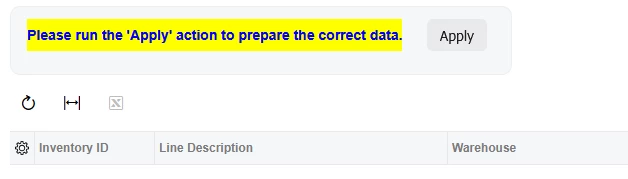
Following up on my previous post — Here is an example of qp‑label colors:

HTML:

<template>

<style>
.myclass label {
background-color: yellow !important;
color: blue !important;
font-weight: bold;
}
</style>
..............................

<qp-label caption="Please run the 'Apply' action to prepare the correct data." class="col-10 myclass"></qp-label>

..............................
</template>

Result: