I want to add a related Item to SOLine in a sales order programmatically. I tried to find a relationship between SOLine DAC and RelatedItem DAC. But I was unable to find a clue to proceed with this requirement.
Any help would be much appreciated.
Thanks
Best answer by ChandraM
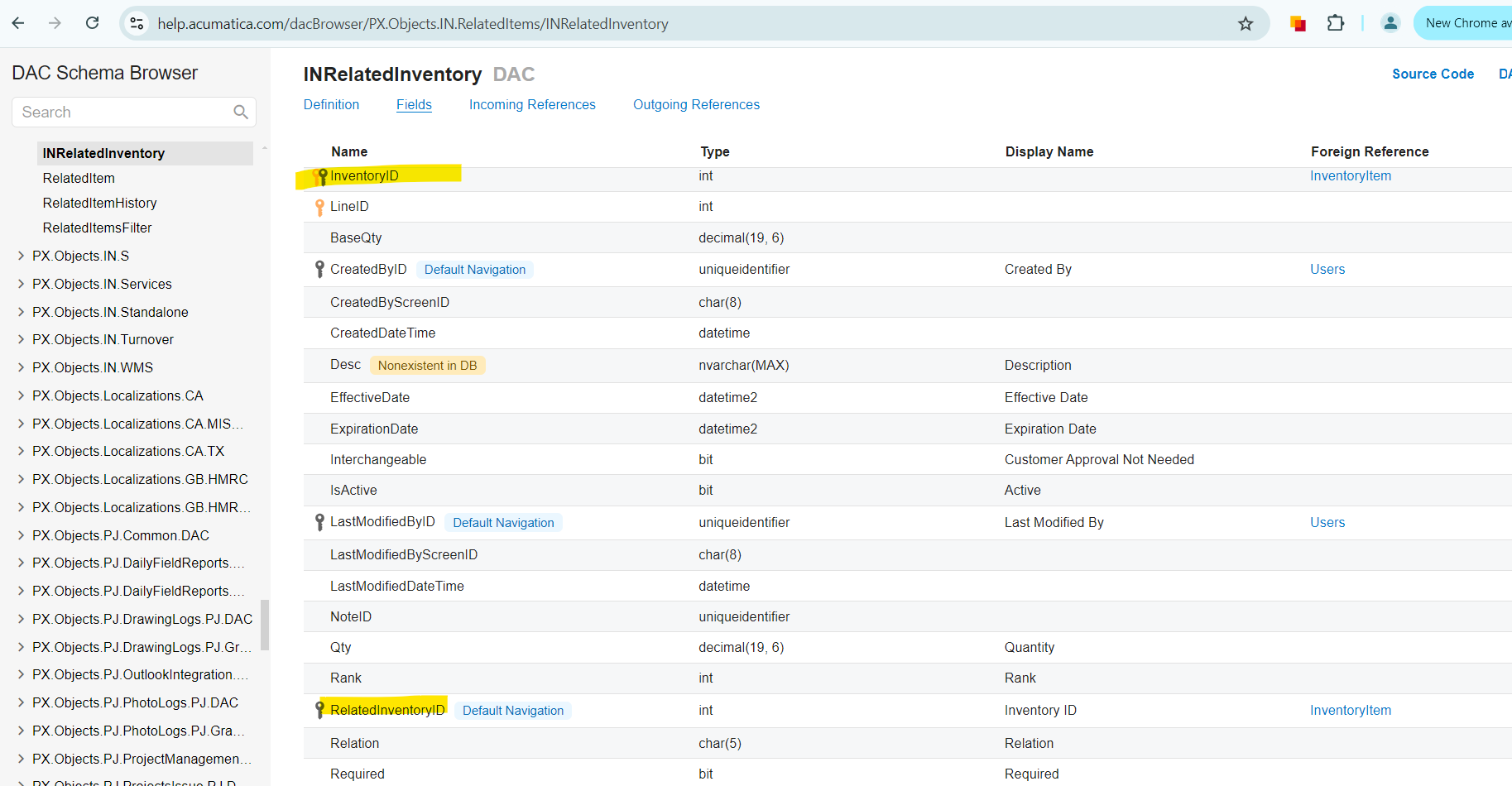
Hi @charitha82 Plese find the below details of the Related Items table - INRelatedInventory
InventoryID - It is the main stock item (1 to many relation - One Inventory ID is related to Many). While using BQL Insert, this InventoryID should be the main Item for which you are adding related items. This should be part of your BQL join Condition to retrieve data.
RelatedInventoryID - This is the Related Item you are trying to insert newly. Use BQL INSERT.
Hi @charitha82 Plese find the below details of the Related Items table - INRelatedInventory
InventoryID - It is the main stock item (1 to many relation - One Inventory ID is related to Many). While using BQL Insert, this InventoryID should be the main Item for which you are adding related items. This should be part of your BQL join Condition to retrieve data.
RelatedInventoryID - This is the Related Item you are trying to insert newly. Use BQL INSERT.