


Solved

How to add a filter to the Mobile App with a custom screen, not a GI

  • April 20, 2026
  • 3 replies
  • 39 views

Joe Schmucker
Captain II
Forum|alt.badge.img+3

I have added a custom screen to the mobile app.

This is NOT coming from a GI.  I have found using a GI for this is a complete nightmare.  

  1. Is it possible to add a filter to a screen that is not coming from a GI?
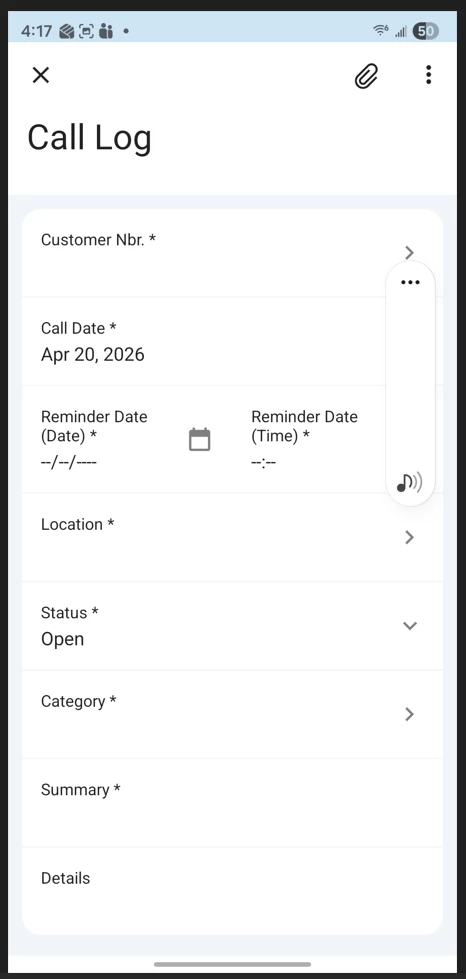
  2. I’d like to be able to add a label to the Reminder Date field.  I cannot find a way to do this.
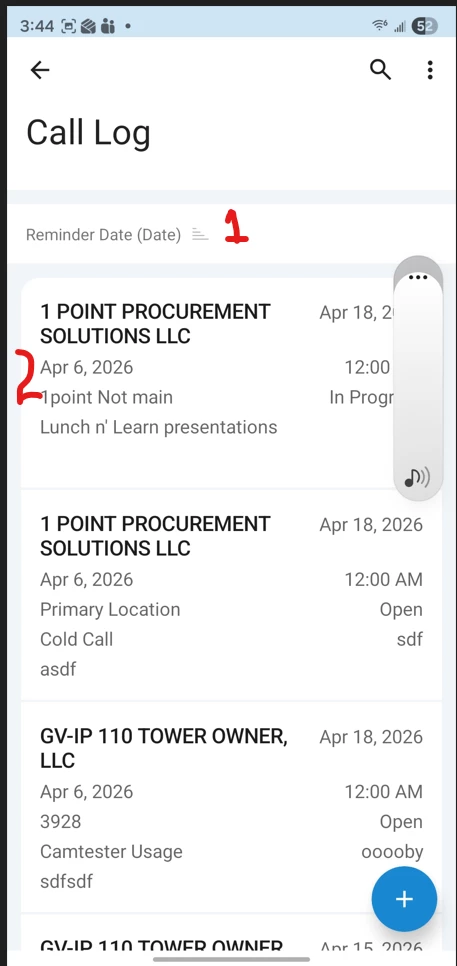
 

When you click Add or tap an existing record, the custom screen opens and works perfectly.
 

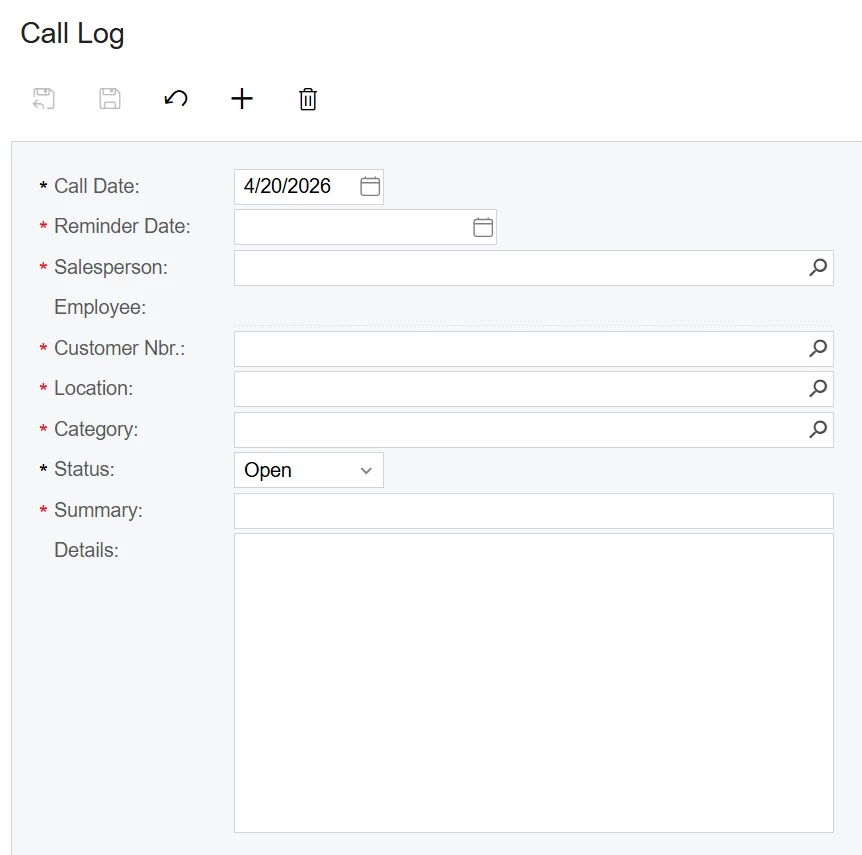
This is the screen on the site:
 

This is the code for the Mobile App.  

add screen IC301010 {
Add container "ICSCallLogView" {
fieldsToShow = 10
containerActionsToExpand = 4
add layout "CustomerRow" {
displayName = "Customer"
layout = "Inline"
add field "CustomerNbr"
}
add field "CallDate"
add layout "ReminderDateTimeRow" {
displayName = "Reminder"
layout = "Inline"
add field "ReminderDateDate"
add field "ReminderDateTime"
}

add field "Location"
add field "Status"
add field "Category"
add field "Summary"
add field "Details"
add recordAction"Save" {
displayName = "Save"
}
add containerAction"Cancel" {
displayName = "Cancel"
behavior = Cancel
}

add containerAction "Insert" {
behavior = Create
}

add recordAction "Delete" {
icon = "system://Trash"
behavior = Delete
}
}
}


Can either of these be done?

 

Best answer by Naveen Boga

Hi ​@Joe Schmucker  First option I never tried but second option definately will not support by the Acumatica.

3 replies

Naveen Boga
Captain II
Forum|alt.badge.img+20
  • Captain II
  • Answer
  • April 24, 2026

Hi ​@Joe Schmucker  First option I never tried but second option definately will not support by the Acumatica.


Joe Schmucker
Captain II
Forum|alt.badge.img+3
  • Author
  • Captain II
  • April 24, 2026

Hi ​@Naveen Boga   I don’t think either option is possible.  I finally got the GI to work in the mobile app.  I’m going to go through the training on this for the 4th time to see if I learn how to get filters to work.  I got the filter to show up, but when I click it, it just flashes and doesn’t bring up anything.  Hopefully the training class will help.  I don't want to pose this topic as another question because if I can learn it from the training class.  Then I am doing my job instead of just crying for help.


Naveen Boga
Captain II
Forum|alt.badge.img+20
  • Captain II
  • April 24, 2026

@Joe Schmucker  That makes sense, and it’s great that you got the GI working in the mobile app, that’s usually the hardest part.

The filter behavior you’re seeing (just flashing and not opening) is actually a known quirk in some cases, so it may not necessarily be something you’re doing wrong.

If the training doesn’t clear it up, feel free to bring it back here, happy to take a look with you.
