Solved

How to add a button to Grid toolbar through extension ts file in Modern UI?

  • November 14, 2025
  • 2 replies
  • 113 views

 Hi everyone,

I’m now trying to do some modifications to the original screen without directly change it. I have defined a lot actions in the Graph ext, and I can see those actions if I choose to directly add the action definition in original ts file, but I need to keep those changes separately for further update.


I tried to declare a new export class in an extension ts file and let it extends from the origin export class, but it did not work and I just can not see the action button here.


Please let know if my idea is feasible or not? If it is feasible, how should I correct my code ?


Screenshots about my current Code:

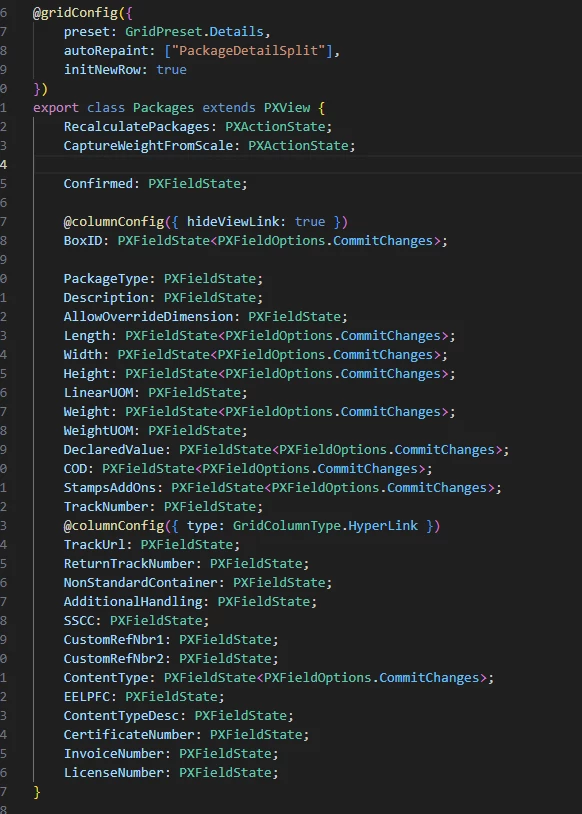
Original Grid setting(Shipment Package):
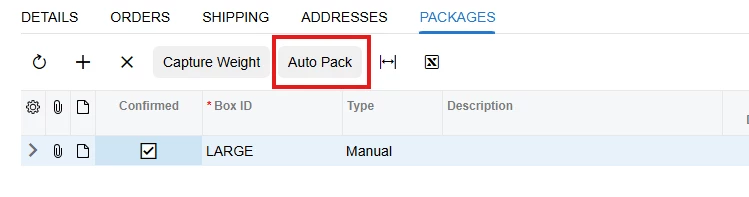
If I add my action on above class, it will shows in the Grid toolbar as expected:
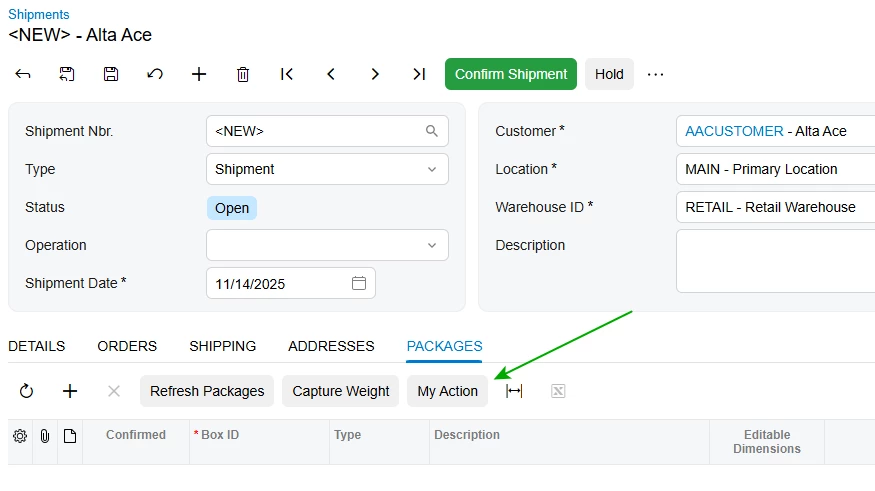
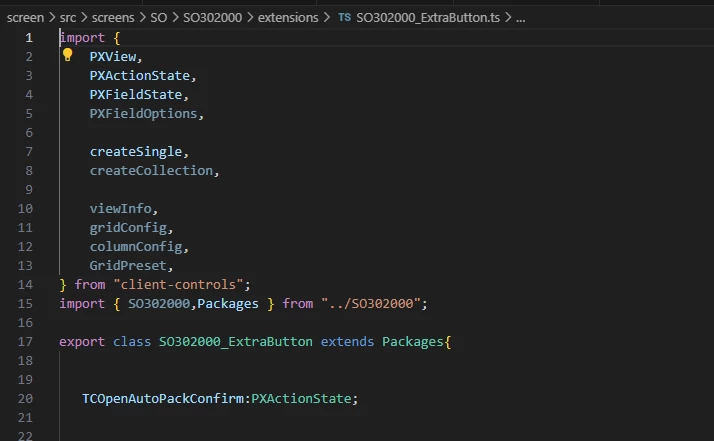
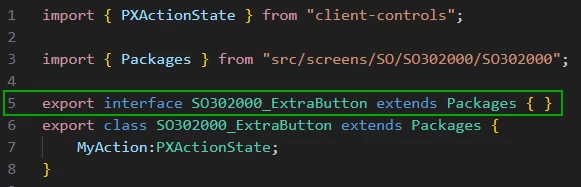
But if I choose to add my action in a new extension ts file in the extension folder of this screen like below, this button will not show up:
 

Best answer by aleksandrsechin

You need to export an interface together with your class.
Add the following before the SO302000_ExtraButton class definition:

export interface SO302000_ExtraButton extends Packages { }

2 replies

Forum|alt.badge.img+4
  • Jr Varsity I
  • Answer
  • November 14, 2025

You need to export an interface together with your class.
Add the following before the SO302000_ExtraButton class definition:

export interface SO302000_ExtraButton extends Packages { }

  • Freshman I
  • March 3, 2026

Hello ​@DennyYang14, where you able to resolve this and were able to display button on Toolbar using TypeScript and HTML extensions only?

If you could share if any solution worked for you it would be really helpful!!!


Thanks,
Dhruv