Question

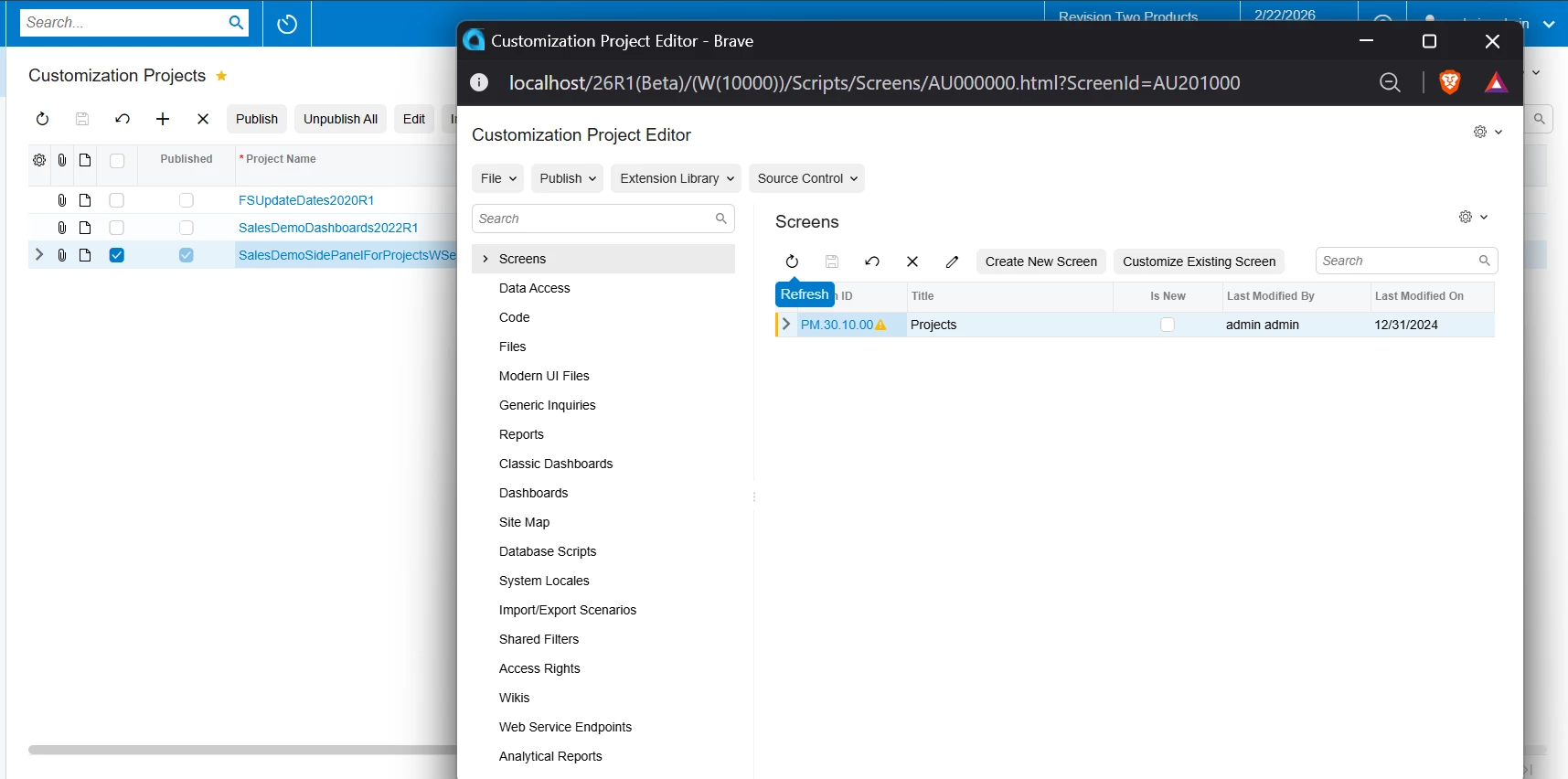
How to access access the Customization Project Editor

  • February 23, 2026
  • 2 replies
  • 10 views

Hey everyone! 👋

Quick question — what's the exact navigation path to access the tool Customization Project Editor in Acumatica?

For context, I need to open and edit my customization projects, manage access rights, generic inquiries, and other project components.

Could someone share the step-by-step menu navigation?

Thanks in advance! 🙏
2 replies

abhimanyuprajapati52
Jr Varsity I
Forum|alt.badge.img

​Hi @rohitgrover93

To open the Customization Project Editor:

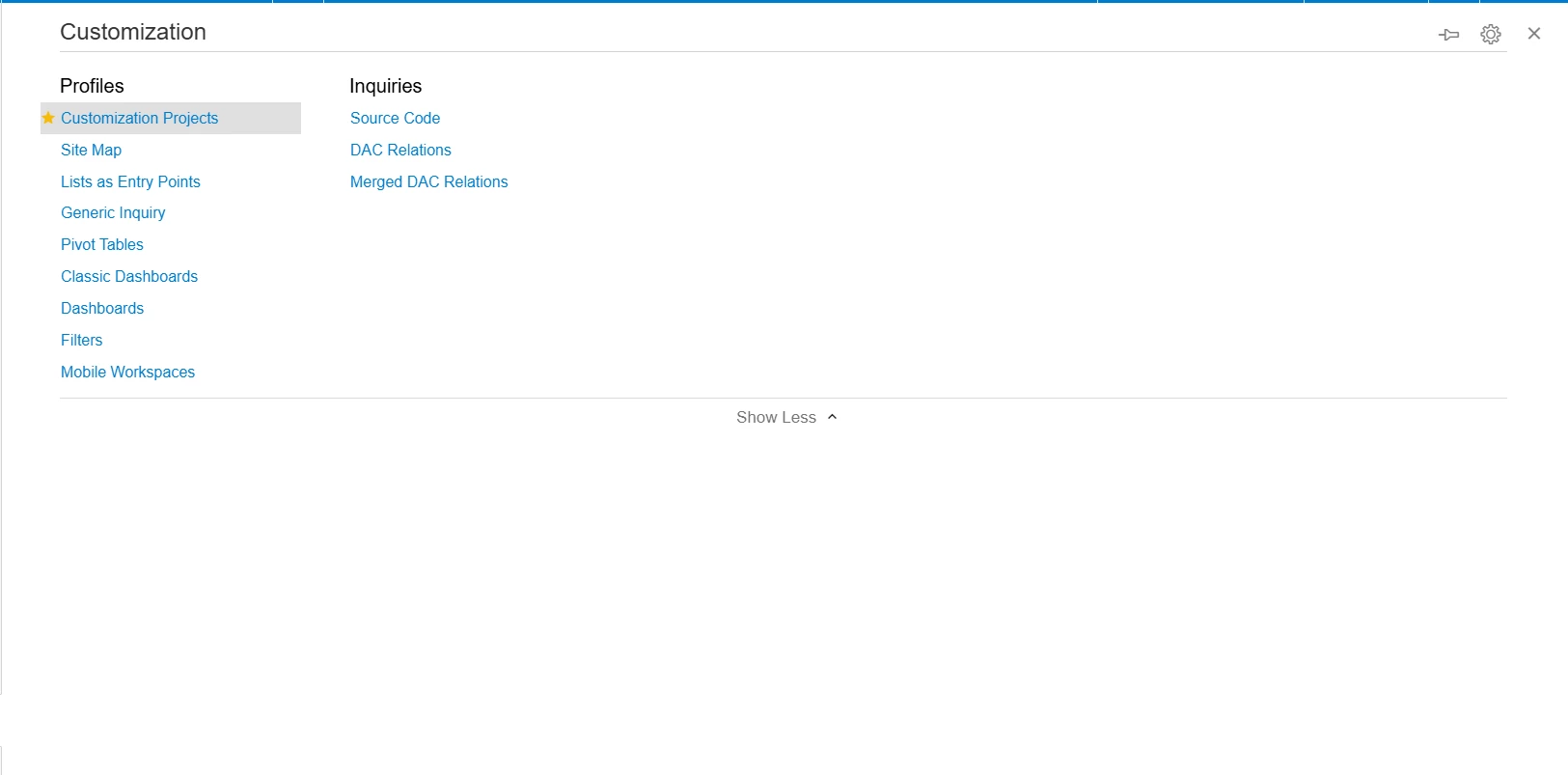
Go to Configuration → Customization → Customization Projects (SM204505),
select your project, and click Edit Project.

This opens the Customization Project Editor where you can manage Generic Inquiries, Access Rights, DAC/Graph extensions, screens, reports, and other customization components.

You can also search SM204505 directly from the global search bar for quick access.


jhonlloydgelica69
Freshman II
Forum|alt.badge.img

Hey ​@rohitgrover93.

The navigation path to access the Customization Project Editor is:

System → Customization → Customization Projects

Or you can use the quick search with Screen ID: SM204505

Step-by-step:

  1. Click System in the main menu
  2. Hover over or expand Customization
  3. Click Customization Projects

Quick Tip:

Type SM204505 in the search box at the top of your Acumatica instance for instant access! 🚀

Once you're in the Customization Projects screen, you can:

  • ✅ Open/Edit existing projects
  • ✅ Manage Access Rights (under Automation)
  • ✅ Create/Edit Generic Inquiries
  • ✅ Add custom screens, fields, and business logic
  • ✅ Publish and validate your projects

Pro tip: Add this screen to your favorites (⭐ icon) if you use it frequently!

Hope this helps!