Answer

How I can save each grid in its own table

  • November 23, 2021
  • 4 replies
  • 191 views

How I can save each grid in its own table (Even if I click on save at the level of each grid nothing is saved)

Best answer by Dmitrii Naumov

Hello Hamza, 

I see. Normally, Acumatica does not support save button per control. Standard save button saves everything on the screen. 


As for the code that you have, please try to rename the SaveMaster to Save. I think that may help. 

4 replies

Dmitrii Naumov
Acumatica Moderator
Forum|alt.badge.img+7
  • Acumatica Moderator
  • November 23, 2021

Hello Hamza, 

It’s not really clear what you are asking about. 


I think the good way to start would be to complete T200, T210 and T220 trainings that you can find here:

https://openuni.acumatica.com/


  • Author
  • Freshman I
  • November 24, 2021

I have three tabs and in each tab I have a grid I cannot save each one in its own table.

I did his 3 parts T200, T210, T220


Dmitrii Naumov
Acumatica Moderator
Forum|alt.badge.img+7
  • Acumatica Moderator
  • Answer
  • November 24, 2021

Hello Hamza, 

I see. Normally, Acumatica does not support save button per control. Standard save button saves everything on the screen. 


As for the code that you have, please try to rename the SaveMaster to Save. I think that may help. 


Vinay Koppula
Semi-Pro II
Forum|alt.badge.img+1
  • Semi-Pro II
  • November 25, 2021

Hello Hamza, 

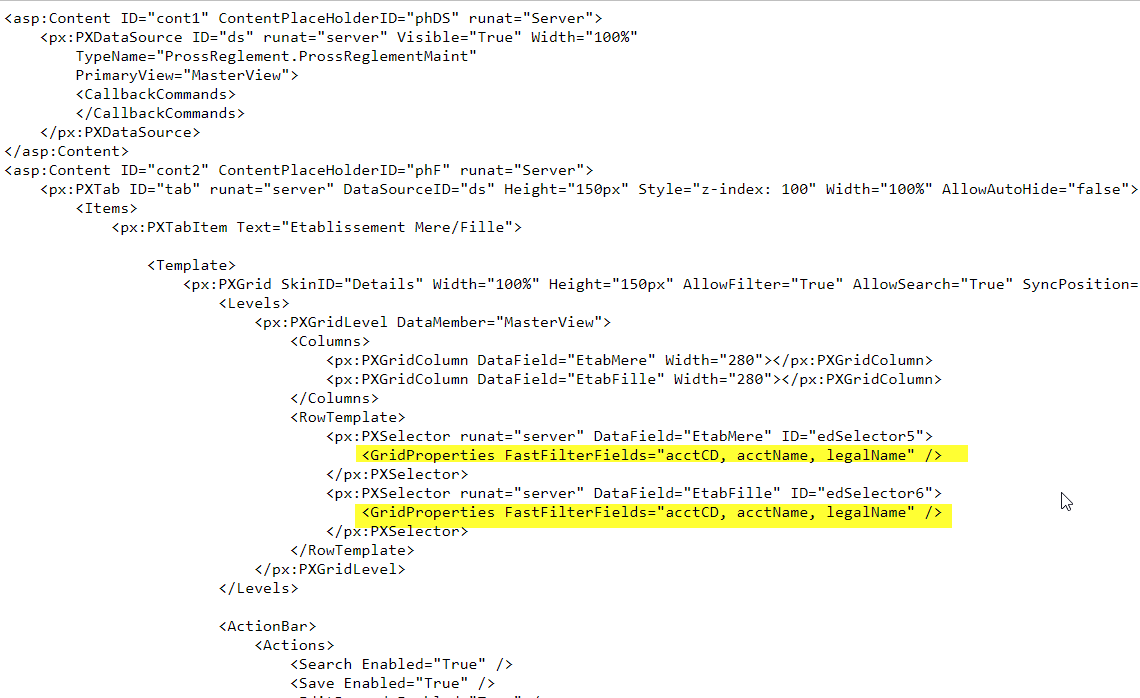
This is just a finding nothing related to your issue of saving the record. But you have an issue with the search filter on the selector. Noticed that the grid details are copy pasted same for all the tabs that have have same FastFilterFields columns.


Thanks,