

Answer

How do I set up a workflow to autoemail the shipmentconfirmation report when the shipment has been confirmed?

  • June 24, 2022
  • 1 reply
  • 257 views

Forum|alt.badge.img+1

I have been trying to set this up and getting close but failing to find how to do this correctly.  What I want is for the same process that happens when I press the email shipment action button manually to happen when the shipment is confirmed but I can’t work out how to achieve this.  Is this something I need to do in the workflow or does it need some customization code or am I looking in the wrong place completely? 

I managed to set up a business event which sends the email when the status reaches status confirmed but it doesn’t allow me to attach the shipment confirmation report to it so I don’t think that is the right way to go about it.


Thanks,


Phil
Best answer by Naveen Boga

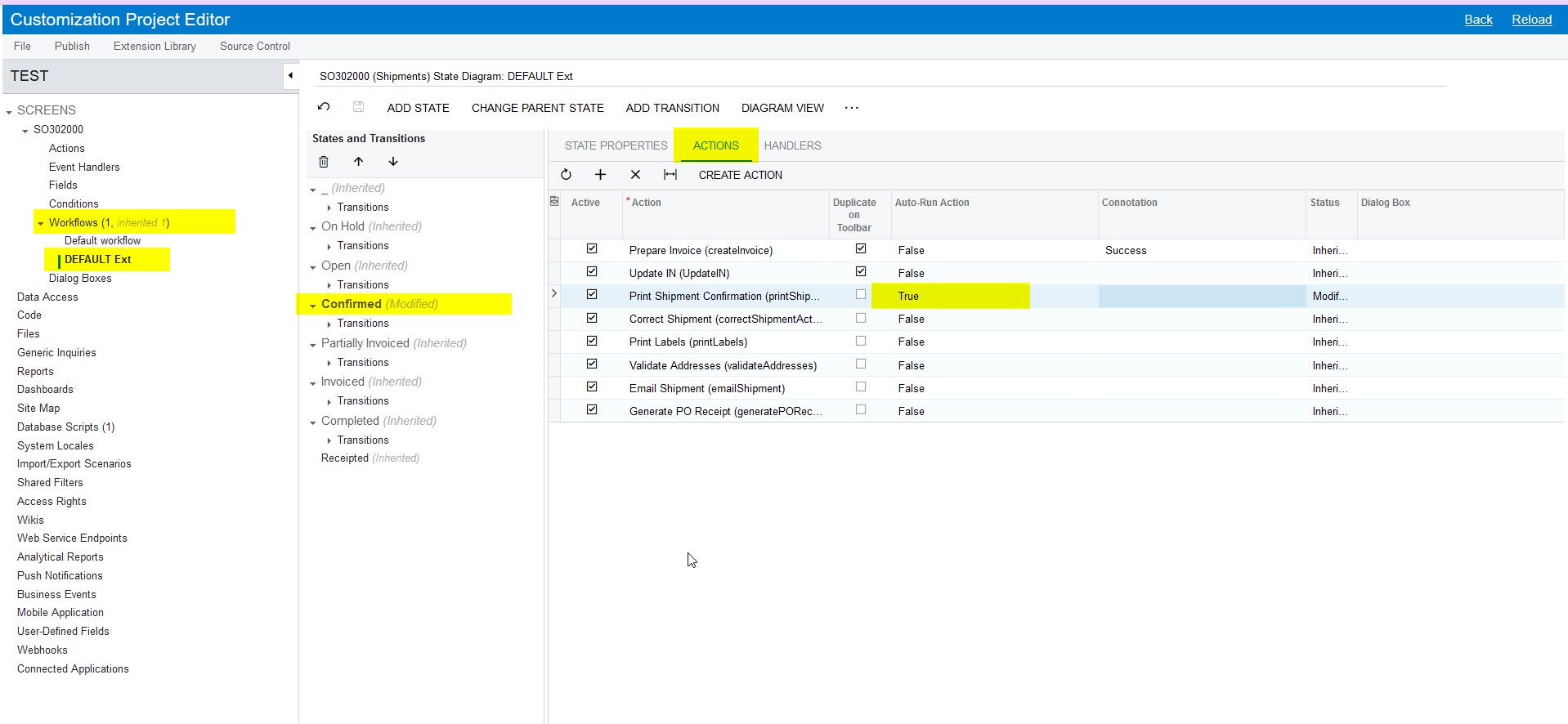
HI @ppowell  Can you please try like below and verify?

  1. Open the Customization Packages
  2. Add the Shipments screen under the Screens
  3. Extend the default Workflow
  4. Select the status as CONFIRMED
  5. Click on the Actions tab and select the Auto-Run action as TRUE for the Print Shipment Confirmation action.

Please find the screenshot for reference.


1 reply

Naveen Boga
Captain II
Forum|alt.badge.img+19
  • Captain II
  • Answer
  • June 26, 2022

HI @ppowell  Can you please try like below and verify?

  1. Open the Customization Packages
  2. Add the Shipments screen under the Screens
  3. Extend the default Workflow
  4. Select the status as CONFIRMED
  5. Click on the Actions tab and select the Auto-Run action as TRUE for the Print Shipment Confirmation action.

Please find the screenshot for reference.

