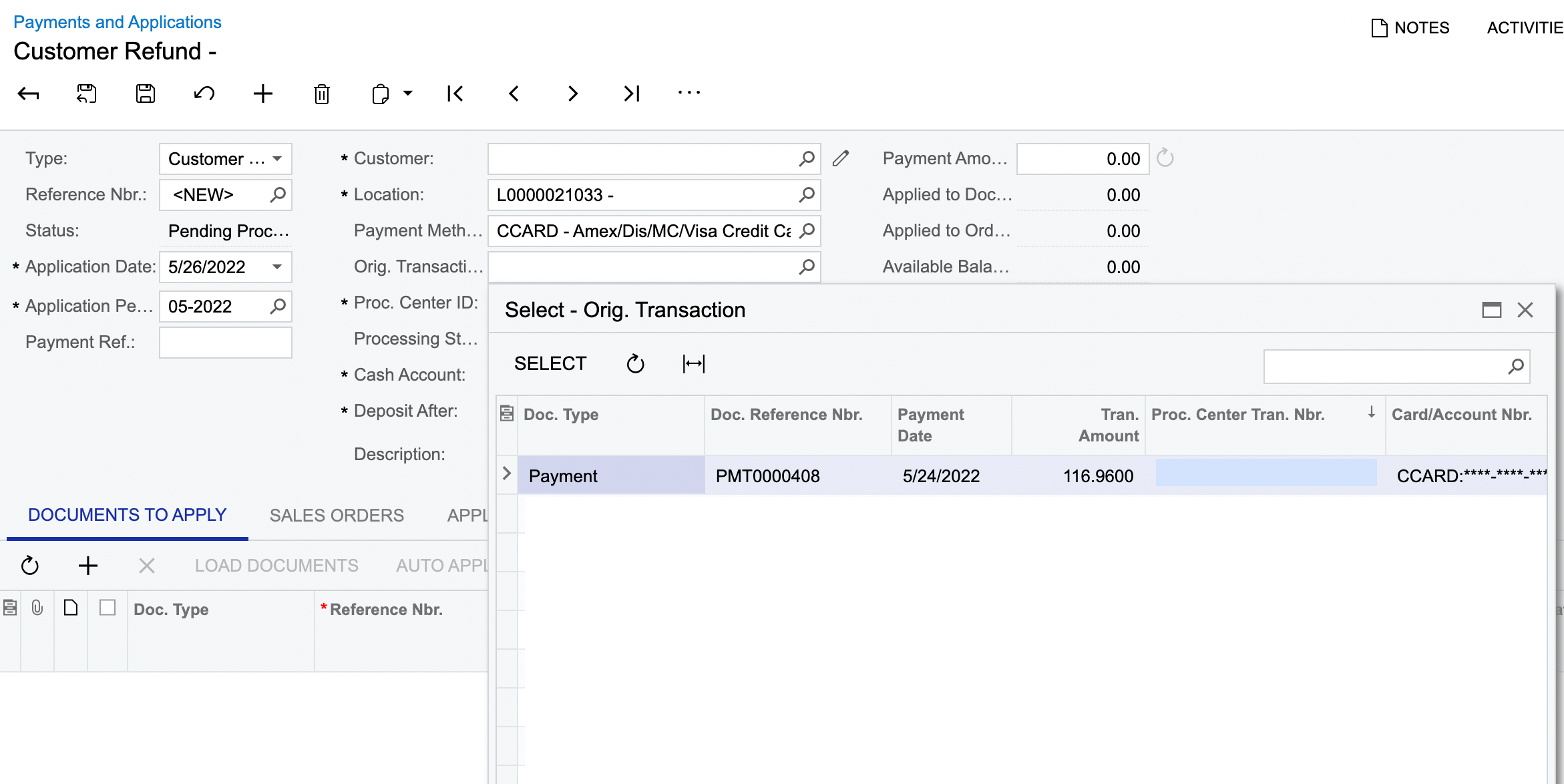
I have been asked if it’s possible to add SO Number and Invoice Number columns to the popup Selector for choosing the original transaction when issuing a refund on the Payments and Applications screen. This would make finding the original transaction a lot quicker. Any pointers on how I would go about doing this would be most welcome.
See image below:
Thanks,
Phil
Best answer by Shawn Burt
The issue is that there is not a 1 to 1 relationship between payment and SO or INV. In some cases it may be the case but there is a 1 to many relationship between orders/invoices and payments in the Database so it can be tricky. You could create a DAC Ext that has a calculated field and have that formula do a “FIRST” so it gives you the initial linked document but if there really is more than one it may not return the one you want to see.
The issue is that there is not a 1 to 1 relationship between payment and SO or INV. In some cases it may be the case but there is a 1 to many relationship between orders/invoices and payments in the Database so it can be tricky. You could create a DAC Ext that has a calculated field and have that formula do a “FIRST” so it gives you the initial linked document but if there really is more than one it may not return the one you want to see.