Answer

How do I create an import scenario to populate the note field on a custom table?

  • March 25, 2024
  • 11 replies
  • 424 views

lauraj46
Captain II
Forum|alt.badge.img+8

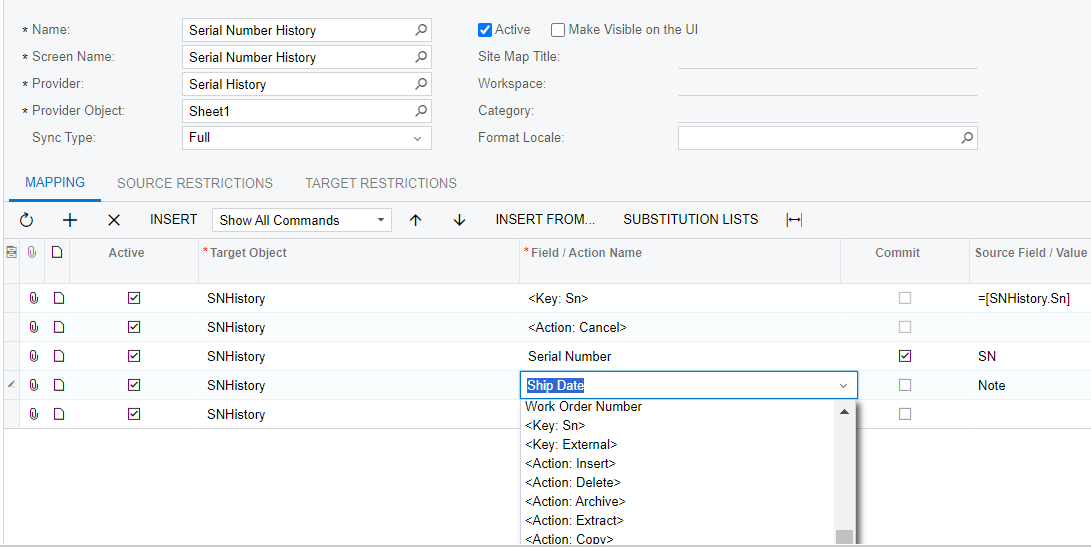
The custom table includes the NoteID column.  It is available for users to populate manually on the custom form, however I don’t see the “Note Text” field as an option on the import scenario list of fields.

Thanks in advance!

Best answer by lauraj46

I found the answer thanks to Acumatica support.  

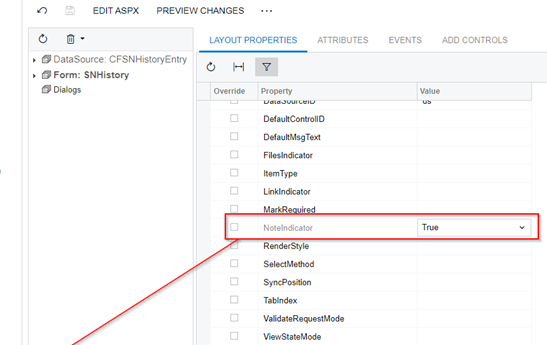
Setting the NoteIndicator property to True on the Layout Properties of the form in the Customization Project form editor adds the Note Text option to the Import Scenario on the custom screen.
 

Hope this helps others.

Laura


11 replies

AndrewBGL
Pro I
Forum|alt.badge.img
  • Pro I
  • March 25, 2024

Hello @lauraj46 ,

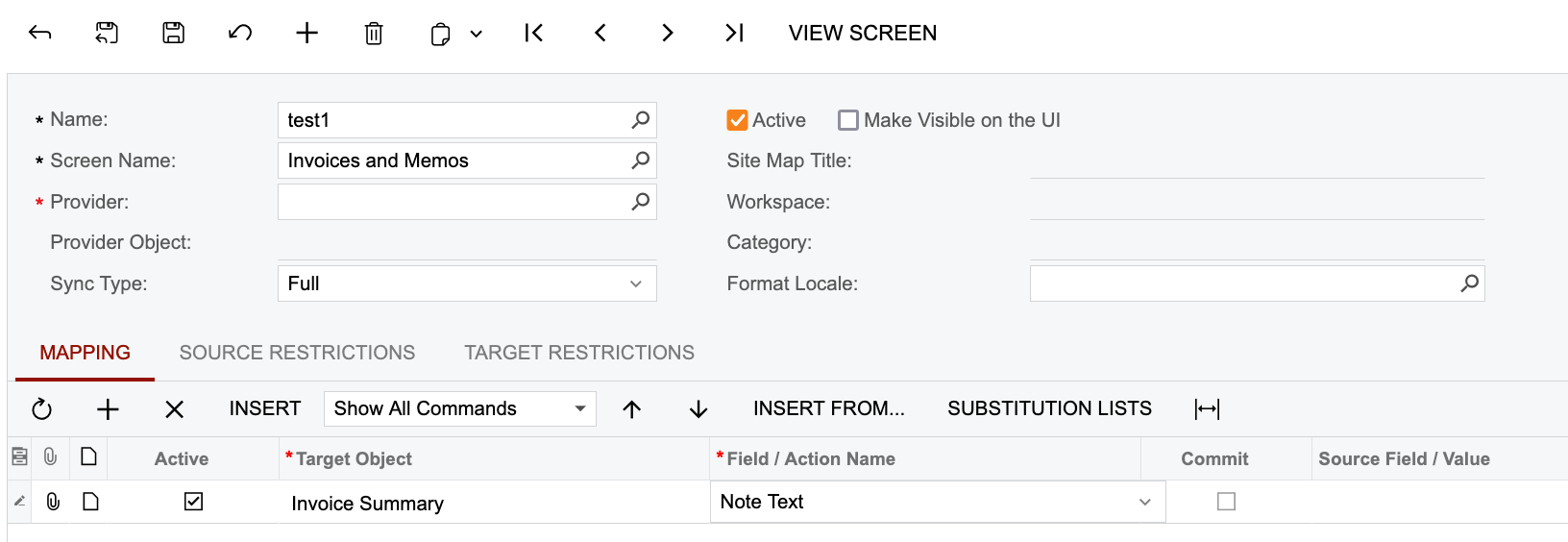
Are you wanting to use the import scenario for the screen name Invoice and Memos?


lauraj46
Captain II
Forum|alt.badge.img+8
  • Author
  • Captain II
  • March 25, 2024

Hi @AndrewBGL ,

Thanks for this but no, that’s not it.  The import scenario should populate the note for a custom DAC and corresponding screen that we created using a customization package.  We are probably missing a setting in the customization to enable this functionality, but I’m not sure what :)

Thanks,

Laura


AndrewBGL
Pro I
Forum|alt.badge.img
  • Pro I
  • March 25, 2024

Do you have a screen shot of the import scenarios screen name and mapping?


lauraj46
Captain II
Forum|alt.badge.img+8
  • Author
  • Captain II
  • March 25, 2024

Hi @AndrewBGL ,

It is a custom screen.  The import scenario works for other fields, and the note is available to edit manually on the customer screen.  We would like to map the Note field on the import scenario.

Thanks.


lauraj46
Captain II
Forum|alt.badge.img+8
  • Author
  • Captain II
  • March 26, 2024

@darylbowman Any thoughts on how to accomplish this?


darylbowman
Captain II
Forum|alt.badge.img+15

Fraid not, but I enlisted some help.


lauraj46
Captain II
Forum|alt.badge.img+8
  • Author
  • Captain II
  • Answer
  • April 4, 2024

I found the answer thanks to Acumatica support.  

Setting the NoteIndicator property to True on the Layout Properties of the form in the Customization Project form editor adds the Note Text option to the Import Scenario on the custom screen.


Hope this helps others.

Laura


Chris Hackett
Community Manager
Forum|alt.badge.img
  • Acumatica Community Manager
  • April 4, 2024

Thank you for sharing the solution with the community @lauraj46!


Forum|alt.badge.img
  • Jr Varsity II
  • August 14, 2025

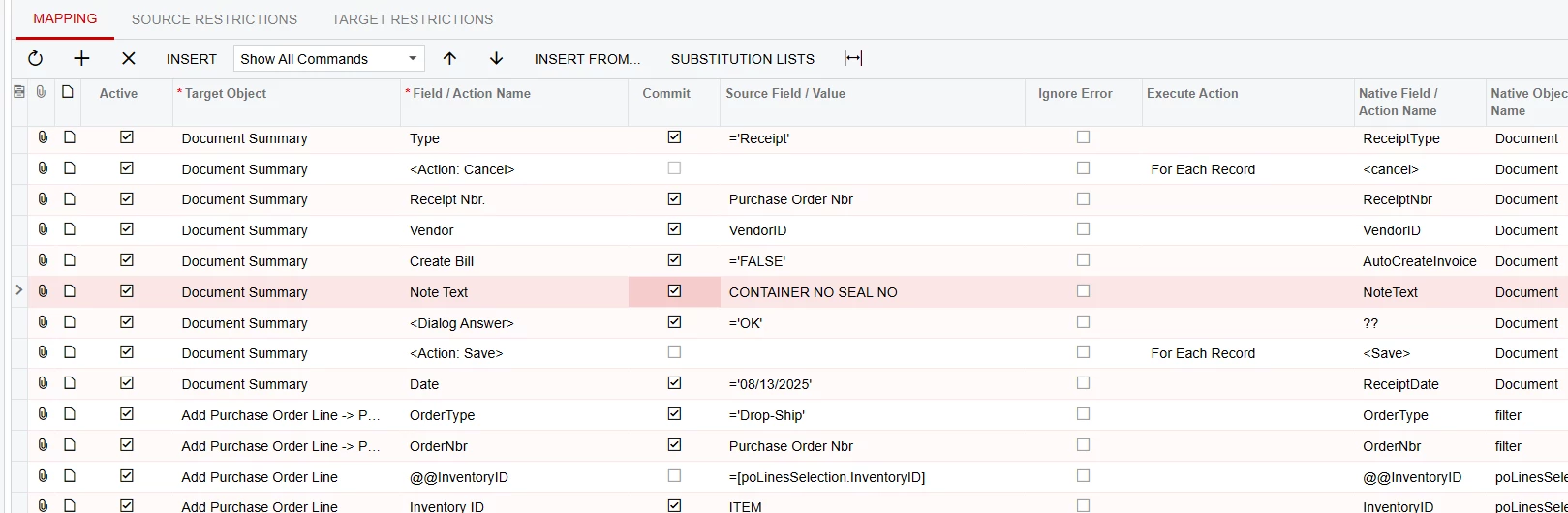
I am using this import scenario on the PO Receipt but I cannot get the Note Text to work.  Any Suggestions would be appreciated.  I have tried it without the Dialog answer and the save, but still cannot get it to populate the notes.

Thanks


lauraj46
Captain II
Forum|alt.badge.img+8
  • Author
  • Captain II
  • August 14, 2025

Hi ​@TShoaff ,

You do not need the Dialog Answer for the not field.  The Save should typically be the last row in your scenario.  If you are still having issues, I would suggest deactivating some of the other mappings in your scenario to try to simplify and isolate the issue.

Laura


Forum|alt.badge.img
  • Jr Varsity II
  • August 14, 2025

Thanks Laura,


I tried the Import without the Dialog and the save as you mentioned but it still will not bring in the Note Text.  The rest of the import works perfectly, but  I will continue to test.

Thanks