

Question

How Decrypt a value in GI from Payroll Settings screen?

  • December 22, 2023
  • 6 replies
  • 123 views

Forum|alt.badge.img

Hello Everyone, 

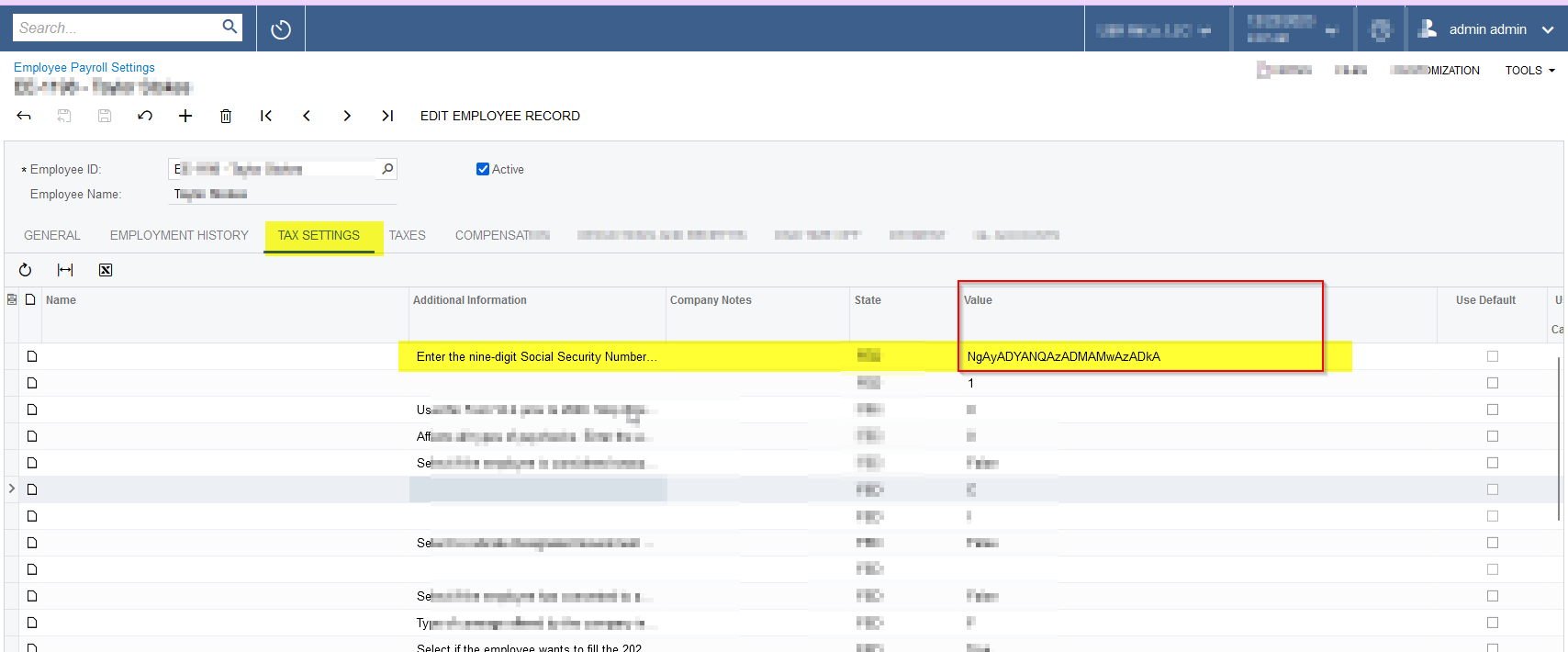
Can you please help me in decrypt a value from the Employee Payroll settings → Tax Settings → Social Security Number? Below is the screenshot for reference.


6 replies

Forum|alt.badge.img+1

Hi,

The issue is that the value in the database is encrypted. As a result, if the data field is used as part of an expression, it will pull the encrypted value.

As a workaround, add the data field to the results grid without using it as part of an expression/formula.

Hope this helps!


Forum|alt.badge.img
  • Author
  • Jr Varsity III
  • December 22, 2023

@MinushaWeerasuriya76  Thanks a lot for the prompt response.

Can you please help me with an example?


darylbowman
Captain II
Forum|alt.badge.img+15

The issue is that the value in the database is encrypted. As a result, if the data field is used as part of an expression, it will pull the encrypted value.

@MinushaWeerasuriya76 - This makes sense in the context of a GI, but his screenshot is from Employee Payroll Settings. It should not be scrambled there.


Forum|alt.badge.img
  • Author
  • Jr Varsity III
  • December 27, 2023

@darylbowman  Thanks for the response. But I don’t understand how this works for the OLD data records to display the value in the GI?


darylbowman
Captain II
Forum|alt.badge.img+15

I’m not sure what you mean by old data records. Minusha’s comment was that it is an encrypted database field, and apparently there are some limitations with getting the decrypted value from the database when using it in a GI formula. This makes enough sense to me. However, your screenshot is from the out-of-the-box screen where the field should have no issues showing the decrypted value. This is what I was saying.


Chris Hackett
Community Manager
Forum|alt.badge.img
  • Acumatica Community Manager
  • January 18, 2024

Hi @nsmith51 were you able to find a solution? Thank you!





