

Solved

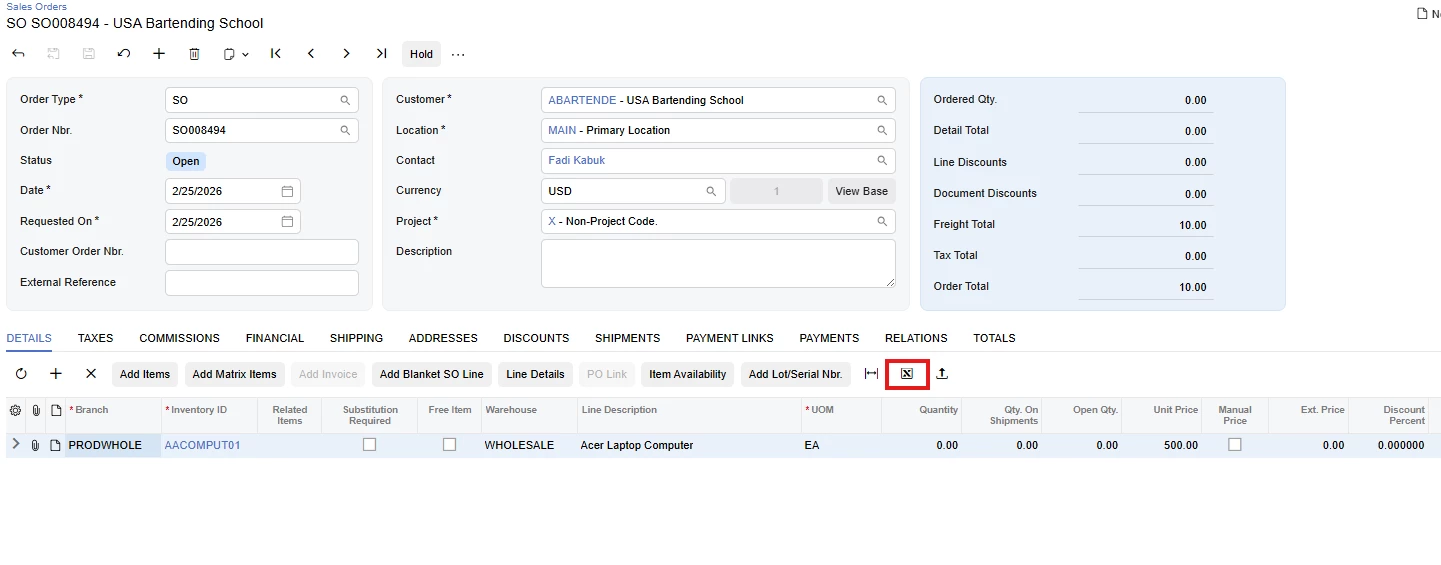
How can I hide the original Export to Excel action from a grid on a Modern UI screen?

  • February 25, 2026
  • 6 replies
  • 93 views

Forum|alt.badge.img

Hello Community,

I want these changes on the original screens. For my custom screens, this worked when I added actionsConfig: { exportToExcel: { hidden: true } } in the @gridConfig of the .ts file.
 

Best answer by darylbowman

...there is currently no supported way to completely hide it via code.

Just because you don’t know how to do something doesn’t mean it doesn’t exist.
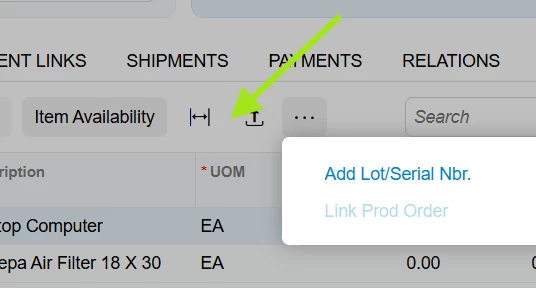
<template>
<qp-grid modify="#grid-Details"
config.bind="{
actionsConfig: {
exportToExcel: { hidden: true },
}
}">
</qp-grid>
</template>>


6 replies

Forum|alt.badge.img
  • Jr Varsity II
  • February 25, 2026

In Modern UI, the Export to Excel option is a system-level grid action and not a standard PXAction, so it cannot be hidden using PXAction or PXUIFieldAttribute.


To hide it, you must disable export at the grid/view level by setting:


AllowExport = False on the grid (ASPX), or


Base.Views["ViewName"].AllowExport = false; in the graph.


This is the supported way to remove Export from a specific grid.


Forum|alt.badge.img
  • Author
  • Varsity I
  • February 25, 2026

In Modern UI, the Export to Excel option is a system-level grid action and not a standard PXAction, so it cannot be hidden using PXAction or PXUIFieldAttribute.


To hide it, you must disable export at the grid/view level by setting:


AllowExport = False on the grid (ASPX), or


Base.Views["ViewName"].AllowExport = false; in the graph.


This is the supported way to remove Export from a specific grid.


Thank you for the response, but I have already tried these options and they do not work. I need to do this only in the Modern UI, the same way I did it on the custom screen. The issue is that I cannot do it on the original screen.


Forum|alt.badge.img
  • Jr Varsity II
  • February 25, 2026

In Modern UI, Export to Excel is a system-generated grid action and is no longer fully controlled by AllowExport = false in some newer builds (2024 R2 / 2025+).


If setting Base.Views["ViewName"].AllowExport = false; does not remove it, then there is currently no supported way to completely hide it via code.


The most reliable approach is to restrict Export through Access Rights for the specific user role.


darylbowman
Captain II
Forum|alt.badge.img+16
  • Answer
  • February 25, 2026

...there is currently no supported way to completely hide it via code.

Just because you don’t know how to do something doesn’t mean it doesn’t exist.

<template>
<qp-grid modify="#grid-Details"
config.bind="{
actionsConfig: {
exportToExcel: { hidden: true },
}
}">
</qp-grid>
</template>>


Forum|alt.badge.img
  • Jr Varsity II
  • February 25, 2026

Thank you for the detailed explanation and recommended approach.. I did not tried this way will try for sure


Forum|alt.badge.img
  • Author
  • Varsity I
  • February 25, 2026

...there is currently no supported way to completely hide it via code.

Just because you don’t know how to do something doesn’t mean it doesn’t exist.

<template>
<qp-grid modify="#grid-Details"
config.bind="{
actionsConfig: {
exportToExcel: { hidden: true },
}
}">
</qp-grid>
</template>>

@darylbowman  Thank you very much!!!😊

