Question

How add an image to a grid column in the Modern UI

  • February 1, 2026
  • 10 replies
  • 139 views

Forum|alt.badge.img

Hello


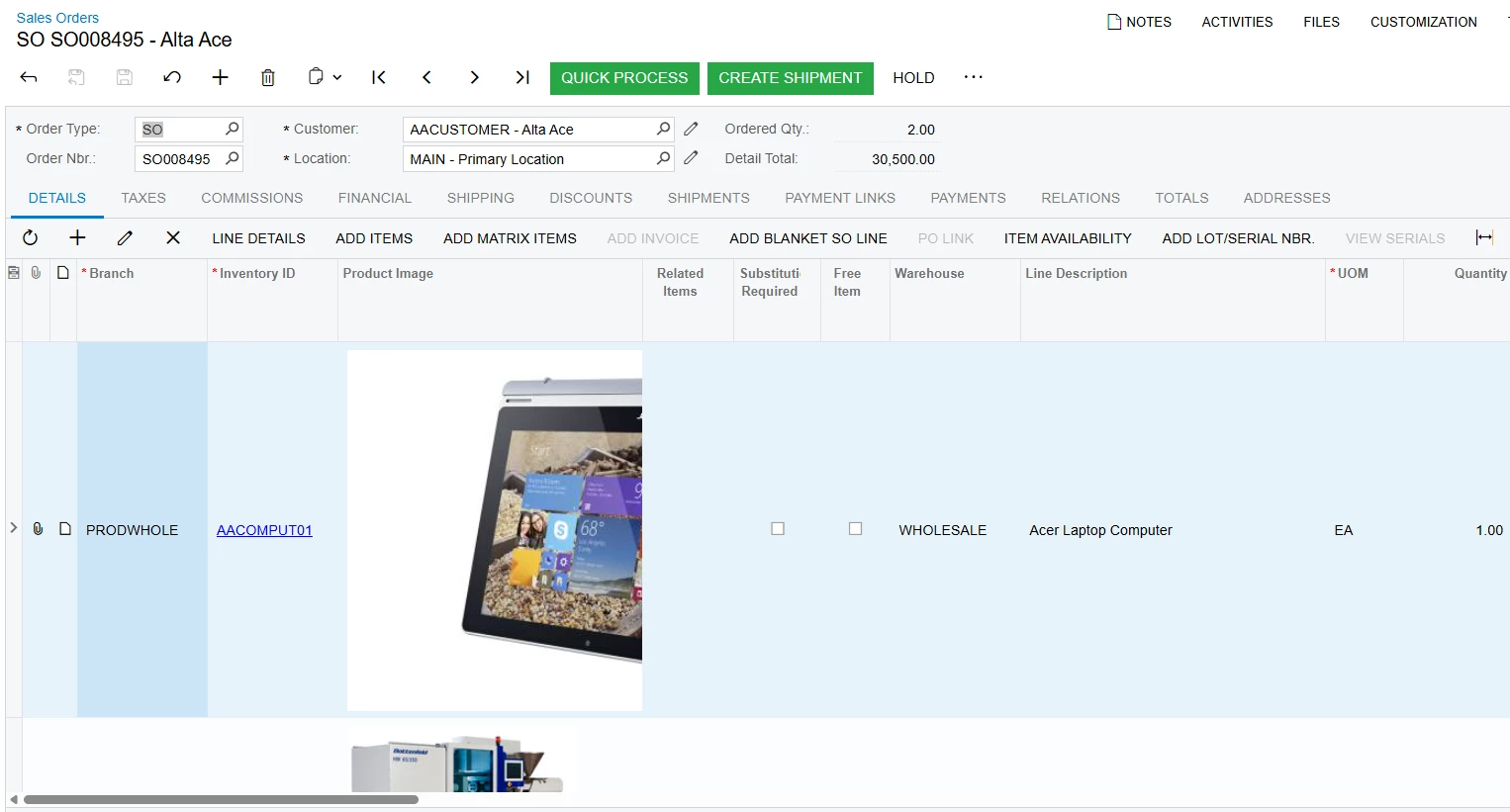
Is there anyone who has been able to add an image to a grid column?


Regards,

Vard

10 replies

Forum|alt.badge.img+3

@Vard86 Below is a reference to add image to grid.


https://stackoverflow.com/questions/50029264/acumatica-adding-image-in-sales-order-line


Forum|alt.badge.img
  • Author
  • Jr Varsity III
  • February 1, 2026

@ranjithduraisamy72   Thank you for sharing this.
I’m looking to do this in Modern UI, not the Classic one.


arpine08
Freshman II
  • Freshman II
  • February 1, 2026

Hello Vard86


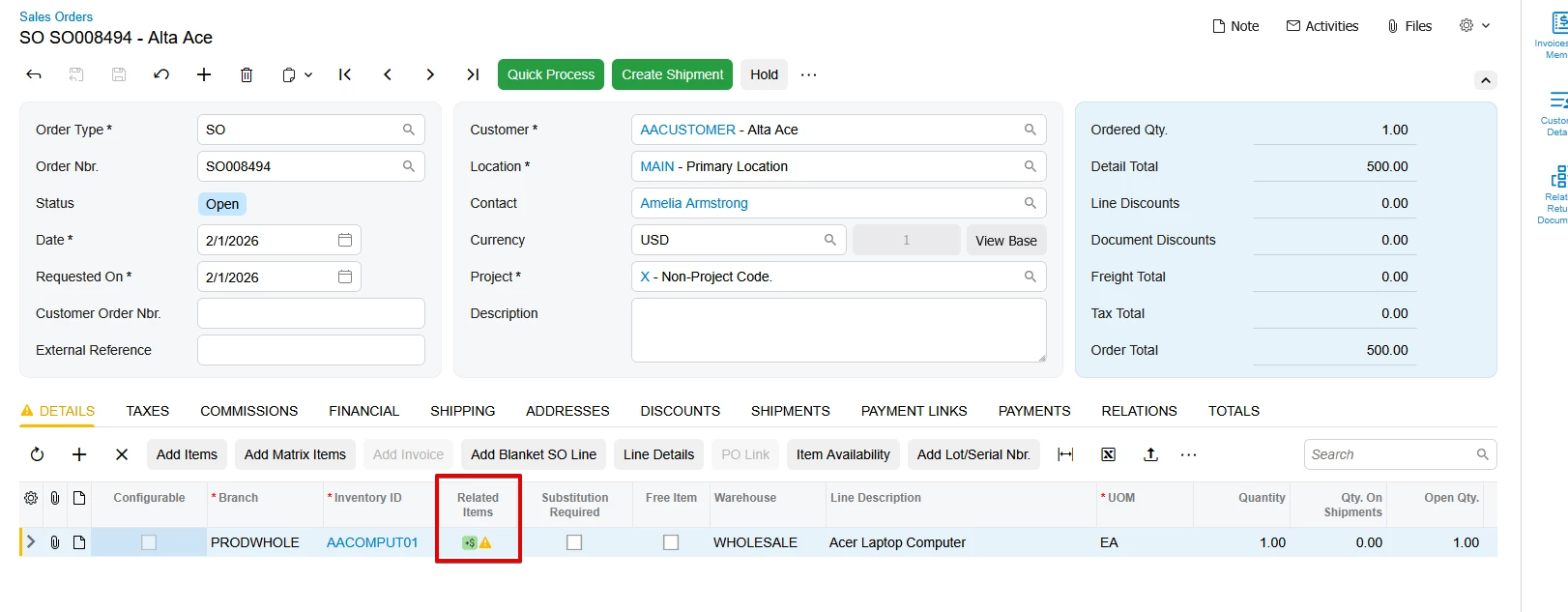
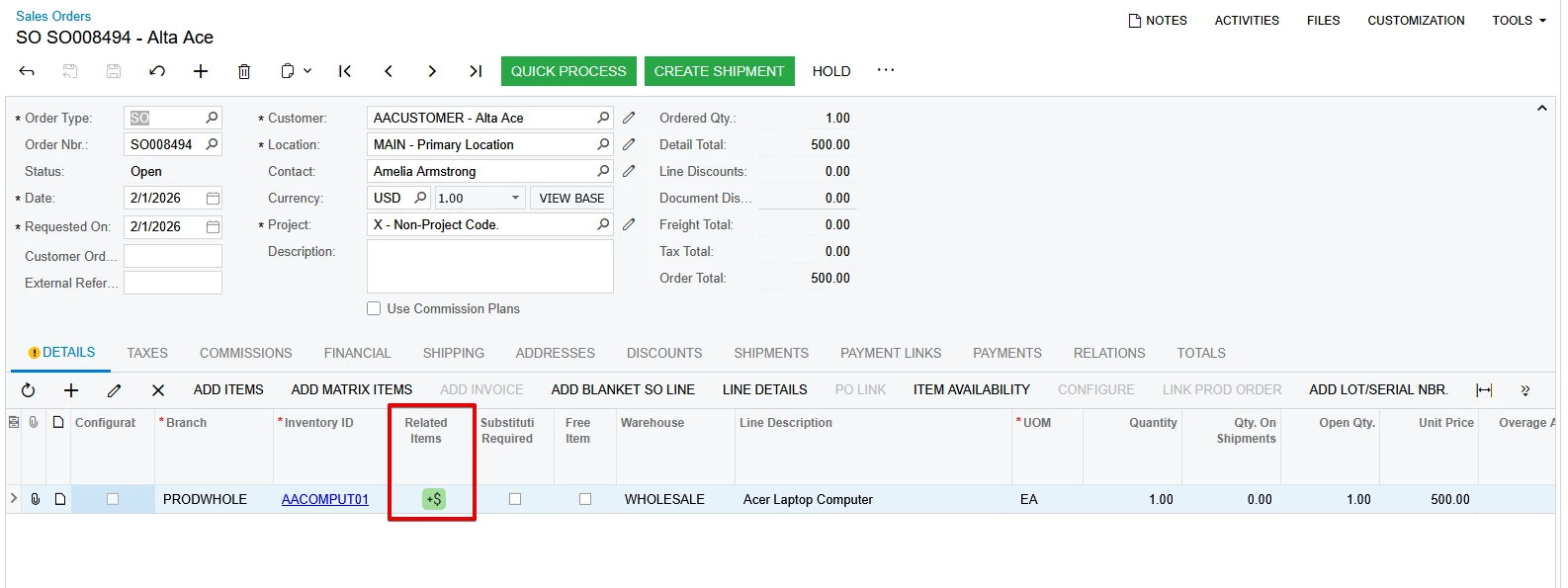
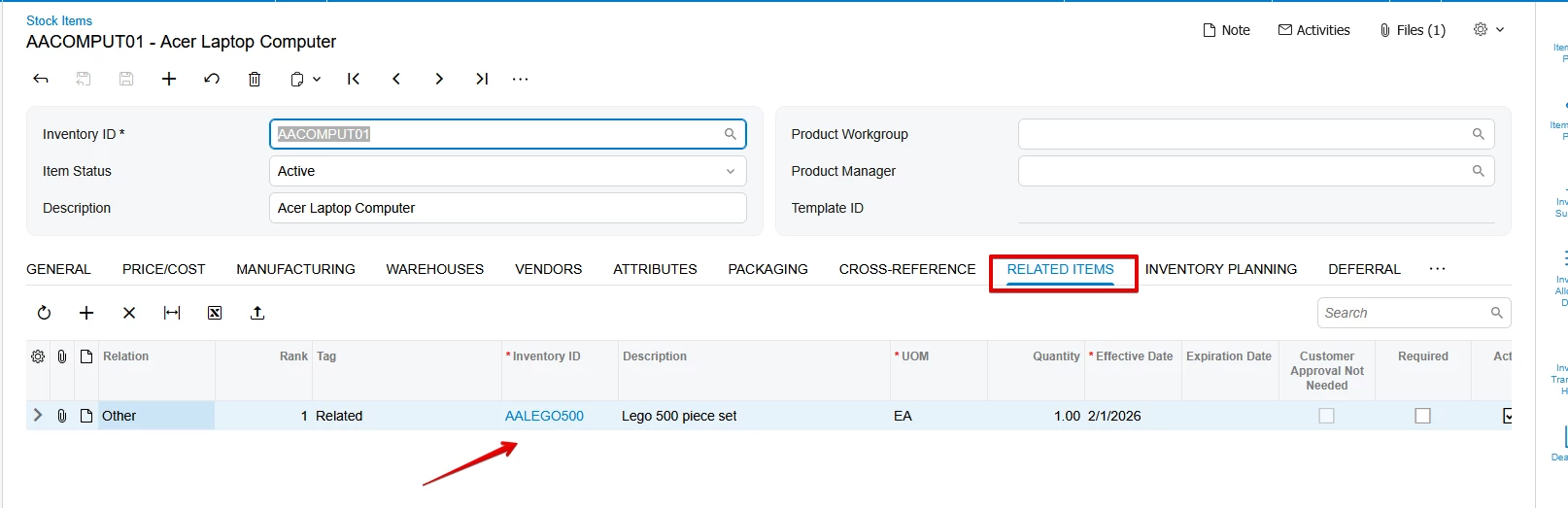
In standard Acumatica, the SOLine grid has a Related Items column that displays an icon + tooltip. This icon appears if related items are configured on the Related Items tab of the Stock Items screen.

Modern UI

SO301000.ts


Classic UI


SO301000.aspx


RelatedItemsAttribute


Stock Items screen->Related Items tab


arpine08
Freshman II
  • Freshman II
  • February 1, 2026

@Vard86 – Based on the link provided by @ranjithduraisamy72,

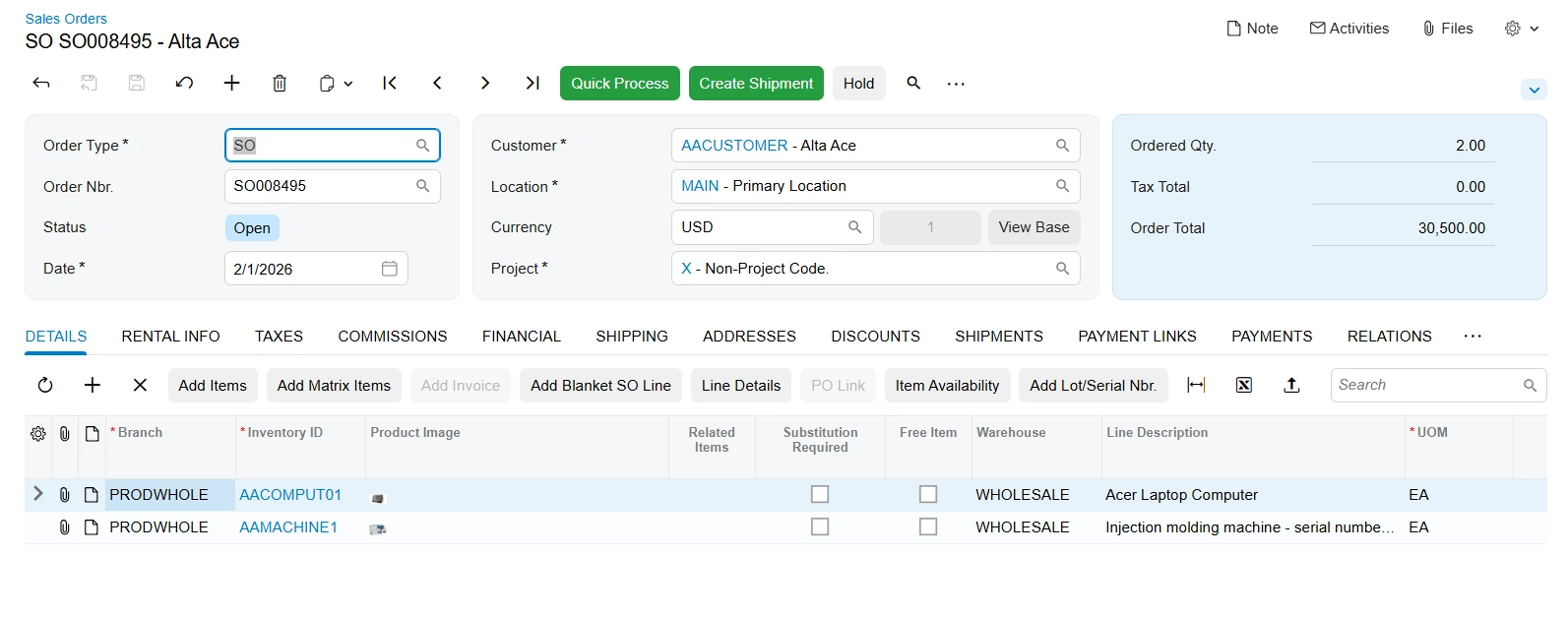
I have tried this - the Stock Item image displays in the SOLine -> Product Image column in

Modern UI, but it appears very small:


Modern UI


Classic UI


Here is the grid column declaration from my .ts file:


Jhon Reeve Penuela
Freshman I

Hi ​@Vard86. base on Yuriy blog. How To Display Images In Grid Of Acumatica Acumatica Expert. he can able to display images using cdn link. I hope this can help you.


Forum|alt.badge.img+3

@arpine08 Please try to expand the size of the row. and specific field column.


Forum|alt.badge.img+3

@arpine08 Please refer this community post this might help you.


Forum|alt.badge.img
  • Author
  • Jr Varsity III
  • February 2, 2026

@Vard86 – Based on the link provided by @ranjithduraisamy72,

I have tried this - the Stock Item image displays in the SOLine -> Product Image column in

Modern UI, but it appears very small:


Modern UI


Classic UI


Here is the grid column declaration from my .ts file:


Hello ​@arpine08,

Please see the case I opened, which contains more details related to my issue:


https://community.acumatica.com/develop-customizations-288/how-can-i-add-an-image-to-a-grid-column-in-the-modern-ui-version-25-200-0248-34016

In my case, I do not want to display Acumatica’s files (images). I want to display images from an external URL. It works in the Classic UI.


Regards,

Vard


arpine08
Freshman II
  • Freshman II
  • February 3, 2026

 Hello Vard86

I have reviewed the opened case

and added my suggestion, please see the case.


Forum|alt.badge.img
  • Author
  • Jr Varsity III
  • February 3, 2026

 Hello Vard86

I have reviewed the opened case

and added my suggestion, please see the case.

@arpine08  Thank you!

I will try it and let you know about the result.