Answer

Getting Virtual Path is Null Error , When Creating New Screen

  • May 14, 2024
  • 7 replies
  • 612 views

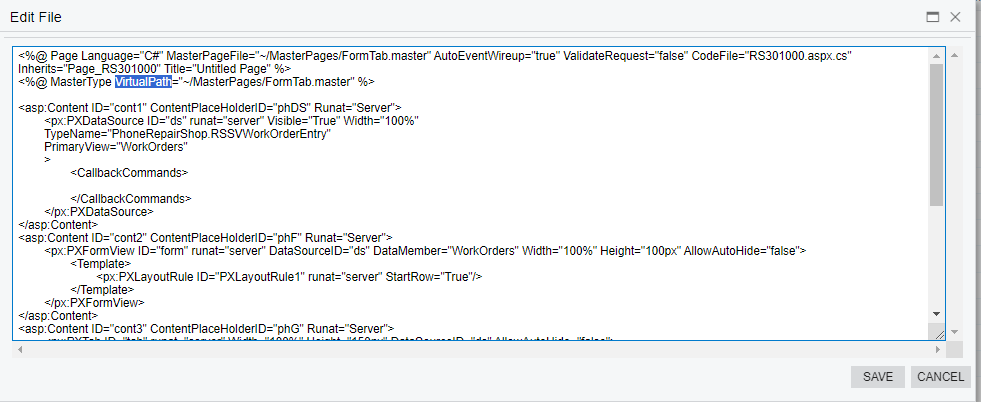
In T220 When Created Screen RS301000 when we publish it and then preview changes its showing Parameter Cannot be Null for VirtualPath but that Virtualpath is there.

 

Best answer by fugas76

I got the same error when create a new screen on 2024 R1.

I had similar issue, than I’ve granted rights for the screen in customization project.

7 replies

darylbowman
Captain II
Forum|alt.badge.img+15

Have you tried restarting the application from the ‘Apply Updates’ screen?


  • Author
  • Freshman I
  • May 15, 2024

Have you tried restarting the application from the ‘Apply Updates’ screen?

Hi @darylbowman , Thanks For Your reply , but I have Tried Restarting Application , but still same Issue .


Forum|alt.badge.img
  • Varsity I
  • May 23, 2024

I got the same error when create a new screen on 2024 R1.


  • Freshman II
  • Answer
  • May 24, 2024

I got the same error when create a new screen on 2024 R1.

I had similar issue, than I’ve granted rights for the screen in customization project.


CDerstine25
Freshman II
  • Freshman II
  • May 31, 2024

Having this same issue. Adding the permission rights does work.


I’m guessing prior to 2024R1 that it automatically did ‘Grant All’ permissions, but now it automatically does ‘Revoke All’. 

I was able to add the ‘Grant All’ to this customization but it does now beg the question of who actually should have access to these forms, which I wasn’t necessarily thinking about before unless my client specified something specific.


Forum|alt.badge.img+7
  • Captain II
  • July 12, 2024

I so glad this thread had the answer. I lost a day to this and couldn’t figure out why my basic customization was failing.


  • Freshman I
  • August 8, 2024

The error message means nothing and is misleading (like many other messages in Acumatica). Also lost a day due to this issue and would have been more if not for this thread. Thanks to @fugas76 for sharing the solution.