Hello Everyone,
I recently stumbled onto the requirement of injecting current user data into HTML to render it as an iframe within the Modern UI.
It took me a while (and some AI assistance) to get there so I thought I would share the approach I took.
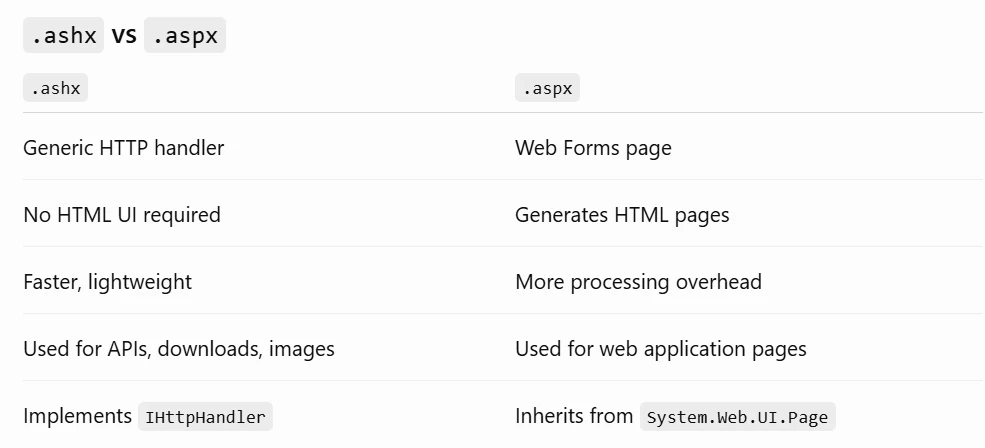
Firstly, in the Classic UI, you can do this via the PageLoad event in the .aspx.cs file. The easiest way that I found with the Modern UI was to have a custom .ashx IHttpHandler in /Frames and which is called via fetch() within the activate() method that Aurelia uses.
TS:
export class CO301000 extends PXScreen {
	MasterView = createSingle(MasterViewClass);
	iframeSrc: string = "about:blank";

	    	async activate(): Promise<void> {
		const app = window.location.pathname.split("/").filter(Boolean)[0];

		const siteRoot = window.location.origin + (app ? "/" + app : "");
		const userUrl = siteRoot + "/Frames/User.ashx";

		try {
			const res = await fetch(userUrl);

			const [username] = await res.text();
			if (!username) {
				console.error("Username not found");
				return;
			}

			this.iframeSrc = siteRoot + "/Endpoint" +
				"?user=" + encodeURIComponent(username);
		} catch (e) {
			console.error("Username: " + userUrl + " failed", e);
		}
	}
}
.ashx:
public void ProcessRequest(HttpContext context)
{
    var username = context.User?.Identity?.Name;

    context.Response.ContentType = "text/plain";
    context.Response.Cache.SetCacheability(HttpCacheability.NoCache);
    context.Response.Write(username ?? " ");
    context.Response.Flush();
}
If anyone has any better ways to do this, please let me know!