Answer

External Reference field not working on report

  • June 14, 2023
  • 3 replies
  • 76 views

Noob question, I apologise in advance.

On a sales order I have these two fields that I am trying to add to a report.
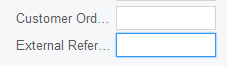
 

I reference the first field in a report with

=[SOOrder.CustomerOrderNbr]

and it works perfectly.

However, I reference the 2nd field in a report with

=[SOOrder.ExtRefNbr]

and it produces an empty column.

If that field isn’t ExtRefNbr, how can I determine the field ID?

thanks.
Best answer by Naveen Boga

Hi @Arran  No problem at all!


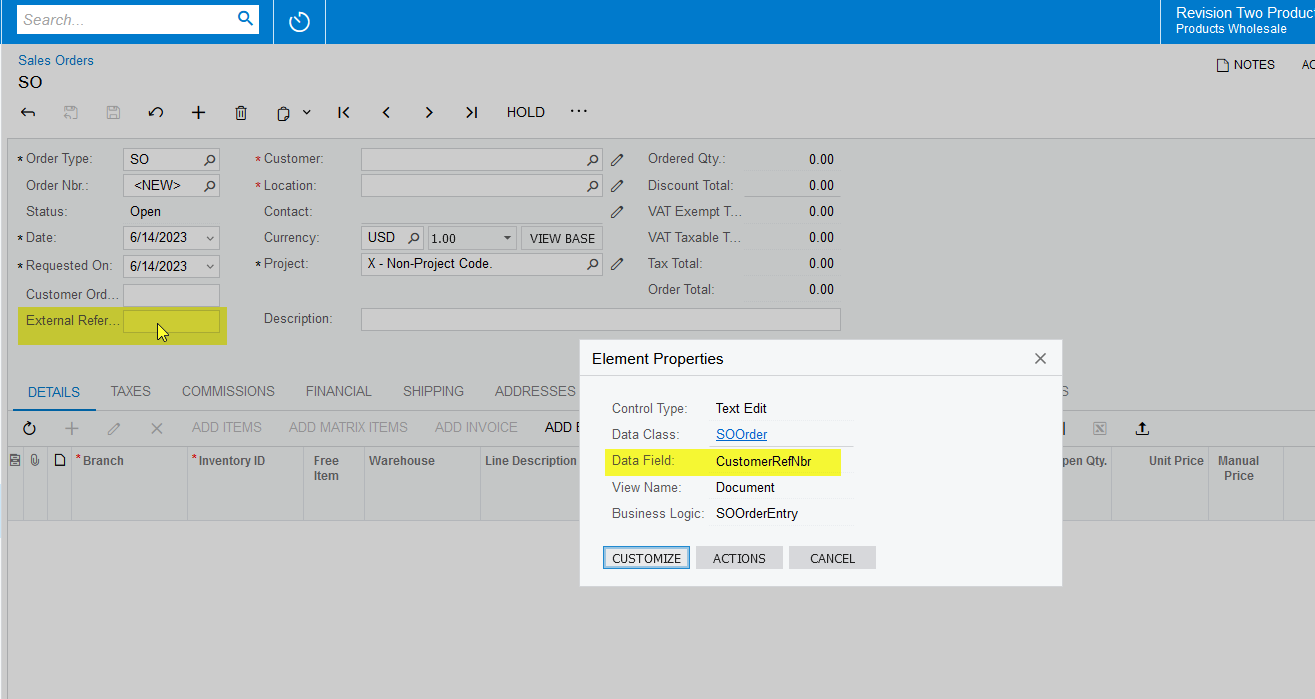
For the External Reference field, we should use the [SOOrder.CustomerRefNbr]. Can you please try and check once?

If you wanted to know any field ID, then you can do like below.

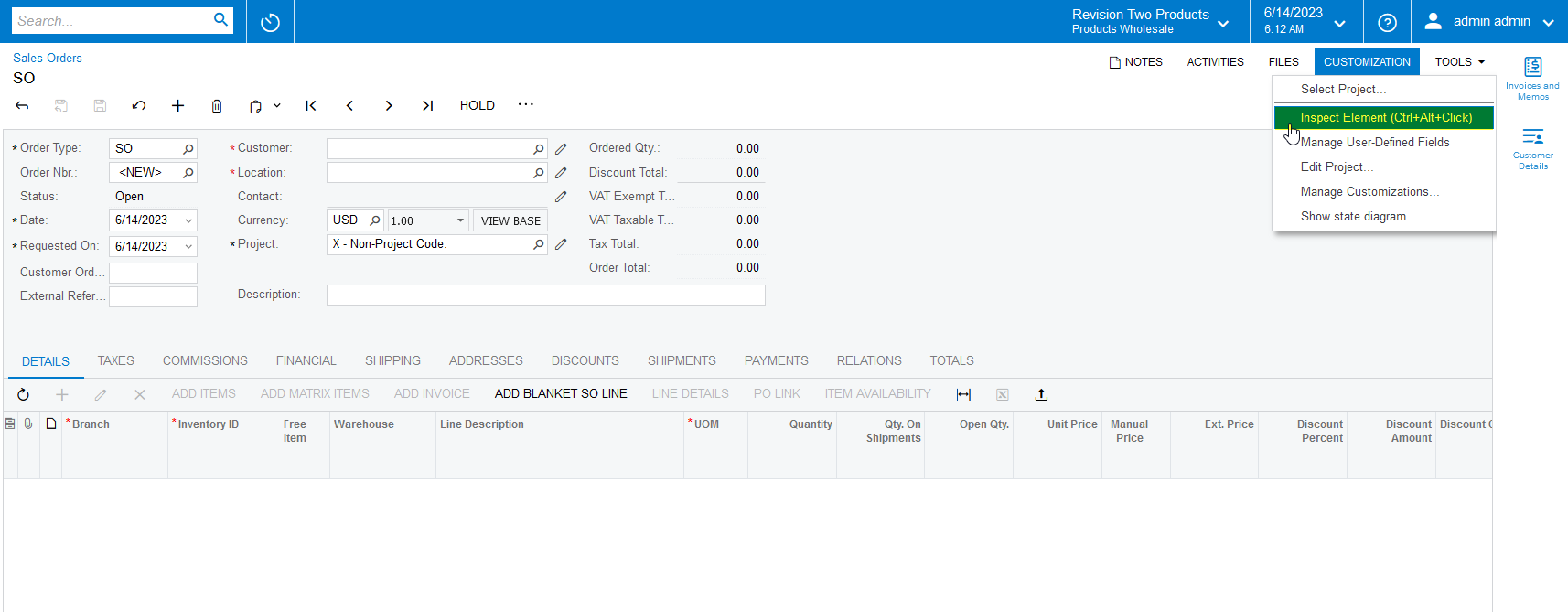
Click on the Customization → Inspect Element → Then click on the field, which you wanted to know the ID. Please find the screenshots for reference.


3 replies

Naveen Boga
Captain II
Forum|alt.badge.img+19
  • Captain II
  • Answer
  • June 14, 2023

Hi @Arran  No problem at all!


For the External Reference field, we should use the [SOOrder.CustomerRefNbr]. Can you please try and check once?

If you wanted to know any field ID, then you can do like below.

Click on the Customization → Inspect Element → Then click on the field, which you wanted to know the ID. Please find the screenshots for reference.


  • Author
  • Freshman II
  • June 15, 2023

Fantastic, thank you.  Customization isn’t available to me presently, I’ve asked for that permission to be added.


Naveen Boga
Captain II
Forum|alt.badge.img+19
  • Captain II
  • June 15, 2023

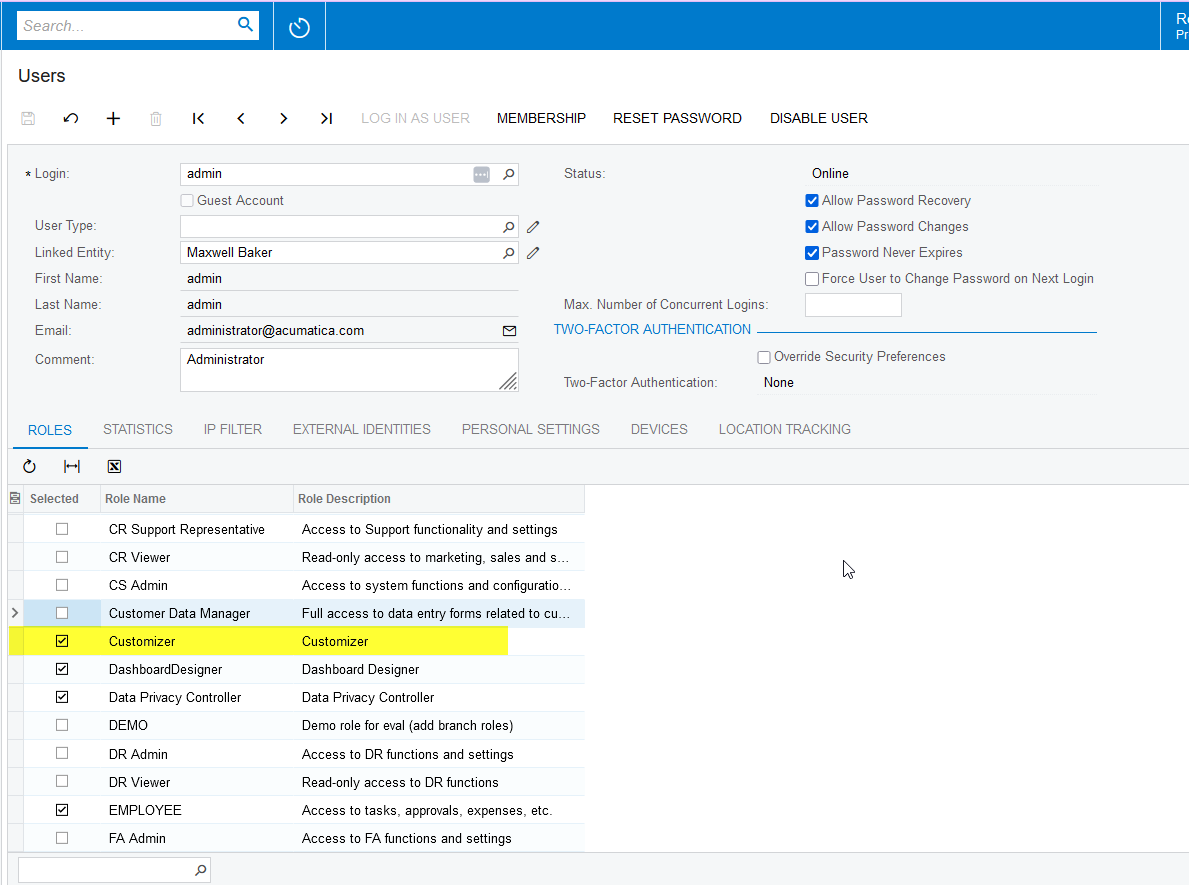
Hi @Arran  Sure. You can see the Inspect Element if you have Customizer ROLE for your user account.