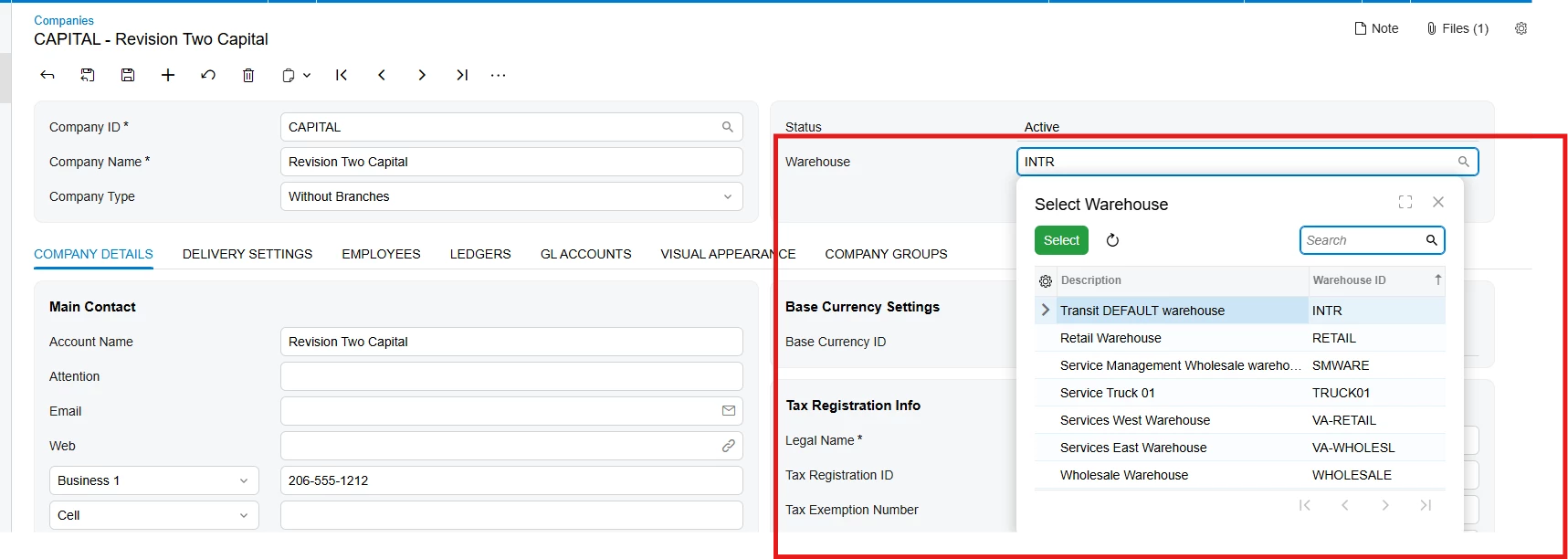
Hi, I have written the logic to expose a UDF (UsrMACFWarehouse) on the Companies and Branches screen which works on my local site running via Modern UI, however once I export the customization package and import to my production site, the fields are not exposed but the project builds correctly.
Can you please check the attached project on what could be the issue?
Best answer by Saikrishna V
@tharidhiPerera
You should extend the existing screen HTML & ts files and add only your custom field(s).
Steps to Add a Custom Field in Modern UI
Open Customization Project.
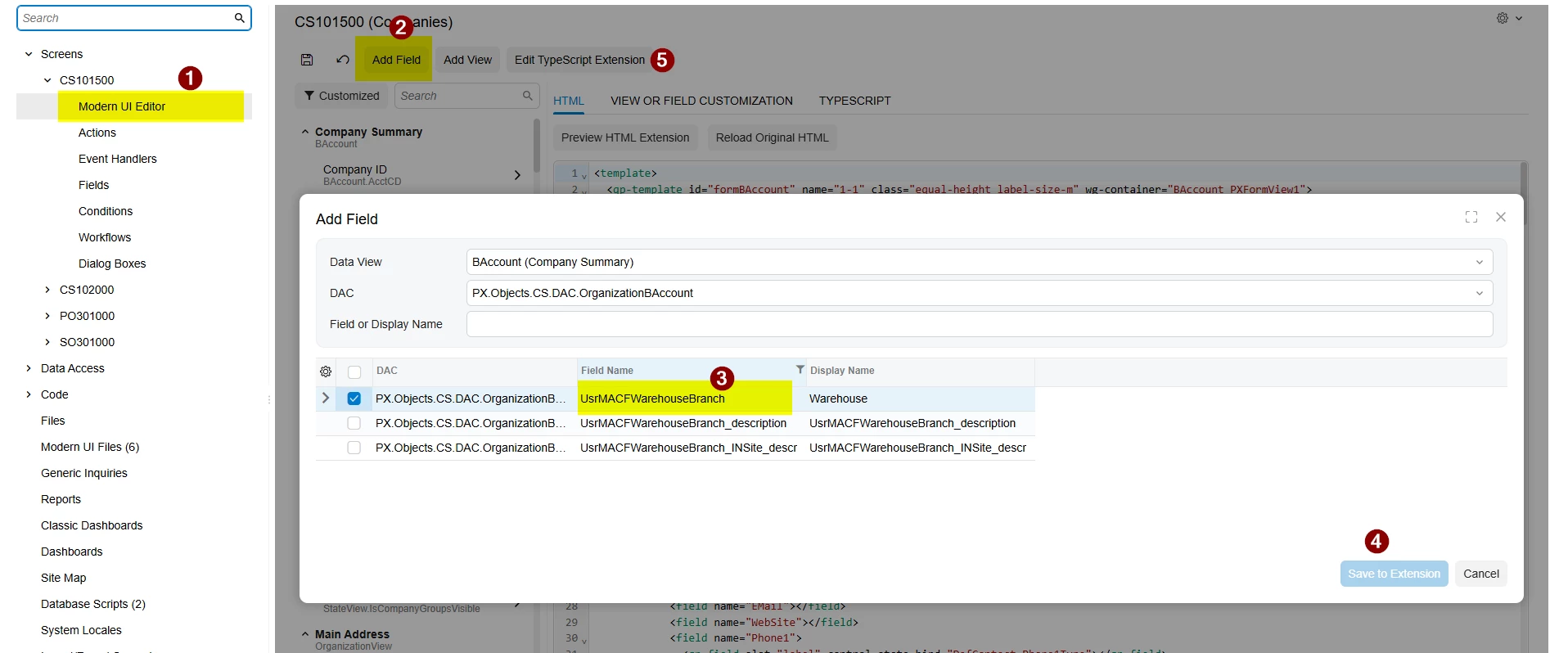
Navigate to Screens → CS101500 → Modern UI Editor.
Click Add Field.
Select the required Data View and choose your custom field (e.g., UsrMACFWarehouseBranch).
Click Save to Extension.
This generates an extension file instead of modifying the base HTML.
If needed, use Edit TypeScript Extension for any custom UI logic.
Publish the customization..
For HTML code:
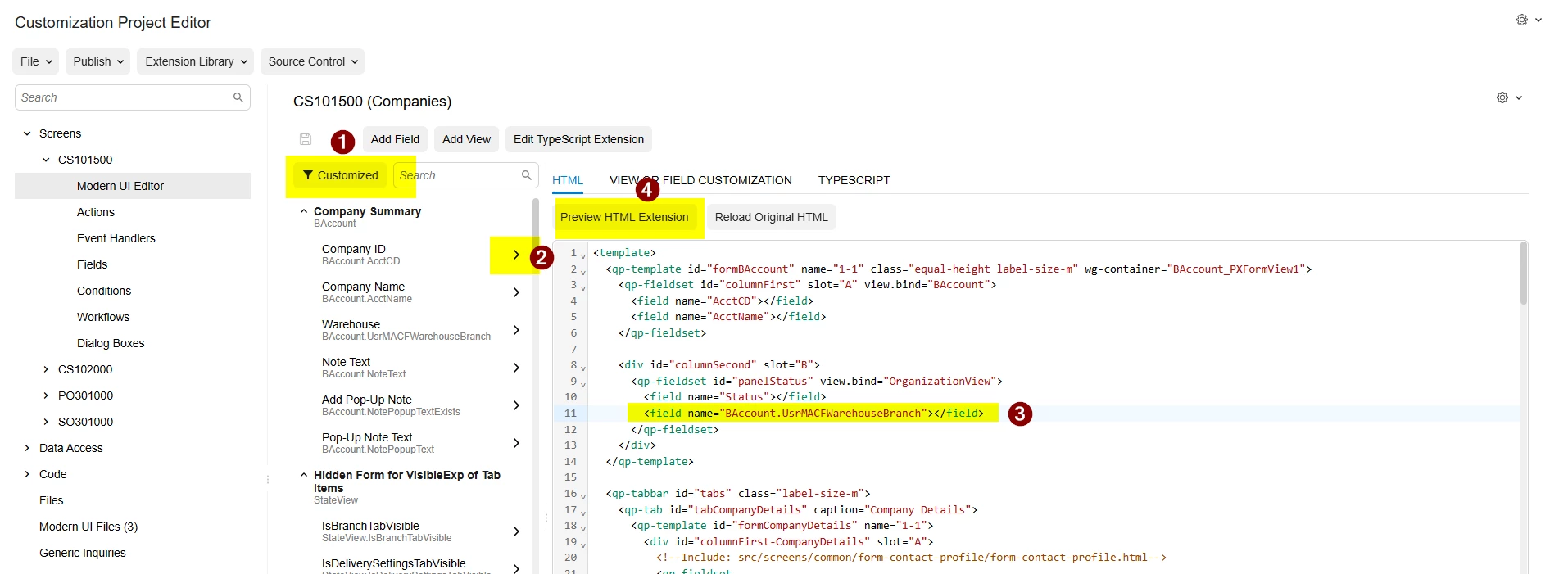
Enable the Customized filter on the left panel. This will display only the customized fields/components.
Select the custom field from the left panel and drag/move it to the desired location on the screen layout.
Click Preview HTML Extension to verify that only the custom field extension code is generated.
I added the field through the Modern UI Editor and generated only the extension code. I have also shared the customization package for your reference.
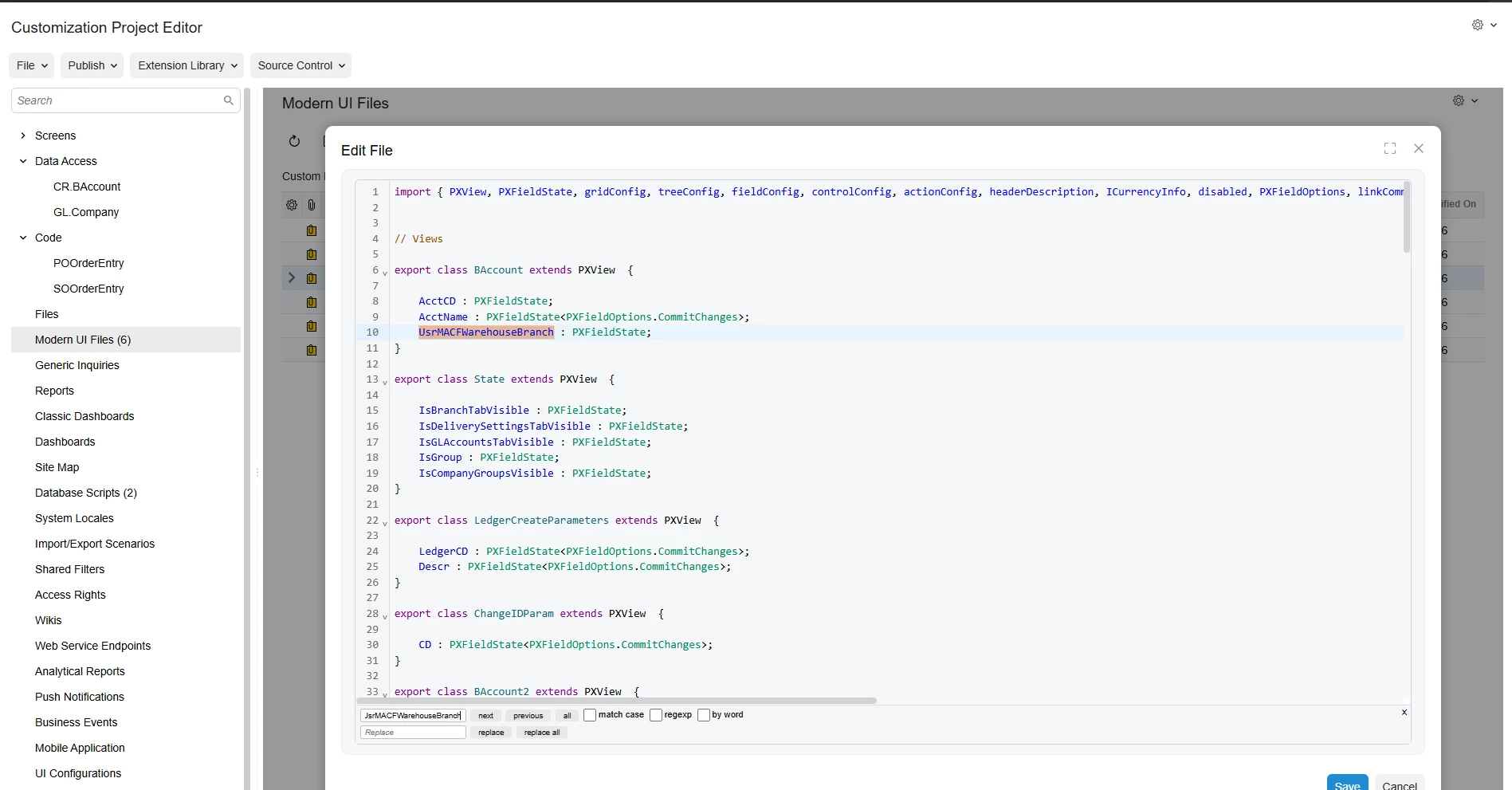
I reviewed the customization package and noticed that the Modern UI file contains a large portion of the standard screen markup in addition to the custom field definition.
Could you please clarify whether UsrMACFWarehouse / UsrMACFWarehouseBranch is a custom DAC extension field that you are trying to expose in Modern UI?
I am asking because the package appears to include a significant amount of base screen markup, which could potentially cause deployment issues or conflicts between environments.