Answer

Error when publishing customization upgraded to 2024R1

  • October 17, 2024
  • 11 replies
  • 166 views

wikusvorster42
Jr Varsity II
Forum|alt.badge.img

I am busy upgrading my projects to Build 24.113.0010. I keep getting this error when I publish the customization in the project editor:

[2024-10-17 09:41:07.313] Failed to load types from the PX.Data.BQL.Fluent, Version=1.0.0.0, Culture=neutral, PublicKeyToken=null assembly with the message: Method 'GetWhereExpression' in type 'PX.Data.BQL.Fluent.SearchFor`1' from assembly 'PX.Data.BQL.Fluent, Version=1.0.0.0, Culture=neutral, PublicKeyToken=null' does not have an implementation.
[2024-10-17 09:41:07.442] Failed to load types from the PX.Objects.PR, Version=1.0.0.0, Culture=neutral, PublicKeyToken=null assembly with the message: Method 'GetWhereExpression' in type 'Where`1' from assembly 'PX.Data.BQL.Fluent, Version=1.0.0.0, Culture=neutral, PublicKeyToken=null' does not have an implementation.
[2024-10-17 09:41:09.142] Validation failed.

I installed SmartFix_T200 to test a project and got the same result.

Best answer by wikusvorster42

It was an issue with the install, all is working now.

11 replies

Naveen Boga
Captain II
Forum|alt.badge.img+19
  • Captain II
  • October 17, 2024

@wikusvorster42 If possible, can you please share the customization package here?


wikusvorster42
Jr Varsity II
Forum|alt.badge.img
  • Author
  • Jr Varsity II
  • October 17, 2024

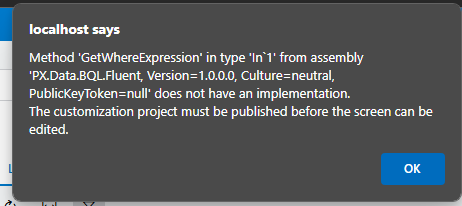
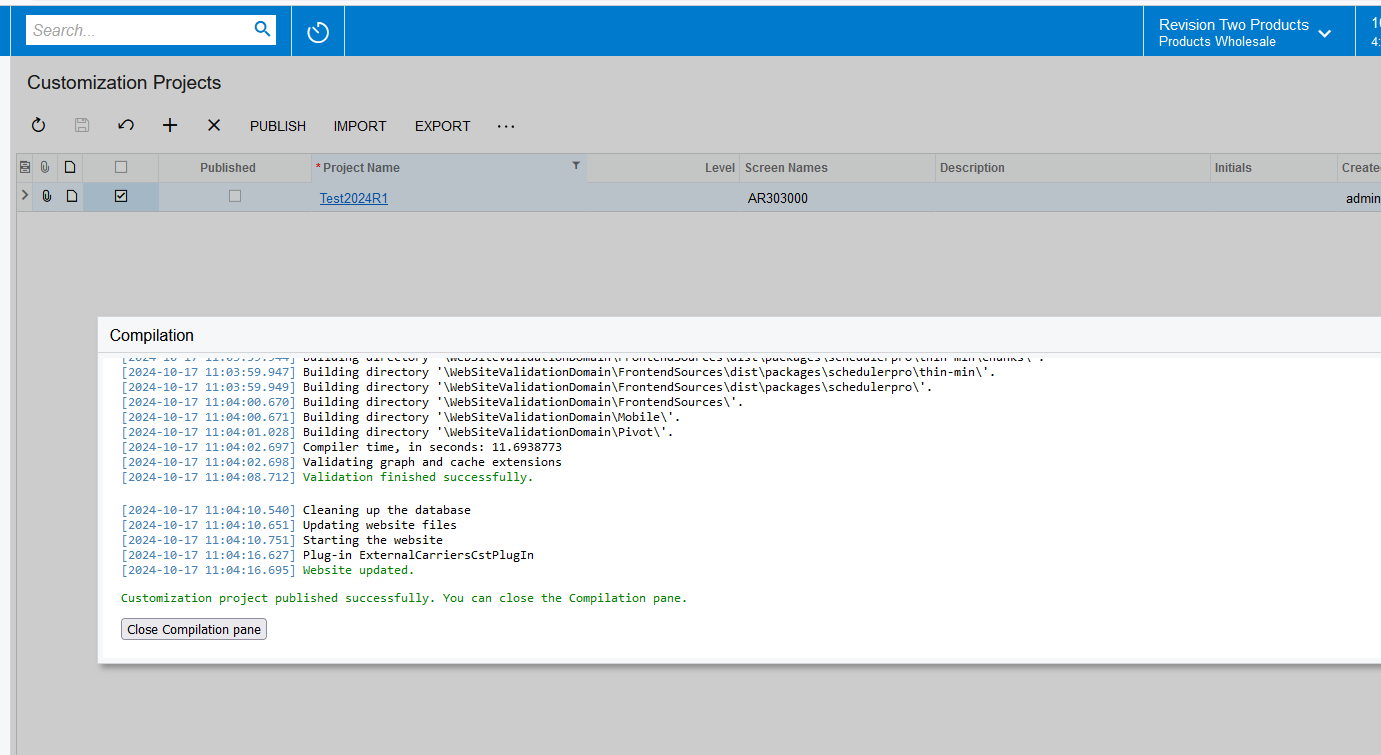
I created this project now, just added the Customer UI without any customization and got the same error when I publish. When I click to open the screen in the project editor, I get the below error, but I can’t publish.


Naveen Boga
Captain II
Forum|alt.badge.img+19
  • Captain II
  • October 17, 2024

@wikusvorster42  I’m able to publish the package successfully. Not sure in your case, delete the Customer screen and re-add the screen and publish.


wikusvorster42
Jr Varsity II
Forum|alt.badge.img
  • Author
  • Jr Varsity II
  • October 17, 2024

Thanks, I think the problem is related to something on my development VM. I am going to start a new VM and install it again.


Naveen Boga
Captain II
Forum|alt.badge.img+19
  • Captain II
  • October 17, 2024

Sure. Before proceeding, have you tried removing and re-adding the Customer screen? Are you still encountering the same error afterward?


wikusvorster42
Jr Varsity II
Forum|alt.badge.img
  • Author
  • Jr Varsity II
  • October 17, 2024

I have tried it, with other customizations but it keeps giving the same error. That is why I think a new VM will be the solution.


Naveen Boga
Captain II
Forum|alt.badge.img+19
  • Captain II
  • October 17, 2024

Understood. Thanks for the update and hoping that solves the problem.


Forum|alt.badge.img+8
  • Captain II
  • October 17, 2024

Hi @wikusvorster42 


Have you tried removing and readding the PX.Data.BQL.Fluent.dll reference in your project?


Aleks


wikusvorster42
Jr Varsity II
Forum|alt.badge.img
  • Author
  • Jr Varsity II
  • October 17, 2024

Hi @aiwan, yes I did.


wikusvorster42
Jr Varsity II
Forum|alt.badge.img
  • Author
  • Jr Varsity II
  • Answer
  • October 17, 2024

It was an issue with the install, all is working now.


Naveen Boga
Captain II
Forum|alt.badge.img+19
  • Captain II
  • October 17, 2024

I’m glad that issue resolved and thanks for sharing the update.