

Solved

Error: The file is not found, or you don't have enough rights to see the file, Import Snepshot

  • September 4, 2025
  • 2 replies
  • 86 views

Forum|alt.badge.img

Dear Sense,

I have a 7GB SnapShot file from Acumatica Cloud. I want to migrate it to my local laptop, but I don’t have access to the Acumatica database because it’s hosted in the cloud. Can you help me migrate my data to my local laptop?
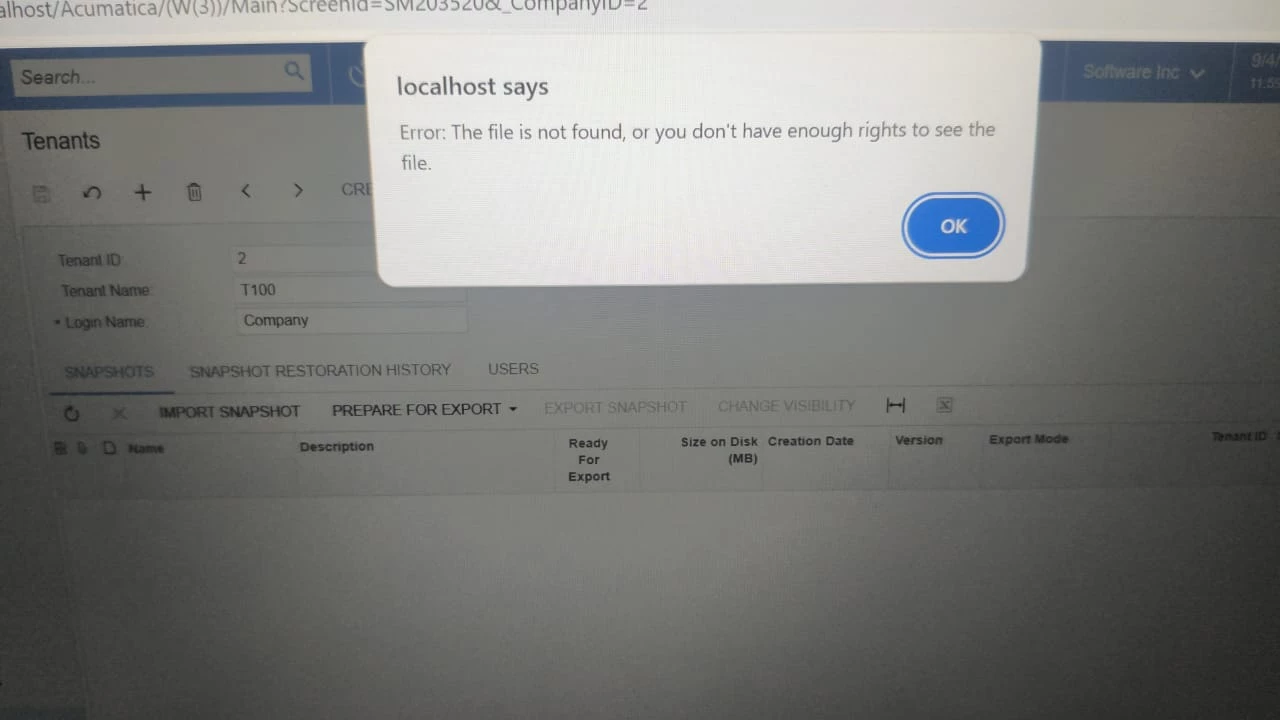


Please Help

Best answer by Dipak Nilkanth

Hi ​@Febri,

Please check This link .Hope this helps!

2 replies

Dipak Nilkanth
Pro III
Forum|alt.badge.img+14
  • Pro III
  • Answer
  • September 8, 2025

Hi ​@Febri,

Please check This link .Hope this helps!


ricoybanez
Jr Varsity III
Forum|alt.badge.img+5
  • Jr Varsity III
  • September 8, 2025

@Febri 

Download / Copy the snapshot to your unit then do the Import snapshot using the snapshot file downloaded/copied on your local machine. Please take note, by default snapshot for import will only allow a maximum of 1gb.


Hope this helps.

