Question

Equal Height in Form

  • March 16, 2026
  • 8 replies
  • 155 views

Forum|alt.badge.img

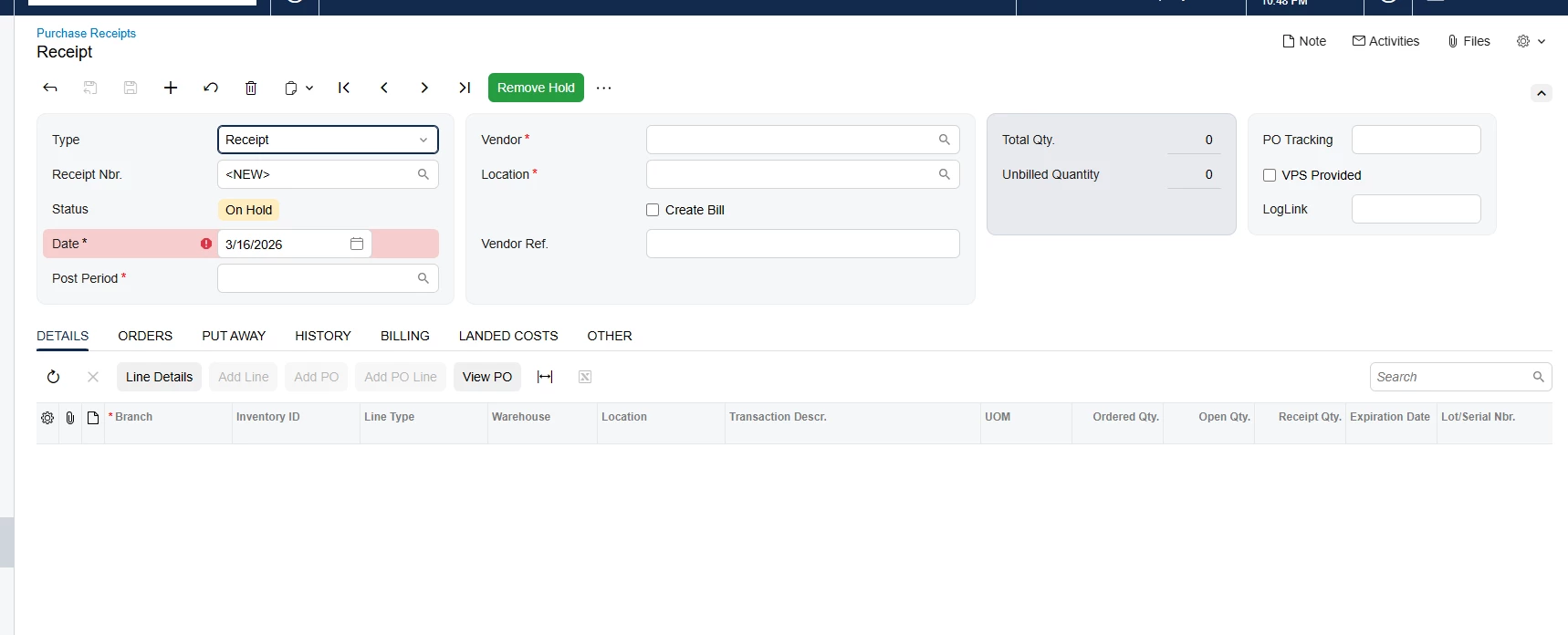
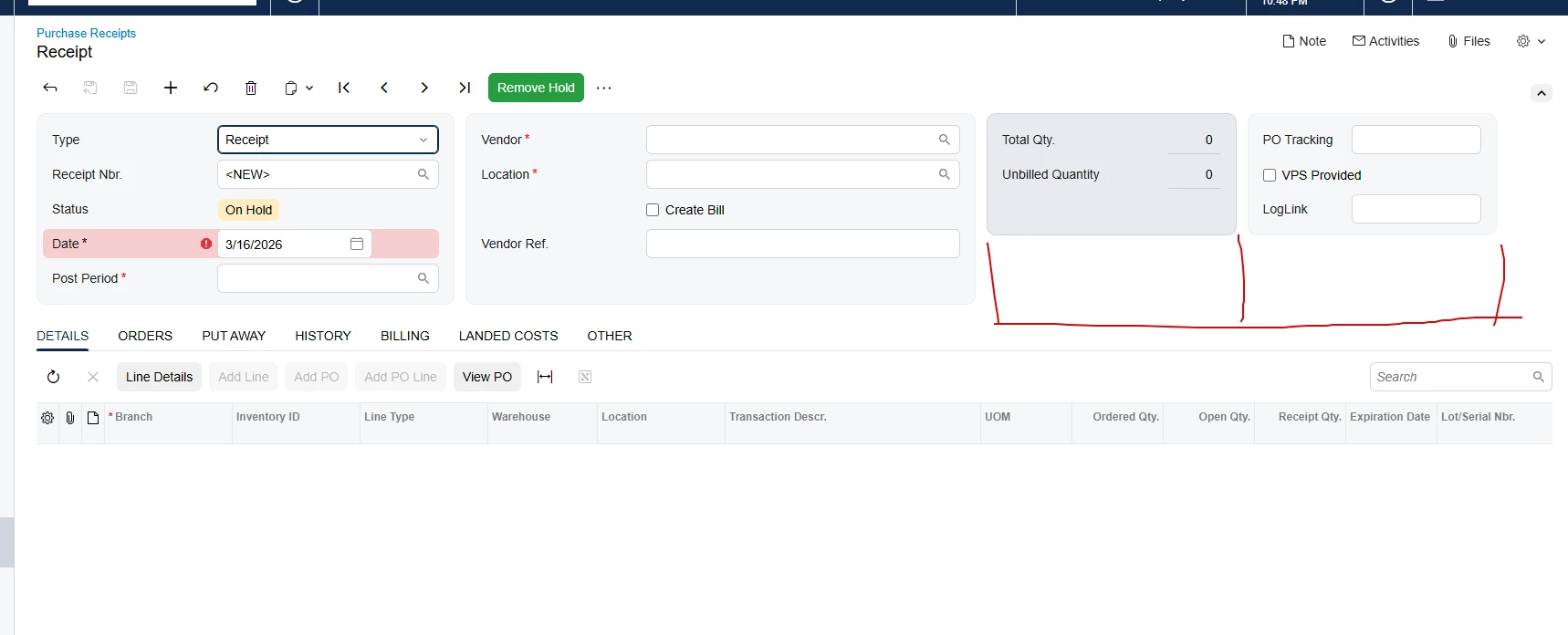
Hi everyone, I have an issue when trying to add a fourth column to the form. I can't align the 3rd and 4th columns with the others.
Here is my HTML

    <qp-template modify="#form-Receipt" id="form-Receipt" name="14-17-17" class="equal-height" qp-collapsible wg-container="document_form"></qp-template>
<template remove="#fsColumnC-Receipt">
</template>
<template modify="#form-Receipt">
<qp-template id="fsColumnC-Receipt" after="#fsColumnB-Receipt" slot="C" view.bind="Document" name="1-1" class="equal-height">
<qp-fieldset id="fsColumnC-Receipt-Original" view.bind="Document" class="highlights-section" slot="A">
<field name="OrderQty" pinned="true"></field>
<field name="ControlQty" pinned="true"></field>
<field name="UnbilledQty" pinned="true"></field>
<field name="CuryOrderTotal" pinned="true"></field>
</qp-fieldset>
<qp-fieldset id="Item_CstPXLayoutRule3_fs24" view.bind="Document" slot="B">
<field name="UsrBZDSTracking" class="label-size-xs"></field>
<field name="UsrBZVPSProvided" class="no-label"></field>
<field name="UsrBZLogLink" class="label-size-xs"></field>
</qp-fieldset>
</qp-template>
</template>

 

8 replies

Dipak Nilkanth
Pro III
Forum|alt.badge.img+14

Hi ​@VaheGhazaryan , 

Since you need 4 columns, please update the first line of the <qp-template> as shown below:

<qp-template modify="#form-Receipt" id="form-Receipt" name="14-17-17-17" class="equal-height" qp-collapsible wg-container="document_form"></qp-template>

This change will adjust the template layout to support four columns.


arpine08
Jr Varsity I
Forum|alt.badge.img+1
  • Jr Varsity I
  • March 16, 2026

Hi @VaheGhazaryan,

Please see also Yuriy Zaletskyy’s post about adding more than three columns to form templates in the Modern UI:

https://www.blog.zaletskyy.com/post/2025/01/22/enhancing-acumaticas-modern-ui-adding-more-than-three-columns-to-form-templates


Forum|alt.badge.img
  • Author
  • Jr Varsity III
  • March 17, 2026

Right now it looks like this.

I want all columns to have the same height.


darylbowman
Captain II
Forum|alt.badge.img+16

Creating a 4th column in Acumatica with the Modern UI is not supported by Acumatica. Please don’t do it. It breaks the improved layout and responsive behavior of the Modern UI.


Dipak Nilkanth
Pro III
Forum|alt.badge.img+14

Hi ​@VaheGhazaryan ,

Yes, you can ignore my previous comment, as adding more than three columns is not recommended.

This link will give you a better understanding of how to add columns in the Modern UI and the recommended ways about the same. ​@Vignesh Ponnusamy shared a solution here, but please note that it is not recommended.


Hi ​@VaheGhazaryan , try to remove “class="equal-height"” from your split column


Forum|alt.badge.img
  • Author
  • Jr Varsity III
  • March 18, 2026

Hi ​@andriihavrylow29,

Unfortunately, this did not help.


Hi ​@VaheGhazaryan ,

Since Acumatica anyways sets it to auto height, try to use this
 

<qp-template id="fsColumnC-Receipt" after="#fsColumnB-Receipt" slot="C" view.bind="Document" name="1-1" class="equal-height h-full" style="height: 100%;">


We trick slot C to set full available height (which should be height of other blocks)​​