



Question

Enabled Address Line 3 show in classic not in Modern UI

  • August 6, 2025
  • 3 replies
  • 75 views

dgodsill97
Varsity I
Forum|alt.badge.img+3

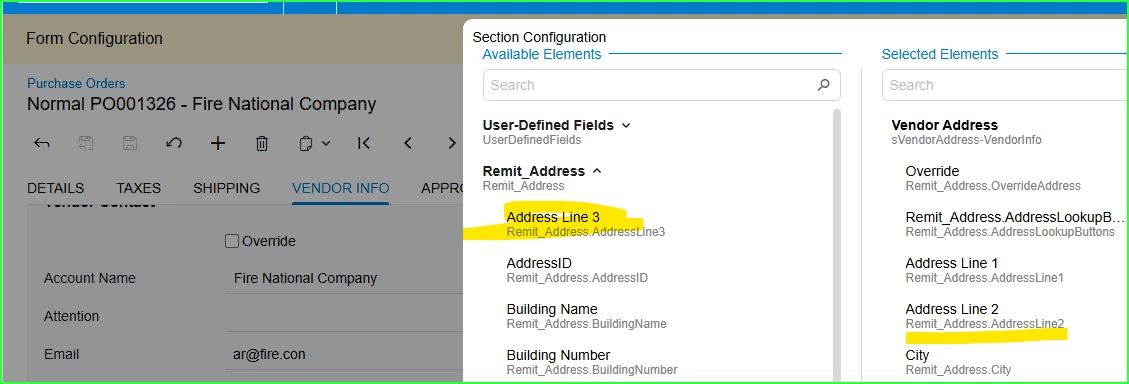
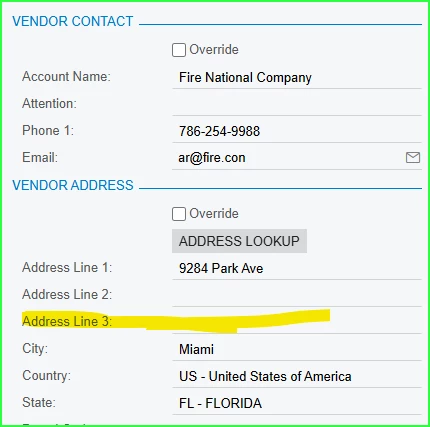
Address Line 3 is on all Acumatica screens and all forms actually pick up the data from Address Line 3.  When enabled and dragged to the proper spot the line is shown on the form in Classic UI. I enabled Address Line 3 or all Acumatica screens in 24xx created a customization package and publish it in 25R1. In Modern UI, the field has dragged over using Screen Configuration.  This example for the Purchase Order.
 

In classic the Address Line 3 shows
Is there an easy way or a tool to have fields show in the Modern UI in the same location as in Classic.  I would have to think you have to go into every form in the Modern UI to use the screen configuration to move the fields to where they belong. 

3 replies

Forum|alt.badge.img+8
  • Captain II
  • August 6, 2025

@dgodsill97 


I believe that in the modern ui, one of the benefits includes being able to configure your own screen, which will then persist within snapshots etc.


I do not think there is an easy way to do this, but you may be able to accomplish via customising the HTML, someone may have another idea which could prove easier.


Hope this helps, 

Aleks


dgodsill97
Varsity I
Forum|alt.badge.img+3
  • Author
  • Varsity I
  • August 7, 2025

The T290 Course has a chapter on converting classic screens to the modern UI.  And it is complicated and requires you convert the screens one at a time.  It appears Acumatica has not thought about the issue very much.  Every client has some sort of customization to add a custom field to a screen or two or even more. I might as well update the screens by dragging the fields to where they belong and seeing if I add them to a customization project will their location be preserved.


darylbowman
Captain II
Forum|alt.badge.img+15

I would have to think you have to go into every form in the Modern UI to use the screen configuration to move the fields to where they belong.


I believe that is the case, yes. You should then be able to apply the layout for all users.

Converting to the Modern UI is not going to be a flip-switch scenario for customized screens. It will need to be done after an evaluation has been made of what has been customized.