

Answer

Editing FILES screen

  • April 24, 2025
  • 2 replies
  • 52 views

Hi, I’m trying to increase the width of the “File name” column on the “Files” screen (accessed via any screen → FILES). However, I wasn’t able to locate this screen in the customization project. Do you know what the screen name might be or where I can find it?
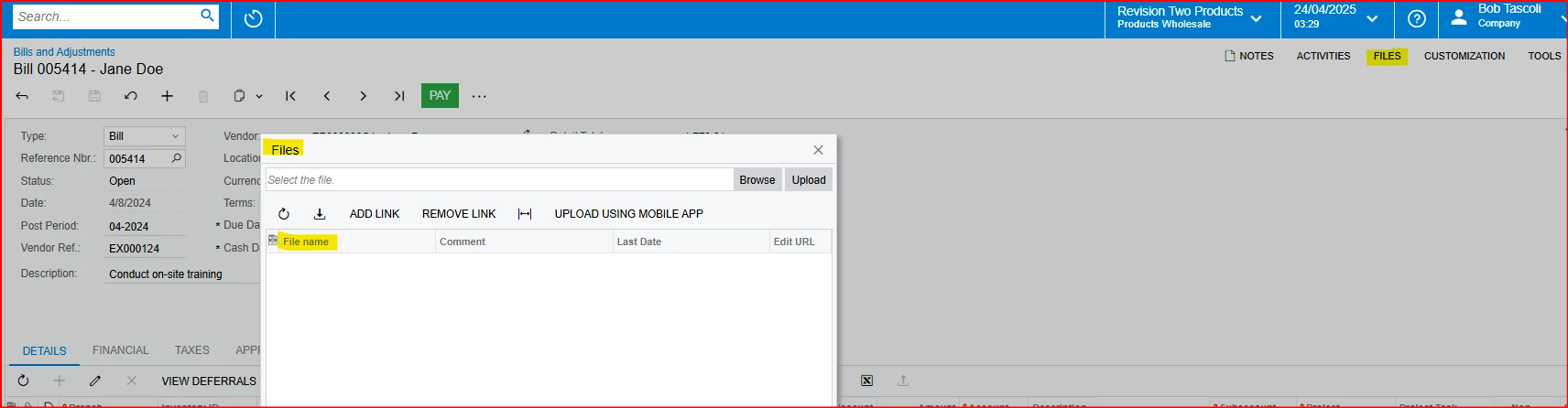
 

Thanks

 

Best answer by darylbowman

According to support, this isn’t possible. From my own experience, this code is hidden away in a deep dark DLL and support is correct.

2 replies

darylbowman
Captain II
Forum|alt.badge.img+15
  • Answer
  • April 24, 2025

According to support, this isn’t possible. From my own experience, this code is hidden away in a deep dark DLL and support is correct.


Forum|alt.badge.img+1

Snap - at some point in the past I wanted to add a checkbox to records on the files screen to indicate whether they should be automatically attached to emails. 

I read it wasn’t possible to edit this screen, and after checking the source code I couldn’t find anything to edit/customise. 

The general feedback is that the Files screen cannot be customised. Which is sad, but at least it’s a solid answer.
